
1. はじめに
This manual provides essential information for setting up, operating, and maintaining your TCL 32V5C Smart QLED Full HD Android TV. Please read this manual thoroughly before using your television to ensure proper functionality and safety.
The TCL 32V5C series combines a sleek design with QLED and HDR image quality, powered by the advanced Android TV system. It offers a smart visual experience, allowing you to enjoy movies, streaming applications, and multiplayer games with ease.
2. 重要な安全情報
火災、感電、けがのリスクを軽減するために、このテレビを使用するときは常に基本的な安全上の注意事項に従ってください。
- テレビを雨や湿気にさらさないでください。
- キャビネットを開けないでください。すべての修理は資格のある担当者に依頼してください。
- テレビの周囲に適切な換気を確保してください。
- 製造元から提供された電源コードのみを使用してください。
- テレビを直射日光や熱源から遠ざけてください。
- テレビの清掃には、柔らかく乾いた布のみを使用してください。
3. 箱の中身
セットアップを続行する前に、すべてのコンポーネントが揃っていることを確認してください。
- TCL 32V5C Smart QLED TV
- リモートコントロール
- 電源ケーブル
- ユーザーマニュアル(このドキュメント)
- TV Stand and Support Screws
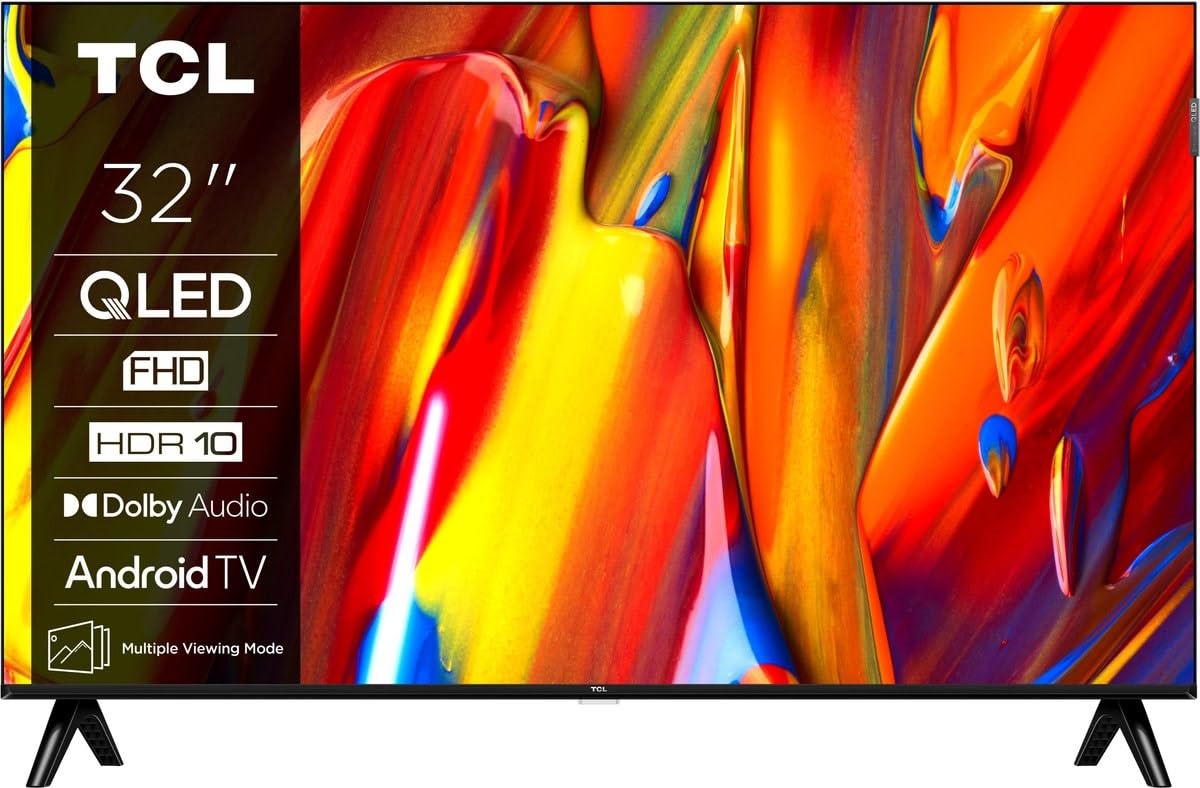
画像: 正面 view of the TCL 32V5C Smart QLED Full HD Android TV, showcasing its slim design and display features.
4.セットアップガイド
4.1 テレビスタンドの取り付け
付属のスタンドを取り付けるには:
- 画面の損傷を防ぐため、テレビを画面を下にして柔らかく平らな面に置いてください。
- スタンドコンポーネントをテレビの下部にある取り付け穴に合わせます。
- 付属のネジを使用してスタンドを固定します。すべてのネジがしっかりと締められていることを確認してください。

Image: Diagram showing the dimensions of the TCL 32V5C TV and the included remote control (RC733A).
4.2 壁掛け(オプション)
If you choose to wall mount your TV, ensure you use a VESA-compatible wall mount (100 x 100 mm). Consult a professional for installation to prevent damage or injury.
4.3 電源の接続
Connect the power cable to the TV's power input and then plug it into a wall outlet. The TV is designed for 220-240V AC, 50/60Hz power supply.
4.4 外部機器の接続
Your TCL 32V5C TV offers various connectivity options:
- HDMI: Connect Blu-ray players, game consoles, or set-top boxes using one of the two HDMI ports.
- USB: Use the single USB port for media playback from USB drives.
- イーサネット: 安定した有線インターネット接続を確保するには、イーサネット ケーブルを LAN ポートに接続します。
- Wi-Fi: インターネットにアクセスするには、自宅のワイヤレス ネットワークに接続します。
- ブルートゥース: Pair wireless headphones, soundbars, or other Bluetooth-enabled devices.
5. テレビの操作
5.1 First-Time Setup and Android TV
Upon first power-on, the TV will guide you through the initial setup process. This includes selecting your language, connecting to Wi-Fi, and logging into your Google account to activate Android TV features.
Android TV provides access to over 400,000 movies and shows from various streaming services. Utilize Google Cast to transfer photos, videos, and music from your smart devices directly to your TV.
5.2リモコン機能
Use the provided remote control to navigate menus, adjust volume, change channels, and access smart features. Refer to the remote control diagram for specific button functions.
5.3 画質と音質
Your TV features QLED technology, which uses quantum dot materials to deliver exceptional colors and optical properties, enhancing brightness and fine details for a realistic viewing experience. Direct LED backlighting further improves image quality and energy efficiency.
With HDR10 support, the TV displays a wider range of colors and contrasts, bringing more depth to compatible content. Dolby Audio processing ensures clear and immersive sound quality through the integrated speakers.
6. メンテナンス
テレビの寿命を延ばし、最適なパフォーマンスを確保するには:
- 画面の掃除: 柔らかく糸くずの出ない布で画面を優しく拭いてください。頑固な汚れには、軽くamp布に水または専用のスクリーンクリーナーを含ませます(スクリーンに直接スプレーしないでください)。
- キャビネットのクリーニング: Use a soft, dry cloth to clean the TV cabinet. Avoid abrasive cleaners or solvents.
- 換気: テレビ背面の通気口が塞がれていないことを確認してください。
- 電源コード: 電源コードに損傷がないか定期的に確認してください。
7。 トラブルシューティング
テレビで問題が発生した場合は、次の一般的な解決策を参照してください。
| 問題 | 考えられる解決策 |
|---|---|
| 電源なし | 電源ケーブルがテレビと壁のコンセントの両方にしっかりと接続されているか確認してください。コンセントが正常に機能していることを確認してください。 |
| 映像はないが、音はある | Verify the correct input source is selected. Check external device connections (HDMI, etc.). |
| 音はないが、映像は表示される | Check the volume level and mute settings. Ensure external audio devices are properly connected and selected. |
| リモコンが動作しない | 電池を交換してください。リモコンとテレビの赤外線センサーの間に障害物がないことを確認してください。 |
| Wi-Fi接続の問題 | Restart your router and modem. Reconnect the TV to the Wi-Fi network in the settings menu. |
さらにサポートが必要な場合は、TCL カスタマー サポートにお問い合わせください。
8. 仕様
| 特徴 | 詳細 |
|---|---|
| ブランド | TCL |
| モデル番号 | 32V5C |
| 画面サイズ | 32インチ |
| ディスプレイ技術 | クォリティLED |
| 解決 | 1080p(フルHD) |
| リフレッシュレート | 60Hz |
| 特集 | QLED & Android TV, HDR10, Google Cast |
| 接続技術 | Bluetooth、イーサネット、HDMI、USB、Wi-Fi |
| HDMIポート | 2 |
| USBポート | 1 |
| アスペクト比 | 16:9 |
| 製品寸法(奥行き×幅×高さ) | 18P x 71.5l x 46.5H cm (with stand) |
| 商品重量(スタンドなし) | 3.1キログラム |
| VESAマウント規格 | 100×100ミリ |
| オーディオフォーマット | ドルビーオーディオ |
| チューナータイプ | DVB-T2 |
| 色 | 黒 |
9. 保証とサポート
9.1 保証情報
This product comes with a Limited Warranty. Please refer to the warranty card included in the packaging or visit the official TCL web特定の地域に関する詳細な利用規約については、こちらのサイトをご覧ください。
9.2 カスタマーサポート
For technical assistance, troubleshooting not covered in this manual, or service inquiries, please contact TCL customer support through their official webサイトまたは保証書に記載されている連絡先情報を参照してください。
You can often find additional resources, FAQs, and software updates on the TCL公式 Webサイト.