
1. はじめに
Welcome to the world of vinyl with your new FancyRabbit H2501 Record Player. This manual provides essential information for setting up, operating, and maintaining your turntable to ensure optimal performance and longevity. Please read these instructions carefully before use.
The FancyRabbit H2501 combines classic vinyl playback with modern features, including an AT-3600L magnetic cartridge, belt drive, 2-speed playback, and integrated Bluetooth streaming. Enjoy high-fidelity sound through its quad stereo speakers or connect to external audio systems.
2.製品オーバーview
2.1 主な特徴
- Precision Cartridge Setup: Features an AT-3600L magnetic cartridge and adjustable counterweight tonearm for smooth tracking and high-fidelity sound.
- Bluetooth ストリーミング: Stream music wirelessly from your phone or tablet. Easily switch between vinyl record player playback and digital music via built-in Bluetooth.
- 2スピード再生: Supports both 33 1/3 and 45 RPM speeds. Compatible with all 7", 10", and 12" vinyl records.
- クアッドステレオスピーカー: Upgraded 4-speaker system delivers louder, fuller sound with enhanced clarity.
2.2 コンポーネント

図1: 含まれるコンポーネント
Your FancyRabbit H2501 package includes the Turntable Unit, Lid Cover, Platter, Felt Mat, Drive Belt, Power Adapter, Counterweight, 45 RPM Adapter, Quick Start Guide, and this User Manual.
2.3 コントロールと接続

Figure 2: Rear Interface Description
- Power Jack (DC IN 12V): ここに電源アダプターを接続します。
- Phono / Line Out Switch: Select between Phono (internal preamp) or Line Out (external preamp/receiver).
- AUX INジャック: Connect other audio devices (e.g., MP3 players, CD players) via an AUX cable.
- RCA Jacks (AUX OUT): Connect to external powered speakers or an amp音質を向上させるライファイア。

Figure 3: Easy Control Panel
- トーンノブ: Adjusts the sound to suit your personal preferences.
- Mode Selector (33/45/BT): Select playback speed for vinyl (33 1/3 RPM, 45 RPM) or switch to Bluetooth mode.
- ボリュームノブ: Turns the power on/off and adjusts the volume.
3. セットアップ
3.1 開梱と初期組み立て
Carefully remove all components from the packaging. Ensure all parts listed in Section 2.2 are present. Place the turntable unit on a stable, level surface.
ビデオ1: 終了view of the FancyRabbit H2501 Record Player and its features.
3.2 Platter and Belt Setup
- プラッターをターンテーブルスピンドルに置きます。
- ドライブ ベルトを見つけます。通常はプラッターの下にあるか、別途パッケージ化されています。
- Carefully stretch the drive belt around the motor pulley and the inner rim of the platter. Ensure the belt is not twisted.
- フェルトマットをプラッターの上に置きます。
3.3 Tonearm and Counterweight Adjustment
Figure 4: Tonearm and Counterweight
- カートリッジからスタイラスプロテクターを取り外します。
- Gently unlock the tonearm from its rest.
- トーンアームの背面にカウンターウェイトを取り付けます。
- Adjust the counterweight until the tonearm is perfectly balanced (floating horizontally).
- Once balanced, rotate the numbered ring on the counterweight to '0' without moving the counterweight itself.
- Rotate the entire counterweight counter-clockwise to the recommended tracking force (typically 3.5g for the AT-3600L cartridge).
- Re-lock the tonearm to its rest.
4. 操作手順
4.1 電源のオン/オフと音量
- To power on the unit, rotate the Volume knob clockwise. The indicator light will illuminate.
- To adjust the volume, continue rotating the Volume knob.
- To power off, rotate the Volume knob counter-clockwise until it clicks.
4.2 レコード再生
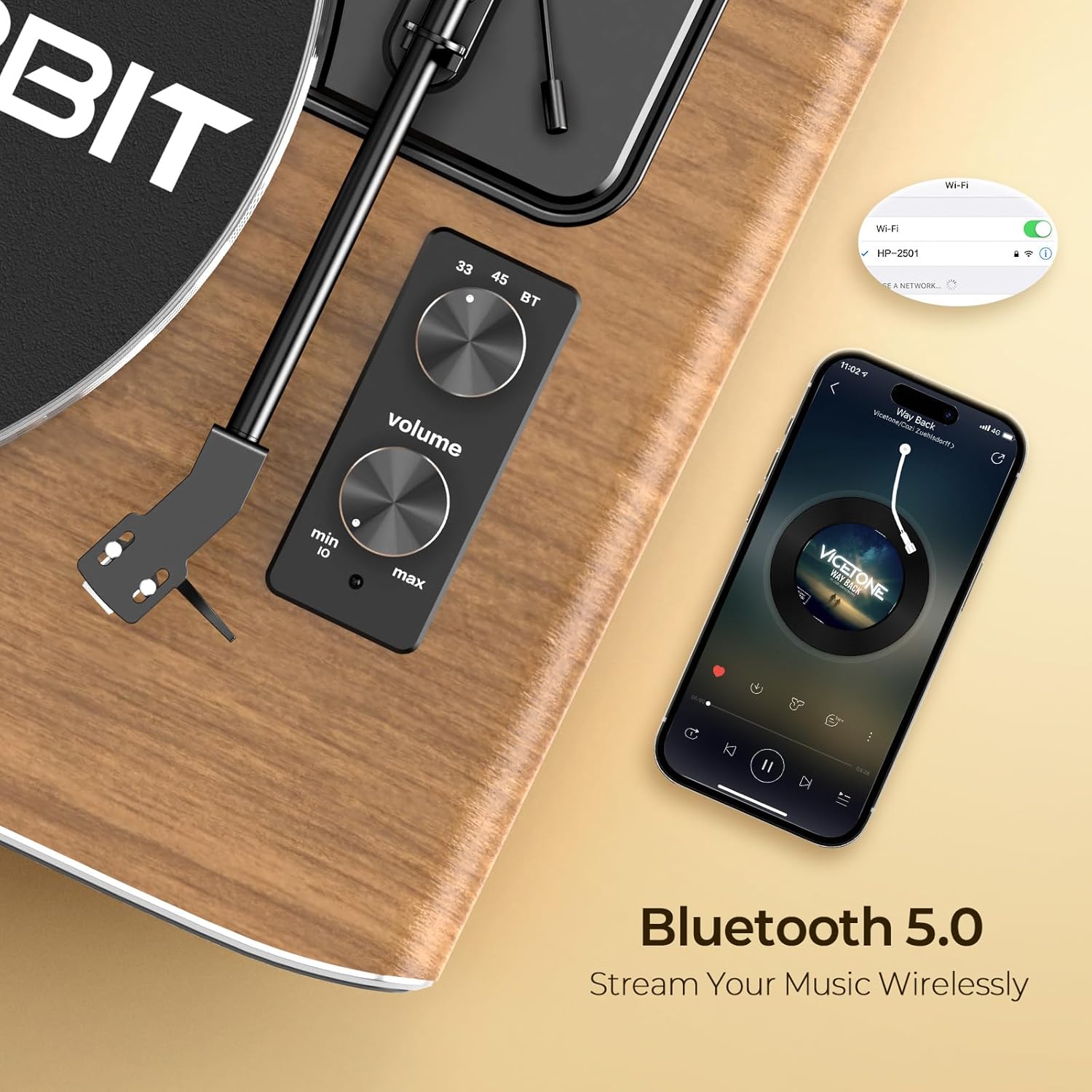
Figure 5: 2-Speed Playback
- ビニールレコードをプラッターの上に置きます。
- Select the appropriate speed (33 or 45 RPM) using the Mode selector knob. Use the 45 RPM adapter for 7-inch singles if needed.
- Unlock the tonearm and gently lift it using the cueing lever.
- レコード上の目的のトラックの上にスタイラスを置きます。
- キューイングレバーを使ってトーンアームをゆっくり下げます。レコードの再生が始まります。
- At the end of the record, the turntable will automatically stop spinning. Lift the tonearm and return it to its rest.
4.3 Bluetoothストリーミング
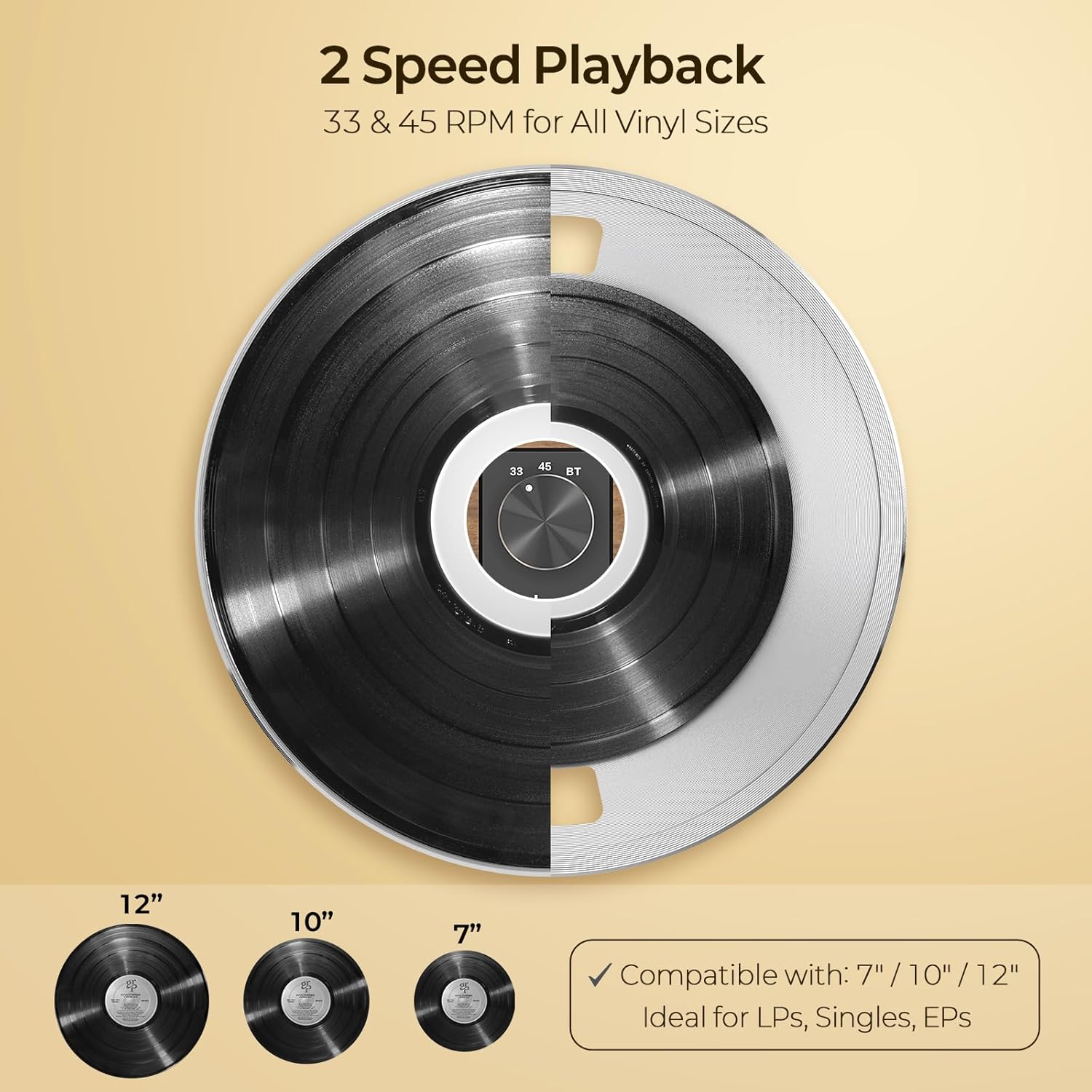
図6: Bluetooth 5.0接続
- Rotate the Mode selector knob to 'BT' (Bluetooth). The indicator light will flash blue, indicating pairing mode.
- On your Bluetooth-enabled device (smartphone, tablet), search for 'HP-H2501' in the Bluetooth settings.
- Select 'HP-H2501' to pair. Once connected, the indicator light will turn solid blue.
- You can now stream audio from your device through the record player's speakers.
4.4外部接続
The FancyRabbit H2501 offers various options for connecting to external audio equipment:
- AUX入力: Connect external audio sources (e.g., CD player, MP3 player) to the AUX IN jack using a 3.5mm audio cable.
- AUX出力(RCA): RCA出力ジャックを外部機器に接続します amplifier or powered speakers for a different audio experience. Ensure the Phono/Line Out switch is set correctly based on your external equipment's input type.
5. メンテナンス
- スタイラスのクリーニング: 柔らかいブラシを使って、スタイラスを奥から前に向かって優しく掃除してください。指でスタイラスに触れないようにしてください。
- レコードのクリーニング: Use a dedicated record cleaning brush or cloth to remove dust and debris before each play.
- ユニットのクリーニング: Wipe the turntable unit with a soft, dry cloth. Avoid using harsh chemicals or abrasive cleaners.
- ダストカバー: ターンテーブルをほこりから守るため、使用していないときはダストカバーを閉じてください。
6。 トラブルシューティング
| 問題 | 考えられる原因 | 解決 |
|---|---|---|
| 電源なし | 電源アダプターが接続されていないか、コンセントに障害があります。 | 電源アダプターがしっかりと接続されていることを確認し、別のコンセントを試してください。 |
| スピーカーから音が出ない | Volume too low; incorrect mode selected; external speakers not connected properly. | Increase volume; ensure correct mode (33/45 RPM or BT) is selected; check external speaker connections if applicable. |
| レコードのスキップ | Dust/debris on record or stylus; incorrect tracking force; turntable not level. | Clean record and stylus; re-adjust counterweight; ensure turntable is on a level surface. |
| Bluetoothが接続されない | ターンテーブルがペアリングモードになっていません。デバイスが遠すぎます。干渉があります。 | Ensure turntable is in BT mode (flashing blue light); move device closer; restart both devices. |
7. 仕様
| 特徴 | 詳細 |
|---|---|
| ブランド | FancyRabbit |
| モデル番号 | H2501-Walnut |
| 再生速度 | 33 1 / 3、45 RPM |
| カートリッジの種類 | AT-3600L Magnetic Cartridge |
| 接続性 | Bluetooth 5.0, AUX IN, RCA AUX OUT |
| スピーカー | Integrated Quad Stereo Speakers |
| 材料 | 金属、プラスチック、木材 |
| アイテム重量 | 19.05ポンド |
| パッケージ寸法 | 21.57 x 17.24 x 11.73インチ |
8. 保証とサポート
The FancyRabbit H2501 Record Player comes with a complete installation guide and step-by-step video tutorial for quick and hassle-free setup. For any questions or assistance, our dedicated support team is available to help. Please refer to the contact information provided in your Quick Start Guide or visit the official FancyRabbit website for further support details.