
NIMO NIMO N154G
NIMO 15.6 FHD-Laptop User Manual
Model: NIMO N154G
導入
Thank you for choosing the NIMO 15.6 FHD-Laptop. This powerful and versatile laptop is designed to enhance your productivity and entertainment experience. Featuring an Intel Core i3-1215U processor, 16GB RAM, and a 1TB SSD, it delivers fast and efficient performance for all your tasks. This manual provides essential information on setting up, operating, maintaining, and troubleshooting your new laptop.

Image: The NIMO 15.6 FHD-Laptop, showcasing its sleek design and key features like Full HD display, 16GB RAM, 1TB SSD, Type-C PD Charger, Fingerprint reader, and Backlit keyboard.
箱の中身
パッケージの内容を確認し、すべてのアイテムが揃っていることを確認してください。
- 1 x Nimo N154 Laptop
- 1 x Type-C 65W PD Fast Charger
- ユーザーマニュアル x 1
- Windows 11 Home(プリインストール)
設定
最初の電源オンと充電
- Unpack your NIMO laptop and the Type-C 65W PD Fast Charger.
- Connect the Type-C charger to the laptop's Type-C charging port and plug the adapter into a power outlet.
- 初めて使用する前に、少なくとも 30 分間、またはバッテリー インジケーターが十分な充電量を示すまで、ラップトップを充電してください。
- Press the power button located on the top right side of the keyboard to turn on the laptop.
Windows 11 セットアップ
Follow the on-screen instructions to complete the initial Windows 11 setup. This typically includes:
- 地域とキーボード レイアウトを選択します。
- Wi-Fiネットワークに接続しています。
- ライセンス契約に同意します。
- Microsoft アカウントを作成するか、Microsoft アカウントでサインインします。
- Setting up a PIN or password for login.
- プライバシー設定を構成します。
ノートパソコンの操作
ディスプレイとビジュアル
The NIMO laptop features a stunning 15.6-inch Full HD (1920x1080) display with an 85% screen-to-body ratio and razor-thin bezels, providing vibrant colors and sharp details for an immersive viewing の経験。

Image: The NIMO laptop screen displaying a vibrant image, highlighting its Full HD (1920x1080) resolution, IPS technology, bright view, and eye protection features.
パフォーマンス
Equipped with an Intel Core i3-1215U processor, 16GB DDR4 RAM, and a 1TB SSD, your NIMO laptop delivers powerful performance for multitasking, productivity, and entertainment. The 12th Gen Intel Core i3-1215U processor offers 6 cores and 8 threads, with a turbo boost up to 3.7 GHz, ensuring smooth and responsive operation.

画像: 詳細な view of the 12th Gen Intel Core i3-1215U Processor, illustrating its 6 cores, 8 threads, 15W power consumption, and 3.7 GHz Turbo Boost frequency, with a performance improvement indicator.
キーボードと入力
The laptop features a backlit keyboard for comfortable typing in various lighting conditions, a responsive touchpad, and a numeric keypad for efficient data entry. The integrated fingerprint reader provides seamless and secure login.
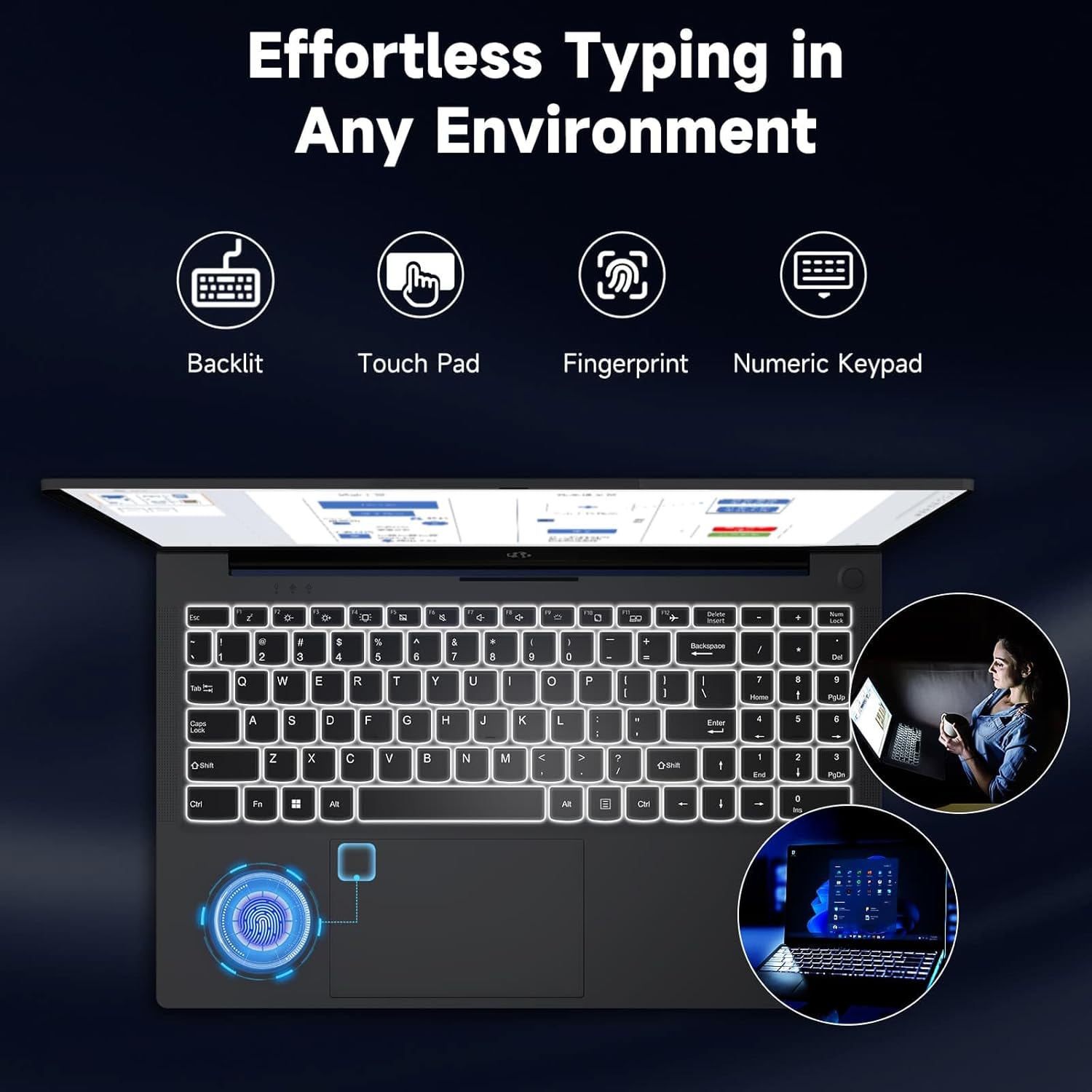
Image: The NIMO laptop keyboard, highlighting its backlit keys, touchpad, fingerprint sensor, and numeric keypad for effortless typing in any environment.
セキュリティとプライバシー
Unlock your laptop with ease and speed using the integrated fingerprint scanner. For privacy, the 2.0MP webcam includes a physical privacy switch, allowing you to control when your camera is active.
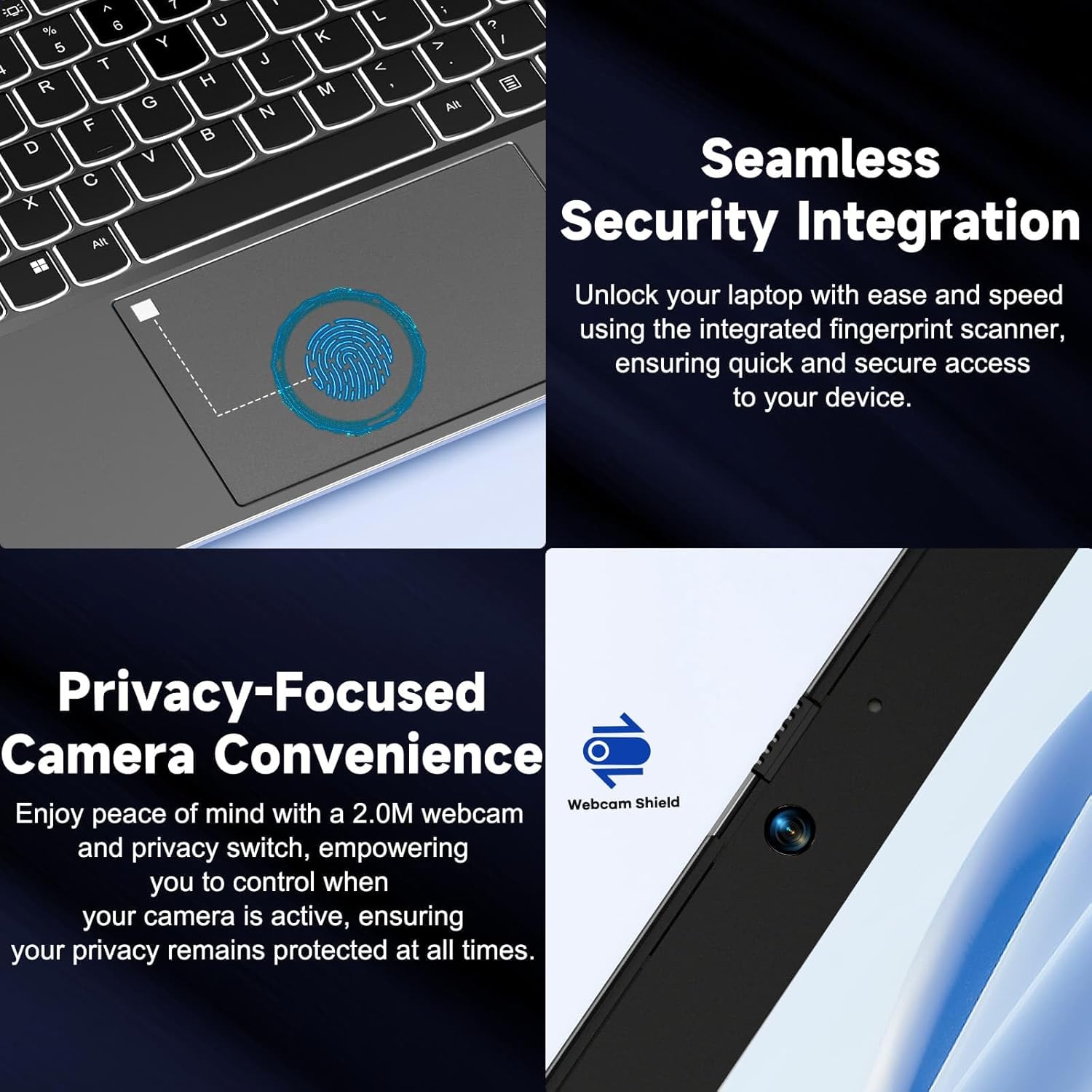
画像: クローズアップ views of the laptop's fingerprint sensor for seamless security integration and the webcam with its privacy shield for enhanced privacy.
接続性
The NIMO laptop offers multiple ports for versatile connectivity, including USB 2.0, USB 3.0, HDMI, and Type-C ports (one for charging, one for multifunction). It also features a Micro SD card reader, a headphone combo jack, and a Kensington lock slot.

画像: 爆発した view of the NIMO laptop, highlighting the location and type of its multiple ports, including USB, HDMI, Type-C, Micro SD, headphone combo, and Kensington lock.
180°フラットヒンジ
The laptop is equipped with a 180° lay-flat hinge, allowing the screen to lie completely flat. This feature expands usage scenarios, making it easier to share content or collaborate with others.

Image: The NIMO laptop demonstrating its 180° lay-flat hinge, showing the screen fully opened and flat, ideal for sharing content.
メンテナンス
クリーニング
- 柔らかく糸くずの出ない布で軽く拭き取ってください。ampディスプレイを水またはスクリーンクリーナーで拭いてください。
- キーボードとシャーシのお手入れには、柔らかく乾いた布をご使用ください。刺激の強い化学薬品や研磨剤は使用しないでください。
- 圧縮空気を使用して、キーボードのキーや通気口のグリルからほこりを取り除きます。
バッテリーケア
- バッテリーを頻繁に完全に放電することは避けてください。
- 長期間使用しない場合は、ノートパソコンを涼しく乾燥した場所に保管してください。
- Use only the provided NIMO 65W PD fast charger.
ソフトウェアアップデート
- Regularly check for Windows updates to ensure your system has the latest security patches and performance improvements.
- Keep your drivers updated for optimal hardware performance.
トラブルシューティング
| 問題 | 考えられる原因 | 解決 |
|---|---|---|
| ノートパソコンの電源が入らない | バッテリー残量が少ない; 電源アダプターに問題がある | Ensure charger is properly connected and plugged in. Allow to charge for a few minutes before attempting to power on again. |
| Wi-Fi接続の問題 | Driver issue; Router problem; Wi-Fi disabled | Check if Wi-Fi is enabled (Fn+F5). Restart your router. Update Wi-Fi drivers via Device Manager. |
| パフォーマンスが遅い | Too many background apps; Low disk space; Malware | 不要なアプリケーションを閉じてください。ディスク容量を解放してください。ウイルス対策ソフトウェアでシステム全体をスキャンしてください。 |
| キーボードのバックライトが機能しない | バックライトが無効 | Press Fn + F10 (or the key with the backlight icon) to toggle the backlight on/off or adjust brightness. |
| Fingerprint reader not responding | Sensor dirty; Driver issue; Incorrect setup | Clean the sensor with a soft cloth. Re-register your fingerprint in Windows Settings. Update fingerprint reader drivers. |
仕様
| 特徴 | 詳細 |
|---|---|
| モデル名 | NIMO N154G |
| 画面サイズ | 15.6インチ |
| 画面解像度 | 1920×1080ピクセル(フルHD) |
| プロセッサ | Intel Core i3-1215U (最大4.4GHz) |
| ラム | 16 GB DDR4 (3200 MHz) |
| ストレージ | 1TB SSD |
| グラフィックスコプロセッサ | 統合グラフィックス |
| オペレーティング·システム | Windows 11 ホーム |
| ワイヤレスタイプ | 802.11a/b/g/n/ac |
| USBポート | 1のx USB 2.0、2のx USB 3.0 |
| その他のポート | HDMI, 2 x Type-C (1 Charge Only, 1 Multifunction), Micro SD Reader, Headphone Combo, Kensington Lock |
| Webカム | 2MPリア Webカム解像度 |
| バッテリー寿命(平均) | 5時間 |
| 電源 | Battery Powered (65W PD Type-C Charger) |
| アイテム重量 | 5ポンド |
| 製品寸法 | 14.07 x 8.98 x 0.76インチ |
| 色 | グレー |
| 特集 | Fingerprint Reader, HD Audio, Backlit Keyboard, Memory Card Slot, Numeric Keypad, 180° Lay-Flat Hinge |
保証とサポート
NIMO is committed to providing reliable products and excellent customer service. Your NIMO laptop comes with comprehensive warranty and support:
- 2-Year Laptop Protection: 製造上の欠陥をカバーする 2 年間の保証で安心してご利用いただけます。
- 90日間無料返品: If you are not satisfied with your purchase, you can return it within 90 days.
- 24/7 Customer Service Support: Our dedicated team of laptop experts is available around the clock to provide instant assistance and resolve any issues you may encounter.
For support, please refer to the contact information provided on the NIMO official website or the packaging. Please have your model number (NIMO N154G) and purchase details ready when contacting support.

Image: An illustration of NIMO's after-sales excellence, showing domestically partial assembly, 90-day free returns, 2-year after-sales support, and 24/7 customer service support.
Ask a question about this manual
Ask about setup, troubleshooting, compatibility, parts, safety, or missing instructions. Manuals+ will review the question and use this page’s manual context to help answer it.