
導入
The Logitech MK250 Bluetooth mouse and keyboard combo offers effortless wireless connectivity, designed for a clutter-free workspace. This durable combo provides a comfortable typing and navigation experience across Windows and macOS platforms. Its compact design includes a full numpad and essential function keys, making it suitable for various environments.
箱の中身
- MK250 キーボード
- MK250 Mouse
- ユーザードキュメント
- Quick Start Guide (Printed on Packaging)
- 2 AAA batteries (for keyboard)
- 1 AA battery (for mouse)
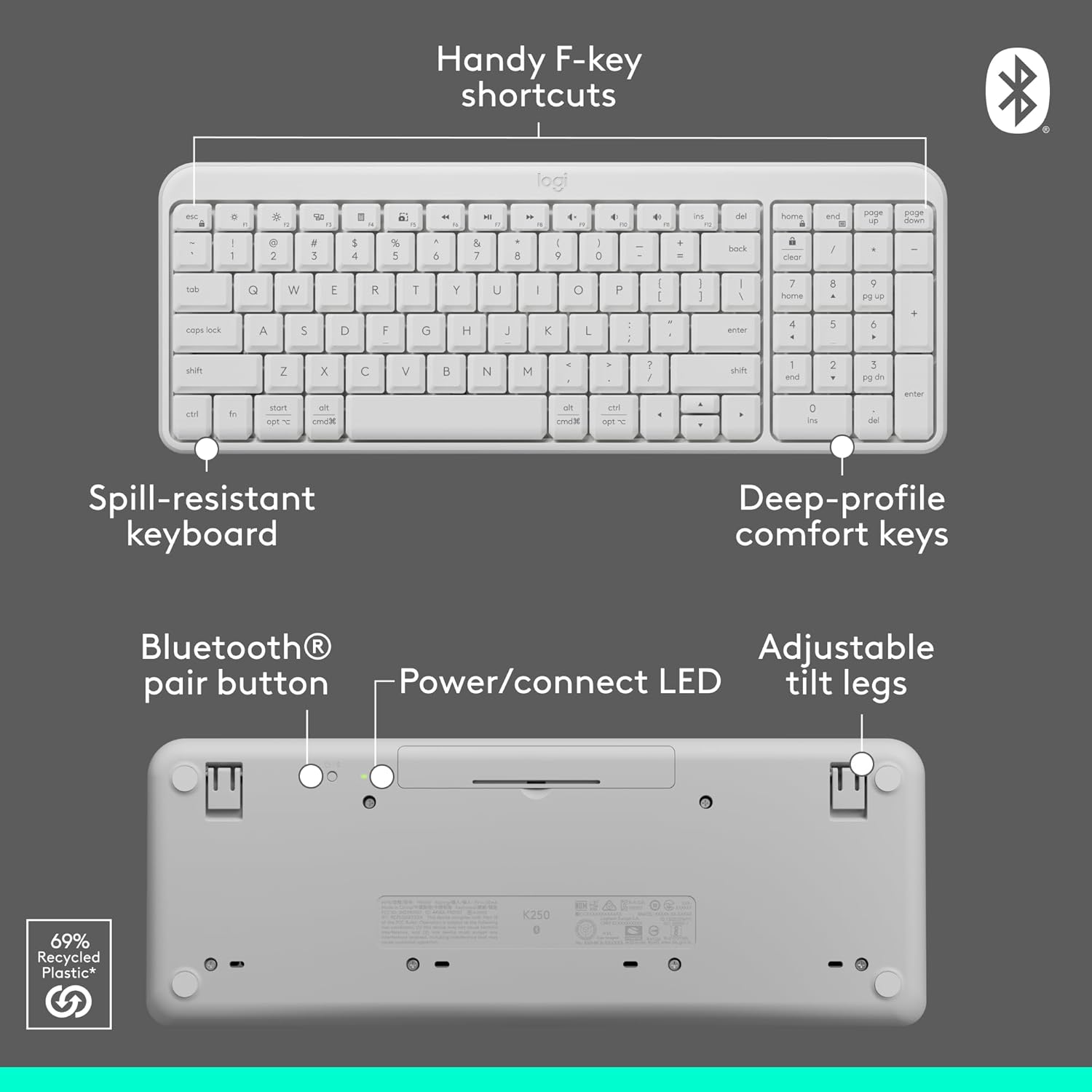
Image: Contents of the Logitech MK250 combo box, showing the white keyboard, white mouse, and two AAA batteries.
セットアップとBluetoothペアリング
The Logitech MK250 combo connects quickly and easily via Bluetooth, eliminating the need for a USB dongle.
初期設定手順:
- バッテリーの挿入: Ensure the included batteries are correctly inserted into both the keyboard and the mouse. For the keyboard, remove the battery guard if present.
- 電源オン: Locate the ON/OFF switch on the back of the keyboard and the mouse, and slide them to the 'ON' position.
- Bluetoothペアリングを有効にする:
- キーボード: Press and hold the Bluetooth pair button on the underside of the keyboard until the LED indicator starts blinking.
- ねずみ: Press and hold the long-press pairing mode button on the underside of the mouse until its LED indicator starts blinking.
- デバイス経由で接続: On your computer (Windows or macOS) or tablet, navigate to your Bluetooth settings. Select "Logitech MK250 Keyboard" and "Logitech MK250 Mouse" from the list of available devices to pair. Follow any on-screen prompts to complete the connection.

Image: A white Logitech MK250 keyboard and mouse on a desk next to a monitor displaying Bluetooth connection prompts, illustrating easy pairing.
Video: Official Logitech MK250 product video demonstrating features and connectivity.
操作手順
キーボードの機能:
- Deep-Profile キー: 快適で反応の良いタイピングを実現する設計。
- Compact Layout with Numpad: Offers full functionality in a space-saving design.
- Handy F-Key Shortcuts: Provides quick access to media controls and other functions.
- こぼれにくい設計: Built to withstand minor spills for enhanced durability.
- 調整可能な傾斜脚: Customize the keyboard angle for ergonomic comfort.
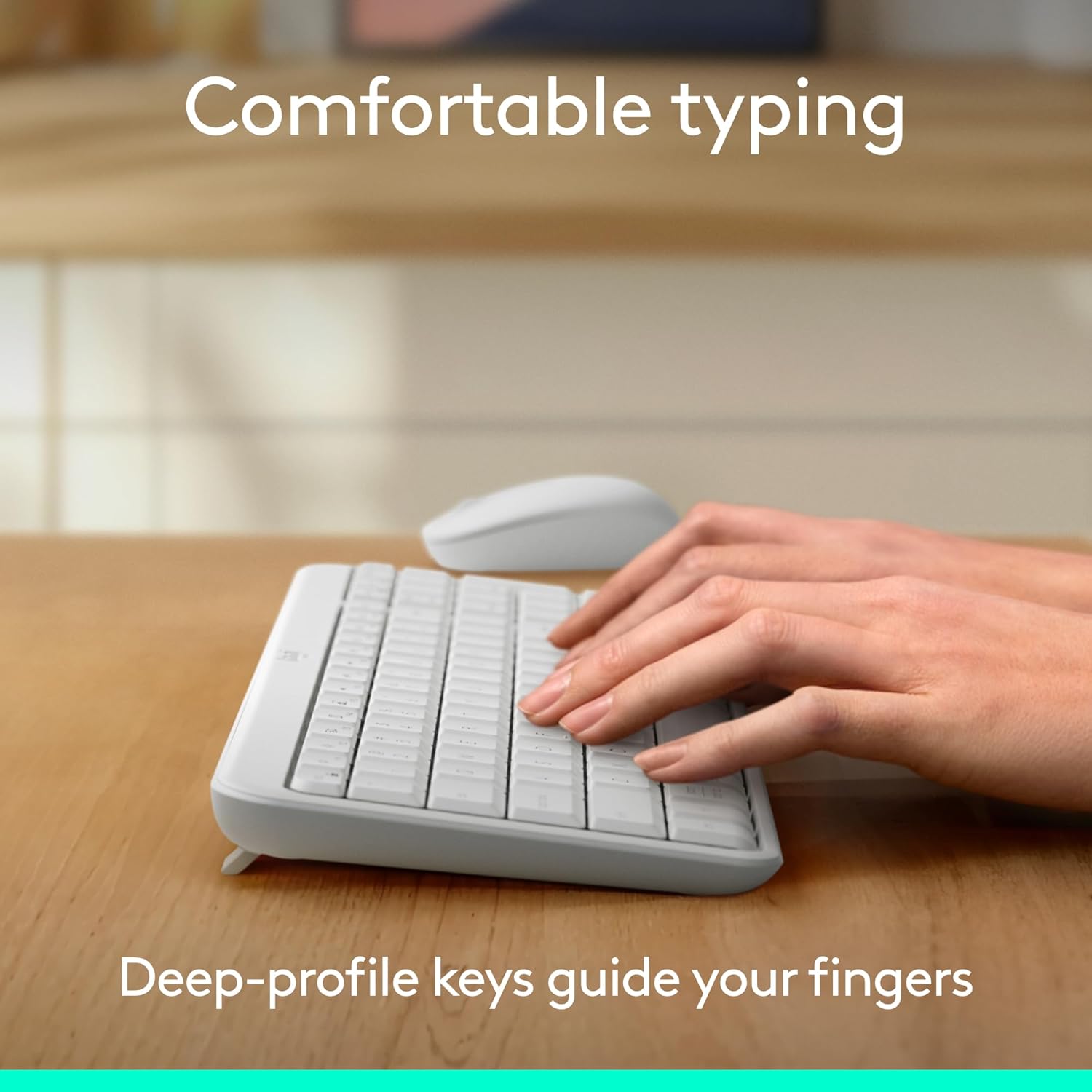
Image: Hands typing on the Logitech MK250 keyboard, demonstrating comfortable deep-profile キー。

Image: Underside of the Logitech MK250 keyboard, detailing the Bluetooth pair button, power/connect LED, and adjustable tilt legs.
マウスの機能:
- 両利き用形状: Comfortable design for both left and right-handed users.
- スムーズトラッキング: 正確なカーソル制御を提供します。
- Long-Press Pairing Mode: Dedicated button for easy Bluetooth connection.
- オン/オフスイッチ: 使用していないときはバッテリー寿命を節約します。

Image: Underside of the Logitech MK250 mouse, highlighting the battery compartment, long-press pairing mode button, and ON/OFF switch.
メンテナンス
- バッテリー寿命: The keyboard and mouse are designed for extended battery life, with up to 12 months of use before needing battery replacement.
- バッテリー交換: Replace batteries when performance degrades. The keyboard uses 2 AAA batteries, and the mouse uses 1 AA battery.
- クリーニング: 表面を柔らかくて乾いた布で拭きます。amp cloth. Avoid harsh chemicals. The keyboard features a spill-resistant design, but it is not waterproof.

Image: Logitech MK250 mouse, emphasizing its 12-month battery life.
トラブルシューティング
- 接続の問題: If the keyboard or mouse loses connection, ensure they are powered on and within range of your device. Try re-pairing them through your device's Bluetooth settings.
- Unresponsive Keys/Clicks: Check battery levels and replace if necessary. Ensure no debris is obstructing the keys or mouse buttons.
- ラグまたは遅延: Ensure your device's Bluetooth is not overloaded with too many connections. Move closer to your device to minimize interference.
仕様
| ブランド | ロジテック |
| モデルシリーズ | MK250 Keyboard & Mouse |
| 商品型番 | 920-013511 |
| 接続技術 | ブルートゥース |
| 対応デバイス | ノートパソコン、パソコン、タブレット |
| ハードウェアプラットフォーム | Mac、PC |
| オペレーティング·システム | Chrome OS, Windows 10.11 or later, macOS 12 or later |
| 色 | 白 |
| アイテム重量 | 13.4オンス |
| 製品寸法(長さx幅x高さ) | 18.03 x 5.98 x 1.73インチ |
| 電源 | 電池駆動 |
| バッテリー | 2 AAA batteries (keyboard), 1 AA battery (mouse) - included |
保証とサポート
The Logitech MK250 combo is built for durability, featuring a spill-resistant keyboard and components made with recycled materials. For specific warranty details and technical support, please refer to the official Logitech webサイトまたは製品に付属のドキュメントを参照してください。
The product is designed for a long lifespan, with the keyboard offering a 12-month battery life and the mouse also providing extended usage on a single battery.