
導入
The 1MORE P20 USB-C Wired Earphones are designed to provide a high-quality audio experience with powerful sound, clear call quality, and ergonomic comfort. This manual provides essential information for setting up, operating, maintaining, and troubleshooting your earphones.

Image: The 1MORE P20 USB-C Wired Earphones, showcasing their sleek black design and the Hi-Res Audio certification.
設定
1. イヤーチップの選択とフィット
For optimal sound quality and comfort, select the ear tips that best fit your ears. The earphones come with various sizes of silicone ear tips. Gently insert the earphones into your ear canals at a 45° angle until they feel secure and comfortable. A proper seal is crucial for effective acoustic isolation and bass response.
2. デバイスへの接続
The 1MORE P20 earphones feature a USB-C connector for direct plug-and-play compatibility. Simply plug the USB-C connector into the USB-C port of your smartphone, tablet, iPad, or other compatible digital device. No additional drivers or software are typically required.
操作手順
1.オーディオ再生
Once connected, your device should automatically recognize the earphones. Begin playing audio from your preferred application. The earphones support Hi-Res Stereo Audio for a detailed and immersive listening experience.
2. 音量コントロール
The in-line remote control allows you to adjust the volume. Use the '+' button to increase volume and the '-' button to decrease volume. Short press the center button to play/pause music or answer/end calls.
3.通話管理
The earphones are equipped with an advanced MEMS microphone and AI ENC noise suppression technology for clear voice capture during calls. To answer an incoming call, short press the center button. To end a call, short press the center button again. To reject a call, long press the center button.
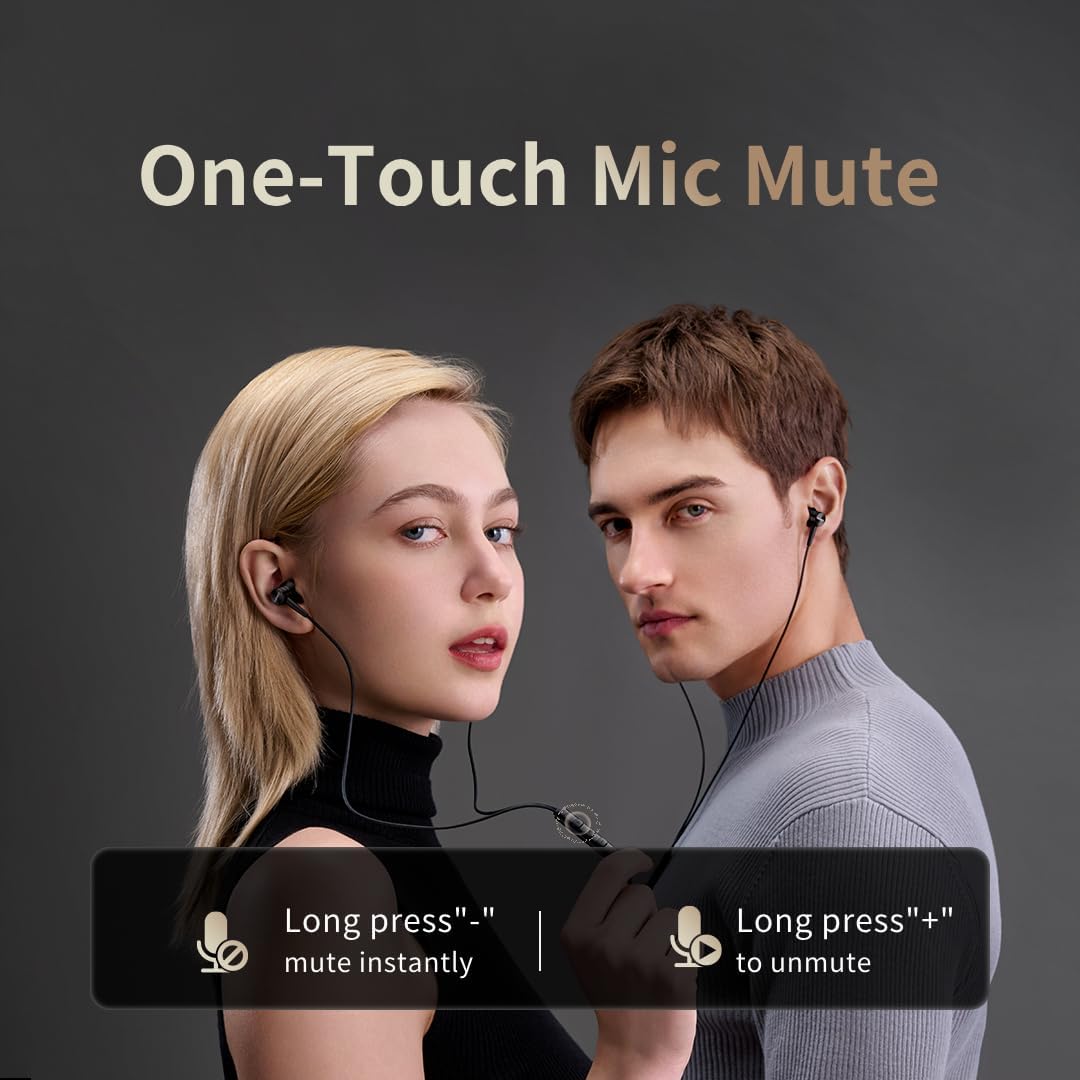
Image: Illustration of the one-touch microphone mute function. Long press '-' to mute instantly, long press '+' to unmute.
4. マイクミュート機能
To instantly mute the microphone during a call, long press the '-' button on the in-line remote. To unmute, long press the '+' button.
メンテナンス
1. 清掃
- 定期的に、柔らかく乾いた布で耳の先端を拭いて、耳垢やゴミを取り除いてください。
- Wipe the earphone bodies and cable with a slightly damp 布を敷き、完全に乾かします。
- 洗浄には強力な化学薬品や研磨剤を使用しないでください。
2. ストレージ
使用していないときは、ケーブルやドライバーが絡まって損傷するのを防ぐために、イヤホンを清潔で乾燥した場所に、できれば保護ポーチに入れて保管してください。
トラブルシューティング
- 音が出ない:
- USB-C コネクタがデバイスに完全に挿入されていることを確認します。
- Check the volume level on both your device and the earphone remote.
- デバイス固有の問題を排除するために、別のデバイスでイヤホンをテストします。
- 音質が悪い:
- Ensure ear tips provide a proper seal in your ear canal. Try different sized ear tips.
- イヤホンのノズルからゴミを取り除きます。
- オーディオソースの品質が高いかどうかを確認します。
- マイクが機能しない:
- Ensure the microphone is not muted (check the mute function using the in-line remote).
- 接続されているデバイスのマイク設定を確認します。
- USB-C 接続が安全であることを確認します。
仕様

画像: 爆発した view illustrating the 10mm Diamond-Like Carbon (DLC) dynamic driver, responsible for the powerful and compact sound.
| 特徴 | 仕様 |
|---|---|
| モデル名 | P20 Black EU |
| 接続技術 | 有線 |
| ヘッドホンジャック | USB-C |
| 耳の位置 | インイヤー |
| フォームファクター | インイヤー |
| インピーダンス | 32オーム |
| 周波数範囲 | 20 Hz - 40,000 Hz |
| オーディオドライバータイプ | Dynamic (10mm DLC Diaphragm) |
| 騒音制御 | Active Noise Suppression (AI ENC for microphone) |
| 制御方法 | プッシュボタン |
| 対応デバイス | Phone, Tablet, iPad |
| 耐水性レベル | 耐水性はありません |
| 内部素材 | アルミニウム |

Image: A woman enjoying music with the 1MORE P20 earphones, highlighting the Hi-Res Audio capability and immersive sound.
保証とサポート
For warranty information or technical support, please refer to the official 1MORE web公式サイトをご覧いただくか、カスタマーサービスに直接お問い合わせください。保証請求のために購入時のレシートを保管してください。