
1. はじめに
Thank you for choosing the ZIHNIC S05A Wireless AI-Translation Earphones. These earphones are designed to provide real-time language translation, high-quality audio, and comfortable wear for various activities including business, travel, and daily use. This manual provides detailed instructions on how to set up, operate, and maintain your earphones to ensure optimal performance.

Image 1.1: ZIHNIC S05A Wireless AI-Translation Earphones and Charging Case.
2.製品オーバーview
2.1 主な特徴
- リアルタイムAI翻訳: Supports 4 modes of AI-powered language translation for seamless communication.
- 高精細サウンド: Equipped with HD sound drivers for clear audio, even in noisy environments.
- Bluetooth 5.0接続: Ensures a stable and fast wireless connection up to 10 meters.
- バッテリー寿命の延長: Up to 28 hours of total playtime with the included charging case.
- 快適なデザイン: Features an ergonomic clip-on design for all-day wear.
- IPX5防水等級: 汗や軽い水しぶきから保護します。
- タッチコントロール: Intuitive touch controls for managing audio and translation functions.

Image 2.1: The ergonomic clip-on design ensures comfortable and secure fit for long listening sessions.
2.2 箱の中身
- ZIHNIC S05A Wireless AI-Translation Earphones
- ワイヤレス充電ケース
- ユーザーマニュアル(このドキュメント)
- Charging Cable (not explicitly listed but typically included)
3. セットアップと装着方法
3.1 初期充電
Before first use, fully charge the earphones and the charging case. Connect the charging case to a power source using the provided charging cable. The indicator lights on the case will show the charging status.
3.2 イヤホンの装着
For optimal comfort and sound quality, ensure the earphones are worn correctly.
- Take out each earbud from the charging case.
- Hang the end of the earbud over your ear bone.
- Turn the earbud and slide it behind your ear.
- Adjust the ear hook to fit securely and comfortably around your ears.

Image 3.1: Step-by-step guide on how to properly wear the ZIHNIC S05A earphones.
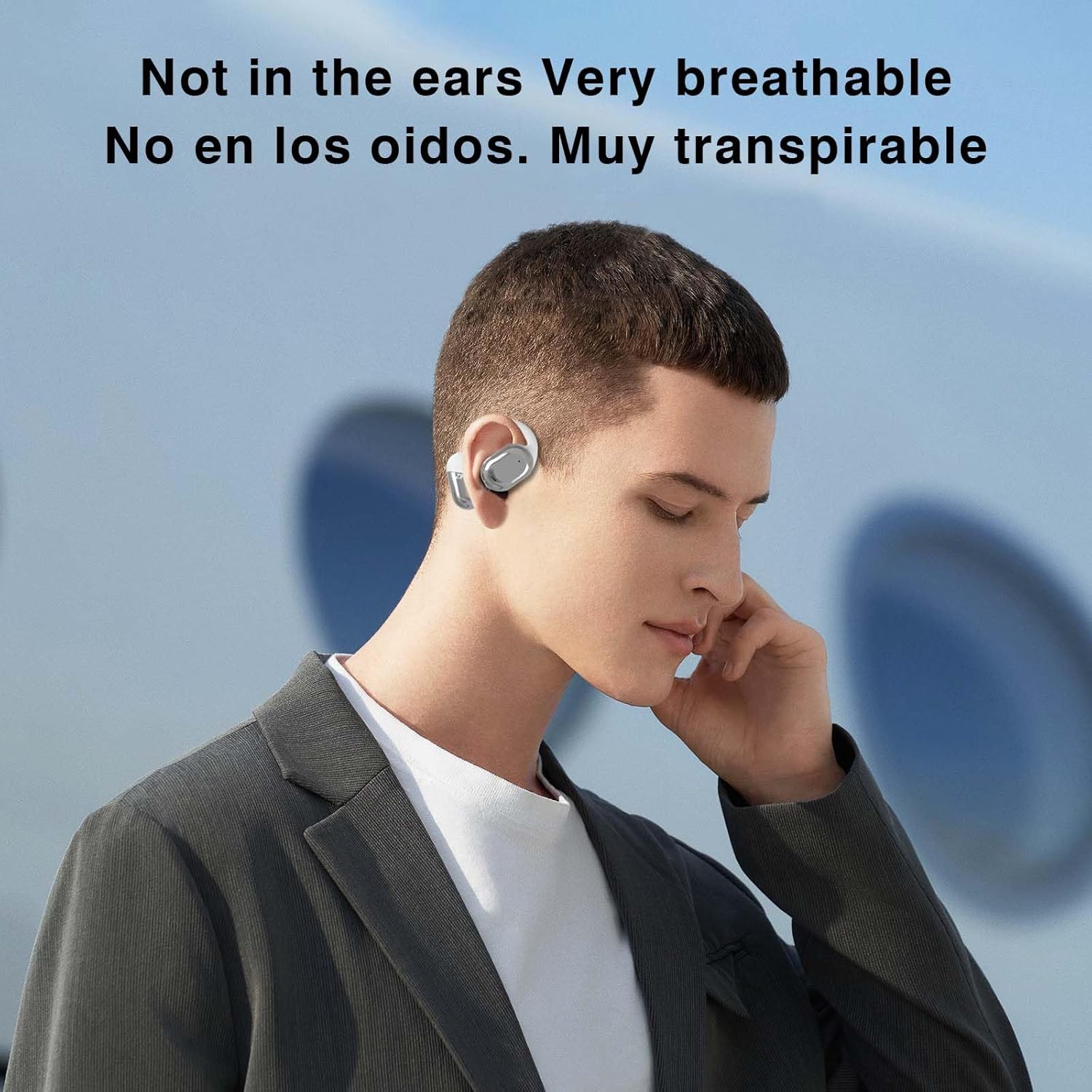
Image 3.2: The open-ear design ensures breathability and comfort for extended use.
4. 操作手順
4.1Bluetoothペアリング
- イヤホンが充電されていることを確認し、充電ケースから取り出してください。自動的にペアリングモードになります。
- スマートフォン、タブレット、その他の Bluetooth 対応デバイスで、Bluetooth 設定に移動します。
- 検索する available devices and select "ZIHNIC S05A" (or similar name) from the list.
- 接続すると音声プロンプトが聞こえ、イヤホンが使用できるようになります。
The Bluetooth 5.0 technology provides a stable connection within a 10-meter range.
4.2 タッチコントロール
The ZIHNIC S05A earphones feature intuitive touch controls. Specific functions may vary based on the connected device and application. Common touch controls include:
- シングルタップ: 音楽の再生/一時停止、通話の応答/終了。
- ダブルタップ: 次のトラック(右のイヤホン)、前のトラック(左のイヤホン)。
- 長押し: 音声アシスタントを有効にし、通話を拒否します。
- トリプルタップ: Switch translation modes (refer to the translation app for specific mode controls).
4.3 AI翻訳モード
The earphones support multiple AI translation modes through a dedicated application on your smartphone. Download the official ZIHNIC translation app from your device's app store.
- リアルタイム翻訳: For instant, natural language conversion during conversations.
- AIチャットモード: Engage in translated text conversations via the app.
- AI Automatic Translation: Continuous translation for lectures, presentations, or media.
- 対面翻訳: Optimized for direct conversations with another person, displaying translated text on your phone.

Image 4.1: The earphones support translation in 134 languages with high accuracy and fast response.

Image 4.2: The earphones facilitate natural and instant language translation.

Image 4.3: AI Chat mode allows for translated text conversations through the companion application.

Image 4.4: Real-time translation in action, showing a user interacting with the translation feature.

Image 4.5: Face-to-Face Translation mode, ideal for direct conversations, with translated speech displayed.
5. メンテナンス
Proper maintenance ensures the longevity and performance of your ZIHNIC S05A earphones.
- クリーニング: イヤホンと充電ケースのお手入れには、柔らかく乾いた布をご使用ください。研磨剤や刺激の強い化学薬品の使用は避けてください。
- 耐水性: イヤホンはIPX5防水仕様で、汗や軽い水しぶきには耐えられます。水に浸したり、激しい雨にさらしたりしないでください。充電ケースに戻す前に、完全に乾いていることを確認してください。
- ストレージ: 使用しないときは、イヤホンを充電ケースに入れて、ほこりや損傷から保護し、涼しく乾燥した場所に保管してください。
- バッテリーのケア: To preserve battery life, avoid fully discharging the earphones frequently. Charge them regularly, even if not in constant use.
6。 トラブルシューティング
If you encounter issues with your earphones, refer to the following troubleshooting steps:
| 問題 | 考えられる解決策 |
|---|---|
| イヤホンがペアリングされない |
|
| 音が出ない |
|
| 翻訳が機能しない |
|
| イヤホンが充電されない |
|
7. 仕様
| 特徴 | 詳細 |
|---|---|
| モデル名 | S05A |
| 接続技術 | ワイヤレス(Bluetooth) |
| 無線通信技術 | ブルートゥース5.0 |
| Bluetooth範囲 | 10メートル |
| 耐水性レベル | IPX5(防水) |
| 制御方法 | 触る |
| 耳の位置 | 耳に |
| フォームファクター | 耳に装着 |
| オーディオドライバータイプ | ダイナミックドライバ |
| 周波数範囲 | 20 Hz - 20,000 Hz |
| インピーダンス | 32オーム |
| バッテリー寿命(ケース込み) | 最大28時間 |
| 含まれるコンポーネント | ワイヤレス充電ケース |
| アイテム重量 | 1.76オンス |
| メーカー | ジフニック |
8. 保証とサポート
For warranty information and customer support, please refer to the documentation included with your purchase or visit the official ZIHNIC webサイトでご確認ください。保証請求に備えて購入証明書を保管してください。
If you require further assistance, please contact ZIHNIC customer service.