
Vueroid S10-UQ 3CH
Vueroid S1 4K Infinite 3 Channel Dash Cam User Manual
Model: S10-UQ 3CH
1. はじめに
This manual provides detailed instructions for the installation, operation, and maintenance of your Vueroid S1 4K Infinite 3 Channel Dash Cam. Please read this manual thoroughly before using the product to ensure proper function and safety. Keep this manual for future reference.
2. 安全情報
- 運転中は本製品を操作しないでください。設定は、車両が安全に駐車されている場合にのみ行ってください。
- Ensure the dash cam is securely mounted to prevent obstruction of the driver's view またはエアバッグの展開。
- Use only approved power cables and accessories to avoid damage or fire.
- デバイスを極端な温度、長時間の直射日光、湿気にさらさないでください。
- 自分でデバイスを分解したり修理したりしないでください。 サポートが必要な場合は、カスタマー サポートにお問い合わせください。
3. パッケージ内容
パッケージにすべてのアイテムが含まれていることを確認します。
- フロントカメラ
- Rear Camera & Cable (approx. 20ft)
- Hardwire Power Cable 3M
- Cigar Jack Cable
- USB 2.0 C-Type Data Cable
- Cable Clip (6EA)
- トリムツール
- Foam Tape (3EA)
- ユーザーマニュアル
Note: MicroSD card is not included. For optimal performance, we recommend using 128GB, 256GB, or 512GB cards.
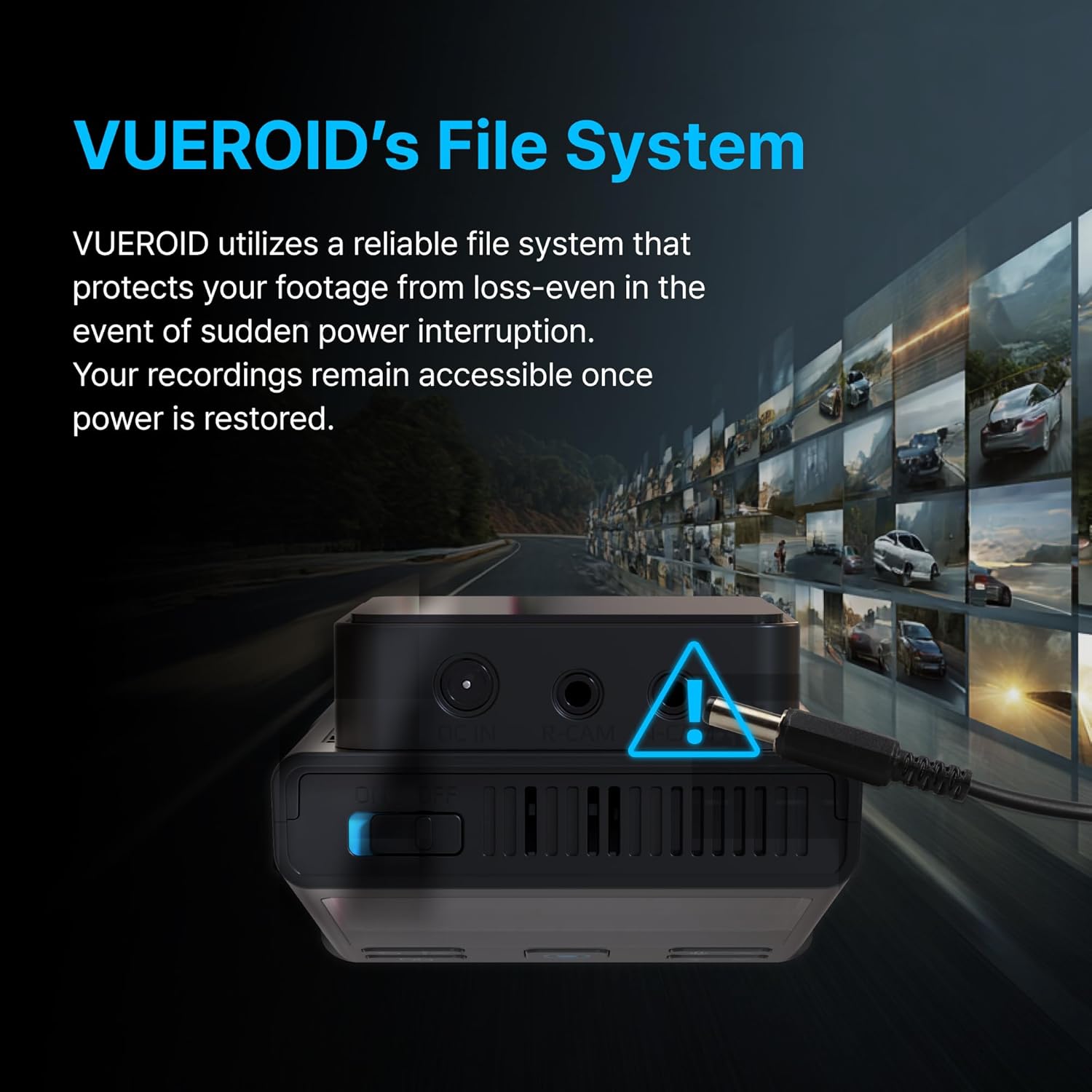
Figure 3.1: Contents of the Vueroid S1 4K Infinite 3 Channel Dash Cam package.
4.製品オーバーview
The Vueroid S1 4K Infinite is a 3-channel dash cam system designed to record video from the front, interior, and rear of your vehicle. It features a 4K front camera, 2.5K interior camera, and FHD rear camera, utilizing a Sony STARVIS 2 image sensor for enhanced clarity.
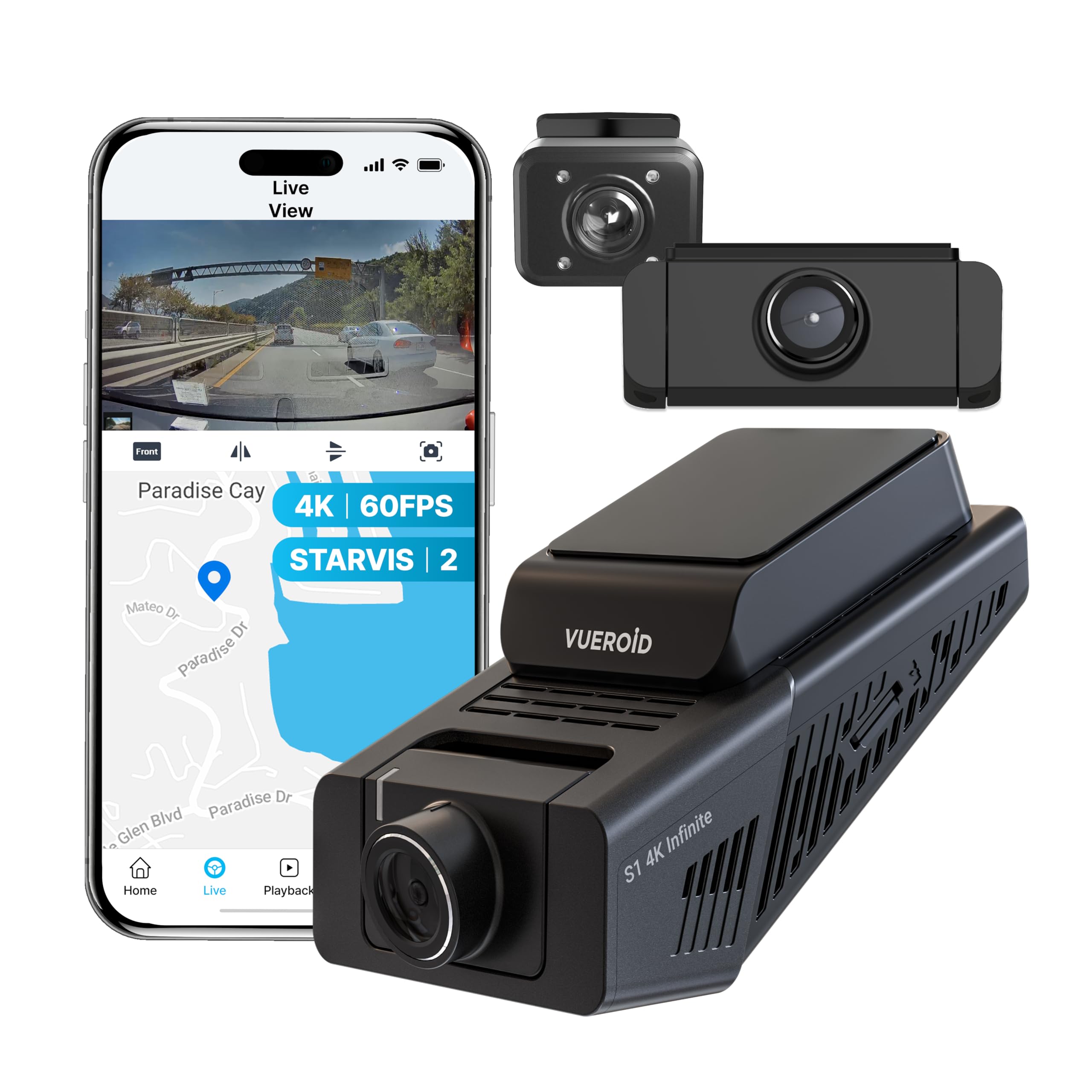
Figure 4.1: Vueroid S1 4K Infinite 3 Channel Dash Cam main unit and cameras.
5. セットアップ
5.1. MicroSDカードの挿入
Before powering on the device, insert the MicroSD card into the designated slot. Push the card in until you hear a 'click' sound, ensuring it is securely in place.
Video 5.1: This video demonstrates the unboxing of the Vueroid S1 4K Infinite, including the insertion of the MicroSD card into the main unit.
5.2. 初期設定
After inserting the MicroSD card and powering on the device, follow the on-screen prompts for initial configuration. Use the navigation buttons (Up, Down, Confirm) on the device to make selections.
- 言語の選択: お好みの言語を選択してください。
- 時間形式: Select the desired time format (e.g., YYYY/MM/DD). The date will be automatically set via GPS. Daylight Saving Time settings can be adjusted later.
- タイムゾーン: Set the time zone for your current location.
- システム周波数: Select the system frequency (e.g., 60Hz for NTSC/US) to prevent video flickering.
- リアカメラの使用: Choose whether to enable or disable the rear camera. This can be changed later in system settings.
- 解像度とフレームレート: Select your preferred recording resolution and frame rate. Note that for 4K 60fps front recording in 3-channel mode, rear and interior cameras are limited to 15fps.
- ビットレート: Choose the desired bitrate (Low, Mid, High). Higher bitrate results in better quality but larger file sizes, reducing total recording time.
- Memory Allocation: Configure how storage space is allocated for different recording modes (Driving, Parking, Event).
Video 5.2: This video provides a step-by-step guide for the initial setup of the Vueroid S1 4K Infinite Dash Cam, covering language, time, frequency, and recording settings.
5.3. インストール
Mount the front camera on your windshield, ensuring a clear view of the road. Install the interior and rear cameras as per your vehicle's layout. Connect the hardwire power cable to your vehicle's fuse box for continuous power and parking mode functionality. Use the provided cable clips and trim tool to neatly route cables.
6. 操作手順
6.1. Driving Recording
The Vueroid S1 automatically begins recording when the vehicle starts. It captures footage in Ultra 4K (front), 2.5K (interior), and FHD (rear) resolutions. The Sony STARVIS 2 image sensor and HDR mode ensure clear video quality in various lighting conditions.
Video 6.1: Driving footage captured by the Vueroid S1 4K Infinite main camera, demonstrating video quality during daytime driving.

Figure 6.1: Key features of the Vueroid S1 4K Infinite Dash Cam.
6.2. Parking Mode (24/7 Surveillance)
With the included hardwire kit, the S1 Infinite provides 24/7 parking surveillance. It features DURASHIFT Parking Mode, which prevents overheating by entering a low-power state and records instantly upon impact. The Geofencing System automatically disables parking mode when you enter a specified 'safe' area to prevent battery drain.

Figure 6.2: Extreme Low Power Parking Mode operation.
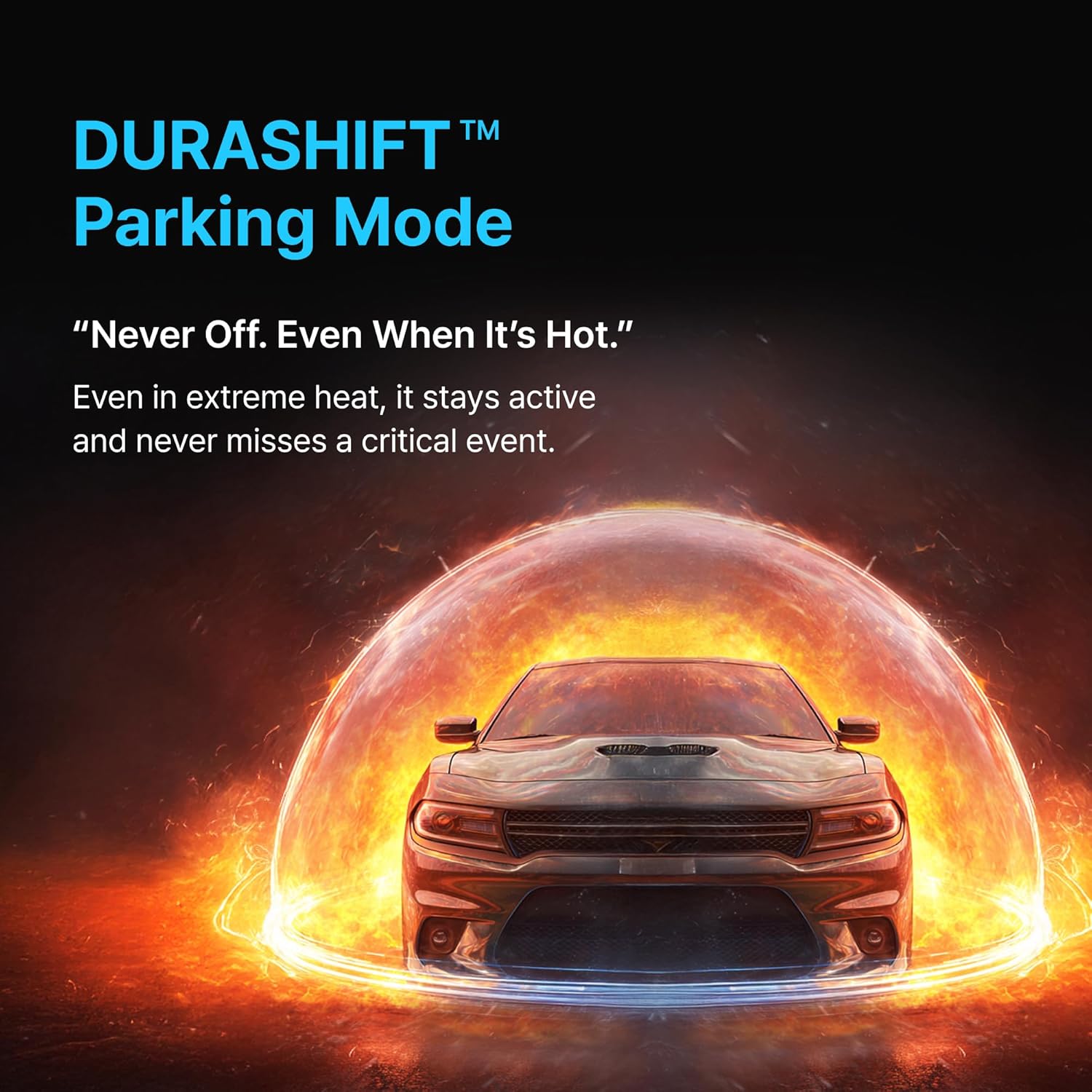
Figure 6.3: DURASHIFT Parking Mode for continuous protection.

Figure 6.4: Auto REC Off Zone functionality.
6.3. AI機能
The S1 Infinite incorporates advanced AI for enhanced footage clarity and privacy.
- AI License Plate Restoration: Enhances blurry license plates in footage, making them clearer for recognition.
- AI Privacy Protection: Automatically blurs personal information, such as license plates and faces, to safeguard privacy.
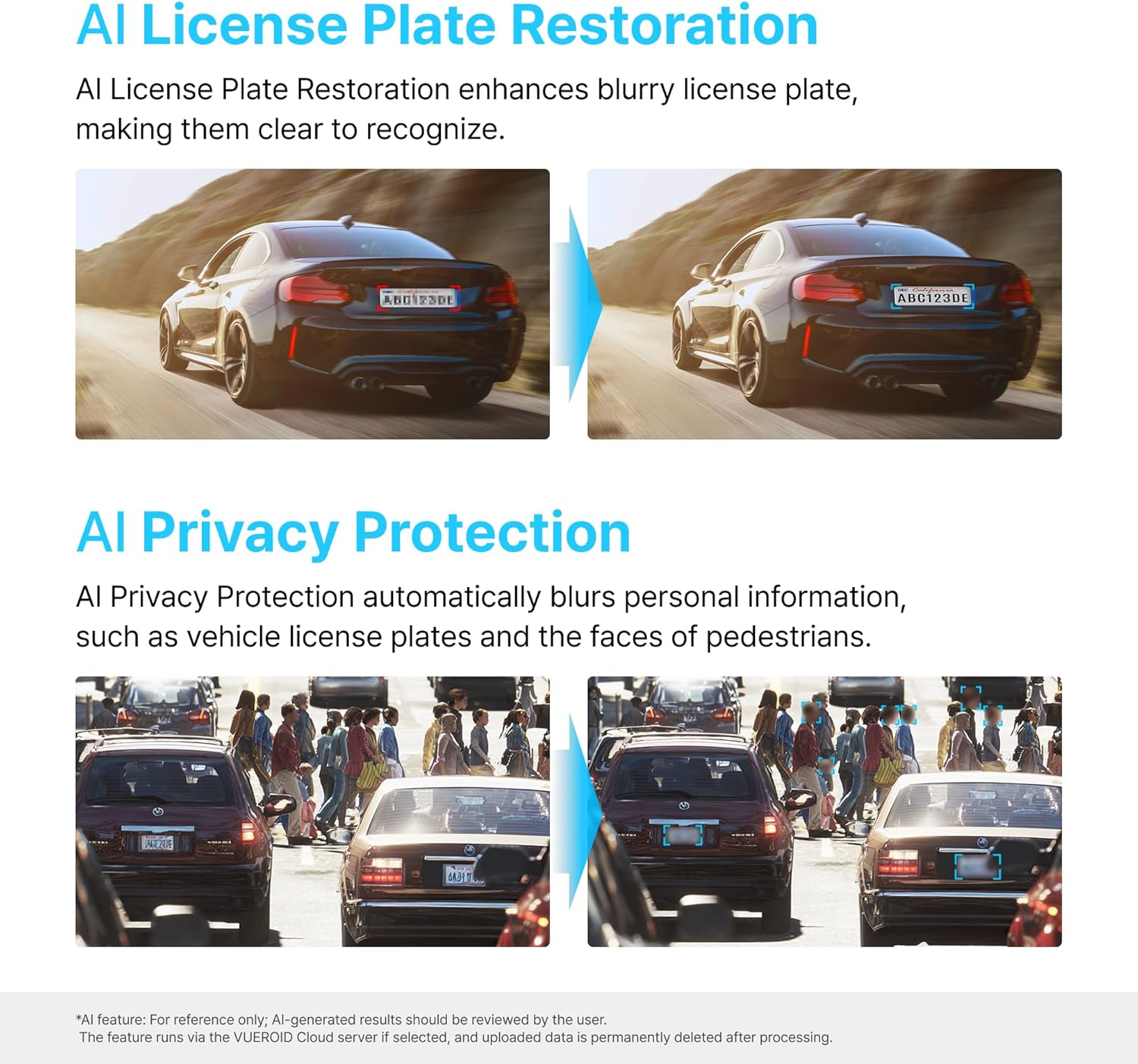
Figure 6.5: AI-powered features for clarity and privacy.
6.4. Vueroid File システム
The Vueroid S1 utilizes a reliable file system that protects your footage from loss, even in the event of a sudden power interruption. Recordings remain accessible once power is restored.

Figure 6.6: Vueroid's robust file システム。
6.5. 接続性
The dash cam features built-in 5G WiFi and GPS. Use the dedicated mobile application to easily access, review、そしてあなたのfooを共有するtage. Firmware updates can also be performed wirelessly via the app.
7. メンテナンス
7.1. MicroSDカードの管理
- 最適なパフォーマンスを維持し、データの破損を防ぐために、MicroSD カードを定期的に(たとえば、月に 1 回)フォーマットしてください。
- Replace the MicroSD card if you experience frequent errors or reduced recording capacity.
7.2. 清掃
- Wipe the camera lenses with a soft, dry cloth to ensure clear recordings.
- Clean the device exterior with a slightly damp 布で拭いてください。強力な化学薬品や研磨剤入りの洗剤は使用しないでください。
8。 トラブルシューティング
| 問題 | 考えられる原因 | 解決 |
|---|---|---|
| デバイスの電源が入らない | 電源が供給されていない、接続が緩んでいる | Check power cable connection; Ensure vehicle ignition is on (if not hardwired). |
| Recording errors | Faulty/full MicroSD card; Incorrect card format | Format MicroSD card; Replace card if necessary; Use recommended card types. |
| ビデオ品質が悪い | Dirty lens; Incorrect resolution settings | Clean camera lenses; Adjust resolution and bitrate settings. |
| Wi-Fi接続の問題 | Incorrect password; Device out of range | Verify Wi-Fi password; Ensure mobile device is close to the dash cam. |
9. 仕様
| 特徴 | 詳細 |
|---|---|
| 製品寸法 | 1.8 x 2.38 x 4.09インチ |
| アイテム重量 | 2.42ポンド |
| モデル名 | S1 Infinite 3CH |
| ビデオキャプチャ解像度 | 2160p (4K Front) |
| 接続技術 | Wi-Fi |
| 特集 | アプリコントロール |
| 取り付けタイプ | ダッシュボードマウント |
| の分野 View | 151度 |
| 含まれるコンポーネント | ハードワイヤーキット |
10. 保証とサポート
For warranty information, technical support, or service inquiries, please refer to the official Vueroid web公式サイトをご覧いただくか、カスタマーサービスに直接お問い合わせください。保証請求の際は、購入証明としてレシートを保管してください。
また、 Vueroid Store on Amazon 追加のリソースと連絡先情報については、こちらをご覧ください。
Ask a question about this manual
Ask about setup, troubleshooting, compatibility, parts, safety, or missing instructions. Manuals+ will review the question and use this page’s manual context to help answer it.