導入
This manual provides detailed instructions for the setup, operation, and maintenance of your Lotus Smartwatch 50050/4. Please read this manual thoroughly before using your device to ensure proper functionality and to maximize its features.
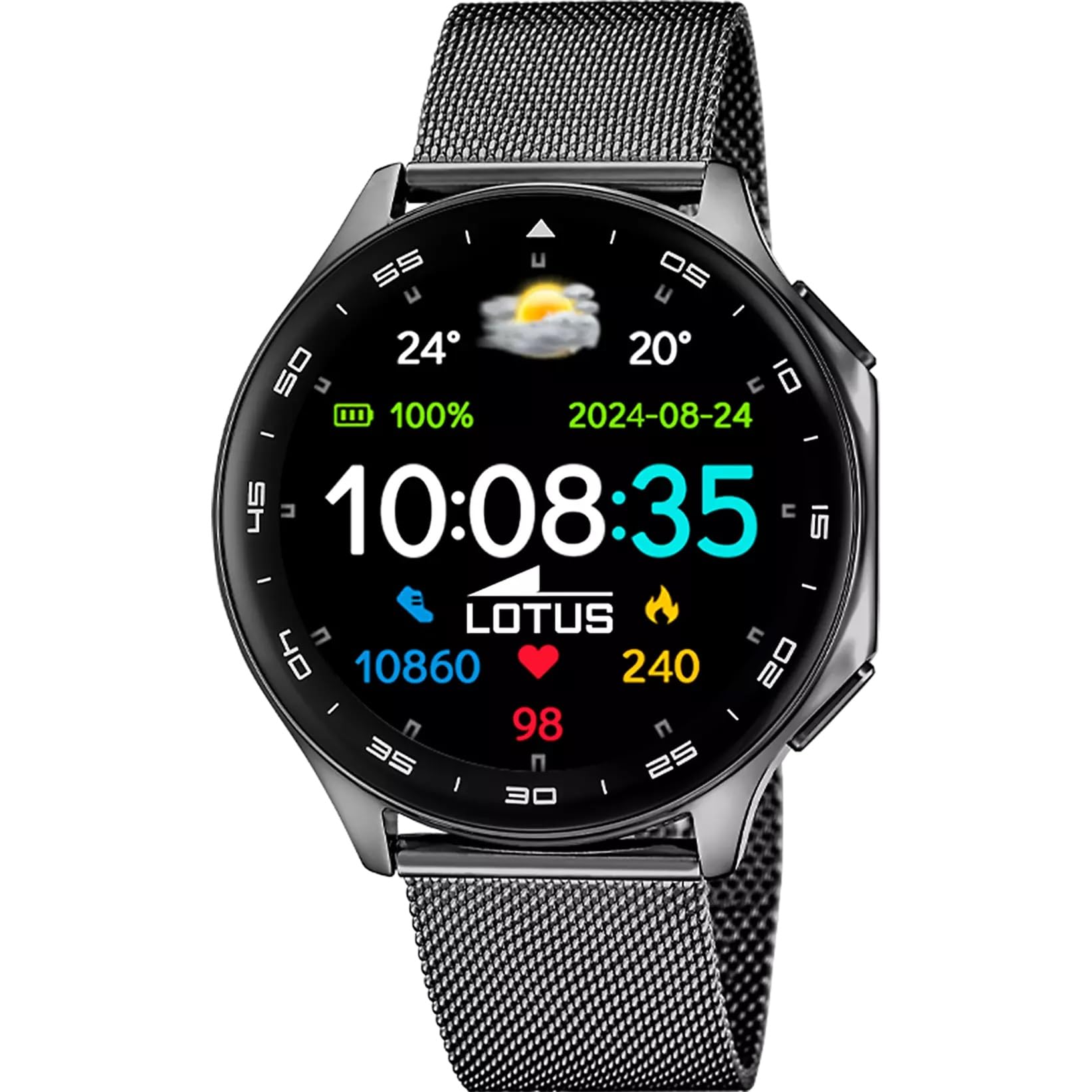
The Lotus Smartwatch 50050/4 is an outdoor sports watch designed for active lifestyles. It features a durable zinc alloy case, a black Milanese steel mesh strap, and a digital display. The watch offers a range of functions including sports tracking, health monitoring, and smart notifications.
箱の中身
- Lotus Smartwatch 50050/4
- 充電ケーブル
- ユーザーマニュアル(このドキュメント)
- 追加のストラップ
設定
1. スマートウォッチの充電
Before initial use, fully charge your smartwatch. Connect the charging cable to the charging port on the back of the watch and plug the other end into a USB power adapter (not included) or a computer's USB port. The watch display will indicate charging status.
注記: Use a standard 5V/1A USB charger. Overcharging or using incompatible chargers may damage the device.
2.電源のオン/オフ
- 電源を入れるには: Press and hold the side button for a few seconds until the Lotus logo appears.
- 電源を切るには: サイドボタンを長押しし、画面上で「電源オフ」を選択します。
3. アプリのインストールとペアリング
To unlock the full potential of your smartwatch, download the official Lotus Smartwatch application on your smartphone. The app is compatible with Android devices.
- 検索する the "Lotus Smartwatch" app in your smartphone's app store (Google Play Store for Android).
- アプリケーションをインストールします。
- アプリを開き、画面の指示に従ってアカウントを作成するか、ログインします。
- スマートフォンでBluetoothを有効にします。
- In the app, navigate to the device pairing section and select your Lotus Smartwatch 50050/4 from the list of available devices.
- スマートフォンとスマートウォッチの両方でペアリング要求を確認します。
ペアリングすると、時計は時間、日付、その他の設定をスマートフォンと同期します。
操作手順
基本的なナビゲーション
- タッチスクリーン: Swipe left, right, up, or down to navigate through menus and functions. Tap to select an item.
- サイドボタン: Press to return to the previous screen or to the watch face. Press and hold for power options.
主な機能
- スポーツモード: Access various sports modes (e.g., running, walking, cycling) to track your activity, including steps, calories burned, and distance.
- 健康モニタリング:
- 心拍: 心拍数をリアルタイムで監視します。
- 血中酸素: 血中酸素濃度を測定します。
- 睡眠追跡: 睡眠パターン(深い睡眠、浅い睡眠、起きている時間)を分析します。
- 呼吸法: リラックスするためのガイド付き呼吸エクササイズ。
- 通知: Receive notifications for incoming calls, SMS messages, and app alerts directly on your watch. You can reject calls from the watch.
- 音楽コントロール: 接続したスマートフォンで音楽の再生を制御します (再生、一時停止、トラックのスキップ)。
- 天気: View 現在の気象状況と予報。
- アラームとタイマー: Set alarms, use the stopwatch, or set a countdown timer.
- カメラリモート: 時計をスマートフォンのカメラのリモートシャッターとして使用します。
- Video Calculator: Access a video calculator function.
- AI Voice Calculator: Utilize an AI voice-activated calculator.
- 電話ファインダー: ペアリングしたスマートフォンを鳴らして見つけます。
- 懐中電灯: 画面を懐中電灯として起動します。
- Dial Customization: Change the watch face (dial) through the watch settings or the companion app.
- ファームウェアアップデート: Update the watch's software via the companion app to ensure optimal performance and access new features.
- Language, Time, and Date: Adjust these settings through the watch or the companion app.
メンテナンス
クリーニングとお手入れ
- 時計の画面と本体を、柔らかく乾いた糸くずの出ない布で拭いてください。
- 頑固な汚れには、軽くamp布を水で濡らしてください。刺激の強い化学薬品や研磨剤は使用しないでください。
- 充電する前に、充電接点が清潔で乾燥していることを確認してください。
耐水性(IP65)
The Lotus Smartwatch 50050/4 has an IP65 rating, meaning it is protected against dust ingress and low-pressure water jets from any direction. This rating indicates resistance to splashes and light rain. It is not suitable for swimming, showering, or submersion in water. Exposure to high-pressure water or prolonged submersion may cause damage.
ストラップの交換
The watch comes with an additional strap. To replace the strap, locate the quick-release pins on the underside of the strap where it connects to the watch case. Slide the pin to detach the strap, then align the new strap and slide the pin back into place to secure it.
トラブルシューティング
時計の電源が入らない
- 時計が完全に充電されていることを確認してください。充電器に少なくとも30分間接続してください。
- 強制的に再起動するには、サイドボタンを 10 ~ 15 秒間押し続けます。
スマートフォンとペアリングできない
- スマートフォンで Bluetooth が有効になっていることを確認してください。
- Ensure the watch is within range of your smartphone (typically 10 meters).
- スマートフォンとスマートウォッチの両方を再起動します。
- スマートフォンの Bluetooth キャッシュをクリアし (該当する場合)、再度ペアリングを試みてください。
- Ensure the Lotus Smartwatch app is updated to the latest version.
不正確な健康データ
- 時計が手首にぴったりとフィットしていることを確認しますが、締めすぎないようにしてください。
- 時計の背面にあるセンサーを清潔に保ち、ゴミが付かないようにしてください。
- 環境要因や個人の生理機能はセンサーの精度に影響を及ぼす可能性があります。
工場出荷時設定にリセット
If you experience persistent issues, a factory reset may resolve them. This will erase all data on the watch and restore it to its original settings. Consult the watch's settings menu or the companion app for the factory reset option.
仕様
| モデル番号 | 50050/4 |
| ブランド | 蓮 |
| 表示サイズ | 46.7ミリメートル |
| 形 | ラウンド |
| ケース素材 | 亜鉛合金 |
| ストラップ素材 | Milanese Steel Mesh |
| 耐水性 | IP65 (Splash and dust resistant) |
| 接続性 | ブルートゥース |
| 対応OS | Android(コンパニオンアプリ用) |
| GPS | いいえ |
| 特集 | Advanced sport and health functions |
保証とサポート
The Lotus Smartwatch 50050/4 comes with a 3年間保証 from the date of purchase. This warranty covers manufacturing defects. It does not cover damage caused by misuse, accidents, unauthorized modifications, or failure to follow the instructions in this manual, including water damage beyond the specified IP65 rating.
For warranty claims or technical support, please contact your authorized Lotus retailer or visit the official Lotus webカスタマーサービス情報のサイト。
返品規則: If purchased from Amazon, the product is subject to a 30-day return policy for refund or replacement, as per Amazon's terms.
製品画像