
Micool DY20PLUS
Micool DY20PLUS Bluetoothヘッドセット V5.4 ユーザーマニュアル
Model: DY20PLUS | Brand: Micool
導入
Thank you for choosing the Micool DY20PLUS Bluetooth Headset V5.4. This manual provides comprehensive instructions to help you set up, operate, and maintain your new headset. Please read this manual carefully before use to ensure optimal performance and longevity of your device.
パッケージ内容
- Micool DY20PLUS Bluetooth Headset
- USB-C充電ケーブル
- ユーザーマニュアル
- Multiple Sized Ear Tips (L, M, S)
製品終了view
Familiarize yourself with the components of your Micool DY20PLUS Bluetooth Headset.
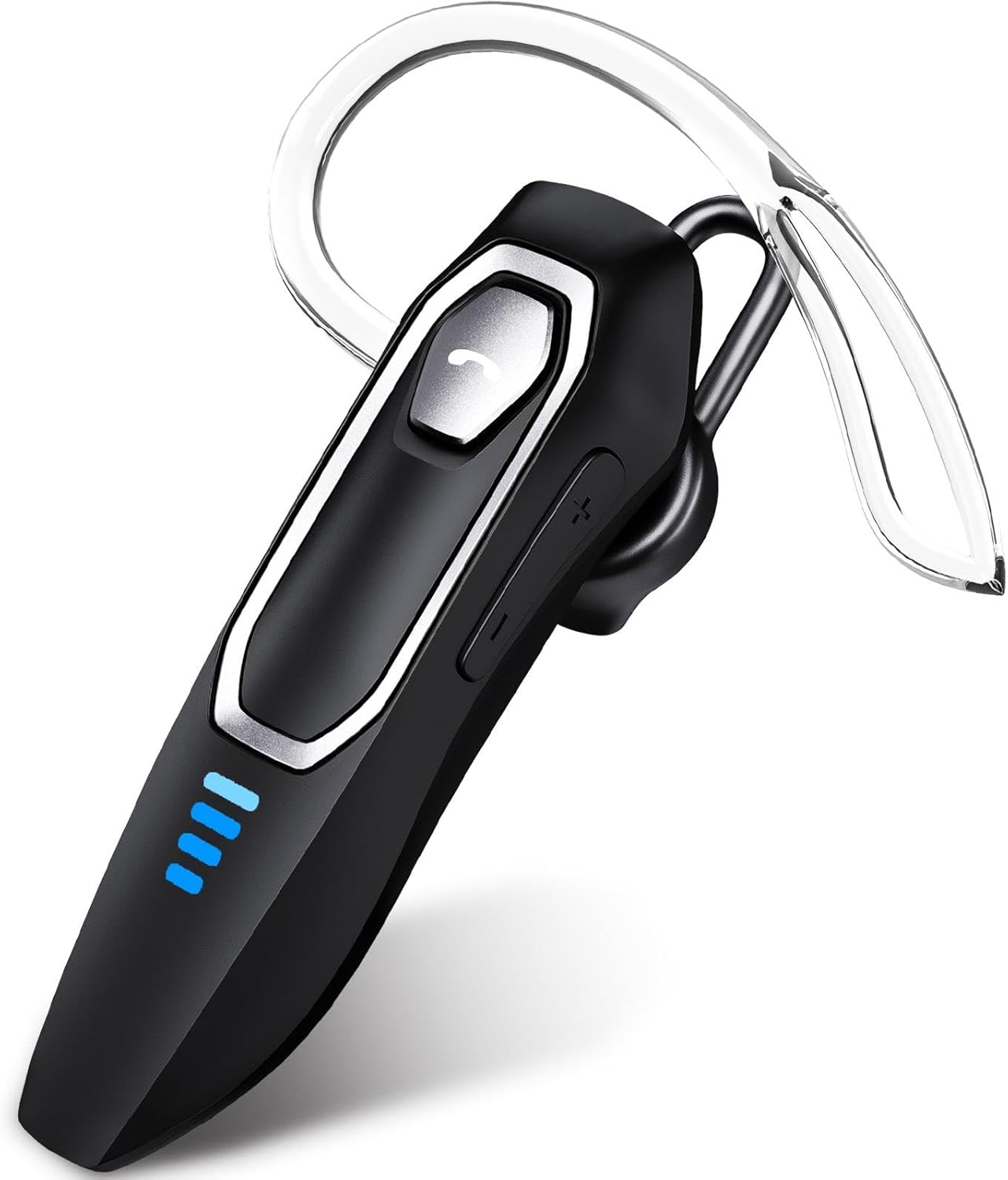
Image 1: Micool DY20PLUS Bluetooth Headset. This image displays the main headset unit, highlighting the call button, volume controls, and LED power indicators.

Image 2: Headset Controls Diagram. This diagram illustrates the Multi-Function Button (MFB) for power, play/pause, and Bluetooth pairing, along with volume controls and mute function.
ヘッドセットの充電
初めて使用する前に、ヘッドセットを完全に充電してください。
- 付属のUSB-C充電ケーブルをヘッドセットの充電ポートに接続します。
- ケーブルのもう一方の端を USB 電源 (コンピューター、壁のアダプターなど) に接続します。
- LEDインジケーターが充電状態を示します。フル充電には通常1.5~2時間かかります。
- Once fully charged, the LED indicators will change or turn off (refer to LED Power Display section for details).
The headset offers up to 36 hours of talk time and 45 hours of music playback on a single charge.
設定
電源オン/オフ
- 電源オン: Press and hold the Multi-Function Button (MFB) for approximately 3 seconds until the LED indicator flashes.
- 電源を切る: LED インジケーターが消えるまで、MFB を約 3 秒間押し続けます。
Bluetoothペアリング
- ヘッドセットの電源がオフになっていることを確認します。
- Press and hold the MFB for approximately 3 seconds until the LED indicator flashes red and blue alternately, indicating pairing mode.
- デバイス(スマートフォン、タブレット、コンピューター)で Bluetooth を有効にし、利用可能なデバイスを検索します。
- Select "DY20PLUS" from the list of found devices.
- 接続されると、ヘッドセットの LED インジケーターが青色でゆっくり点滅します。
マルチポイント接続: The DY20PLUS headset can connect to two devices simultaneously. After pairing with the first device, disable Bluetooth on that device. Then, put the headset back into pairing mode and connect to the second device. Re-enable Bluetooth on the first device, and the headset should automatically connect to both.
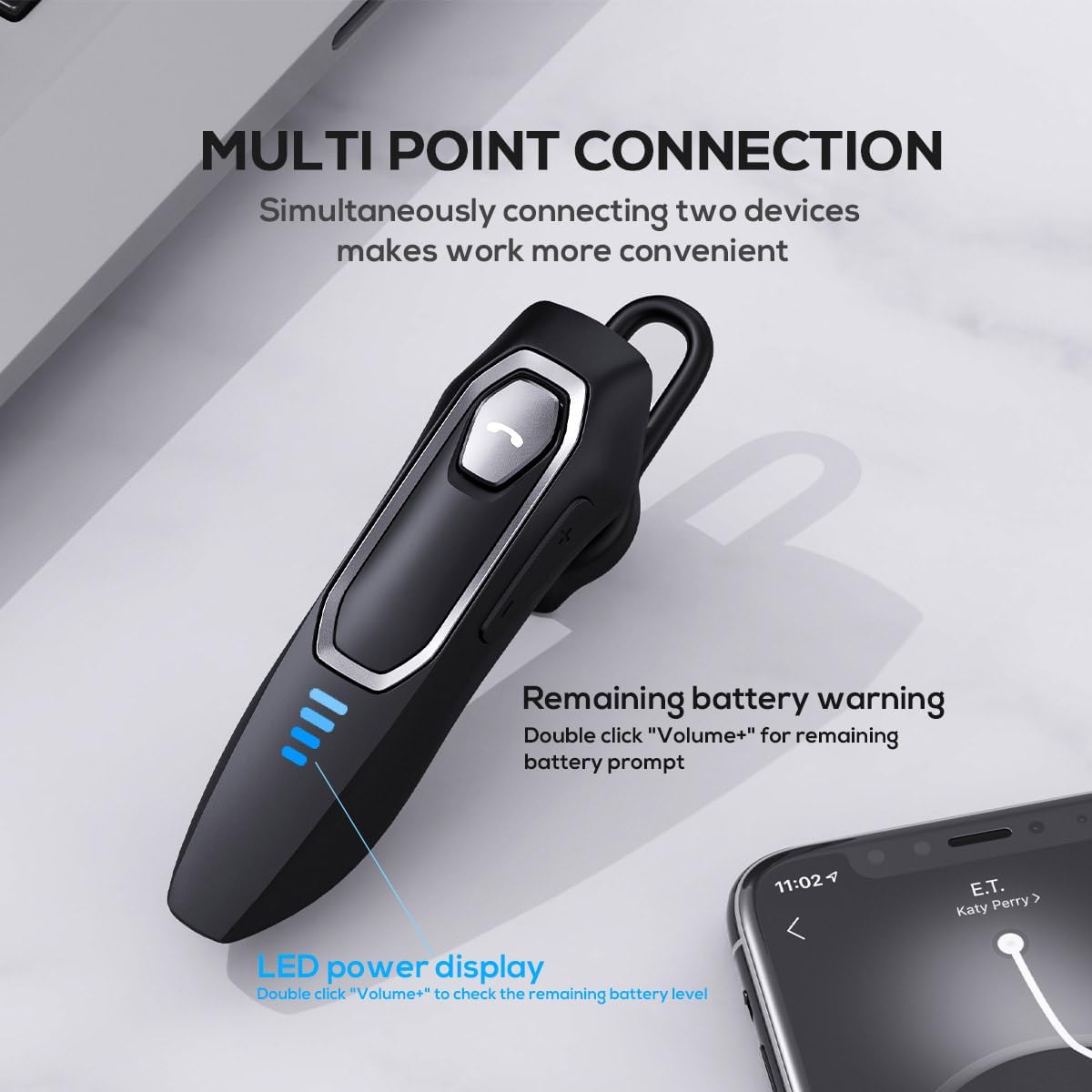
Image 3: Multi-Point Connection and LED Display. This image illustrates the headset's ability to connect to two devices simultaneously and the LED power display.
操作手順
通話管理
- 通話の応答/終了: MFBを1回押します。
- 通話を拒否: MFBを約2秒間押し続けます。
- マイクのミュート/ミュート解除: During a call, press and hold the volume down button (marked with a microphone icon) for approximately 2 seconds.
- 最後の発信通話をリダイヤル: Triple-tap the MFB.
音楽再生に
- 再生/一時停止: MFBを1回押します。
- 次のトラック: Press and hold the Volume + button for approximately 2 seconds.
- 前のトラック: Press and hold the Volume - button for approximately 2 seconds.
- 音量を上げる/下げる: Press the Volume + or Volume - button briefly.
音声アシスタント
- 音声アシスタント(Siri、Google アシスタントなど)を有効にする: MFBをダブルタップします。
LEDパワーディスプレイ
The headset features an LED power display with four levels, each representing 25% of the battery charge.
- To check the remaining power, double-click the Volume + button.
快適さとフィット感
The Micool DY20PLUS is designed for comfortable, all-day wear.
- The ergonomic design ensures a secure fit without causing ear fatigue.
- Interchangeable ear tips (L, M, S) are included to help you find the best fit for your ear canal, optimizing bass and overall sound quality.
- The headset can be worn on either the left or right ear.

Image 4: Ear Tips and Durability. This image shows the included ear tips in different sizes (L, M, S) and highlights the enhanced durability features of the headset.
メンテナンス
- クリーニング: ヘッドセットのお手入れには、柔らかく乾いた布をご使用ください。刺激の強い化学薬品や研磨剤は使用しないでください。
- ストレージ: 使用しないときは、ヘッドセットを直射日光や極端な温度を避け、涼しく乾燥した場所に保管してください。
- バッテリーのケア: バッテリー寿命を延ばすには、ヘッドセットを頻繁に完全に放電させないでください。頻繁に使用しない場合でも、定期的に充電してください。
- 耐水性: The headset is water-resistant, but not waterproof. Avoid submerging it in water or exposing it to heavy rain.
トラブルシューティング
| 問題 | 考えられる解決策 |
|---|---|
| ヘッドセットの電源が入りません。 | ヘッドセットが充電されていることを確認してください。USB-Cケーブルを使用して電源に接続してください。 |
| デバイスとペアリングできません。 |
|
| 音が出ない、または音質が悪い。 |
|
| 通話中にマイクが機能しません。 |
|
| 音声アシスタントが起動しません。 | Ensure the headset is connected and double-tap the MFB firmly. Check your device settings for voice assistant activation. |
仕様
| 特徴 | 詳細 |
|---|---|
| モデル名 | DY20PLUS |
| 接続技術 | ワイヤレス(Bluetooth) |
| Bluetoothバージョン | 5.4 |
| Bluetooth範囲 | 最大50メートル(164フィート) |
| バッテリー寿命(通話時間) | 最大36時間 |
| バッテリー寿命(音楽再生) | 最大45時間 |
| 充電時間 | 1.5~2時間 |
| 充電ポート | USB-C |
| ノイズキャンセリング | Dual Microphones with Noise Reduction Algorithm |
| 特集 | Voice Assistant, Multipoint Pairing, LED Power Display, Mute Function, Fast Charging |
| 重さ | 約12g(0.42オンス) |
| 耐水性レベル | 耐水性 |
| 対応デバイス | スマートフォン、タブレット、スマートスピーカー |
保証とサポート
For warranty information or technical support, please refer to the documentation included with your purchase or contact Micool customer service through their official channels.
Ask a question about this manual
Ask about setup, troubleshooting, compatibility, parts, safety, or missing instructions. Manuals+ will review the question and use this page’s manual context to help answer it.