
ミニソー MS150
MINISO MS150 AI翻訳イヤホン ユーザーマニュアル
モデル: MS150
1. はじめに
Thank you for choosing the MINISO MS150 AI Language Translation Earbuds. These open-ear headphones are designed to provide real-time language translation for up to 148 languages, combined with high-quality audio for music and communication. Featuring Bluetooth 5.4 connectivity and a long-lasting battery, the MS150 is compatible with both iOS and Android devices, making it ideal for business, travel, and daily use.

図1.1: The MINISO MS150 AI Language Translation Earbuds and their charging case. The earbuds feature an open-ear design, and the case includes a display screen.
2. パッケージ内容
開梱したらパッケージの内容を確認し、すべてのアイテムが揃っていることを確認してください。
- MINISO MS150 AI Language Translation Earbuds (Left and Right)
- 充電ステーション(ケース)
- USB充電ケーブル
- ユーザーマニュアル(このドキュメント)
3. セットアップ
3.1 イヤホンとケースの充電
Before first use, fully charge the earbuds and the charging case. The case provides extended playtime for the earbuds.
- イヤフォンを充電ケースのそれぞれのスロットに入れます。
- USB 充電ケーブルをケースの充電ポートと互換性のある USB 電源 (コンピューター、壁のアダプターなど) に接続します。
- The display on the charging case will indicate the charging status. Ensure both earbuds and the case are fully charged for optimal battery life.
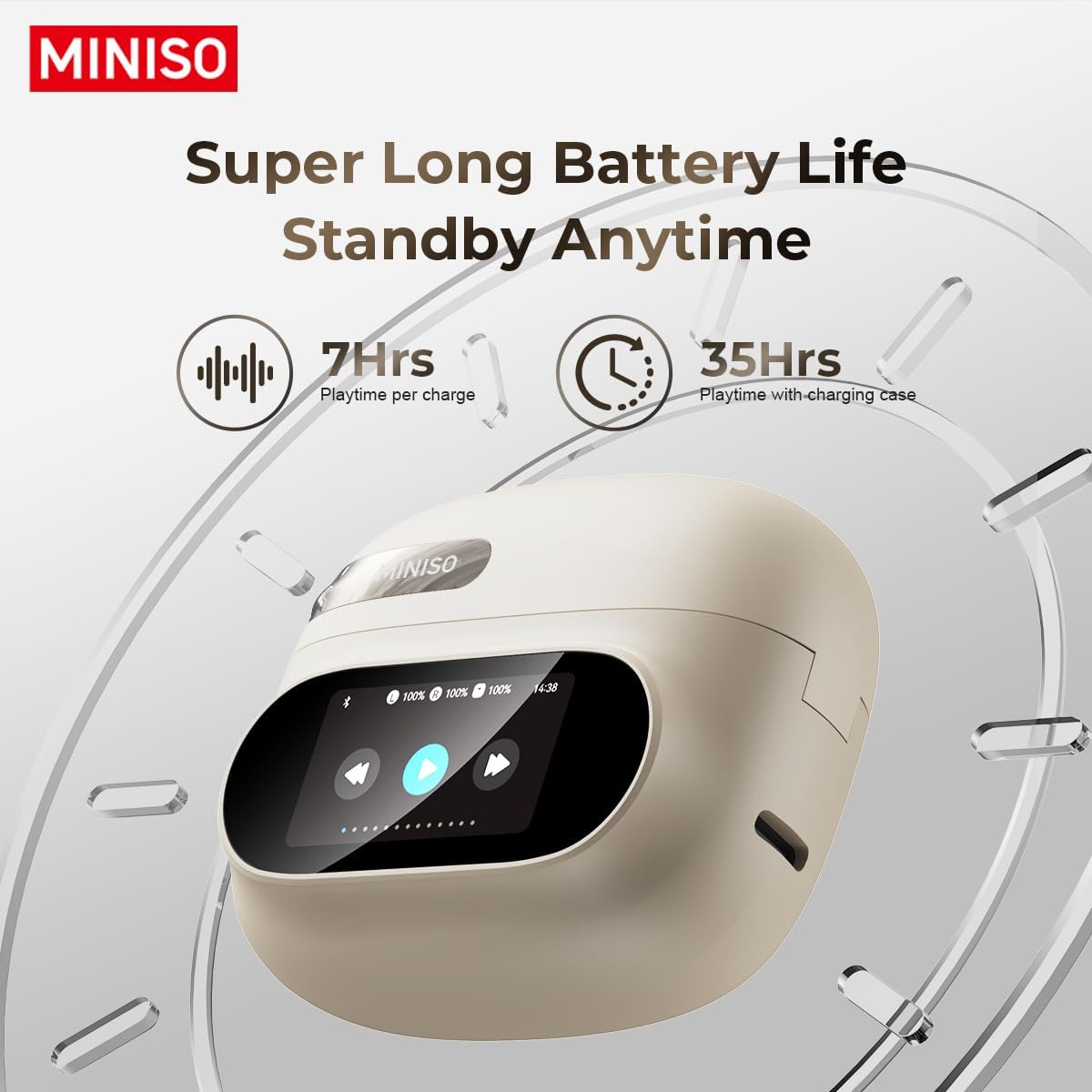
図3.1: The charging case display showing battery levels for the earbuds and the case. The earbuds offer 7 hours of playtime per charge, with the case extending total playtime to 35 hours.
3.2Bluetoothペアリング
To connect your MS150 earbuds to your device:
- イヤホンが充電され、充電ケースに収納されていることを確認してください。
- 充電ケースの蓋を開けます。イヤホンは自動的にペアリングモードになります。
- On your smartphone or device, go to Bluetooth settings and turn Bluetooth on.
- 検索する available devices and select "MINISO MS150" from the list.
- Once connected, the display on the charging case may show a connection indicator, and you will hear an audio prompt from the earbuds.
4. 操作手順
4.1 イヤホンの装着
The MS150 earbuds feature an open-ear design for comfort and situational awareness.
- Gently place each earbud over your ear, ensuring the speaker is positioned correctly for clear audio.
- Adjust for a comfortable and secure fit.

図4.1: Proper wearing of the MINISO MS150 earbud, designed for comfort and allowing awareness of surroundings.
4.2 Touch Controls and Display Features
The MS150 earbuds and charging case feature intuitive touch controls and a full-color LED display for various functions.

図4.2: 以上view of the various functions accessible via the charging case's full-color LED display and touch controls. These include Screen Lock, Equalizer settings (Normal, Rock, Pop, Classic, Jazz), 'Like' function, Diverse Wallpapers, 'Find My Earphone', Volume adjustment, Alarm clock setup, Date setting, Language Switch, Photogarap (camera remote), Flashlight, Phone Music control, and Screen Brightness adjustment.
一般的な機能は次のとおりです:
- 音楽再生: Play/Pause, Next/Previous Track.
- 通話管理: 通話の応答/終了、通話の拒否。
- 音量コントロール: Adjust volume directly from the earbuds or case display.
- 音声アシスタント: デバイスの音声アシスタントを有効にします。
- 言語翻訳: Initiate real-time translation via the dedicated app or earbud controls.
- サウンドエフェクト: Select from 5 sound effects including Standard, Rock, Pop, Classic, and Jazz.

図4.3: The MINISO MS150 earbuds support 5 distinct sound effects: Standard, Rock, Pop, Classic, and Jazz, enhancing the audio experience for various content like listening to songs, watching films, or playing games.
4.3 AI Language Translation
The core feature of the MS150 is its AI-powered real-time language translation. This function typically requires a companion application on your smartphone.
- Download and install the official MINISO translation app from your device's app store.
- Open the app and follow the on-screen instructions to set up the translation feature.
- Select the source and target languages (supports up to 148 languages).
- Use the designated touch control on the earbuds or the app interface to initiate translation. Your speech will be translated and played through the other person's device or the earbuds, and vice-versa.
5. メンテナンス
5.1 クリーニング
定期的にクリーニングすると、イヤホンの性能と寿命を維持するのに役立ちます。
- 柔らかく乾いた糸くずの出ない布を使用して、イヤホンと充電ケースを拭いてください。
- 頑固な汚れには、軽くamp布に水を含ませてください。刺激の強い化学薬品や研磨剤の使用は避けてください。
- Do not allow liquid to enter any openings.
5.2 耐水性
The MS150 earbuds are rated IPX5 water-resistant, meaning they can withstand a sustained, low-pressure water jet spray. This makes them suitable for sports and light rain exposure.

図5.1: The MINISO MS150 earbuds are IPX5 water-resistant, making them suitable for use during sports or in light rain conditions.
重要: IPX5 rating does not mean they are waterproof for submersion. Do not submerge the earbuds in water or expose them to high-pressure water jets.
5.3 ストレージ
使用しないときは、イヤホンを保護し、充電を保つために充電ケースに保管してください。高温多湿を避け、涼しく乾燥した場所に保管してください。
6。 トラブルシューティング
MINISO MS150 イヤホンで問題が発生した場合は、次の一般的な解決策を参照してください。
| 問題 | 考えられる解決策 |
|---|---|
| イヤホンがペアリングされない | イヤホンが充電されていることを確認してください。デバイスのBluetoothをオフにしてからオンにしてください。Bluetooth設定でデバイスを削除し、再度ペアリングしてください。 |
| イヤフォンから音が出ない | Check volume levels on both earbuds and connected device. Ensure earbuds are properly connected. Try playing different audio. |
| 翻訳が機能しない | Ensure the translation app is open and configured correctly. Check internet connection for real-time translation. Verify microphone access for the app. |
| 充電の問題 | Check the charging cable and power source. Ensure earbuds are correctly seated in the charging case. Clean charging contacts if necessary. |
| バッテリー寿命が短い | Ensure earbuds and case are fully charged before use. Battery life can vary based on volume and usage. |
If the problem persists, please contact MINISO customer support.
7. 仕様
- モデル: MS150
- 接続性: ブルートゥース5.4
- 翻訳言語: Up to 148 languages (via companion app)
- イヤホンの再生時間: 7回の充電で約XNUMX時間使用可能
- 合計再生時間(充電ケース付き): 最大35時間
- デザイン: Open Ear Headphone (OWS)
- 耐水性: IPX5
- 互換性: iOSおよびAndroidデバイス
- メーカー: ミニソ
- ASIN: B0F29DPDM8
8. 保証とサポート
MINISO products are manufactured to high-quality standards. For information regarding warranty coverage, technical support, or service inquiries, please refer to the warranty card included in your product packaging or visit the official MINISO webサイトでご確認ください。保証請求のために購入証明書を保管してください。
Ask a question about this manual
Ask about setup, troubleshooting, compatibility, parts, safety, or missing instructions. Manuals+ will review the question and use this page’s manual context to help answer it.