
1. はじめに
This manual provides comprehensive instructions for the installation, operation, and maintenance of your Techage CG6E Solar Security Camera. Designed for outdoor use, this wireless camera system offers 2K high-definition video, AI motion detection, color night vision, two-way audio communication, and is built with an IP66 waterproof rating for reliable performance in various weather conditions. The integrated solar panel ensures continuous power, reducing the need for frequent battery recharges.
2. パッケージ内容
パッケージにすべてのアイテムが含まれていることを確認します。
- Techage Solar Security Camera (2 units)
- ソーラーパネル(2台)
- 取り付けブラケットとネジ
- USB充電ケーブル
- ユーザーマニュアル(このドキュメント)

Image: Two Techage CG6E solar security cameras and two solar panels, illustrating the complete product package.
3.製品オーバーview
The Techage CG6E camera system is engineered for robust outdoor surveillance. Key features include:
- 2K ウルトラ HD 解像度: 鮮明なビデオをキャプチャtage with 1.5 times the clarity of standard 1080P cameras.
- 太陽光発電の効率: Equipped with an external solar panel for continuous battery charging, ensuring uninterrupted operation.
- AIモーション検出: Advanced algorithms identify human movement, reducing false alerts and sending instant notifications.
- カラーナイトビジョン: Dual LED spotlights enable full-color video recording even in low-light conditions.
- 双方向オーディオ: 内蔵マイクとスピーカーにより、カメラを介したリアルタイム通信が可能になります。
- IP66耐候性: Designed to withstand rain, snow, and extreme temperatures for year-round outdoor use.
- 柔軟なストレージ: Supports local storage via a Micro SD card (up to 128GB, not included) and cloud storage options.

画像: オーバーview of the Techage CG6E camera highlighting its main features: long-lasting battery, free 3-day cloud storage, AI motion detection, and full-color night vision.
4. セットアップ
4.1 アプリのインストール
The Techage CG6E camera operates with the Vicohome app. Download the app from your device's app store:
- For iOS devices, search for "Vicohome" in the Apple App Store.
- For Android devices, search for "Vicohome" in the Google Play Store.
Follow the on-screen instructions to create an account and log in.

Image: A smartphone displaying the Vicohome app interface, indicating where to download the application.
4.2 カメラのペアリング
- スマートフォンが2.4GHz Wi-Fiネットワークに接続されていることを確認してください。カメラは5GHz Wi-Fiには対応していません。
- Open the Vicohome app and tap the "Add Device" or "+" icon.
- Power on the camera. The camera will enter pairing mode, indicated by a specific LED light pattern or voice prompt.
- Follow the app's instructions to scan the QR code on the camera or manually select the device.
- プロンプトが表示されたら、Wi-Fi ネットワークのパスワードを入力します。
- Once connected, the camera will confirm successful pairing, and you can name your device within the app.
4.3物理的な設置
The camera and solar panel are designed for wall mounting.
- 場所を選択: 希望する屋外の場所を選択してください view角度を変えて受け取る ampソーラーパネルに直射日光が当たらないようにしてください。カメラが2.4GHz Wi-Fiネットワークの範囲内にあることを確認してください。
- カメラを取り付ける: 付属の取り付けブラケットとネジを使用して、カメラを壁などの安定した面にしっかりと固定します。最適な範囲をカバーできるようにカメラの角度を調整してください。
- ソーラーパネルを取り付けます: Position the solar panel in a location that maximizes sun exposure throughout the day. Connect the solar panel cable to the camera's charging port.
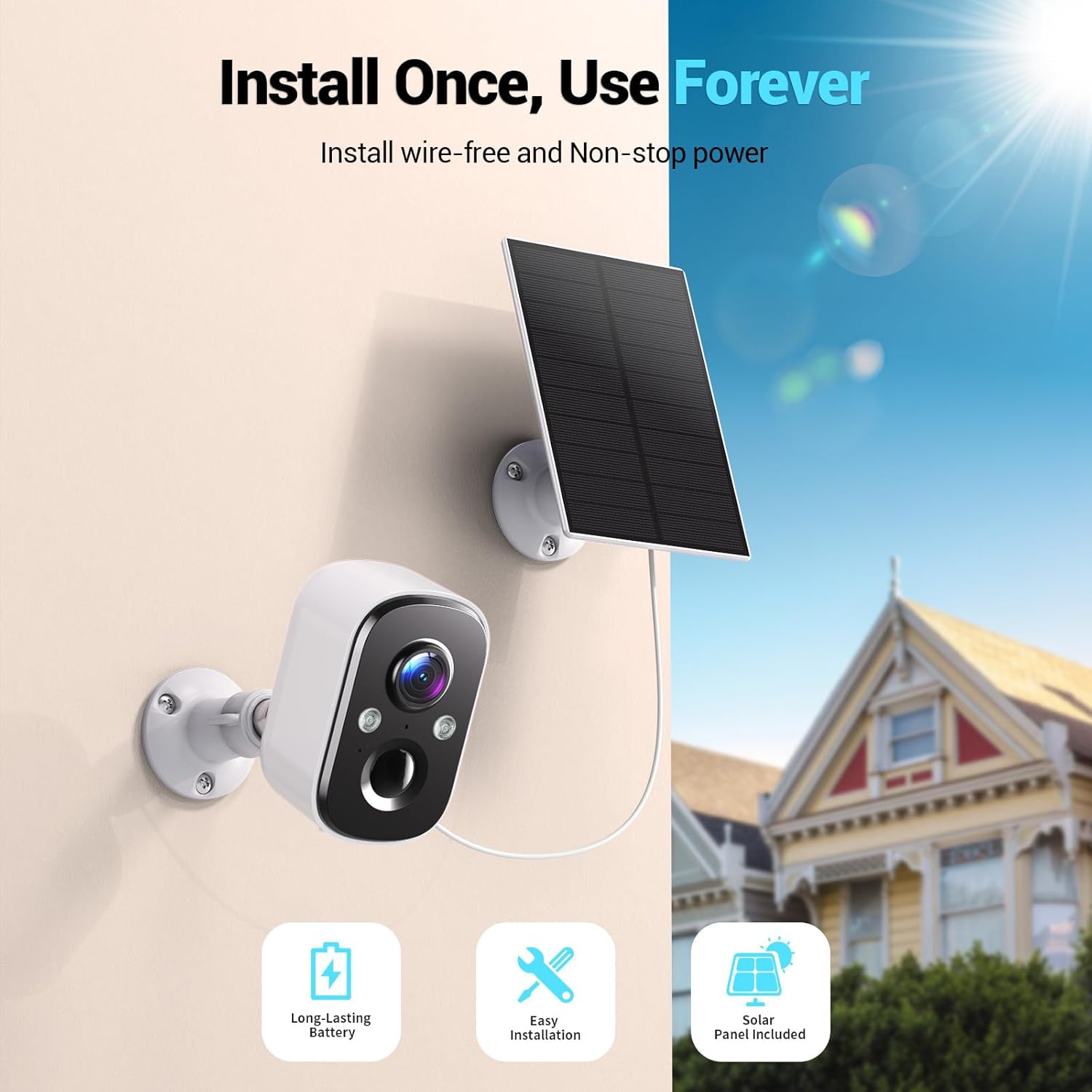
Image: A Techage CG6E camera and its solar panel are shown mounted on an outdoor wall, illustrating a typical installation scenario.
5. 操作手順
5.1 ライブ View
Access real-time video feed from your camera through the Vicohome app. Simply select the desired camera from your device list to view ライブストリーム。
5.2 モーション検出設定
The camera features advanced AI motion detection. You can customize settings within the Vicohome app:
- 感度: Adjust the detection sensitivity to minimize false alerts.
- アクティビティゾーン: カメラ内の特定の領域を定義する view 他の領域を無視して、モーション検出をアクティブにする領域。
- AI認識: The camera can differentiate between people, vehicles, packages, and pets, providing more relevant alerts.
- アラート: Configure push notifications to your smartphone when motion is detected.

Image: A visual representation of the camera detecting motion near a doorway, triggering a spotlight, siren, and sending a notification to the Vicohome app.
5.3 双方向オーディオ
双方向オーディオ機能を利用して、カメラの近くにいる人と会話できます。ライブ画面でマイクアイコンをタップしてください。 view interface of the Vicohome app to speak, and the camera's speaker will broadcast your voice. You can also hear audio from the camera's location.

Image: A person inside a house communicating via the camera with another person outside, demonstrating the two-way audio function.
5.4 ナイトビジョンモード
カメラには 2 つの夜間視力モードがあります。
- カラーナイトビジョン: When the built-in spotlights are activated (either manually or by motion detection), the camera captures full-color video in dark environments.
- 赤外線ナイトビジョン: With spotlights off, the camera uses infrared LEDs to provide clear black-and-white video in darkness.

Image: A comparison showing the difference between color night vision (spotlight on) and infrared night vision (spotlight off) in a dark setting.
5.5 ストレージオプション
カメラは次の 2 つの保存方法をサポートしています。
- マイクロSDカード: ローカル録画を行うには、カメラの指定スロットに Micro SD カード (最大 128 GB、別売) を挿入します。
- クラウドストレージ: The Vicohome app offers a free 3-day rolling event recording cloud storage. Optional premium cloud plans are available for extended storage and advanced features.
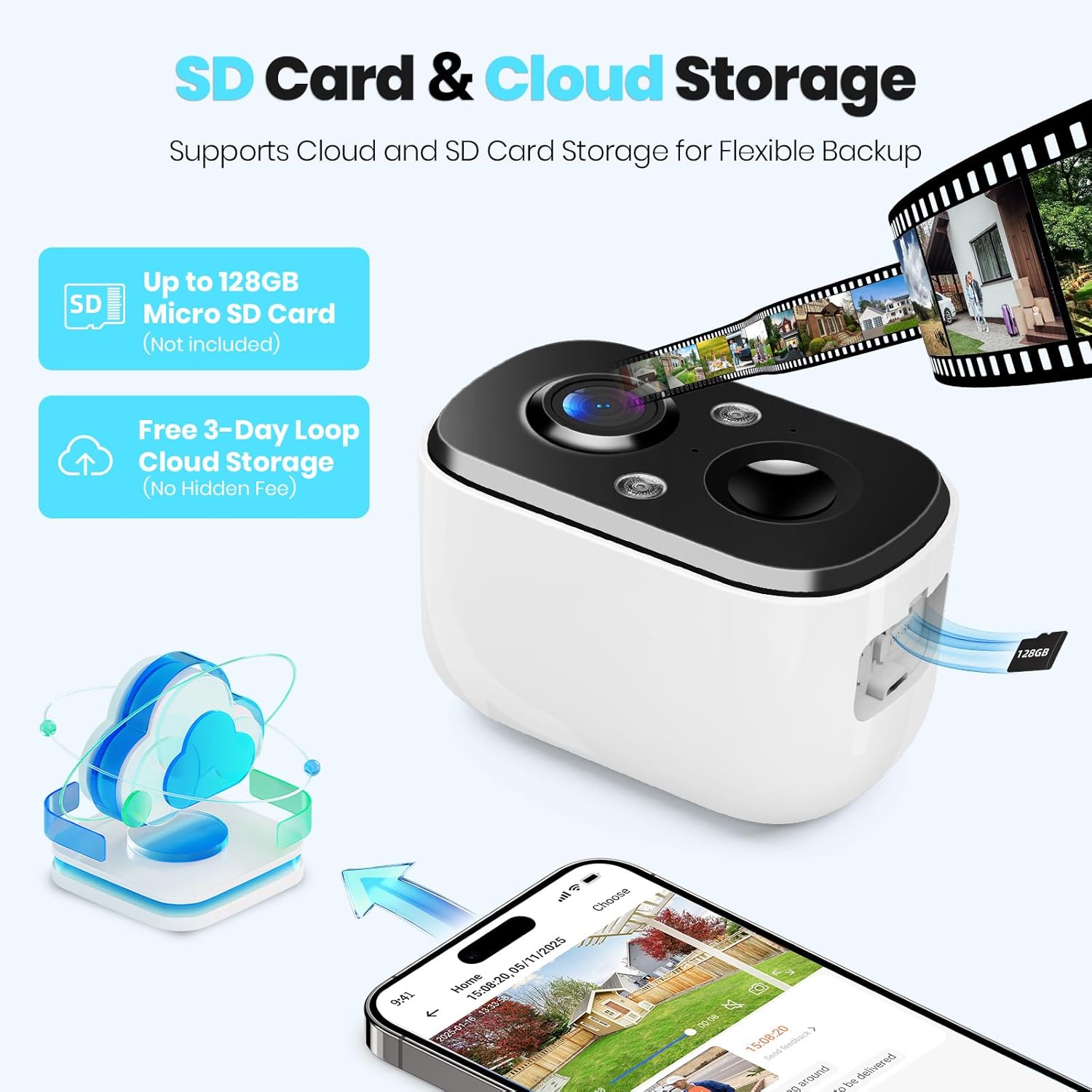
Image: A close-up of the camera highlighting the Micro SD card slot and illustrating cloud storage functionality.
5.6 アクセスの共有
You can share camera access with family members or trusted individuals through the Vicohome app. This allows multiple users to view ライブフィードやアラートを受信します。
6. メンテナンス
6.1 Battery Charging and Solar Panel Placement
The solar panel is designed to keep the camera battery charged. Ensure the solar panel is positioned to receive maximum direct sunlight daily. If the camera's battery level drops significantly due to prolonged cloudy weather or insufficient sunlight, you may need to temporarily charge the camera using the provided USB cable.
6.2 クリーニング
カメラのレンズとソーラーパネルの表面を定期的に柔らかくてきれいな布で拭いてください。amp 最適なパフォーマンスを得るには、布で拭いてください。刺激の強い化学薬品や研磨剤の使用は避けてください。
6.3ファームウェアアップデート
The Vicohome app will notify you of available firmware updates. It is recommended to keep your camera's firmware updated to ensure the latest features, security enhancements, and bug fixes.
7。 トラブルシューティング
- カメラがWi-Fiに接続できない: Wi-Fiネットワークが2.4GHzであることを確認してください。カメラの設置場所のWi-Fi信号強度を確認してください。ルーターとカメラを再起動してください。
- 頻繁な誤報: Adjust motion detection sensitivity and configure activity zones within the Vicohome app to focus on relevant areas.
- 夜間視力が悪い: Ensure the camera lens is clean. Check if the spotlights are enabled for color night vision.
- バッテリーが充電されない: Verify the solar panel is connected correctly and receives sufficient direct sunlight. Clean the solar panel surface.
- No cloud recording: Confirm your cloud storage subscription status. The free plan offers 3-day rolling event recording.
さらにサポートが必要な場合は、アプリ内のヘルプ セクションを参照するか、カスタマー サポートにお問い合わせください。
8. 仕様
| 特徴 | 仕様 |
|---|---|
| モデル名 | CG6E |
| 屋内/屋外での使用 | 屋外 |
| 電源 | 太陽光発電 |
| 接続技術 | ワイヤレス(Wi-Fi 2.4GHzのみ) |
| ビデオキャプチャ解像度 | 2K(1440p) |
| 暗視範囲 | 33フィート |
| 耐水性レベル | IP66防水 |
| 双方向オーディオ | はい |
| ストレージオプション | マイクロSDカード(最大128GB)、クラウドストレージ |
| 対応デバイス | Smartphone (via Vicohome app) |
| 製品寸法 | 6 x 3.49 x 7.5インチ |
| アイテム重量 | 2.09ポンド |
9. 保証とサポート
Techage provides free technical support for its products. For warranty information or to contact support, please refer to the contact details provided within the Vicohome app or visit the official Techage webサイト。

Image: A customer support representative, symbolizing the availability of technical assistance.