
導入
This manual provides essential instructions for the safe and efficient use of your Macap LEO 55 Touch Burr Coffee Grinder. Please read it thoroughly before initial use and retain it for future reference.

The Macap LEO 55 Touch Burr Coffee Grinder in Chrome finish, featuring a clear bean hopper and touch screen interface.
設定
開梱と配置
- グラインダーをパッケージから慎重に取り出します。
- Place the grinder on a stable, level, and dry surface.
- ユニットの周囲に十分な換気を確保してください。
- 電源コードを適切なコンセントに接続します。
Initial Grind Adjustment
The LEO 55 Touch features stepless micrometric adjustment for precise grind size control. Before first use, familiarize yourself with the adjustment knob.

A hand rotating the stepless micrometric adjustment knob to fine-tune the grind size.
- To adjust the grind, rotate the aluminum knob located on the side of the grinder.
- Turning the knob clockwise results in a finer grind, suitable for espresso.
- Turning the knob counter-clockwise results in a coarser grind, suitable for pour-over, cold brew, or French press.
- Make small adjustments and test the grind to achieve the desired consistency.
手術
豆ホッパーへの充填
- Ensure the grinder is off before filling the hopper.
- Lift the hopper lid and pour fresh whole coffee beans into the hopper.
- 蓋をしっかりと元に戻してください。
タッチスクリーンインターフェースの使用
The 2.4'' color display provides intuitive control over grinding parameters.
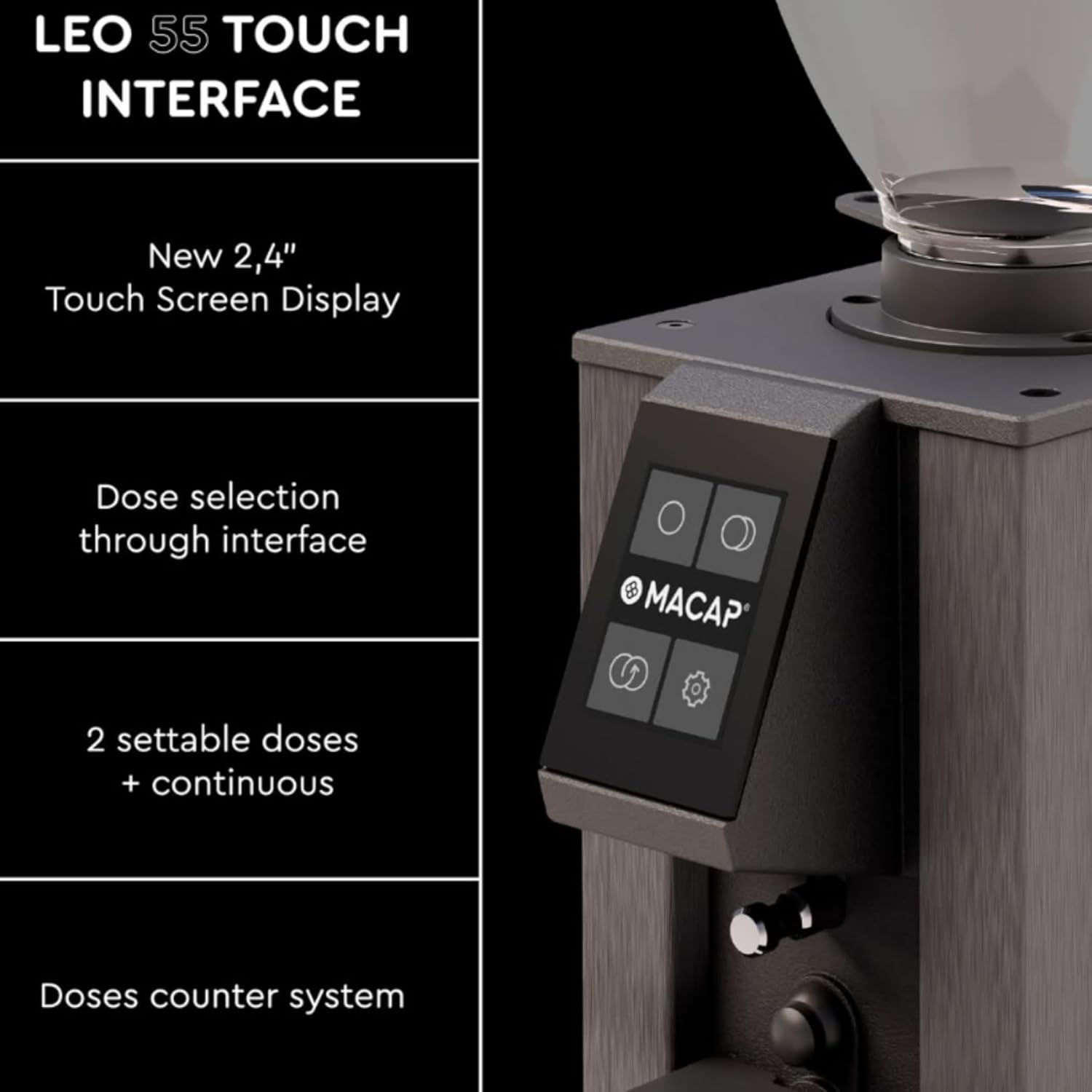
詳細な view of the grinder's touch screen, showing dose selection options.
- Dose Selection: The interface allows selection of two settable doses (single and double shot) and a continuous grinding mode.
- Dose Counter: The system includes a dose counter for tracking usage.
- 設定: Access additional settings and preferences through the touch screen.
Hands-Free Auto Grinding
The LEO 55 Touch is designed for convenient, hands-free operation.
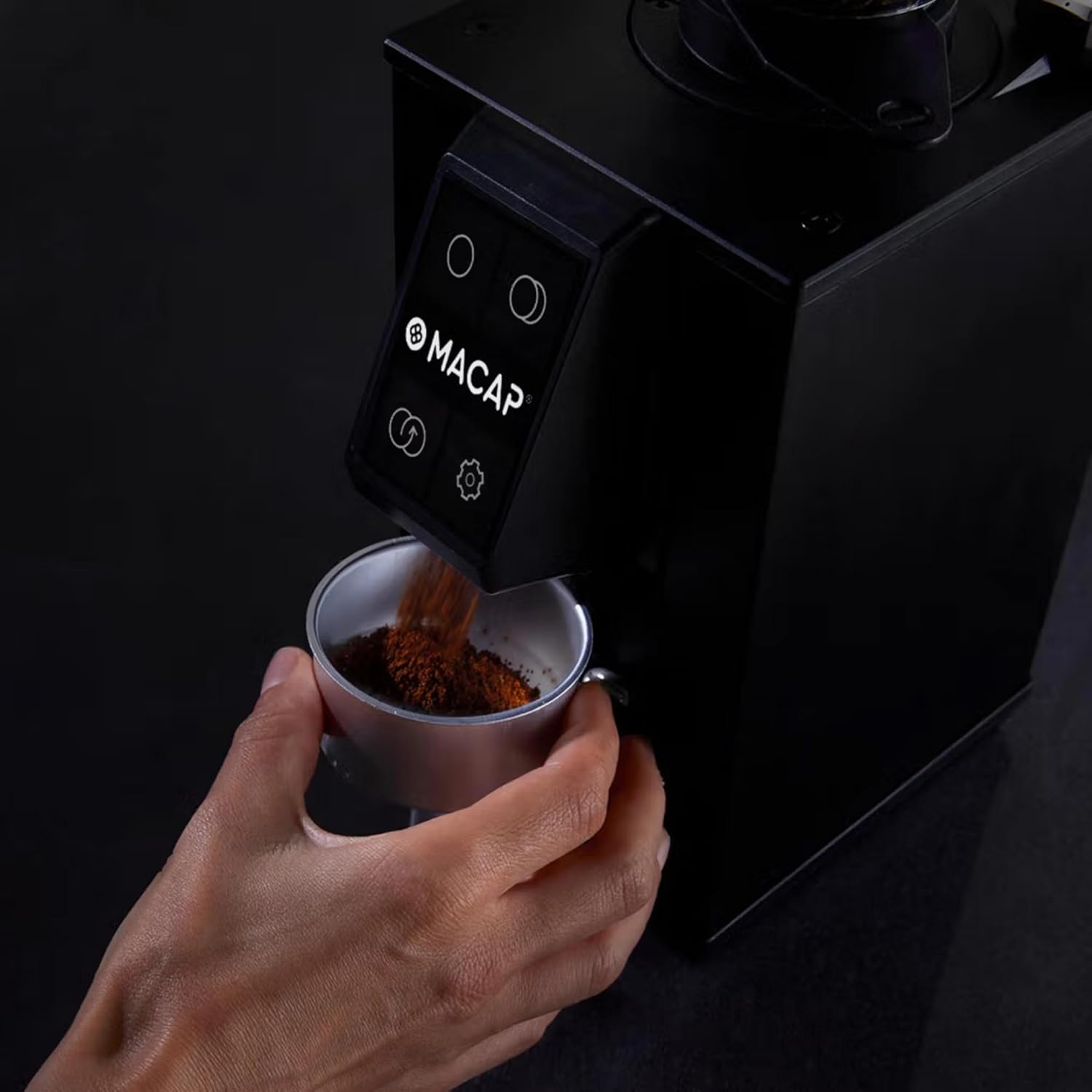
Ground coffee being dispensed directly into a portafilter from the grinder.
- Position your portafilter or grinding container under the dispensing chute.
- The grinder will automatically activate upon detection of the portafilter, dispensing the selected dose.
- For continuous grinding, select the continuous mode on the touch screen.
メンテナンス
グラインダーの清掃
Regular cleaning ensures optimal performance and extends the life of your grinder. The low retention design minimizes grind waste and static, simplifying the cleaning process.
- 清掃する前に、必ずグラインダーのプラグを抜いてください。
- 外側は柔らかくて乾いた布で拭いてください。amp 布で拭いてください。研磨剤入りの洗剤を使用したり、本体を水に浸したりしないでください。
- Clean the bean hopper and ground coffee chute regularly to prevent oil buildup.
Burr Removal and Cleaning
The LEO 55 Touch features an exclusive no-screw system for easy burr removal, facilitating thorough cleaning. This blind flat burr design also improves grind consistency and reduces retention.

A hand demonstrating the removal of a flat burr from the grinder for cleaning, highlighting the no-screw system.
- Refer to the specific instructions for burr removal in the full product manual.
- Use a brush or vacuum to remove any trapped coffee grounds from the burrs and grinding chamber.
- Reassemble the burrs carefully, ensuring they are properly seated.
トラブルシューティング
This section addresses common issues you might encounter with your Macap LEO 55 Touch grinder. For more detailed troubleshooting or issues not listed here, please contact customer support.
| 問題 | 考えられる原因 | 解決 |
|---|---|---|
| グラインダーが作動しない | プラグが差し込まれていない、電源スイッチがオフ、回路ブレーカーが落ちている。 | Ensure power cord is securely plugged in. Check power switch. Reset circuit breaker if necessary. |
| 一貫性のない粉砕サイズ | Burrs are dirty or worn; grind setting too coarse/fine. | Clean the burrs thoroughly (refer to Maintenance). Adjust grind setting incrementally. Consider burr replacement if burrs are worn. |
| コーヒーが出てこない | Chute is clogged; hopper is empty; portafilter not detected. | Clear any blockages in the dispensing chute. Refill the bean hopper. Ensure portafilter is correctly positioned to activate the sensor. |
| 動作中の過度の騒音 | バリに異物が混入、バリの位置がずれている。 | Immediately unplug the grinder. Inspect burrs for foreign objects. If no object is found, contact customer support for assistance with burr alignment. |
仕様
| 特徴 | 詳細 |
|---|---|
| モデル | LEO 55 Touch |
| ブランド | Macap |
| 色 | クロム |
| バリの種類 | 55mm Flat Burrs (Blind design) |
| 調整 | 無段階マイクロメトリック |
| 画面 | 2.4インチカラータッチスクリーン |
| 容量(ホッパー) | 0.3キログラム |
| 力 | 390ワット |
| 製品寸法(長さ x 幅 x 高さ) | 長さ5.1インチ x 幅7.2インチ x 高さ14.9インチ |
| アイテム重量 | 13.67ポンド |
| 材料 | ステンレス鋼 |
| メーカー | マカプ |
保証とサポート
For warranty information and customer support, please refer to the documentation included with your product or contact the manufacturer directly.
- メーカー: マカプ
- 売り手: Pro Coffee Gear LLC (for purchase-related inquiries)
- 保護プラン: Optional protection plans are available for purchase. Please refer to your retailer for details on 3-Year and 4-Year protection plans.
Always ensure to register your product if required to activate your warranty.