
導入
ご購入ありがとうございますasing the KOSUMOSU ACD-430 Digital Alarm Clock. This manual provides detailed instructions for setting up and operating your new alarm clock. Please read this manual thoroughly before use and retain it for future reference.
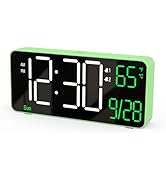
The KOSUMOSU ACD-430 features a 6.7-inch multi-functional LED display, showing time, date, day of the week, seconds, and room temperature. It includes dual alarms with snooze function, 12/24-hour format, and both auto and manual dimming capabilities.
What's Included in the Package
- 1 x KOSUMOSU ACD-430 Digital Alarm Clock
- 1 x 1.5-meter USB-A Power Cable (permanently non-detachable)
- 1 x CR2025 Button Cell (for time backup during power outages)
- ユーザーマニュアル x 1
Note: A 5V/1A AC adapter is NOT included and is required for operation.

設定
電源
The KOSUMOSU ACD-430 Digital Alarm Clock requires a 5V/1A AC adapter (not included) to function. Connect the attached 1.5-meter USB-A power cable to a compatible USB power source. The included CR2025 button cell serves as a backup battery to maintain time settings during power outages, but it does not power the display.
初期設定
初回電源投入時または長時間電源を切った後tage without the backup battery, you may need to set the time and date.
操作手順
ボタンの機能終了view

- Dimming (+/-): Short press to manually adjust brightness (High-Medium-Low-Off). Long press for auto dimming.
- °F/°C/Sec. (-): Short press to switch between Fahrenheit, Celsius, or display seconds. Long press to fix time separator.
- 12h/24h (SET): Short press to set 12h/24h format. Long press to set date/time.
- Alarm 1 Set: 短く押すとアラーム1のオン/オフを切り替えます。長押しするとアラーム1の時間を設定できます。
- Alarm 2 Set: 短く押すとアラーム2のオン/オフを切り替えます。長押しするとアラーム2の時間を設定できます。
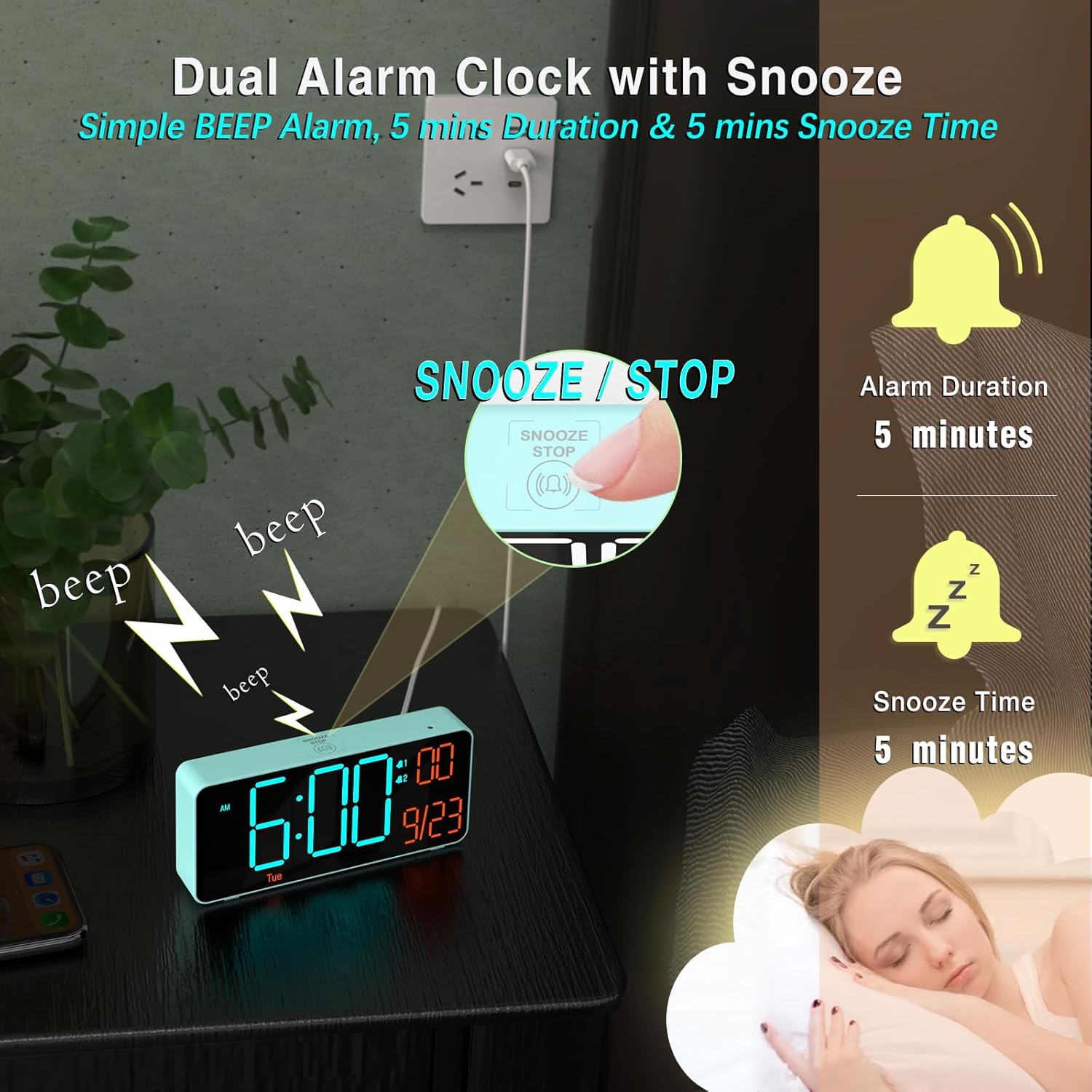
- Snooze/Stop (Top Button): Press to snooze an active alarm or stop it.
時刻と日付の設定
- 長押し セット button for 2 seconds to enter time setting mode. The hour digits will blink.
- 使用 + or - 時間を調整するボタン。
- プレス セット もう一度押すと分の設定に移ります。 + or - 分を調整します。
- 押し続ける セット to cycle through Year, Month, and Date settings. Use + or - to adjust each value. The day of the week will update automatically based on the year and date.
- 日付を設定したら、 セット 最後にもう一度確認して設定モードを終了します。
アラームの設定
- どちらかを長押しします アラーム1設定 or アラーム2設定 button for 2 seconds to enter alarm time setting mode. The hour digits will blink.
- 使用 + or - ボタンでアラーム時間を調整します。
- それぞれの アラームセット もう一度ボタンを押すと分の設定に移ります。 + or - 分を調整します。
- を押す アラームセット button again to select the alarm cycle (Workdays, Weekends, or Every Day). Use + or - 選択します。
- を押す アラームセット button one last time to confirm and exit alarm setting mode.
- To toggle an alarm on or off, short press its corresponding アラームセット ボタンを押します。ディスプレイにアラームアイコンが表示されたり消えたりします。
スヌーズ機能
アラームが鳴ったら、大きな SNOOZE/STOP button on the top of the clock to activate the snooze function. The alarm will pause for 5 minutes and then sound again. To stop the alarm completely, press any other button on the back panel.
調光設定
The clock offers both manual and automatic dimming. Short press the 調光+ or - buttons to cycle through High, Medium, Low, or Off brightness levels. Long press either dimming button to activate or deactivate the auto-dimming feature, which adjusts brightness based on ambient light.

Temperature and Time Format
を短く押す °F/°C/Sec. (-) button to switch between displaying the room temperature in Fahrenheit (°F), Celsius (°C), or showing the seconds. Long press the 12h/24h (SET) 12 時間形式と 24 時間形式を切り替えるボタン。
仕様
| 特徴 | 詳細 |
|---|---|
| ブランド | こすもす |
| モデル番号 | ACD-430 |
| 色 | Blue (Blue + Orange Digits) |
| 表示タイプ | 導かれた |
| 画面サイズ | 6.7 Inches (actual product dimensions 6.4"W x 3.3"H) |
| 電源 | Corded Electric (5V/1A AC adapter required, not included) |
| バックアップバッテリー | 1 x CR2025 Nonstandard Battery (included, for time backup only) |
| 特集 | Adjustable Brightness (Auto/Manual Dimming), Calendar Display, Dual Alarms, Snooze, Temperature Display (°F/°C), 12/24-hour format |
| 材質タイプ | プラスチック |
| アイテム重量 | 5.92オンス |
トラブルシューティング
ディスプレイが空白またはオンにならない:
- Ensure the USB power cable is securely connected to both the clock and a functional 5V/1A AC adapter.
- 電源コンセントがアクティブであることを確認します。
- Check if the display brightness is set to 'Off' (manual dimming). Press the '+' dimming button to increase brightness.
アラームが鳴らない:
- Confirm that the alarm is enabled (short press the respective Alarm Set button; an alarm icon should be visible on the display).
- Check the alarm time and ensure it is set correctly for your desired wake-up time and day cycle (Workdays, Weekends, Every Day).
時刻または日付が正しくありません:
- Follow the 'Setting Time and Date' instructions to manually adjust the current time and date.
- Ensure the correct year is set, as this affects the automatic day of the week calculation.
保証とサポート
KOSUMOSU offers a 2年間保証 on this product. If you encounter any quality or usage-related problems, please do not hesitate to contact us via email at support@kos-kos.com.