
導入
Thank you for choosing the KOSUMOSU Small Digital Alarm Clock. This manual provides detailed instructions for setting up and operating your new clock. Designed for clarity and convenience, this 6.7-inch digital clock features time, date, day of the week, room temperature, auto/manual dimming, and dual alarms with snooze functionality. Please read this manual thoroughly before use to ensure optimal performance.
パッケージ内容
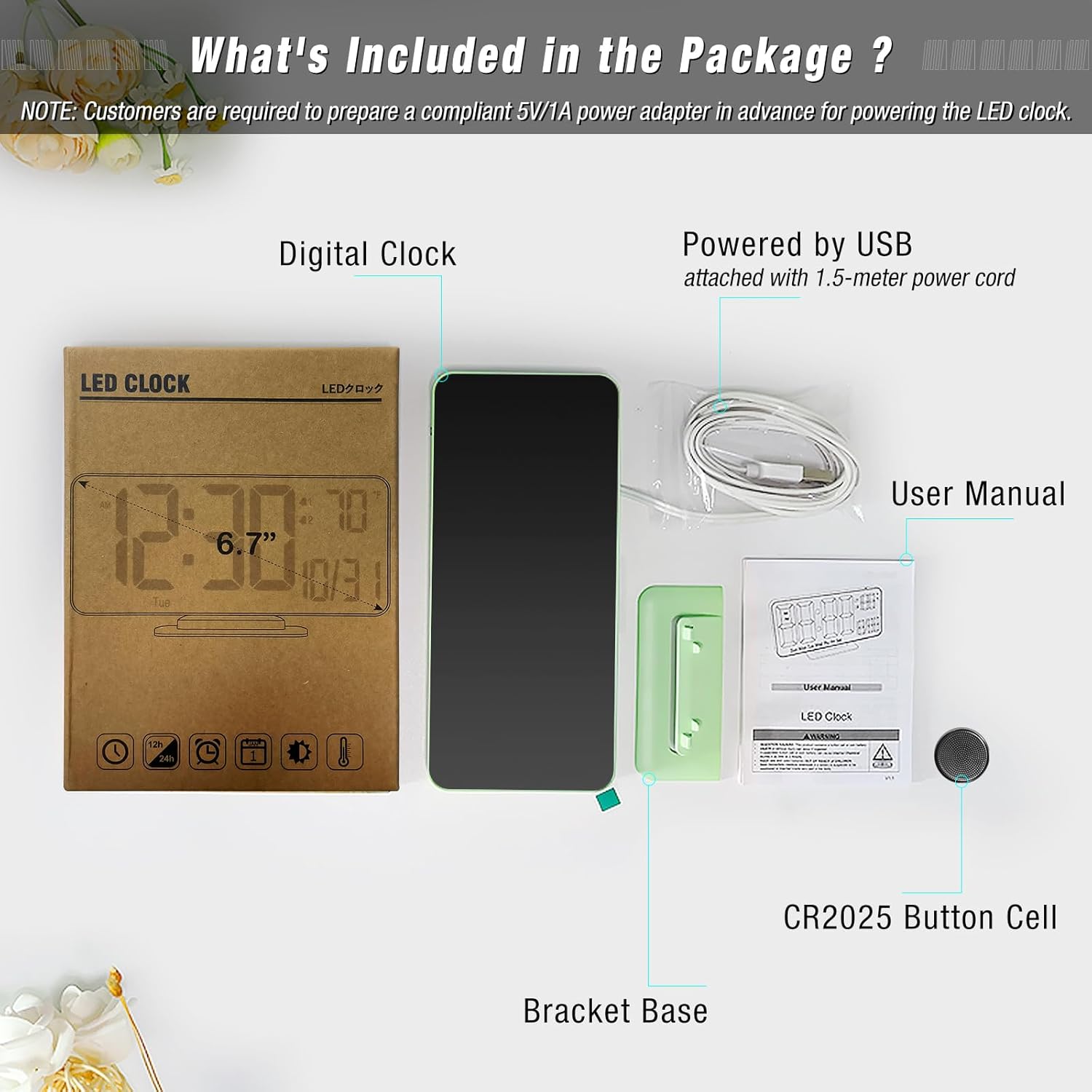
パッケージにすべてのアイテムが揃っていることを確認します。
- Digital Clock (Model: ACD-330)
- USB-A Power Cable (1.5 meters, permanently attached)
- ブラケットベース
- CR2025 Button Cell (pre-installed for time backup)
- ユーザーマニュアル
製品終了view
The KOSUMOSU Digital Alarm Clock features a sleek design with a clear LED display. It is approximately 6.4 inches wide by 3.3 inches high, making it compact for various spaces.

コントロールボタン:
- Dimming (+/-): Press to manually adjust brightness (High, Medium, Low, Off). Long press for auto-dimming.
- °F/°C/Sec (-): Press to switch between Fahrenheit and Celsius temperature display. Long press to fix time separator (seconds display).
- 12h/24h (SET): Press to set 12h/24h format. Long press to set date and time.
- Alarm 1 Set: Press to toggle Alarm 1 on/off. Long press to set Alarm 1 time.
- Alarm 2 Set: Press to toggle Alarm 2 on/off. Long press to set Alarm 2 time.
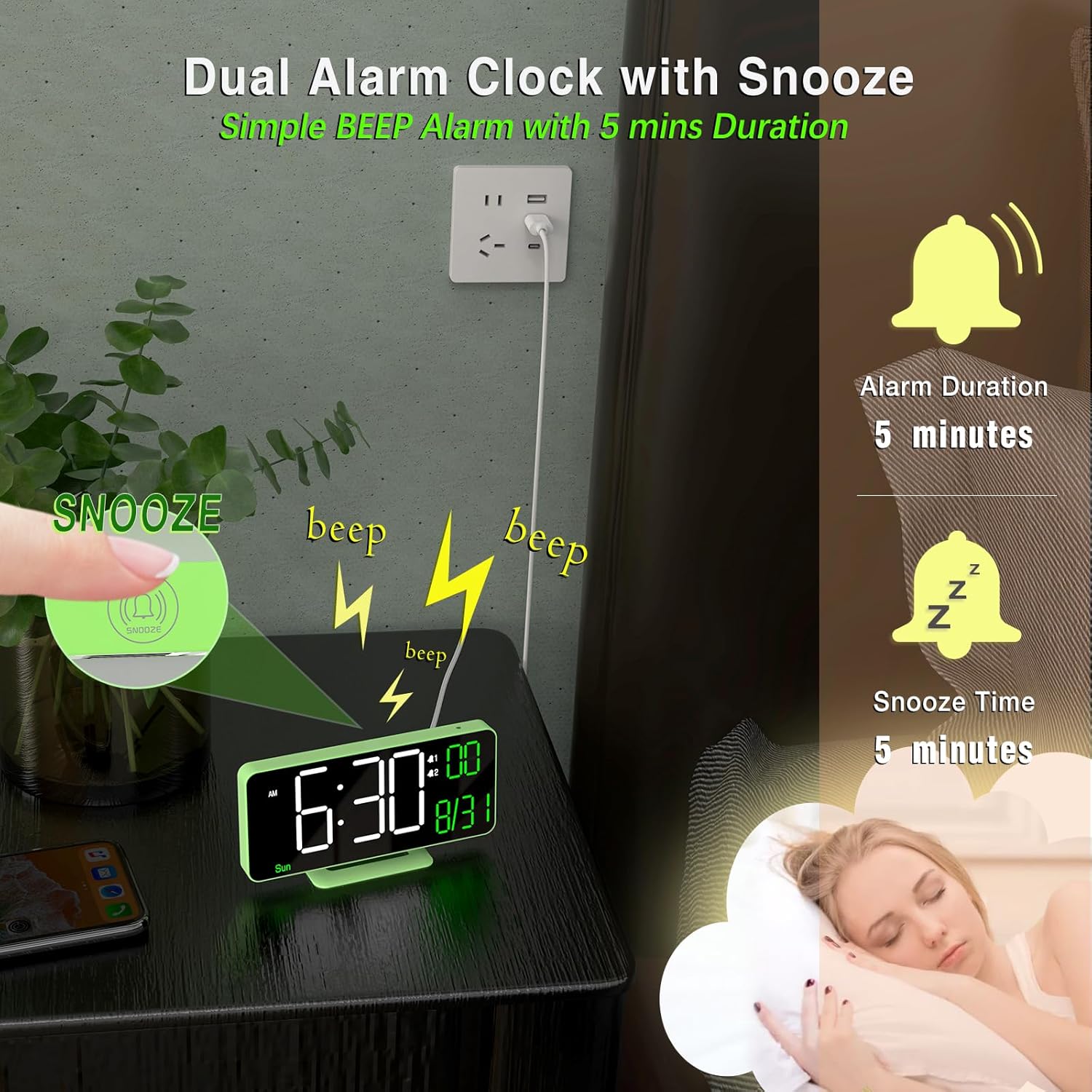
- スヌーズボタン: Located on top of the clock. Press to activate snooze during an alarm.
設定
- 電源接続: Connect the attached USB-A power cable to a 5V/1A AC adapter (not included) and plug it into a power outlet. The clock requires continuous power to operate.
- バッテリーバックアップ: The pre-installed CR2025 button cell provides time backup in case of a power outage, ensuring your settings are retained. It does not power the display for regular use.
- ブラケットベースを取り付ける: Securely attach the provided bracket base to the bottom of the clock for tabletop use. The clock can also be wall-mounted using the keyhole slot on the back.
操作手順
時刻と日付の設定:
- 長押し セット ボタンを2秒間押して設定モードに入ります。
- The hour display will flash. Use the + or - 時間を調整するボタン。
- プレス セット もう一度押して時間を確定し、分に進みます。分を調整します。 + or -.
- 押し続ける セット そして使用 + or - to set the year, month, and date in sequence.
- 日付を設定したら、 セット one last time to exit setting mode. The day of the week will automatically update based on the date.
アラームの設定:
時計は 2 つの独立したアラーム (アラーム 1 とアラーム 2) をサポートします。
- アラーム時間を設定するには: どちらかを長押しします アラーム1設定 or アラーム2設定 button. The hour display will flash. Use + or - 時間を調整します。
- Press the respective alarm button again to confirm the hour and move to minutes. Adjust minutes using + or -.
- Press the alarm button again to confirm minutes and select the alarm cycle (Workdays, Weekends, or Everyday). Use + or - 選択します。
- Press the alarm button one last time to save the alarm setting.
- To Toggle Alarm On/Off: 短く押すと アラーム1設定 or アラーム2設定 button. An alarm icon will appear/disappear on the display to indicate its status.
スヌーズ機能:
アラームが鳴ったら、 スヌーズ button (located on top of the clock) to temporarily silence it for 5 minutes. The alarm will sound again after the snooze period ends.
明るさの調整(調光):
The clock offers both manual and automatic dimming options.
- 手動調光: 短く押すと 調光+ or Dimming - buttons to cycle through brightness levels: High, Medium, Low, or LED display OFF.
- 自動調光: 長押し 調光+ button to activate auto-dimming. The clock will automatically adjust its brightness based on ambient light conditions detected by the light sensor.
温度表示:
The clock displays the room temperature.
- To switch between Fahrenheit (°F) and Celsius (°C), briefly press the °F/°C/Sec (-) ボタン。
12/24時間形式:
12時間形式と24時間形式を切り替えるには、 12h/24h (SET) 設定モード以外のときにボタンを押します。
秒表示:
To display or hide the seconds, long press the °F/°C/Sec (-) ボタン。
メンテナンス
- Clean the clock's display and body with a soft, dry cloth. Avoid abrasive cleaners or solvents.
- Ensure the clock is placed on a stable surface or securely mounted to prevent falls.
- 時計を極端な温度、直射日光、湿気から遠ざけてください。
トラブルシューティング
- 表示が空白です: Ensure the USB power cable is securely connected to a 5V/1A AC adapter and plugged into a working power outlet. The button cell only provides backup for settings, not for powering the display.
- 時刻/日付が正しくありません: Follow the "Setting Time and Date" instructions to manually adjust. Ensure the CR2025 button cell is correctly installed and functional for backup.
- アラームが鳴らない: Verify that the alarm is enabled (alarm icon visible on display) and the volume is not set to zero. Check that the alarm time is correctly set.
- ディスプレイが明るすぎる/暗すぎる: Adjust brightness using the Dimming buttons or activate auto-dimming.
仕様
| ブランド | こすもす |
| モデル番号 | ACD-330 |
| 表示タイプ | デジタルLED |
| 画面サイズ | 6.7インチ |
| 製品寸法 | 6.4"W x 3.3"H (16.2 x 8.3 cm) |
| 電源 | Corded Electric (5V/1A USB-A adapter NOT included) |
| バッテリーバックアップ | 1×CR2025ボタン電池(付属) |
| 材料 | プラスチック |
| 特集 | Adjustable Brightness (Auto/Manual), Dual Alarms, Snooze, Calendar Display, Temperature Display (°F/°C), 12/24-Hour Format, Seconds Display |
保証とサポート
KOSUMOSU offers a 2年間保証 on this product. If you encounter any quality or usage-related problems, please do not hesitate to contact us via email at support@sz-krs.com. Our customer service team is ready to assist you.