
Nargos Ultimate 2 Wireless Controller
Nargos 8BitDo Ultimate 2 Wireless Controller User Manual
Model: Ultimate 2 Wireless Controller
1. はじめに
This manual provides detailed instructions for the Nargos 8BitDo Ultimate 2 Wireless Controller. It covers setup, operation, maintenance, and troubleshooting to ensure optimal performance and longevity of your device. Please read this manual thoroughly before using the controller.

Figure 1: Nargos 8BitDo Ultimate 2 Wireless Controller (White model) with charging dock.
2. セットアップと接続
2.1 互換性
The Nargos 8BitDo Ultimate 2 Wireless Controller is compatible with the following platforms:
- Windows (10 and above) via 2.4G wireless dongle or wired connection.
- Steam (PC) via 2.4G wireless dongle or wired connection.
- Android (9.0 and above) via Bluetooth.
- Steam Deck via Bluetooth.
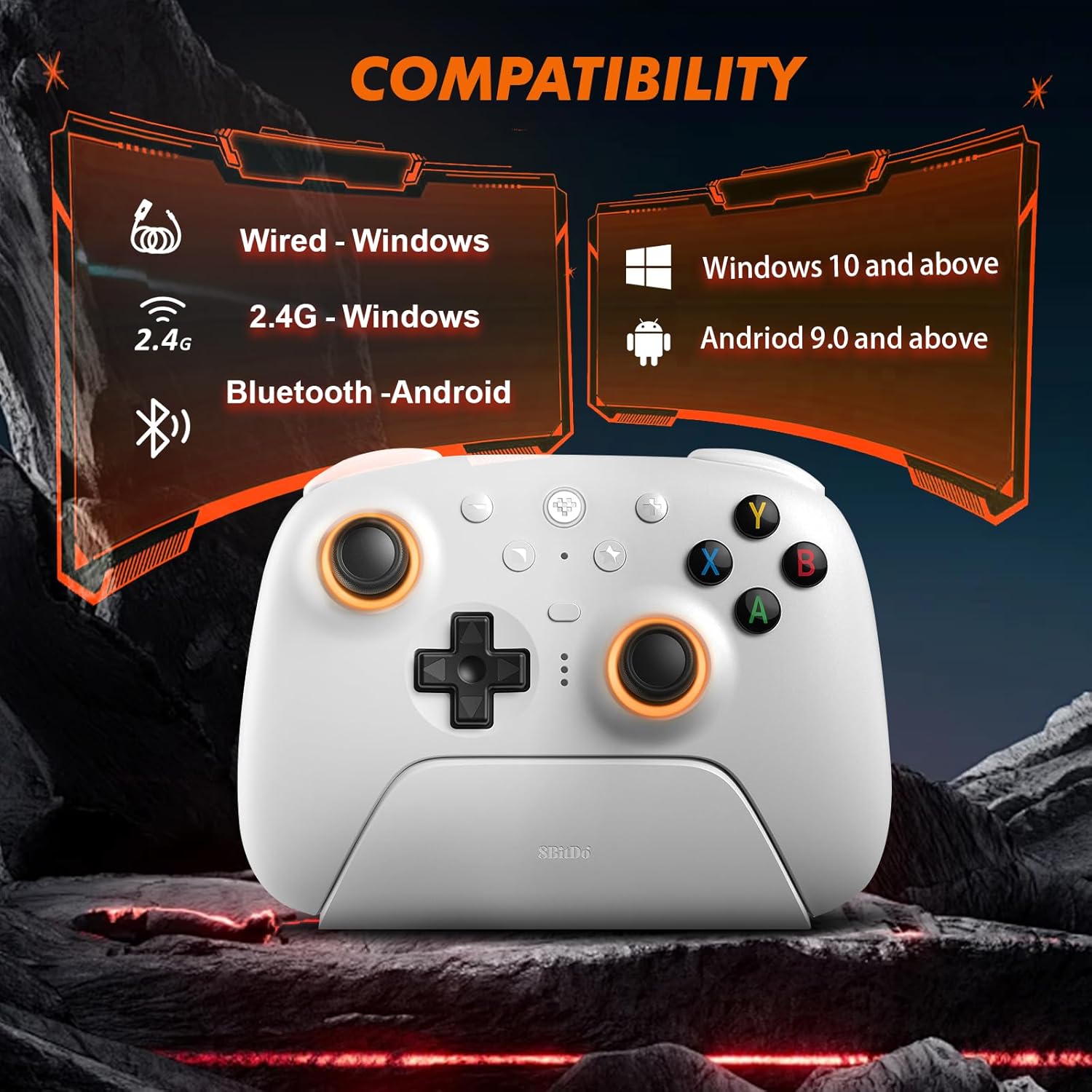
Figure 2: Visual representation of controller compatibility with Windows and Android platforms.
2.2 コントローラの充電
The controller features a 1000mAh battery. To charge:
- Connect the included USB-C cable to the charging dock or directly to the controller.
- Connect the other end of the USB-C cable to a power source (e.g., PC USB port, USB wall adapter).
- フル充電には通常約 2 時間かかります。
A fully charged controller provides approximately 22 hours of gameplay without RGB lighting, or about 6 hours with RGB lighting enabled.

Figure 3: Controller on charging dock, illustrating battery capacity and charge/play times.
2.3 コントローラの接続
2.3.1 2.4G Wireless Connection (Windows/Steam PC)
- Insert the 2.4G USB-C dongle into an available USB port on your PC. The charging dock can also house the dongle, connecting to your PC via a single USB cable.
- Turn on the controller. The controller will automatically connect to the dongle.
- コントローラーのインジケーター ライトが点灯し、接続が成功したことが示されます。
2.3.2 Bluetooth Connection (Android/Steam Deck)
- Ensure your Android device or Steam Deck has Bluetooth enabled.
- コントローラーで、 ペアリング button (refer to button layout for location) until the indicator lights begin to flash rapidly.
- On your device, search for new Bluetooth devices and select "Nargos Ultimate 2 Controller" from the list.
- The controller's indicator lights will become solid upon successful pairing.
2.3.3 Wired Connection (Windows/Steam PC)
- Connect the USB-C cable directly from the controller to an available USB port on your PC.
- コントローラーは有線ゲームパッドとして認識されます。
3. 操作手順
3.1 コントローラのレイアウト
The controller features a standard gamepad layout with additional customizable buttons. Familiarize yourself with the button positions for optimal use.
図4: 前面 view of the controller, showing joysticks, D-pad, ABXY buttons, and central function buttons.
3.2 TMR Hall Effect Joysticks
The controller is equipped with TMR Hall Effect joysticks, designed to provide high precision and prevent drift. These joysticks offer enhanced durability and responsiveness for various game genres.

図 5: 拡大図 view of the TMR Hall Effect joysticks with active RGB lighting.
3.3 Switchable Triggers (Linear/Tactile)
The LT/RT buttons feature switchable trigger modes, allowing you to select between linear and tactile feedback. This functionality is useful for optimizing performance across different game types:
- リニアホール効果トリガー: Ideal for racing games or scenarios requiring precise analog input.
- Non-linear Tactile Triggers (Hair-trigger locks): Suitable for first-person shooter (FPS) games, providing a quicker, clicky response for rapid firing.
To switch modes, locate the physical switches on the underside of the controller near the triggers.

図6: View of the controller's underside, highlighting the switches for dual trigger modes.
3.4 RGB照明のカスタマイズ
The joysticks feature customizable RGB lighting. Use the dedicated button (refer to controller layout) or the Ultimate Software V2 to adjust colors and effects.
3.5 カスタマイズ可能なボタン
The controller includes extra programmable buttons (L4/R4 on the top and back paddles PL/PR). These buttons can be remapped to other functions or assigned macros using the Ultimate Software V2.
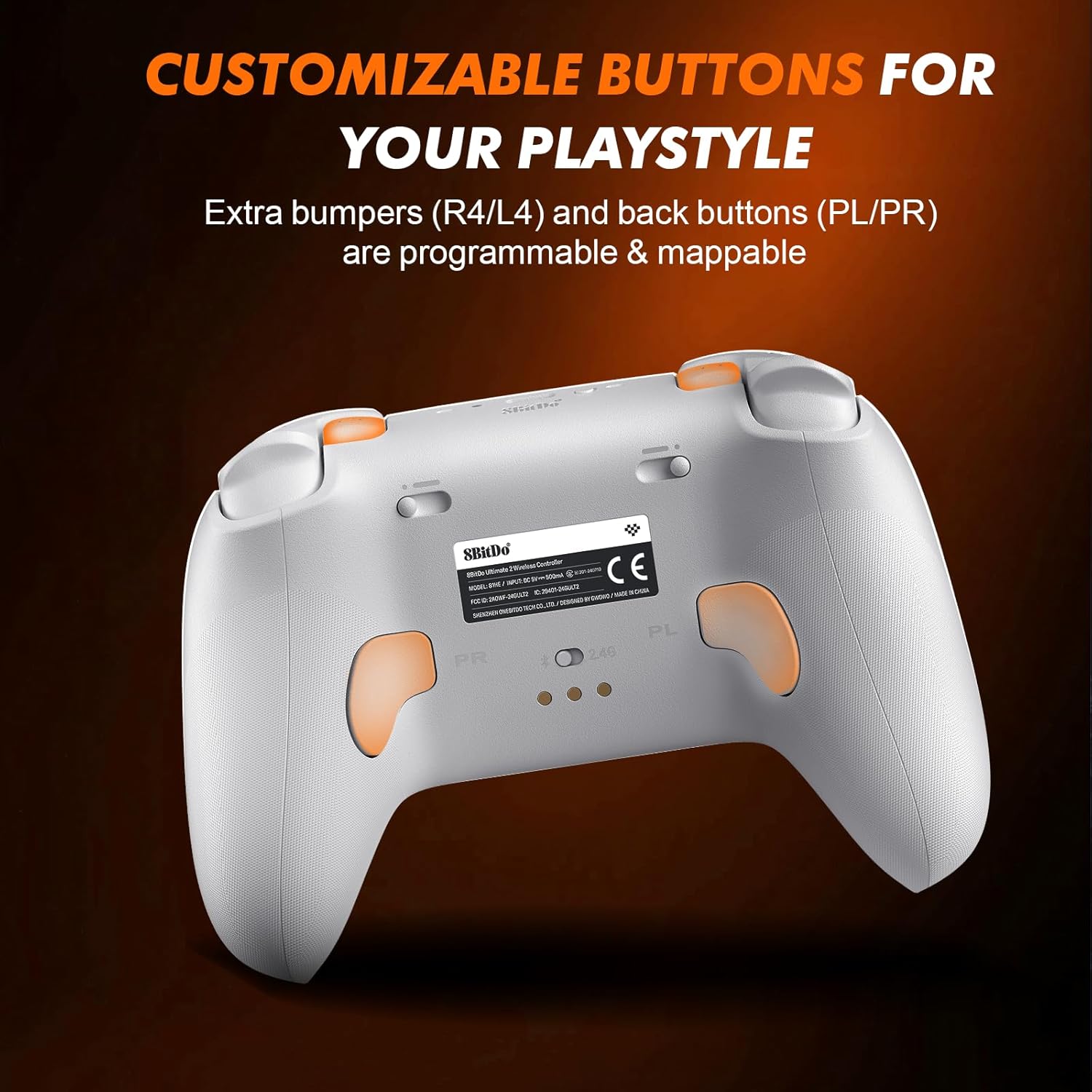
図7:背面 view of the controller, indicating the location of programmable back paddles (PL/PR).
3.6 Six-Axis Gyro Control
The integrated 6-Axis Gyro provides precise motion control, enhancing gameplay in titles that support this feature. Sensitivity adjustments can be made via the Ultimate Software V2.

Figure 8: Controller being used, illustrating the immersive six-axis sensor experience.
3.7 Ultimate Software V2
The Ultimate Software V2 allows for advanced customization, including button remapping, macro programming, trigger sensitivity adjustment, and profile management. This software is compatible with Windows and Steam Deck platforms.
4. メンテナンス
4.1 クリーニング
コントローラーの状態を維持するには:
- 柔らかく乾いた布で表面を拭いてください。
- 頑固な汚れには、軽くこすったamp 布に中性洗剤をつけて拭き、すぐに乾かしてください。
- 仕上げにダメージを与える可能性があるため、刺激の強い化学薬品や研磨材の使用は避けてください。
4.2バッテリーケア
- バッテリーを頻繁に完全に放電することは避けてください。
- 長期間使用しない場合は、コントローラーを涼しく乾燥した場所に保管してください。
- コントローラーを極端な温度にさらさないでください。
5。 トラブルシューティング
- コントローラーが接続されていません:
- コントローラーが充電されていることを確認してください。
- For 2.4G connection, verify the dongle is properly inserted and the controller is in 2.4G mode.
- Bluetoothの場合、デバイスでBluetoothが有効になっていること、コントローラーがペアリングモードになっていることを確認してください。再度ペアリングをお試しください。
- Attempt a wired connection to rule out wireless issues.
- Input lag or disconnections (Bluetooth):
- コントローラーがデバイスの範囲内にあることを確認してください。
- 他のワイヤレス デバイスからの干渉を最小限に抑えます。
- Consider using the 2.4G dongle or a wired connection for more stable performance on compatible platforms.
- Unexpected vibration:
- 振動フィードバックについてはゲーム内の設定を確認してください。
- Update controller firmware using the Ultimate Software V2.
- 問題が解決しない場合は、カスタマー サポートにお問い合わせください。
- ボタンが反応しない:
- コントローラーが正しく接続されていることを確認してください。
- ボタンの下に物理的な障害物やゴミがないか確認します。
- Test button functionality using the Ultimate Software V2.
6. 仕様
| モデル | アルティメット 2 ワイヤレス コントローラー |
| ブランド | Nargos |
| 接続性 | 2.4Gワイヤレス、Bluetooth、有線(USB-C) |
| 互換性 | Windows (10+), Steam (PC), Android (9.0+), Steam Deck |
| ジョイスティック | TMR Hall Effect Joysticks |
| トリガー | Switchable Linear Hall Effect / Tactile Triggers |
| 特集 | RGB Lighting, Customizable Buttons (L4/R4, PL/PR), 6-Axis Gyro, Ultimate Software V2 Support |
| バッテリー容量 | 1000mAh |
| 充電時間 | 約2時間 |
| バッテリー寿命 | Up to 22 hours (without RGB), Up to 6 hours (with RGB) |
| 寸法 | 2.68 x 5 x 4インチ |
| 重さ | 12オンス |
7. 保証とサポート
Nargos is committed to providing excellent customer service and support for your Ultimate 2 Wireless Controller.
- 顧客サービス: お問い合わせに対して 24 時間以内に迅速な返信が届きます。
- 返品と交換: Products are eligible for returns or exchanges within 30 days of purchase.
- テクニカルサポート: 製品には生涯にわたる技術サポートが提供されます。
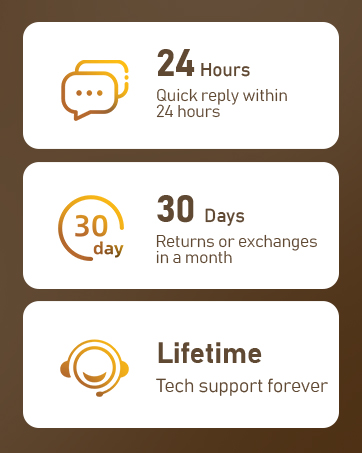
Figure 9: Summary of Nargos customer support and warranty policies.
For further assistance, please refer to the official Nargos webサイトをご覧いただくか、カスタマー サポートに直接お問い合わせください。
Ask a question about this manual
Ask about setup, troubleshooting, compatibility, parts, safety, or missing instructions. Manuals+ will review the question and use this page’s manual context to help answer it.