
1. はじめに
ご購入ありがとうございますasing the YABER U11 Smart Projector. This manual provides essential information for setting up, operating, and maintaining your device. Please read it thoroughly before use to ensure optimal performance and safety.
2. 箱の中身
- YABER U11 Smart Projector
- HDMIケーブル
- リモートコントロール
- ユーザーマニュアル
- 電源コード
- プロジェクターレンズカバー
3 製品の特徴
- 4K Support with Auto Setup Pro: Enjoy instant clarity with automatic focus and keystone correction. Project flawlessly from various angles (40"-150" screen).
- Smart Hub with Built-in Apps: Stream content from Prime Video, YouTube, MAX, and other apps via the integrated smart projector OS.
- Theater Sound & Bluetooth 5.0: Features 15W stereo speakers for rich audio. Expand sound via Bluetooth 5.0 or wired HDMI/audio-out. Wi-Fi 6 ensures stable 4K streaming.
- Dustproof Cinema Engine: Exclusive sealed optical system protects against dust, extending lifespan and maintaining visual quality.
- Pro Connectivity: Connect gaming consoles, Fire Stick, and Bluetooth speakers via 2x HDMI, 2x USB, and Ethernet ports. Versatile 1.33:1 throw ratio.
4.セットアップガイド
4.1 物理的なセットアップ
1. Place the projector on a stable, flat surface or mount it securely. Ensure proper ventilation around the device.
2. Connect the power cord to the projector and then to a power outlet.
3. Remove the lens cover before powering on the projector.

Image: YABER U11 Smart Projector with its lens cover removed, ready for use.
4.2初期構成
1. Power on the projector using the power button on the device or the remote control.
2. The projector will automatically perform autofocus and keystone correction for a clear, rectangular image. Manual adjustments can be made via the settings menu if needed.

Image: The YABER U11 Projector showcasing its auto-adjust features, including auto focus, keystone correction, and digital zoom, ensuring a perfectly aligned and clear image.
4.3 デバイスの接続
The YABER U11 offers multiple connectivity options:
- HDMI: Connect gaming consoles, laptops, or streaming devices using an HDMI cable.
- USB: USBドライブを接続してメディアを再生する file直接。
- Bluetooth 5.0: 外部の Bluetooth スピーカーまたはヘッドフォンとペアリングして、オーディオを強化します。
- Wi-Fi 6: Connect to your home network for high-speed streaming and access to built-in apps.
- イーサネット: 安定した有線インターネット接続を実現します。

画像: 背面 view of the YABER U11 Smart Projector, highlighting its array of input ports for versatile connectivity.
5. 操作手順
5.1リモコン
The included remote control allows full navigation of the projector's interface. It features dedicated buttons for popular streaming apps like Netflix, YouTube, and Prime Video, as well as controls for volume, focus, and keystone correction.
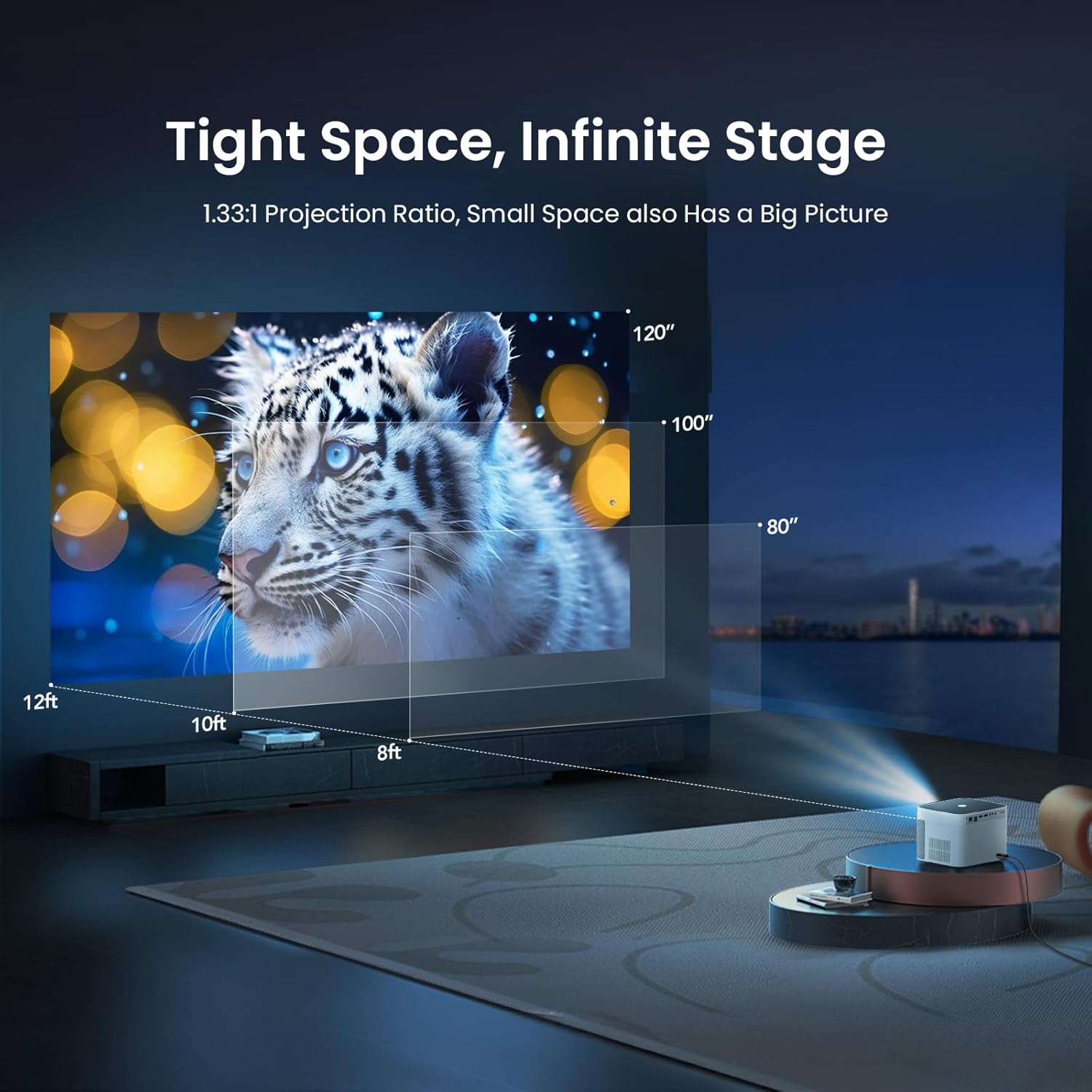
Image: The remote control for the YABER U11 Smart Projector, featuring dedicated buttons for quick access to streaming services and essential functions.
5.2 ナビゲーションとアプリ
The YABER U11 runs on a smart OS with a user-friendly interface. Navigate through the home screen to access installed applications, media inputs, and settings. You can download additional apps from the integrated app store.

Image: The YABER U11 Smart Projector's home screen, showcasing its built-in apps and smart interface for easy content access.
5.3 投影設定
Access the 'Projection Settings' menu to fine-tune your display. Options include:
- オートフォーカス/キーストーン: Enable or disable automatic adjustments.
- 手動キーストーン: Adjust the corners of the image manually for perfect alignment.
- デジタルズーム: プロジェクターを動かさずに投影画像のサイズを調整します。
5.4 スクリーンミラーリング
The YABER U11 supports screen mirroring from compatible devices. Refer to the on-screen instructions within the projector's interface for detailed steps on connecting your smartphone or tablet.
6. メンテナンス
The YABER U11 features a Dustproof Cinema Engine with a sealed optical system to prevent dust accumulation and extend its lifespan. To maintain optimal performance:
- プロジェクターの外側は、定期的に柔らかい乾いた布で拭いてください。
- Use the provided cleaning tools to gently clean the lens if necessary. Avoid abrasive materials.
- Ensure the projector's vents are clear of obstructions to prevent overheating.

Image: A diagram highlighting the sealed dust-proof optical engine of the YABER U11 Smart Projector, designed for lifelong clarity.
7。 トラブルシューティング
- 電源なし: 電源コードがしっかりと接続され、電源コンセントが機能していることを確認してください。
- 画像無し: Check the input source selection. Verify that connected devices are powered on and sending a signal.
- ぼやけた画像: Allow the auto-focus to complete. If needed, manually adjust focus and keystone in the settings.
- 音が出ない: Check the volume level on the projector and any connected audio devices. Ensure the correct audio output is selected.
- リモコンが機能しない: リモコンの単4電池を交換してください。リモコンとプロジェクターの間に障害物がないことを確認してください。
8. 仕様
| 特徴 | 詳細 |
|---|---|
| 製品寸法 | 8.32 x 7.25 x 6.28インチ |
| アイテム重量 | 5.84ポンド |
| ディスプレイ解像度 | 1920 x 1080 (フルHD) |
| 4Kサポート | はい |
| 接続技術 | 3.5mm Jack, Bluetooth 5.0, HDMI (2x), USB (2x), Wi-Fi 6, Ethernet |
| 特集 | 280 ISO Lumens, Auto Focus, Auto Screen Alignment, Digital Keystone Correction, Dust-Proof Sealed Optical System |
| 推奨用途 | ホームシアター、屋外映画 |
9. 保証とサポート
YABER offers lifetime technical support for the U11 Smart Projector. For any inquiries or assistance, please contact service@yaber.com. They provide 24-hour customer support and 30-day hassle-free returns.