
導入
Thank you for choosing the Pro Breeze 25L Smart Dehumidifier. This appliance is designed to efficiently remove excess moisture from your indoor environment, helping to prevent mold, mildew, and dampness. Featuring smart Wi-Fi connectivity, a digital display, and multiple operating modes, this dehumidifier offers advanced control and convenience. Please read this manual thoroughly before operation to ensure safe and optimal performance.
重要な安全上の注意事項
火災、感電、怪我のリスクを減らすために、電気製品を使用するときは常に基本的な安全上の注意事項に従ってください。
- 電源がボリュームと一致していることを確認してくださいtag評価ラベルに明記されています。
- コードやプラグが損傷している状態で除湿機を作動させないでください。
- Keep the appliance at least 20 cm (8 inches) away from walls and other objects to ensure proper airflow.
- 本体、電源コード、プラグを水やその他の液体に浸さないでください。
- 清掃、メンテナンスを行う前、または使用していないときは、除湿機のプラグを抜いてください。
- この機器は屋内専用です。
- 空気の入口または出口を塞がないでください。
- 子供たちを監視し、機器で遊ばないようにしてください。
- ユニットをご自身で修理または改造しないでください。資格のあるサービス担当者にご相談ください。
製品の特徴

Image: The Pro Breeze 25L Smart Dehumidifier, showcasing its compact design and highlighting features such as Wi-Fi compatibility, 25L extraction rate, energy efficiency, and laundry mode. Dimensions are also indicated.
- 強力な除湿: Extracts up to 25 liters of moisture per day, effectively combating persistent humidity, mold, and condensation in large rooms.
- 大型水槽: Features a 5.5-liter water tank with automatic shut-off when full. A drainage hose is included for continuous operation.
- エネルギー効率: Utilizes a high-performance compressor, 24-hour timer, and automatic stop system to reduce energy consumption.
- 静かな動作: Designed with silent technology, making it suitable for use in bedrooms, living rooms, offices, and other quiet environments.
- アプリによるスマートコントロール: Manage all functions remotely using the free Pro Breeze app or voice commands with Alexa and Google Home (compatible with iPhone and Android).
- Digital Display & Humidity Sensor: An intuitive LED screen allows selection of fan speed and humidity levels between 30% and 80%. The smart sensor displays real-time humidity and automatically stops the dehumidifier once the target is reached.
- 複数の動作モード: Includes a 24-hour timer and 4 operating modes, including a dedicated 洗濯物乾燥モード. Also features a チャイルドロック, Automatic Defrost Mode、 そして 夜間表示.

Image: The Pro Breeze dehumidifier positioned next to a large 25-liter water bottle, visually representing its daily moisture extraction capacity and the benefit of fewer tank emptying cycles.
パッケージ内容
以下の項目のボックスにチェックを入れてください。
- Pro Breeze 25L Smart Dehumidifier Unit
- 連続排水ホース
- ユーザーマニュアル
設定
- 開梱: 除湿機を梱包から慎重に取り出してください。梱包は保管し、将来の保管や輸送に備えておいてください。
- 配置: Place the dehumidifier on a firm, level surface. Ensure there is at least 20 cm (8 inches) of clear space around the air inlet and outlet to allow for efficient airflow. Avoid placing it near heat sources or in direct sunlight.
- 電源接続: 電源コードをアース付きコンセントに差し込みます。電圧がtage はユニットの要件と一致します。
- 水タンクの設置: Ensure the water tank is correctly inserted into the unit. The dehumidifier will not operate if the tank is not properly seated or is full.
- 連続排水(オプション): For continuous operation without emptying the tank, connect the provided drainage hose to the continuous drainage port on the back of the unit. Route the hose to a suitable drain, ensuring it is sloped downwards to allow water to flow freely.
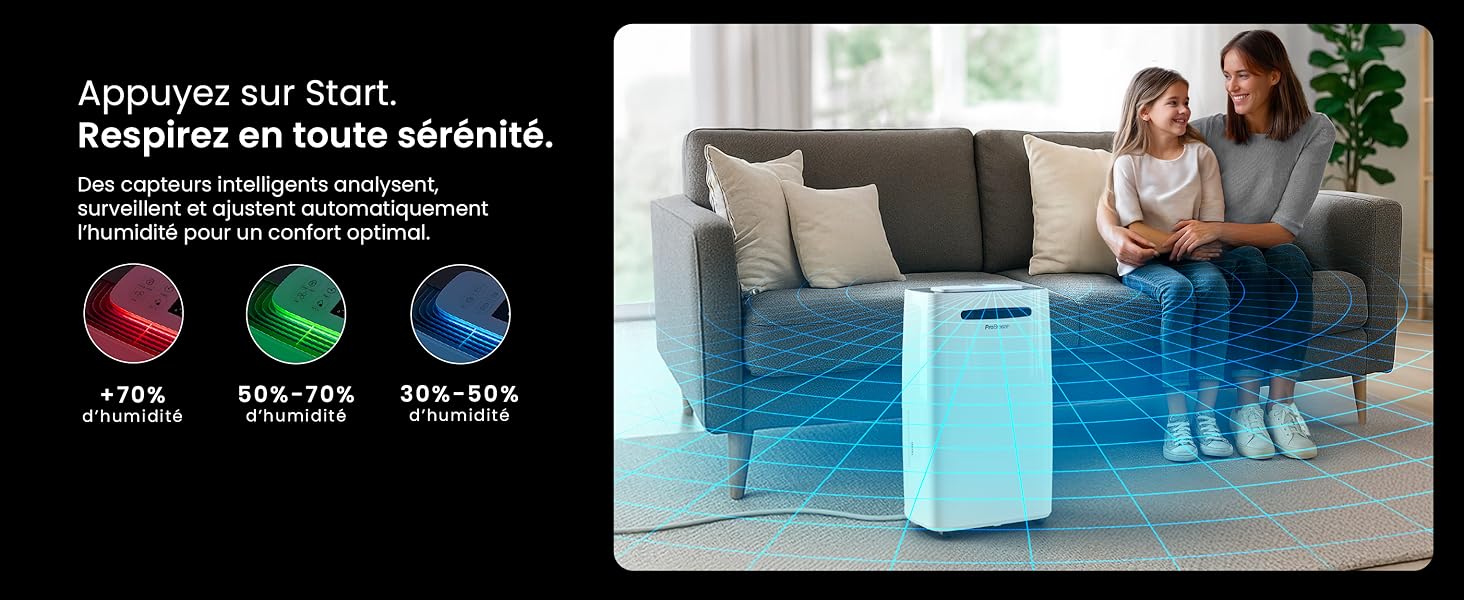
Image: The dehumidifier shown in different environments such as a garage, home office, and laundry room, illustrating its versatility and suitability for various spaces. Icons for continuous drainage and automatic defrost are also present.
操作手順
コントロールパネルオーバーview

画像: 詳細な view of the dehumidifier's illuminated digital control panel, showing buttons for power, mode, fan speed, timer, child lock, and humidity settings, along with the LED display.
The intuitive LED display and touch controls allow for easy operation.
- 電源ボタン: を押して、ユニットの電源をオンまたはオフにします。
- モードボタン: Cycle through available operating modes: 普通, Laundry Drying、 そして ナイトモード.
- ファン速度ボタン: Adjust the fan speed between 低い そして 高い.
- Humidity Setting (SET %): Use the up/down arrows to set your desired humidity level (30% - 80%). The unit will operate until this level is reached.
- タイマーボタン: Set a 24-hour timer for automatic power ON or OFF.
- チャイルドロックボタン: Press and hold to activate/deactivate the child lock, preventing accidental changes to settings.
- 表示ボタン: Turn the LED display lights ON or OFF, useful for night mode.
Wi-Fiとアプリ制御

Image: A user interacting with the Pro Breeze mobile application on a smartphone, demonstrating remote control capabilities for the dehumidifier. The app shows current humidity and temperature settings.
The Pro Breeze 25L Smart Dehumidifier can be controlled remotely via the Pro Breeze app. Download the app from your smartphone's app store and follow the in-app instructions to connect your device to your home Wi-Fi network. Once connected, you can control all functions, set schedules, and monitor humidity levels from anywhere.
The unit is also compatible with Amazon Alexa and Google Home for voice control. Refer to the app's help section for detailed instructions on integrating with these smart home platforms.
メンテナンス
水タンクを空にする
When the water tank is full, the dehumidifier will automatically shut off and an indicator light will illuminate. Carefully remove the water tank from the unit, empty the collected water, and reinsert the tank securely. The unit will resume operation.
エアフィルターの清掃
A clogged filter can reduce efficiency. It is recommended to clean the air filter every two weeks or more frequently depending on usage and air quality.
- 除湿機の電源を切り、電源プラグをコンセントから抜きます。
- エアフィルターを見つけて取り外します (通常はユニットの背面または側面にあります)。
- フィルターを掃除機で掃除するか、温かい石鹸水で優しく洗ってください。
- フィルターをユニットに再度挿入する前に、十分にすすいで完全に自然乾燥させてください。
外装の清掃
除湿機の外側を柔らかく拭きますdamp 布で拭いてください。表面を傷つける恐れがあるため、刺激の強い化学薬品、研磨剤入りの洗剤、溶剤は使用しないでください。
ストレージ
長期間保管する場合は、水タンクが空で清潔であること、フィルターが清潔で乾燥していることを確認してください。除湿機は涼しく乾燥した場所に保管し、できれば元の梱包のまま保管してください。
トラブルシューティング
| 問題 | 考えられる原因 | 解決 |
|---|---|---|
| 除湿機が作動しません。 | No power; water tank full or incorrectly inserted; ambient temperature too low. | Check power connection; empty and reinsert water tank; ensure room temperature is above 5°C (41°F). |
| ユニットは動作していますが、水は収集されません。 | Humidity level too low; air filter clogged; room temperature too low; unit size too small for space. | Adjust desired humidity setting lower; clean air filter; ensure room temperature is adequate; consider if unit is appropriate for room size. |
| ユニットがうるさいです。 | ユニットが水平面上にありません。エアフィルターが詰まっています。内部コンポーネントが振動しています。 | Place on a flat, stable surface; clean air filter; if noise persists, contact support. |
| Wi-Fi接続の問題。 | Incorrect Wi-Fi password; unit too far from router; router issues; app issues. | Verify Wi-Fi password; move unit closer to router; restart router; reinstall Pro Breeze app. |
| コイルに霜が降りる。 | 周囲温度が低い。 | 本機には自動霜取り機能が搭載されています。霜が降り続ける場合は、室温を上げてください。 |
仕様
| 仕様 | 詳細 |
|---|---|
| モデル番号 | PB-D-37W-W-EU |
| ブランド | プロブリーズ |
| Moisture Extraction Capacity | 25リットル/日 |
| 水タンク容量 | 5.5リットル |
| 寸法(長さ×幅×高さ) | 38.6 cm x 26 cm x 50 cm |
| 重さ | 15.1キログラム |
| ファン速度 | 2 |
| 特集 | Adjustable Humidity Control, Night Mode, Continuous Drainage, Wi-Fi Connectivity, Digital Display, 24h Timer, Laundry Drying Mode, Child Lock, Automatic Defrost |
| 推奨床面積 | 最大322平方フィート(30㎡) |

Image: The Pro Breeze dehumidifier highlighting its elegant and discreet design, along with its dimensions (50cm H, 38.6cm L, 26cm P) and four easy-to-move caster wheels.
保証とサポート
Pro Breeze products are manufactured to the highest standards. This product comes with a standard manufacturer's warranty. For specific warranty details, please refer to the warranty card included in your package or visit the official Pro Breeze webサイト。
If you encounter any issues or have questions regarding your dehumidifier, please contact Pro Breeze customer support. Contact information can typically be found on the Pro Breeze webサイトまたは製品パッケージに記載されています。