
LEVOIT LPF-R432S-AUS
Levoit Standing Smart Fan User Manual
Model: LPF-R432S-AUS
1. はじめに
Thank you for choosing the Levoit Standing Smart Fan. This fan is designed to provide powerful, even cooling and air circulation for various room sizes, offering advanced features like smart control, multiple operating modes, and adjustable oscillation. Please read this manual thoroughly before use and retain it for future reference.
2. 安全情報
重要な注意事項:
- The fan direction automatically resets to default upon power-on.
- The fan's housing may become warm during use. This is normal and complies with safe temperature standards.
- ファンは常に安定した水平な面に置いてください。
- ファンが作動しているときは、グリル内に指や異物を入れないでください。
- 清掃やメンテナンスを行う前に、ファンのプラグを抜いてください。
3.製品オーバーview
主な特徴:
- Powerful 1,451 CFM airflow for large rooms.
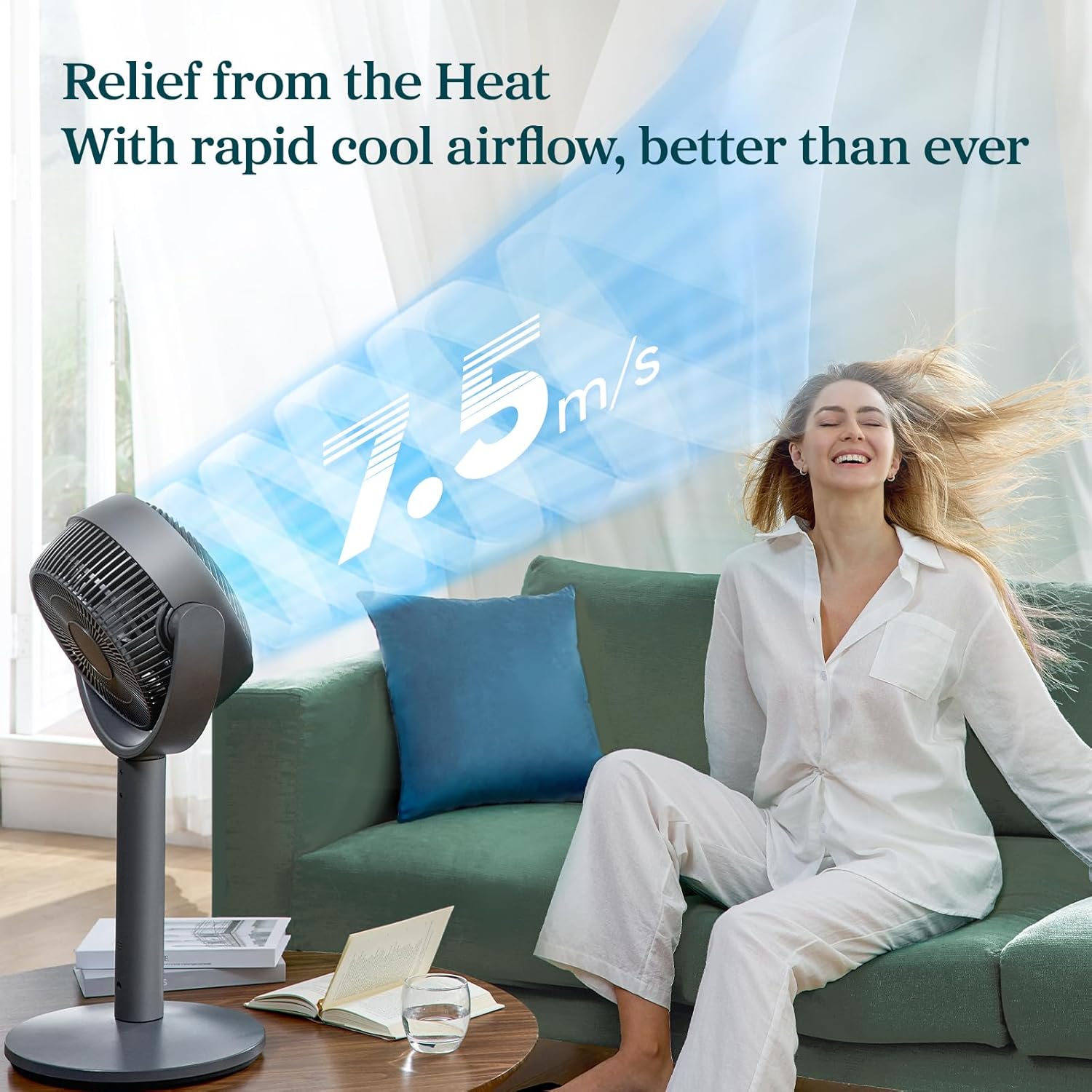
- 12 fan speeds with a maximum wind speed of 7.5 m/s.
- Air throw distance up to 98 ft for wide coverage.
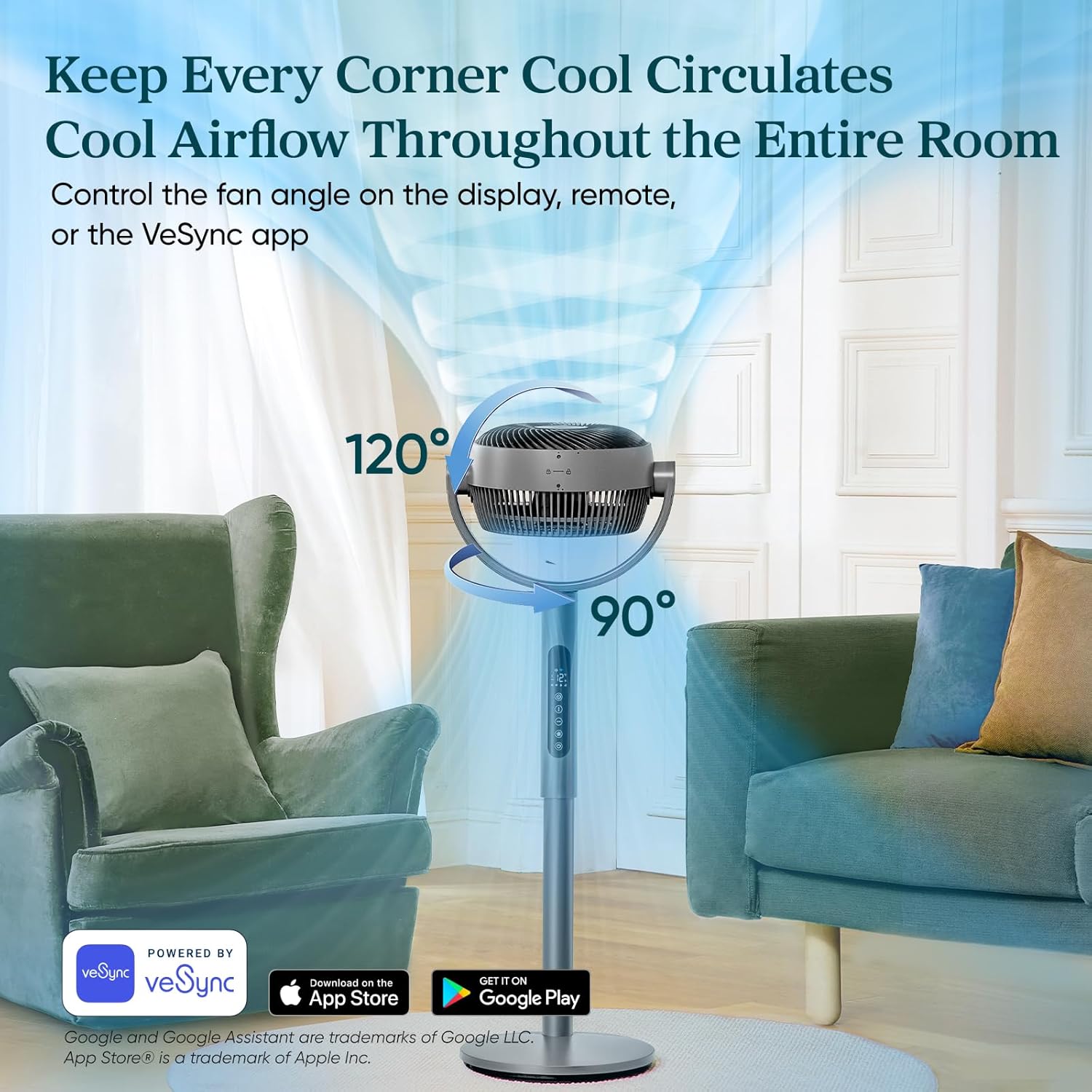
- Auto 120° vertical and 90° horizontal oscillation.
- Quiet operation with noise levels as low as 20dB in Sleep Mode.
- Smart control via VeSync app and voice assistants.
- Adjustable height for 2-in-1 pedestal and tabletop use.
- 12時間タイマー機能。
コンポーネントとコントロール:




4. セットアップ
The Levoit Smart Fan offers versatile 2-in-1 functionality, allowing it to be used as both a pedestal fan and a tabletop fan. Assembly is straightforward and requires no special tools.
組み立て手順:
- すべてのコンポーネントを開梱し、すべての部品が揃っていることを確認します。
- To assemble as a pedestal fan, securely attach the main fan body to the extension pole and then to the base. Ensure all connections are firm.
- For tabletop use, detach the extension pole and connect the main fan body directly to the base.
- ファンを安定した平らな面に置いてください。
- 電源アダプターを適切なコンセントに差し込みます。
5。 動作モード
The Levoit Smart Fan features four distinct operating modes to suit your cooling needs:
- 通常モード: 12 段階の速度設定 (1 = 弱、12 = 強力) で風量をカスタマイズします。
- エコモード: Automatically adjusts fan speed based on room temperature to save energy. Speed increases by 1 level if temperature rises by 2°F, and decreases by 1 level if temperature drops by 2°F.
- ターボモード: Designed for rapid air circulation, especially effective when used with air conditioning. The fan automatically starts oscillating and operates at fan speed 12.
- スリープモード: あらゆる睡眠に最適化tages. The display turns off after 5 seconds, selection tones are disabled, and fan speed auto-adjusts based on nighttime temperature changes for quiet operation (as low as 20dB).
6. 振動制御
The fan offers adjustable oscillation to circulate air throughout the entire room:
- 垂直振動: Up to 120° automatically.
- 水平振動: Up to 90° automatically.
Control fan angles using the display panel, the included remote controller, or the VeSync app.
7.タイマー機能
Set a timer for the fan to automatically turn off after a specified duration, up to 24 hours. This feature can be controlled via the display, remote, or the VeSync app.
8. VeSync App & Voice Control
For enhanced control and smart features, download the VeSync app. With the app and compatible third-party voice assistants (e.g., Amazon Alexa, Google Assistant), you can:
- Effortlessly switch between Normal, Eco, Turbo, and Sleep modes.
- Set timers up to 24 hours.
- Choose between 12 fan speeds.
- Adjust oscillation angles.
9. メンテナンス
Regular cleaning ensures optimal performance and longevity of your fan. The fan is fairly easy to wipe down and clean.
- 掃除する前に必ずファンのプラグを抜いてください。
- 柔らかくてamp 外側の表面を拭くための布。
- 研磨剤入りの洗剤や強力な化学薬品は使用しないでください。
- For detailed cleaning of the fan blades, refer to the specific instructions in the full product manual (if applicable).
10。 トラブルシューティング
If you encounter any issues with your Levoit Smart Fan, please refer to the following common troubleshooting tips:
- ファンが作動しない: Ensure the power cord is securely plugged into a working outlet. Check if the power button on the fan or remote has been pressed.
- 弱い風量: Increase the fan speed setting. Ensure the fan grille is not obstructed by dust or debris.
- 振動が機能しない: Verify that the oscillation function is enabled via the control panel, remote, or VeSync app.
- ファンが異常な音を立てている: Check for any foreign objects caught in the fan blades. Ensure the fan is placed on a stable, flat surface to prevent vibrations.
- リモコンが機能しない: Replace the remote control battery (1 12V battery included). Ensure there are no obstructions between the remote and the fan.
- VeSync app connectivity issues: Ensure your Wi-Fi network is stable and the fan is within range. Follow the app's pairing instructions carefully.
For further assistance, please contact Levoit Customer Support.
11. 仕様
| 仕様 | 価値 |
|---|---|
| ブランド | レボイト |
| モデル名 | Levoit スマート 卓上サーキュレーターファン |
| 商品型番 | LPF-R432S-AUS |
| 欧州連合 | 810123675661 |
| 製品寸法 | 奥行き12.5インチ x 幅14.5インチ x 高さ43.7インチ |
| アイテム重量 | 12.7 ポンド |
| マックスエアフロー | 1451 CFM |
| Max Air Throw | 98フィート |
| 最大風速 | 24.6 フィート/秒 (7.5 メートル/秒) |
| 最小騒音レベル | 20デシベル |
| 速度の数 | 12 |
| 発振 | Auto 120° Vertical + 90° Horizontal |
| タイマー | 最大24時間 |
| 電源 | DCモーター |
| ワットtage | 30ワット |
| 含まれるコンポーネント | Remote, Power Adapter |
| バッテリー | 12V電池1個(付属) |
12. 保証とサポート
The Levoit Standing Smart Fan comes with a 2-year warranty, as mentioned in customer reviews. For warranty claims, technical support, or any questions regarding your product, please contact Levoit Customer Support directly. Refer to the product packaging or the official Levoit web最新の連絡先情報については、サイトをご覧ください。
お客様の満足が私たちの最優先事項です。