
1. はじめに
Thank you for choosing the YUEHISY Digital Camera. This compact and versatile camera is designed for ease of use, offering 4K video recording and 48MP image resolution. It features an 8X digital zoom, a 2.7-inch screen, and a built-in fill light, making it suitable for various photography and videography needs. This manual provides detailed instructions to help you get started and make the most of your new camera.

Image 1.1: The YUEHISY Digital Camera, capable of 48MP images and 4K video.
2.製品オーバーview
2.1 パッケージ内容
パッケージ内にすべてのアイテムが揃っていることを確認してください:
- YUEHISY Digital Camera
- USBケーブル
- Hand Rope (Wrist Strap)
- ユーザーマニュアル

Image 2.1: Included accessories: camera, USB cable, and hand rope.
2.2 カメラコンポーネント
カメラのボタンとポートについて理解しておきましょう。
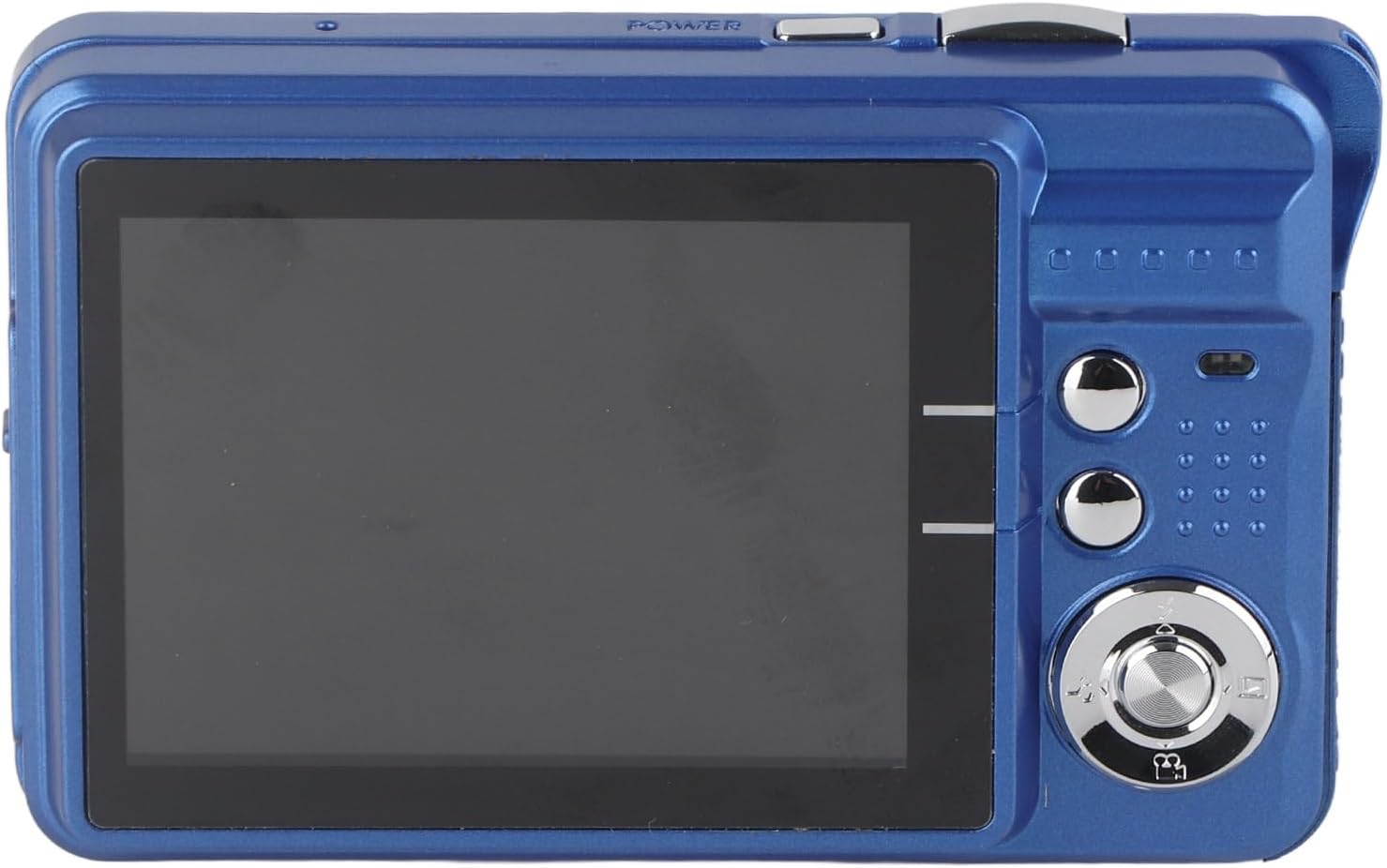
画像2.2:リア view of the camera, displaying the 2.7-inch screen and control buttons.
- 電源ボタン: カメラのオン/オフを切り替えます。
- シャッターボタン: 写真を撮ったり、ビデオ録画を開始/停止します。
- ズームボタン: 8 倍デジタルズームを制御します。
- 2.7インチTFTスクリーン: ライブ表示 view、メニュー、再生など。
- メニューボタン: カメラの設定にアクセスします。
- モードボタン: 写真、ビデオ、再生モードを切り替えます。
- ナビゲーションボタン: メニューのナビゲーションとオプションの選択に使用されます。
- フィルライト: Provides additional illumination in low-light conditions.
- USBポート: 充電やデータ転送に。
- メモリーカードスロット: For inserting a MicroSD card (up to 128GB, not included).
3. セットアップ
3.1 バッテリーの充電
The camera is equipped with a rechargeable lithium-ion battery. Before first use, fully charge the battery.
- Connect the camera to a USB power adapter (not included) or a computer using the provided USB cable.
- 充電インジケータライトが点灯します。
- 完全に充電されると、インジケーター ライトが変わるか消灯します。

Image 3.1: The camera features a fill light and is rechargeable via USB.
3.2 メモリカードの挿入
写真と動画を保存するには、MicroSDカード(別売)が必要です。カメラは最大128GBのカードに対応しています。
- カメラの側面にあるメモリ カード スロットを見つけます。
- Insert the MicroSD card with the metal contacts facing down, until it clicks into place.
- 取り外すには、カチッと音がするまでカードをゆっくり押し込み、放して取り出します。
4. 操作手順
4.1 電源のオン/オフ
を押し続けます 電源ボタン カメラのオン/オフを切り替えます。
4.2 写真を撮る
- Turn on the camera. It will typically start in photo mode. If not, press the モードボタン 写真モードに切り替えます。
- 2.7 インチ スクリーンを使用してショットをフレーミングします。
- 使用 ズームボタン to adjust the 8X digital zoom if needed.
- を押す シャッターボタン halfway down to focus, then press it fully to take the picture.

Image 4.1: The 2.7-inch screen allows for immediate view写真やビデオのアップロード。
4.3ビデオの録画
- を押す モードボタン to switch to video recording mode.
- を押す シャッターボタン to start recording. A recording indicator will appear on the screen.
- を押す シャッターボタン もう一度押すと録画が停止します。
4.4 フィルライトの使用
The built-in fill light can be activated in low-light conditions.
- Access the camera's menu or a dedicated button (if available) to turn the fill light on or off.
- Adjust as needed for optimal lighting in your photos or videos.
4.5再生モード
に view 撮影した写真やビデオ:
- を押す モードボタン 再生モードに切り替えます。
- 使用 ナビゲーションボタン to scroll through your media.
- を押す シャッターボタン or a dedicated playback button to view 写真を撮るか、ビデオを再生します。
4.6 転送 Fileコンピュータに
You can easily transfer your photos and videos to a computer:
- 付属の USB ケーブルを使用して、カメラをコンピュータに接続します。
- The camera should appear as a removable disk or device on your computer.
- Open the camera's folder to access and copy your files.
5. メンテナンス
5.1 カメラのクリーニング
- カメラ本体を清掃する際は、柔らかく乾いた布を使用してください。
- レンズと画面には、傷を防ぐために専用のレンズクリーニングクロスと洗浄液を使用してください。
- 刺激の強い化学物質や研磨材を使用しないでください。
5.2 ストレージ
- カメラは直射日光や極端な温度を避け、涼しく乾燥した場所に保管してください。
- 長期間保管する場合は、バッテリーを取り外してください。
6。 トラブルシューティング
| 問題 | 考えられる原因 | 解決 |
|---|---|---|
| カメラがオンになりません。 | バッテリー残量が少ないか、消耗しています。 | バッテリーを完全に充電してください。 |
| 写真/ビデオを撮影できません。 | メモリ カードが挿入されていないか、カードがいっぱいです。 | メモリカードを挿入するか、不要なものを削除してください files. |
| 画像がぼやけてしまいます。 | Camera shake or incorrect focus. | Hold the camera steady, press the shutter button halfway to focus before fully pressing. |
| 補助光が機能しません。 | Fill light is turned off in settings. | Check camera settings to ensure fill light is enabled. |
| コンピュータがカメラを認識しません。 | USB ケーブルの不良またはドライバーの問題。 | Try a different USB port or cable. Ensure camera is on. |
7. 仕様
- 画像解像度: 最大48MP
- ビデオ解像度: 最大4K
- ズーム: 8倍デジタルズーム
- 画面: 2.7インチTFTディスプレイ
- ストレージ: 最大128GBのMicroSDカードをサポート(別売)
- バッテリー: 充電式リチウムイオン
- 接続性: USB
- 特別な機能: Built-in Fill Light, Self-timer, Continuous Shooting, Anti-shake
- 商品の重量: 5.4オンス
- パッケージ寸法: 5.12 x 4.33 x 1.57インチ
- モデル番号: YUEHISY08pavfkg6c-13
8.保証とサポート
8.1 保証情報
Your YUEHISY Digital Camera is covered by a standard manufacturer's warranty against defects in materials and workmanship. Please refer to the warranty card included in your package for specific terms and conditions, including the warranty period and coverage details. Keep your proof of purchase for warranty claims.
8.2 カスタマーサポート
For technical assistance, troubleshooting, or any questions regarding your YUEHISY Digital Camera, please contact our customer support team. Contact information can typically be found on the product packaging or the official YUEHISY webサイト。