
1. はじめに
This manual provides detailed instructions for the installation, operation, and maintenance of your ANNKE AU-DT81DX200-V1 4K 8-Channel Digital Video Recorder (DVR). This DVR is designed for security surveillance systems, offering 4K (8MP) high-definition live viewing and recording capabilities. It features advanced H.265+ video compression, AI human/vehicle detection, and supports various camera types for flexible integration.

Image 1.1: The ANNKE 4K 8CH DVR connected to a display, illustrating its 4K Ultra HD video capability.
2. パッケージ内容
Verify that all items listed below are included in your package. If any items are missing or damaged, contact ANNKE customer support.
- 1x ANNKE 4K 8CH DVR with 2TB Hard Drive
- 1.8m HDMIケーブル×1
- 1x 3.2 ft/1 m Ethernet Cable
- 電源アダプター x 1
- USBマウス x 1
- ユーザーマニュアル (本書) x 1
- ウォールステッカー1枚

Image 2.1: Visual representation of all components included in the ANNKE 4K 8CH DVR package.
3.システムオーバーview
The ANNKE AU-DT81DX200-V1 DVR is a hybrid 5-in-1 system, supporting various camera technologies. It can operate in two primary modes:
- DVRモード: Supports up to 8 BNC (TVI/AHD/CVI/CVBS) cameras and an additional 4 IP cameras.
- NVR Mode: Can be configured to support up to 12 IP cameras exclusively.
This flexibility allows for integration with existing analog systems while providing options for future IP camera expansion.
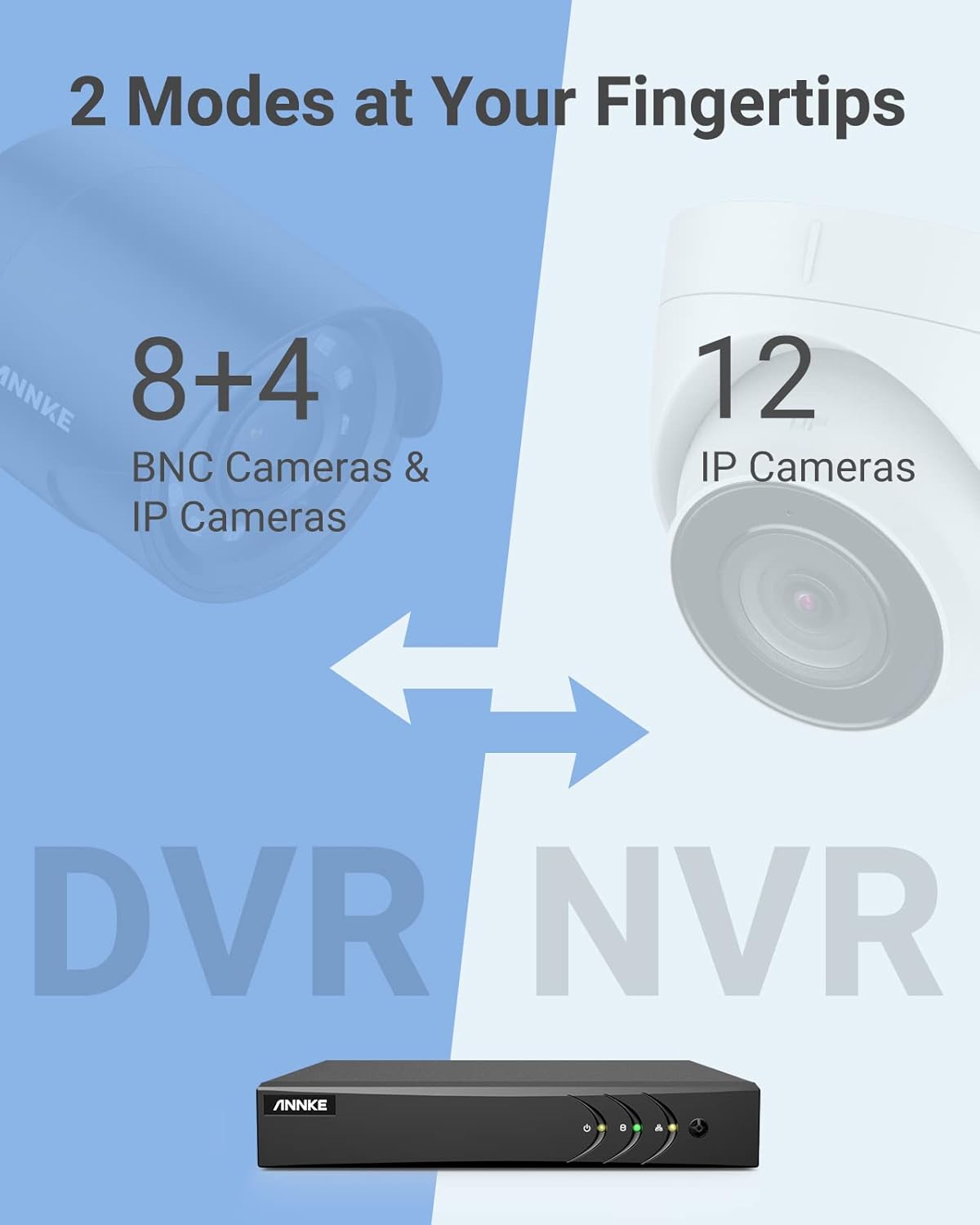
Image 3.1: Illustration of the DVR's dual operational modes, supporting both BNC and IP cameras or IP cameras exclusively.
4.インストールガイド
4.1 物理的なセットアップ
- カメラを接続する: Connect your security cameras to the BNC video input ports on the back of the DVR. For IP cameras, connect them to your network switch/router, and ensure the DVR is also connected to the same network via the Ethernet cable.
- モニターを接続: Connect a monitor to the DVR's HDMI or VGA output port using the provided HDMI cable or a VGA cable (not included).
- USBマウスを接続します: USB マウスを DVR の USB ポートの 1 つに接続します。
- 接続電源: 電源アダプターをDVRの電源入力に接続し、コンセントに差し込みます。DVRは自動的に電源が入ります。
4.2初期構成
DVRの初回起動時に、初期設定ウィザードが表示されます。画面の指示に従って以下の操作を行ってください。
- 管理者アカウントに強力なパスワードを設定します。
- ネットワーク設定を構成します (ほとんどのユーザーには DHCP が推奨されます)。
- 日付と時刻を設定します。
- Scan and add IP cameras if applicable.
5. DVRの操作
5.1 ライブ View
初期設定後、DVRはライブ映像を表示します。 view from connected cameras. Use the USB mouse to navigate the interface. Right-click to access the main menu.
5.2 録音
The DVR is pre-configured for continuous recording. You can customize recording schedules, motion-triggered recording, or alarm-triggered recording via the main menu under 録画 > スケジュール.
5.3 再生
再するためにview 記録されたfootage:
- ライブから view右クリックして選択 再生.
- Select the desired camera(s) and date.
- Use the timeline to navigate through recordings. Events (like motion detection) are often marked on the timeline for quick access.

Image 5.1: The DVR's playback interface, demonstrating how to locate and review タイムラインに記録されたイベント。
6. 高度な機能
6.1 AIによる人・車検出
The DVR incorporates deep learning-based motion detection 2.0, which can differentiate between human and vehicle movements. This significantly reduces false alarms caused by environmental factors such as leaves or light changes.
- 構成: Enable and configure AI detection for each analog channel via the main menu under AI > Motion Detection 2.0.
- Smart Events: Supports line crossing and intrusion detection for specific areas.
- アラート: Configure the DVR to send app push notifications, email alerts, or trigger a buzzer when human or vehicle motion is detected.
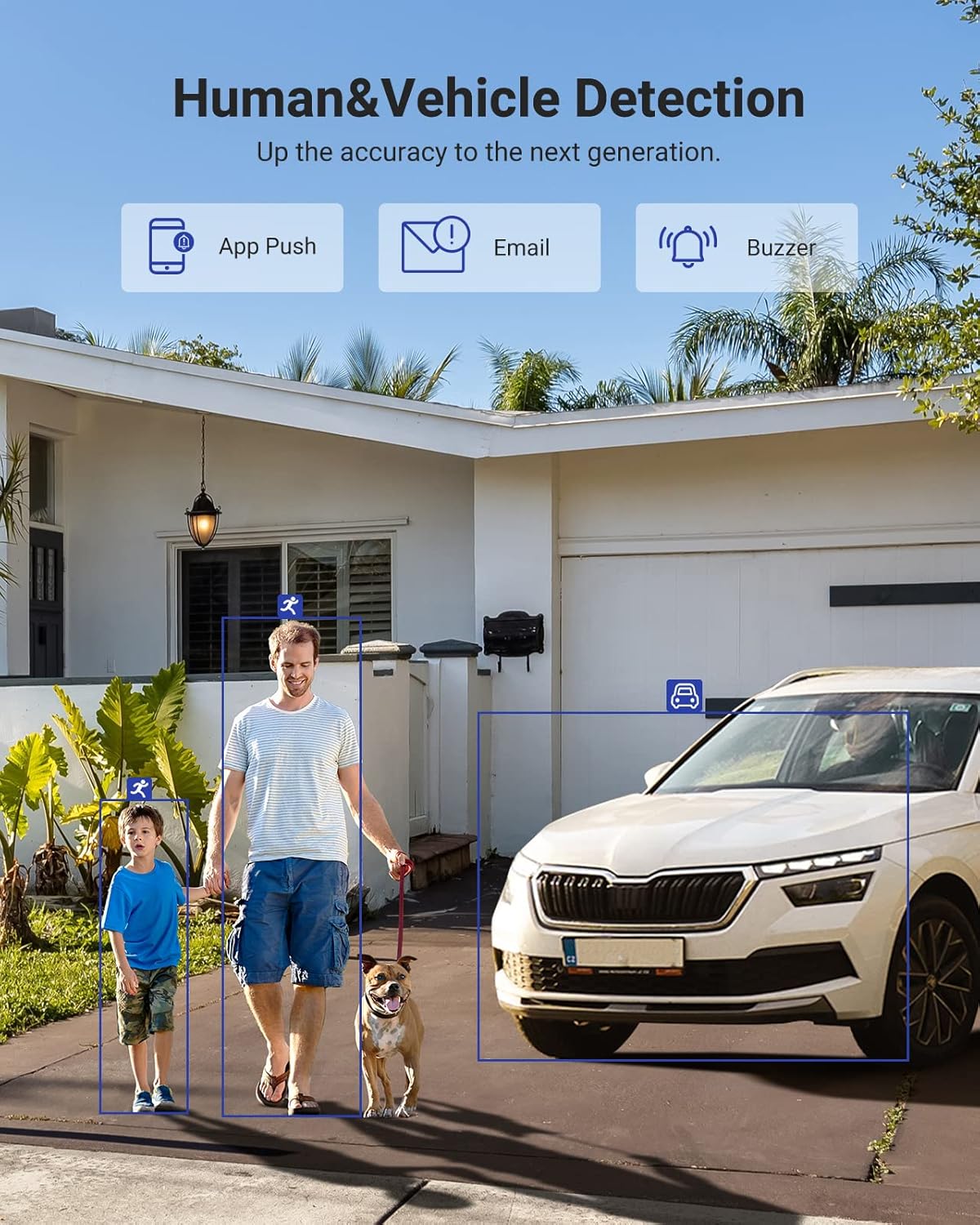
Image 6.1: Visual demonstration of the AI human and vehicle detection capability, showing how the system identifies and distinguishes between people and vehicles.
6.2 リモートアクセス
Access your DVR remotely from anywhere using the ANNKE Vision App or a web ブラウザ。
- ANNKE Vision App: Download the app from the App Store (iOS) or Google Play Store (Android). Register an account and add your DVR by scanning the QR code or entering its serial number.
- Web ブラウザ: Access the DVR's web インターフェイスの IP アドレスを入力して、 web コンピュータのブラウザ。
- 互換性: The system is compatible with various devices including smartphones, tablets, laptops, and personal computers. It also supports integration with Alexa for voice control.

Image 6.2: Remote access via the ANNKE Vision App, showing compatibility with mobile devices and Alexa.
7. ビデオ管理
7.1 H.265+ビデオ圧縮
The DVR utilizes advanced H.265+ video compression technology. This technology significantly reduces file sizes, saving up to 80% of storage space compared to H.264 compression, while maintaining video quality. This allows for longer recording durations on the same 2TB hard drive.

Image 7.1: Comparison illustrating the storage efficiency of H.265+ compression versus H.264.
8. 互換性
The ANNKE AU-DT81DX200-V1 is a versatile 5-in-1 hybrid DVR, designed to be compatible with a wide range of security cameras:
- HD TVI Input: Supports 8 MP@15 fps, 5 MP@20 fps, 3K@20 fps, 4 MP@30 fps.
- AHD Input: Supports 5 MP@20 fps, 4 MP@30 fps, 1080p@25 fps, 1080p@30 fps.
- HD CVI Input: Supports 4 MP@30 fps, 4 MP@25 fps, 1080p@25 fps, 1080p@30 fps.
- CVBS入力: Supports PAL/NTSC standards.
- IPC Input: Supports up to 8MP IP cameras.
This broad compatibility ensures that the DVR can integrate with both older analog cameras and modern IP cameras, providing a flexible upgrade path for existing surveillance systems.

Image 8.1: The DVR's compatibility with various camera technologies, including TVI, CVI, AHD, and IP cameras.
9. 仕様
| 特徴 | 仕様 |
|---|---|
| ブランド | アンケ |
| モデル番号 | AU-DT81DX200-V1 |
| 接続技術 | 有線 |
| ビデオキャプチャ解像度 | 4K(8MP) |
| チャンネル数 | 8 (Analog) + 4 (IP) or 12 (IP) |
| ビデオ圧縮 | H.265 Pro+/H.265 Pro/H.265/H.264+/H.264 |
| サポートされているカメラの種類 | TVI, AHD, CVI, CVBS, IPC |
| AI機能 | Human Detection, Vehicle Detection, Line Crossing, Intrusion Detection |
| メモリストレージ容量 | 2 TB HDD (Up to 10 TB supported) |
| リモートアクセス | ANNKE Vision App, Web ブラウザ |
| 対応デバイス | カメラ、ノートパソコン、パソコン、スマートフォン、タブレット |
| 電源 | コード式電気 |
| 色 | 黒 |
| アイテムの寸法 | 17.13 x 12.4 x 3.86インチ |
10. メンテナンス
定期的なメンテナンスにより、DVR システムの最適なパフォーマンスと寿命が確保されます。
- クリーニング: DVRを埃から守ってください。外装の清掃には、柔らかく乾いた布を使用してください。液体洗剤は使用しないでください。
- 換気: DVRは過熱を防ぐため、必ず換気の良い場所に設置してください。通気口を塞がないでください。
- ファームウェアの更新: ANNKE公式を定期的にチェックする website for firmware updates. Keeping your DVR's firmware updated can improve performance, add new features, and enhance security.
- データのバックアップ: 重要なビデオファイルを定期的にバックアップするtag外部ストレージデバイスに保存します。
- ハードドライブの健全性: The DVR's menu may offer options to check the health status of the installed hard drive. Monitor this periodically.
11。 トラブルシューティング
このセクションでは、DVR で発生する可能性のある一般的な問題について説明します。
- ビデオ出力なし:
- Check HDMI/VGA cable connections to both the DVR and the monitor.
- モニターが正しい入力ソースに設定されていることを確認します。
- Verify the DVR is powered on (power indicator light should be active).
- カメラ表示なし:
- Check camera power supply and video cable connections.
- For IP cameras, ensure they are on the same network as the DVR and properly added in the DVR's camera management settings.
- Verify camera compatibility with the DVR (refer to Section 8).
- リモート アクセスが機能しない:
- DVR がインターネットに接続されていることを確認します。
- Check network settings on the DVR (e.g., DHCP enabled, correct IP address).
- Verify the ANNKE Vision App is updated to the latest version.
- Ensure the DVR is properly added to your ANNKE Vision account.
- 誤動作アラーム:
- Adjust the sensitivity of motion detection in the DVR settings.
- Utilize the AI Human/Vehicle Detection feature (Section 6.1) to filter out irrelevant movements.
- Define specific detection zones to exclude areas with frequent non-threatening movement.
If you continue to experience issues, please contact ANNKE customer support.
12. 保証とサポート
ANNKE製品には通常、限定保証が付いています。パッケージに同梱されている保証書、またはANNKE公式ウェブサイトをご覧ください。 webお住まいの地域に固有の詳細な保証条件については、こちらのサイトをご覧ください。
技術サポート、製品に関するお問い合わせ、保証請求については、ANNKEの公式カスタマーサービスまでお問い合わせください。 website or the contact information provided in your product documentation. Have your model number (AU-DT81DX200-V1) and purchase details ready when contacting support.
アンケ公式 Webサイト: www.annke.com