
1. はじめに
The Memoking Mini Printer T02 is a portable, inkless thermal printer designed for various printing needs, including study notes, labels, photos, and creative projects. Its compact size and Bluetooth connectivity make it suitable for on-the-go use with smartphones and tablets. This manual provides essential information for setting up, operating, and maintaining your device.

Image 1.1: Memoking Mini Printer T02 and example プリント。
2. パッケージ内容
以下にリストされているすべてのアイテムがパッケージに含まれていることを確認してください。
- Memoking Mini Printer T02 x 1
- White Sticky Paper Roll x 1
- Purple Sticky Paper Roll x 1
- Green Sticky Paper Roll x 1
- USB-Cケーブルx1
- ユーザーマニュアル x 1

Image 2.1: Contents of the Memoking Mini Printer T02 package.
3.製品オーバーview
Familiarize yourself with the components of your Memoking Mini Printer T02:
Image 3.1: Memoking Mini Printer T02 component diagram.
- Rubber Roller: Feeds the thermal paper.
- Printer Lid: Opens to load paper.
- オン/オフボタン: デバイスの電源をオンまたはオフにします。
- インジケーターライト: Shows device status (e.g., power, charging, error).
- リセットボタン: 工場出荷時設定へのリセットまたはトラブルシューティングに使用されます。
- 充電ポート: USB-C port for charging the printer.
- ペーパーホルダー: Secures the paper roll inside the printer.
4. セットアップ
4.1.用紙のセット
- Open the printer lid by sliding the release button or gently lifting it.
- Insert the paper roll into the paper holder, ensuring the printing side faces outwards.
- プリントヘッドより少し長い紙を引き出します。
- Close the printer lid firmly until it clicks into place.
4.2. アプリへの接続
- Download the "Phomemo" app from your device's app store (compatible with iOS and Android).
- プリンターの電源がオンになっており、スマートフォンまたはタブレットで Bluetooth が有効になっていることを確認します。
- Open the "Phomemo" app and follow the on-screen instructions to pair your device via Bluetooth. The connection typically takes a few seconds.

Image 4.1: Step-by-step guide for paper loading and printing.
5. 操作手順
5.1. 印刷
- Once connected to the "Phomemo" app, select the content you wish to print (e.g., text, image, template).
- Adjust settings such as size, density, or filters within the app as needed.
- Tap the print button in the app to send the data to your Memoking Mini Printer T02.
- The printer will automatically feed and print the content. Tear off the printed paper along the serrated edge.
5.2. アプリケーション
The Memoking Mini Printer T02 supports a wide range of applications:
- Study Aids: Print notes, flashcards, anatomical diagrams, and graphics for various subjects.
- 組織: Create labels for storage, to-do lists, shopping lists, and memos.
- クリエイティブプロジェクト: Design custom stickers, journal entries, bookmarks, and greeting cards.
- 写真: Print monochrome photos for scrapbooking or personal use.
- Children's Activities: Print coloring pages, games, and learning materials.
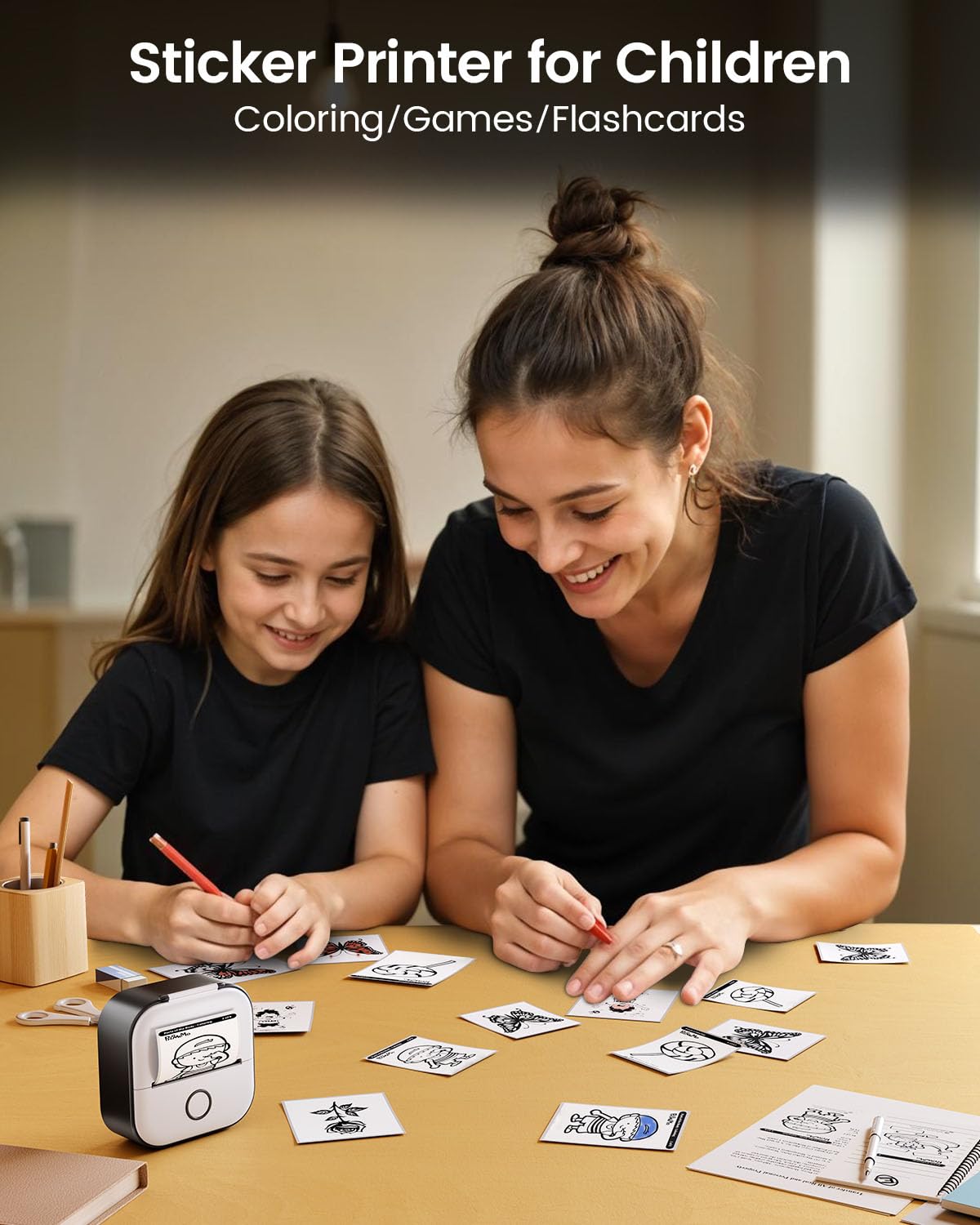
図5.1: 例amples of study graphics printed with the T02 printer.
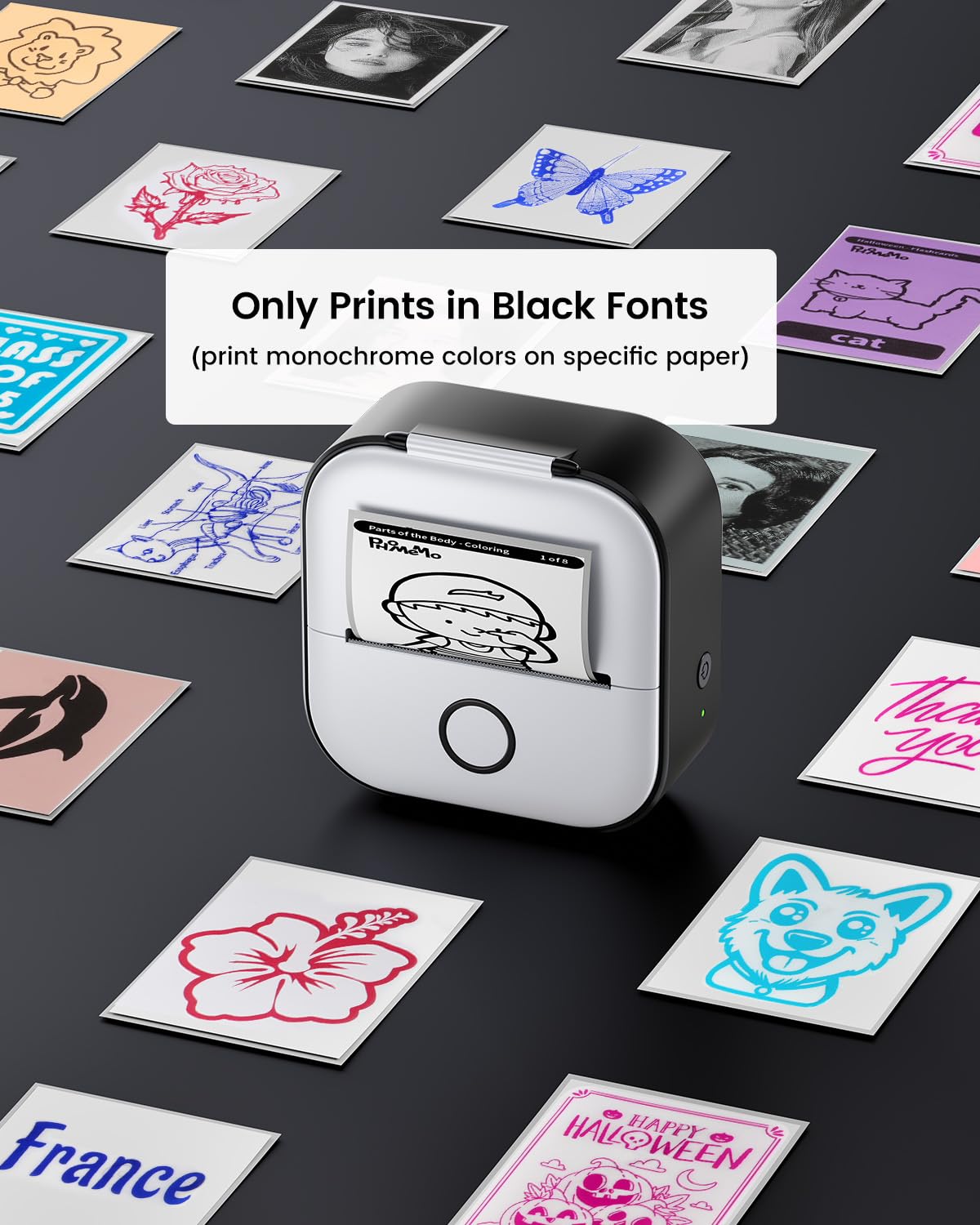
Image 5.2: The T02 printer used for children's coloring and games.
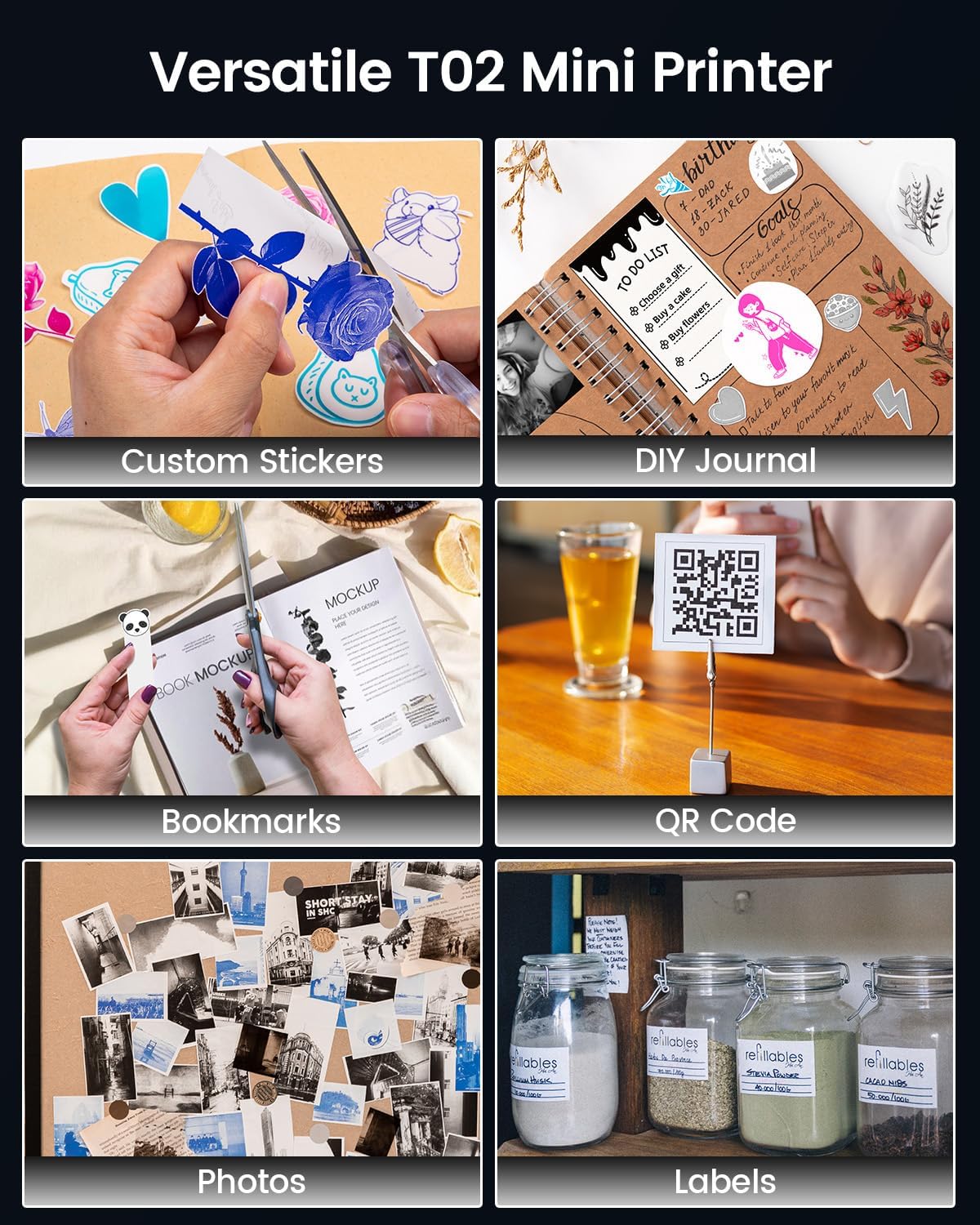
Image 5.3: Versatile applications of the Memoking T02 Mini Printer.
6. メンテナンス
6.1. プリントヘッドのクリーニング
最適な印刷品質を確保するには、プリントヘッドを定期的にクリーニングしてください。
- プリンタの電源をオフにして、電源ケーブルを外します。
- プリンターのカバーを開きます。
- プリントヘッドを綿棒で軽く拭きます。ampイソプロピルアルコールで消毒しました。
- Allow the print head to dry completely before closing the lid and turning on the printer.
6.2. 紙の取り扱いと保管
- Use only Memoking-approved thermal paper for best results and to prevent damage to the printer.
- Store thermal paper in a cool, dry place away from direct sunlight and heat to preserve its quality and image duration.
- Avoid touching the printing surface of the thermal paper excessively, as oils from skin can affect print quality.

Image 6.1: Specifications and features of Memoking thermal paper.
7。 トラブルシューティング
- プリンターが起動しない: Ensure the printer is charged. Connect it to a power source using the provided USB-C cable.
- Bluetooth経由で接続できません: Make sure Bluetooth is enabled on your device and the printer is within range. Restart both the printer and your mobile device. Ensure no other devices are currently paired with the printer.
- 印刷品質が悪い: Check if the paper roll is inserted correctly with the printing side facing out. Clean the print head as described in Section 6.1. Ensure the paper is not old or damaged.
- No Paper Feed: Verify that the paper roll is properly seated and not jammed. Ensure the printer lid is fully closed.
- Printer Only Prints Black Fonts: The Memoking T02 is a monochrome thermal printer and prints only in black. While specific paper types may show different background colors, the printed text/images will always be black.
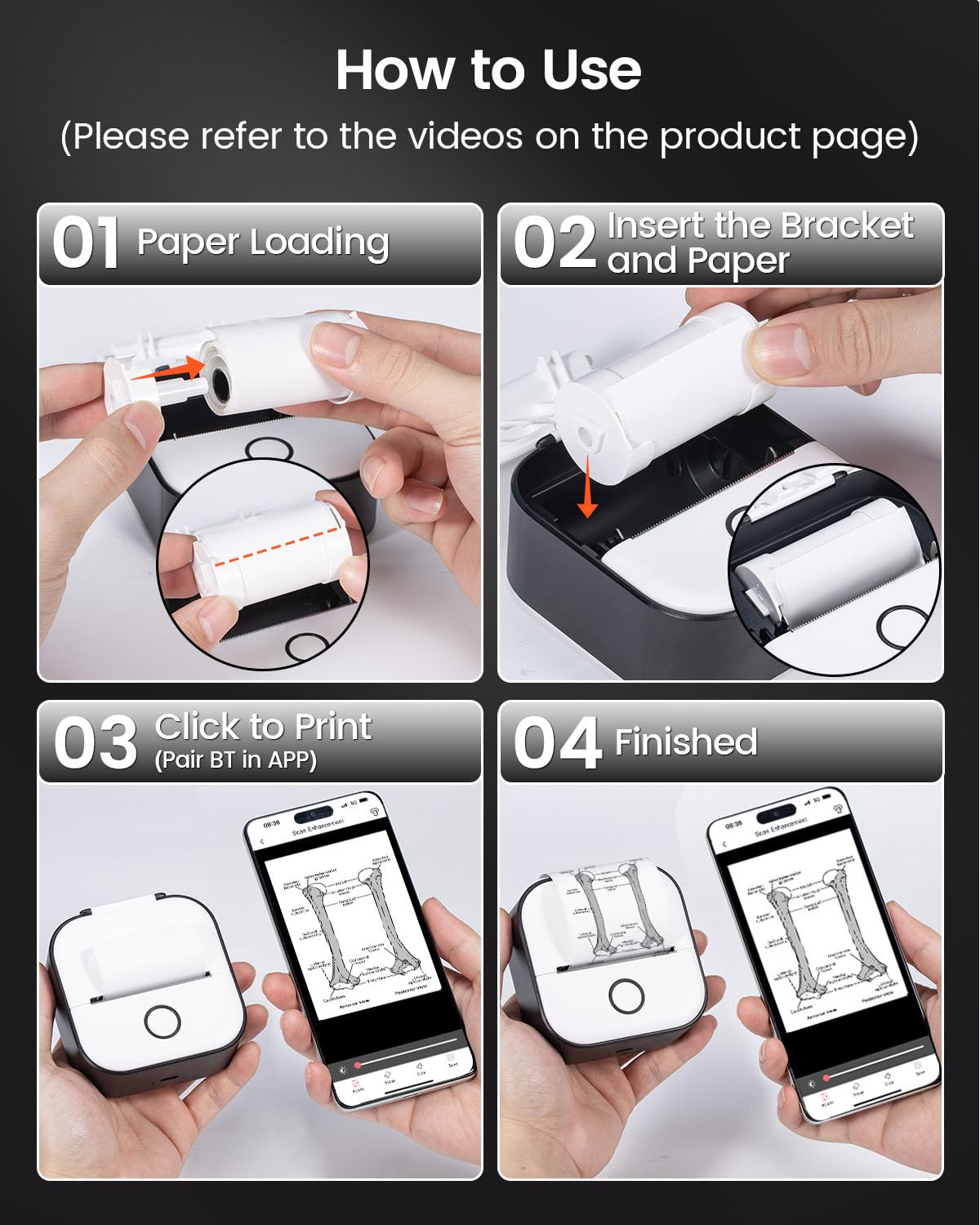
Image 7.1: The T02 printer produces monochrome (black) prints.
8. 仕様
| モデル名 | T02 |
| ブランド | メモキング |
| 印刷技術 | サーマル |
| 接続技術 | ブルートゥース |
| 最大白黒印刷解像度 | 203 Dots Per Inch (DPI) |
| 最大メディアサイズ | 53mm |
| 製品寸法(長さ x 幅 x 高さ) | 1.4 x 3.4 x 3.4 インチ (3.6 x 8.6 x 8.6 cm) |
| アイテム重量 | 10.2オンス(290グラム) |
| 対応デバイス | スマートフォン(iOS、Android) |
| プリンタ出力 | モノクロ |
9. 保証とサポート
For warranty information or technical support, please refer to the documentation included with your product or visit the official Memoking website. You may also contact Memoking customer service directly for assistance with product inquiries, troubleshooting, or replacement parts.