
導入
This manual provides essential instructions for the Apple iPhone 16e Silicone Case. Designed by Apple, this case offers protection for your iPhone 16e while maintaining a sleek profile. It features a silky, soft-touch finish on the exterior and a soft microfiber lining on the inside for enhanced protection against scratches and drops. The case is made with 55 percent recycled silicone material.
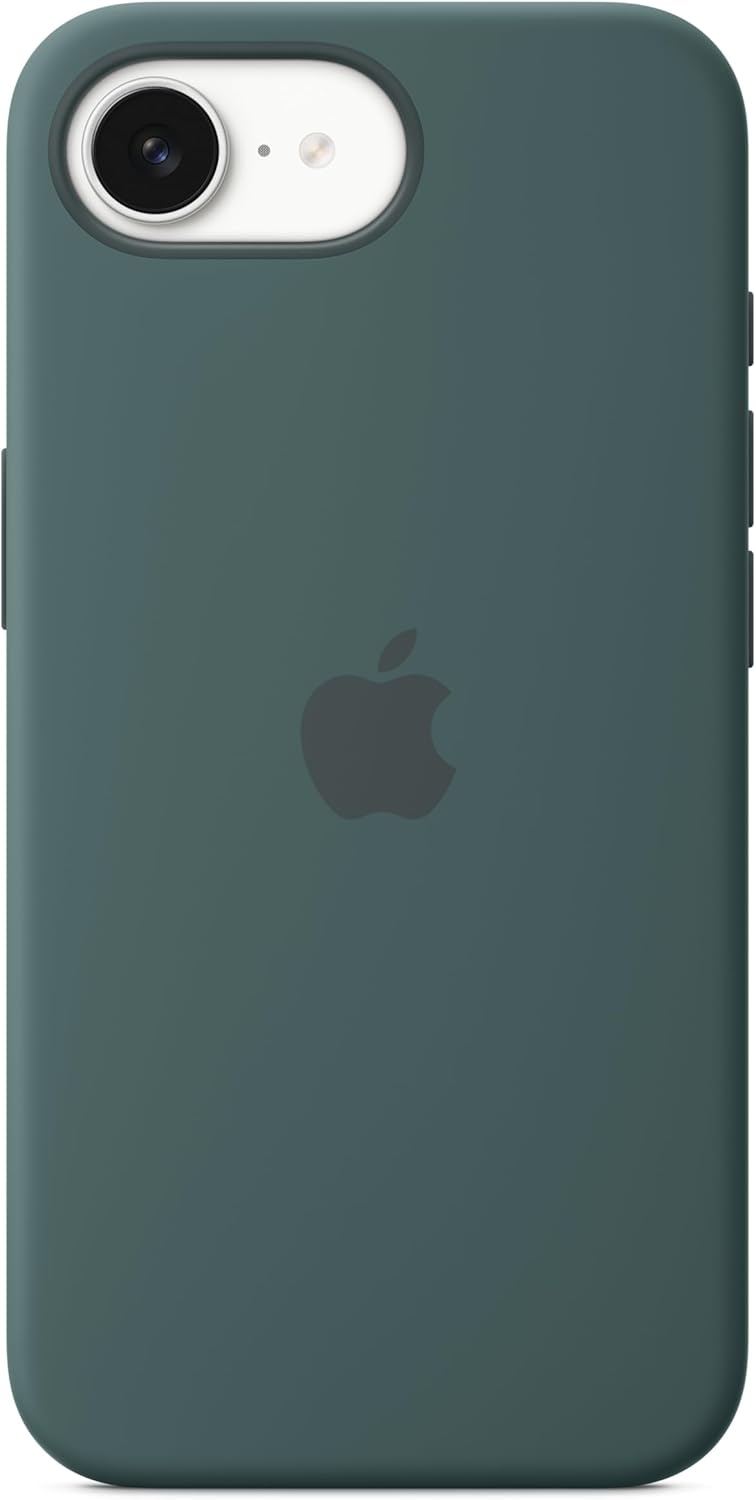
Image: The Apple iPhone 16e Silicone Case in Lake Green, showcasing its smooth texture and precise cutouts.
セットアップとインストール
To install the silicone case on your iPhone 16e, follow these steps:
- Ensure your iPhone 16e is clean and free of dust or debris.
- iPhone の上端をケースの上端に合わせ、カメラの切り抜きが一致していることを確認します。
- Gently push your iPhone into the case, starting from the top.
- Press firmly around all edges of the phone until it is fully seated and secured within the case.
- Verify that all buttons (volume, side button) and ports (charging, speakers) are correctly aligned and accessible.

Image: An iPhone 16e with the silicone case fully installed, demonstrating the precise fit and button coverage.
操作と使用方法
Once installed, the Apple iPhone 16e Silicone Case provides continuous protection for your device. The case is designed to allow full functionality of your iPhone:
- ボタンアクセス: The case features integrated button covers that maintain the tactile feel and responsiveness of your iPhone's volume and side buttons.
- ポートアクセス: Precision cutouts ensure unobstructed access to the charging port, speakers, and microphone.
- MagSafe 互換性: The case is designed to be compatible with MagSafe accessories, allowing for easy attachment of MagSafe chargers and other accessories without removing the case.
- 画面とカメラの保護: The case features slightly raised edges around the screen and camera module to help protect them from direct contact with surfaces when laid flat.
メンテナンス
To ensure the longevity and appearance of your Apple iPhone 16e Silicone Case, follow these maintenance guidelines:
- クリーニング: Remove the case from your iPhone. Wipe the case with a soft, damp, lint-free cloth. A small amount of mild soap can be used if necessary, but ensure it is thoroughly rinsed off.
- 刺激の強い化学物質を避ける: Do not use abrasive cleaners, solvents, or strong detergents, as these can damage the silicone material and its finish.
- 乾燥: ケースを iPhone に再び取り付ける前に、完全に自然乾燥させてください。
- ストレージ: 使用しないときは、ケースを直射日光を避けて涼しく乾燥した場所に保管してください。
トラブルシューティング
If you encounter any issues with your Apple iPhone 16e Silicone Case, consider the following:
- Case Does Not Fit Correctly:
Ensure you have the correct case model for your iPhone 16e. Remove the case and re-install it, making sure the phone is properly aligned and seated firmly within all edges of the case. - Buttons Are Unresponsive or Difficult to Press:
This often indicates improper installation. Remove the case and check for any debris or obstructions between the phone and the case. Re-install the case carefully, ensuring all buttons align with the case's button covers. - Silicone Material Shows Wear or Peeling:
Silicone materials can show signs of wear over time with regular use. If you suspect a manufacturing defect, refer to the warranty information provided by Apple. - Case Feels Slippery:
The soft-touch finish is designed for grip, but new silicone cases can sometimes feel slightly slick. This typically improves with use. Ensure your hands and the case are clean and dry.
仕様
| 製品寸法 | 6.42 x 3.35 x 0.67インチ |
| アイテム重量 | 2.39オンス |
| メーカー | りんご |
| ASIN | B0DXQJ5BPV |
| 商品型番 | MD3X4ZM/A |
| 互換性のある電話モデル | iPhone 16e |
| 色 | レイクグリーン |
| 材料 | シリコーン |
| 初回利用可能日 | 19年2025月XNUMX日 |
保証とサポート
Apple products, including this silicone case, typically come with a limited warranty against defects in materials and workmanship. The specific terms and duration of the warranty may vary by region and product.
For detailed warranty information, to check your warranty status, or to obtain service and support, please visit the official Apple Support website or contact Apple customer service directly. It is recommended to retain your proof of purchase for any warranty claims.
Apple サポート Webサイト: サポート