
1. はじめに
The Oclean X Elite 10 electric toothbrush is designed to provide a personalized and effective oral hygiene experience. Featuring a responsive touchscreen, 12-zone tracking, and multiple brushing modes, this device helps you achieve a thorough clean. This manual will guide you through the setup, operation, maintenance, and specifications of your new Oclean X Elite 10 electric toothbrush.
2. 安全情報
- 窒息の危険: Keep the toothbrush and its small parts away from young children to prevent choking.
- ブラシヘッドの交換: For optimal hygiene and performance, replace the toothbrush head every 3 months.
- 電気安全: Do not immerse the charging base in water. Ensure the charging port is dry before charging.
- 健康状態: Consult your dentist before using this product if you have severe periodontal disease or have undergone oral surgery.
3. パッケージ内容
パッケージに以下の項目が含まれているか確認してください。
- Oclean X Elite 10 Electric Toothbrush Handle
- Oclean Brush Head(s)
- 磁気充電ベース
- USB充電ケーブル
- ユーザーマニュアル
4. セットアップ
4.1 初期充電
Before first use, fully charge your Oclean X Elite 10 toothbrush. A full charge takes approximately 3 hours and provides up to 40 days of battery life.
- Connect the USB charging cable to the magnetic charging base.
- Plug the USB cable into a compatible power adapter (not included).
- Place the toothbrush handle onto the magnetic charging base. The screen will indicate charging status.
4.2 ブラシヘッドの取り付け
Align the brush head with the metal shaft on the toothbrush handle and push it down until it clicks into place. Ensure it is securely fastened.
4.3 アプリ接続(オプション)
For personalized settings and detailed brushing reports, download the Oclean app from your device's app store. The app can establish a seamless connection between brushing data and Apple Health, automatically synchronizing brushing records, creating a digital oral hygiene file, and helping users monitor long-term dental health trends.
5. 操作手順
5.1 電源オン/オフ
ハンドルの電源ボタンを押して、歯ブラシの電源をオンまたはオフにします。
5.2 Selecting Brushing Modes
The Oclean X Elite 10 offers 4 brushing modes, which can be selected and switched via the touchscreen:
- クイッククリーン: For a standard, efficient clean.
- センシティブ: 敏感な歯と歯茎を優しく洗浄します。
- マッサージ: Gently massages gums for improved circulation.
- ホワイトニング: 表面の汚れを除去するために設計されています。
5.3 タッチスクリーンインターフェース
The intuitive touchscreen allows you to navigate settings, select modes, and view brushing feedback. You can also customize wallpapers through the Oclean app.
5.4 Personalized Brushing Plan
Through the Oclean app, you can define your brushing habits and create a personalized brushing plan for day and night, optimizing your oral care routine.
5.5 Real-time Feedback and Reporting
The Oclean X Elite 10 provides real-time feedback on cleaning and evaluation for 12 dental surfaces. Utilizing WiFi direct connection technology, it offers ultra-fast response and generates a three-dimensional evaluation report after each brushing. This report includes information on coverage, cleanliness, and duration, enabling more efficient and faster analysis of oral data.
5.6 統合タイマー
The toothbrush features an integrated timer to ensure you brush for the dentist-recommended duration, typically 2 minutes, with quadrant reminders.
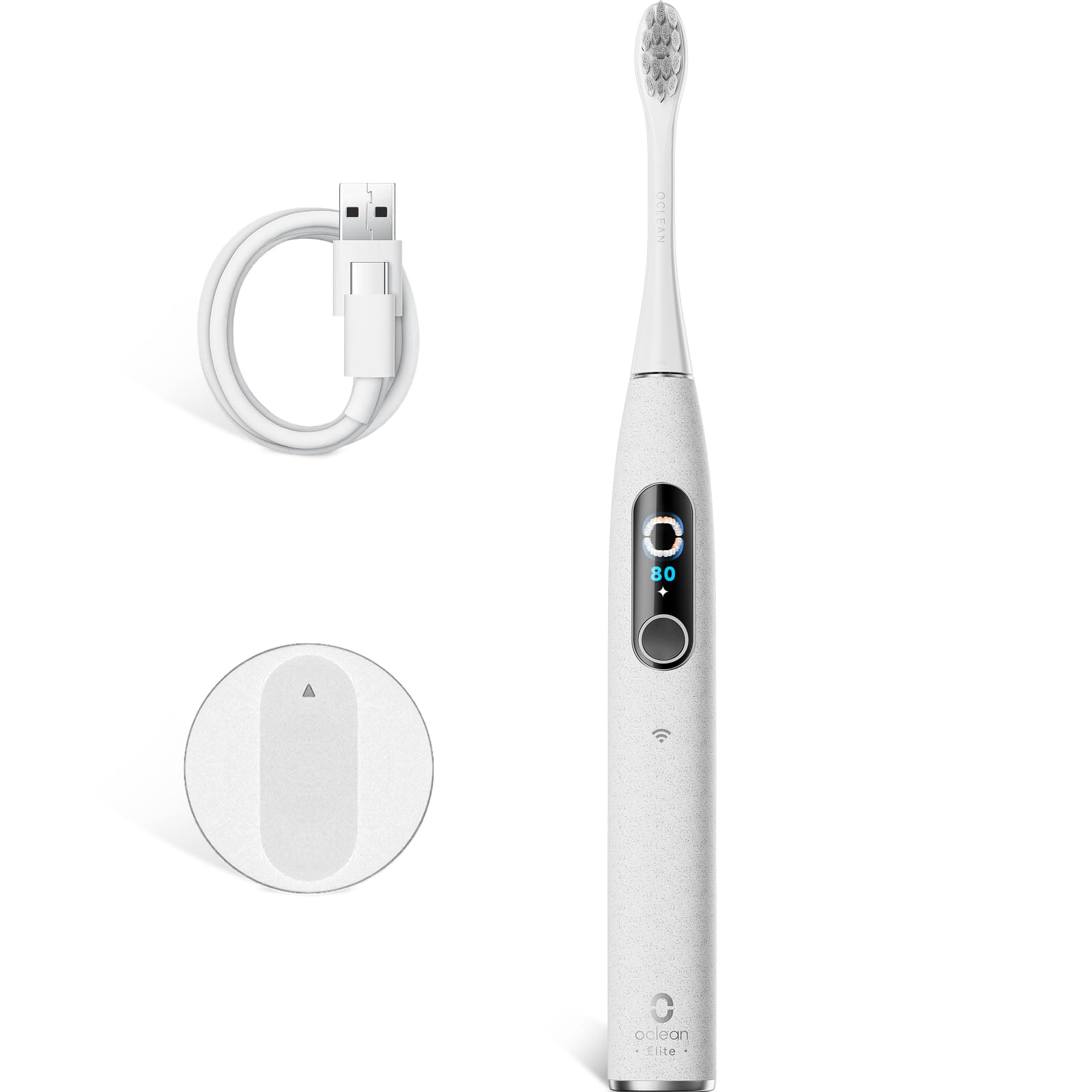
Image 1: The Oclean X Elite 10 Electric Toothbrush handle with a brush head attached, showcasin洗練されたデザイン。
6. メンテナンス
6.1 Cleaning the Brush Handle
After each use, wipe the toothbrush handle with a damp 歯磨き粉の残りを布で拭き取ってください。ハンドルを水に浸さないでください。
6.2 ブラシヘッドのクリーニング
Rinse the brush head thoroughly under running water after every brushing session. Periodically remove the brush head and rinse the connection area.
6.3 ブラシヘッドの交換
Replace your brush head every 3 months, or sooner if the bristles become frayed or worn, to maintain effective cleaning performance and hygiene.
6.4 充電
Recharge the toothbrush when the battery indicator shows low power. Ensure the charging contacts on both the handle and the base are clean and dry before placing the handle on the charger.
7。 トラブルシューティング
- 歯ブラシがオンにならない: Ensure the toothbrush is fully charged. If it still doesn't turn on, contact customer support.
- Toothbrush does not connect to the app: Ensure Bluetooth/WiFi is enabled on your smartphone and the toothbrush is charged and within range. Restart both devices and try again.
- ブラッシング力の低下: The battery might be low. Charge the toothbrush. If the issue persists, consider replacing the brush head.
- 充電に関する問題: Ensure the charging base and toothbrush contacts are clean and dry. Try a different USB power adapter.
8. 仕様
| ブランド | オクリーン |
| モデル名 | X Elite 10 |
| モデル番号 | Elite10Grey |
| 寸法(長さ×幅×高さ) | 2 x 3 x 25 cm |
| 重さ | 260グラム |
| バッテリー | 1×12V(付属) |
| 電源 | 電池駆動 |
| 特集 | ブラッシングタイマー |
| ブラシヘッドタイプ | U字型 |
| 騒音レベル | 45デシベル |
| Brushing Power | 84,000 movements/minute |
| ブラッシング Ampリチュード | 40° |
| バッテリー寿命 | 最大40日間(3時間充電) |
| 原産国 | 中国 |
9. 保証とサポート
For warranty information, product support, or to purchase replacement parts and brush heads, please visit the official Oclean website or contact Oclean customer service directly. Keep your purchase receipt as proof of purchase.