
1. はじめに
The PGST WiFi Home Alarm Security System (Model PG108-4GUS-F) is a comprehensive wireless security solution designed to protect your home or apartment. This system supports both 2.4GHz WiFi and 2G/3G/4G cellular networks, providing reliable alerts and control. It is compatible with popular smart home platforms like Amazon Alexa and Google Home for convenient voice control. The system is designed for easy DIY installation and offers expandability with up to 100 wireless accessories.

Image: The PGST WiFi Home Alarm Security System main unit with various connected accessories like motion sensors, door sensors, remote controls, and RFID tags.
2. パッケージ内容
24 ピースのキットには次のコンポーネントが含まれています。
- Alarm system PG-108 (Main Control Panel) x 1
- Wireless PIR Detector (Motion Sensor) x 5
- Door Sensor x 10
- PE-513 Siren x 1
- リモコンx 3
- RFID Tag x 3
- SOS Button x 1
- Type C cable + Adapter x 1

Image: Visual representation of the 24-piece kit contents, including the main panel, motion sensors, door sensors, remote controls, RFID tags、そしてサイレン。
3. セットアップ
3.1 初期電源投入とネットワーク接続
- Connect the alarm host to a power source using the provided Type C cable and adapter. The system includes a backup battery.
- For WiFi connection: Download the 'Smart Life' or 'Tuya' app on your smartphone. Follow the in-app instructions to connect the alarm host to your 2.4GHz WiFi network. (Note: 5G WiFi is not supported).
- For 4G/GSM connection: Insert a compatible GSM SIM card (not included) into the alarm host. This enables phone calls and SMS alerts.

Image: The alarm panel connected to a WiFi router and a diagram showing SIM card insertion for 4G/GSM connectivity.
3.2 Setting Keypad Lock Password
To set or change the keypad lock password:
- 移動 メニュー > 設定 > パスワード > ユーザー.
- Enter your desired 4-digit password.
- パスワードを確認してください。
To turn the keypad lock on or off:
- 移動 メニュー > 設定 > スイッチ > キーパッドロック.
- Select 'on' or 'off' as desired.
Video: Instructions on how to set the keypad lock password and enable/disable the keypad lock feature on the PGST alarm system.
3.3 アクセサリのペアリング
The PGST system allows pairing of various wireless accessories. Follow these general steps for pairing:
Video: Detailed guide on connecting various accessories like remote controls, RFID cards, infrared sensors, door magnetic sensors, and smoke alarms to the PGST alarm system.
3.3.1リモコンのペアリング
- On the main panel, navigate to メニュー > センサー > リモート > 追加.
- Press any button on the remote control. The panel will confirm successful learning.

Image: A white remote control with four buttons: lock, unlock, home, and SOS.
3.3.2 RFID Card Pairing
- On the main panel, navigate to メニュー > センサー > RFID > 追加.
- Tap the RFID card against the RFID reader area on the main panel. The panel will confirm successful learning.

Image: Two black RFID tags with metal keyrings, used for arming/disarming the system.
3.3.3 Infrared Motion Sensor Pairing
- Turn on the infrared sensor switch. Wait approximately 30 seconds for the red light to flash rapidly twice.
- On the main panel, navigate to メニュー > センサー > センサー > 追加.
- Select 'System Alarm' or 'Stay Arm Active' for the sensor type.
- Trigger the motion sensor (e.g., by moving in front of it). The panel will confirm successful learning.

Image: A white wireless PIR motion detector mounted on a wall, illustrating its 32ft (10m) range and 110-degree field of view.
3.3.4 Door Magnetic Sensor Pairing
- Open the switch on the door magnetic sensor.
- On the main panel, navigate to メニュー > センサー > センサー > 追加.
- Select 'Door Alarm' or 'Stay Arm Active' for the sensor type.
- Separate the two parts of the door sensor. The panel will confirm successful learning.
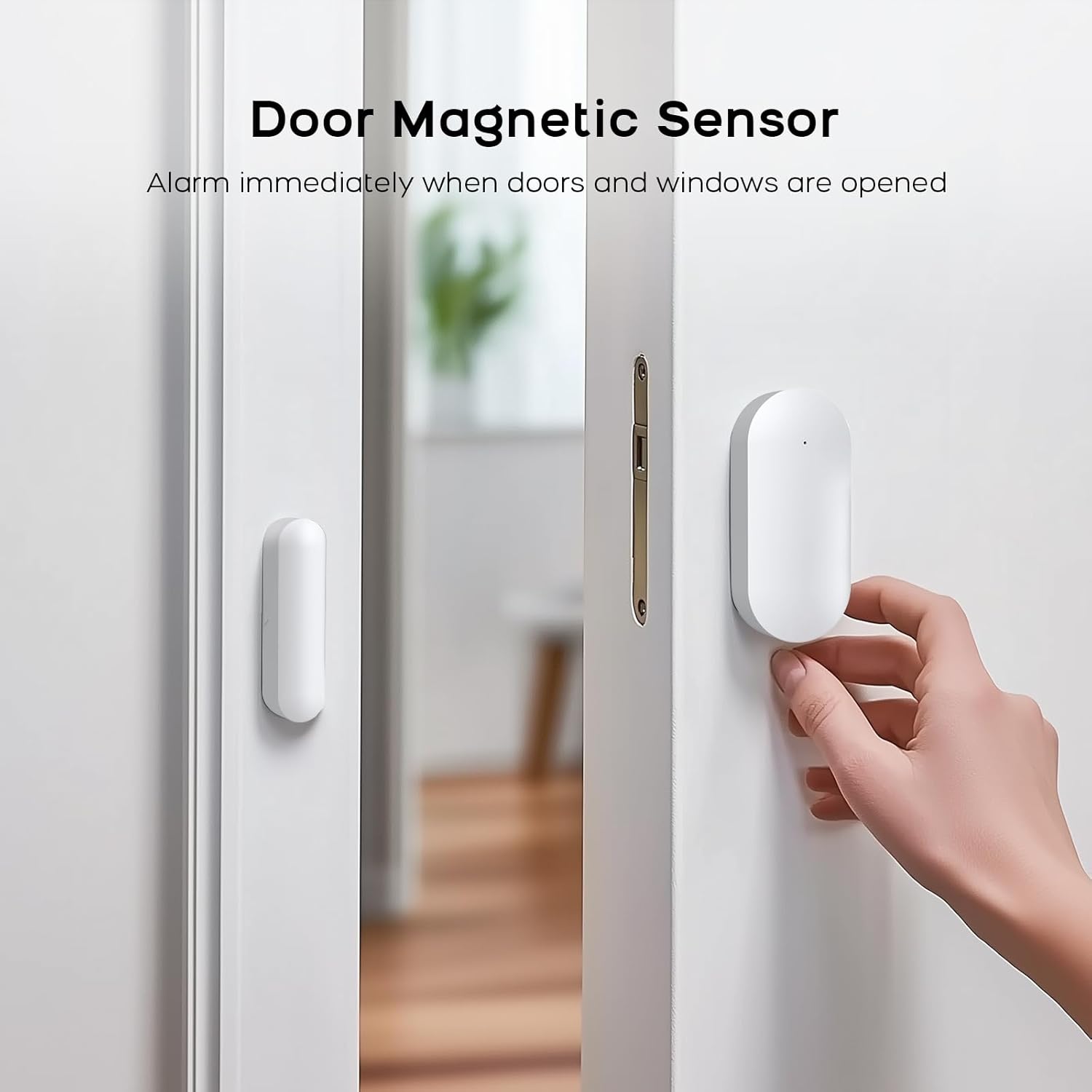
Image: A white door magnetic sensor installed on a door and its frame, designed to trigger an alarm when the door is opened.
3.3.5 Smoke Alarm Pairing
- On the main panel, navigate to メニュー > センサー > センサー > 追加.
- Select 'Fire Alarm' or '24 Hours Active' for the sensor type.
- Press the test button on the smoke alarm. The panel will confirm successful learning.
4. 操作手順
4.1 システムの武装と武装解除
The system can be armed or disarmed using the main control panel, remote control, RFID tags, or the mobile app.
- アーム: すべてのセンサーを作動させます。作動したセンサーはアラームを発します。
- 武装解除: 警報システムを無効にします。
- ホームアーム: Activates perimeter sensors (e.g., door/window sensors) while allowing free movement within the property (motion sensors are typically inactive in this mode).
4.2 SOS緊急機能
In an emergency, press the SOS button on the main panel or the remote control. The system will immediately trigger an alarm and send alerts to pre-configured contacts.
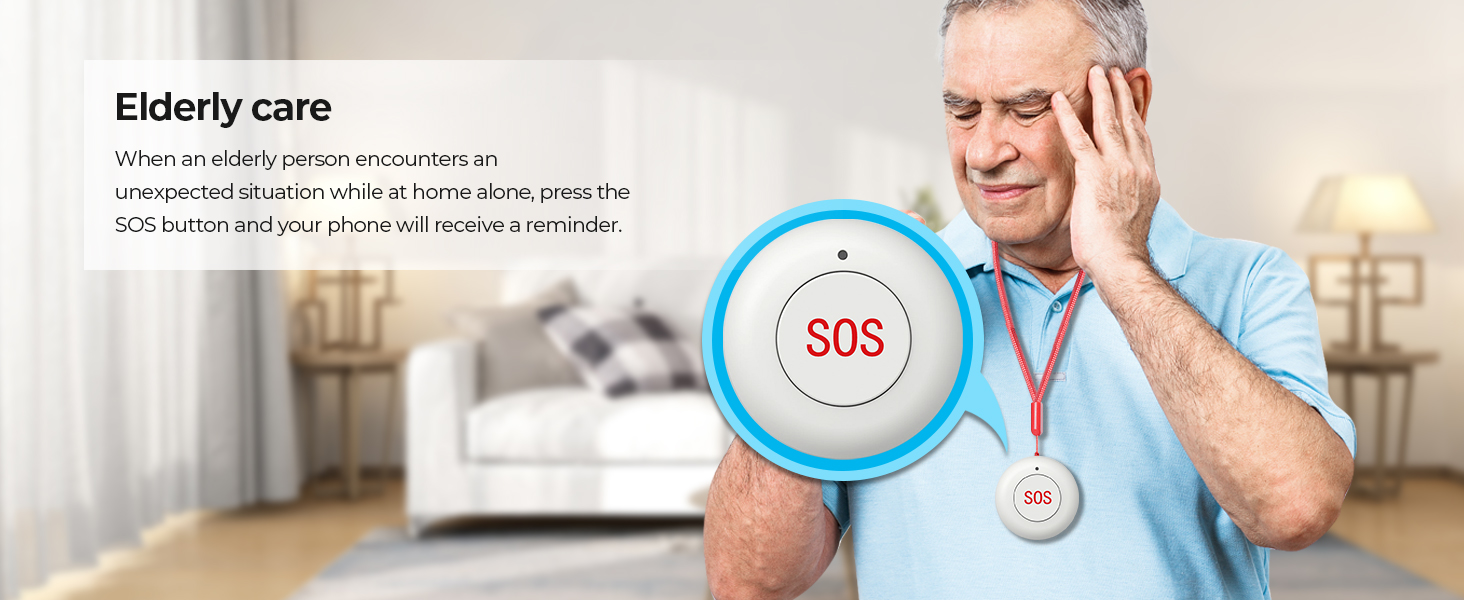
Image: An elderly person with an SOS pendant, highlighting the emergency alert feature.
4.3 モバイルアプリの制御
Use the 'Smart Life' or 'Tuya' app to remotely control your alarm system. This includes arming/disarming, receiving notifications, checking sensor status, and adjusting settings from anywhere.

Image: A smartphone showing the 'Smart Life' app, demonstrating remote control and monitoring capabilities.
4.4 音声制御統合
The system is compatible with Amazon Alexa and Google Home. Link your alarm system to these platforms to enable voice commands for arming and disarming.
- Example command: "Alexa, arm my home!"
- Example command: "OK Google, disarm the alarm system."

Image: Two children using a smart speaker to control the alarm system with voice commands, illustrating smart home integration.
4.5 ファミリー共有
The system supports linking up to 5 phone numbers to share alerts and control with family members, ensuring everyone is informed and can manage the system.

Image: An illustration depicting multiple family members connected to and receiving notifications from the alarm system.
5. メンテナンス
5.1一般的なケア
- Keep the main control panel and sensors clean by wiping them with a soft, dry cloth. Avoid using abrasive cleaners or solvents.
- Ensure all components are installed in dry environments, away from direct sunlight, extreme temperatures, and high humidity.
- Regularly check that all sensors are securely mounted and free from obstructions.
5.2 バッテリーのメンテナンス
- The main control panel has a built-in backup lithium polymer battery. Ensure it is regularly charged by keeping the panel connected to AC power.
- Wireless sensors are battery-powered. Replace batteries promptly when low battery alerts are received to ensure continuous protection.
6。 トラブルシューティング
6.1 System Not Connecting to WiFi
- Ensure your WiFi network is 2.4GHz. The system does not support 5G WiFi.
- WiFi パスワードが正確かどうか確認してください。
- Move the alarm host closer to your WiFi router to improve signal strength.
- Restart your router and the alarm host.
6.2 Sensors Not Triggering Alarm
- Verify that the sensors are correctly paired with the main panel (refer to Section 3.3).
- Check the battery level of the sensors. Replace if necessary.
- Ensure the main panel is armed in the correct mode (e.g., 'Arm' for all sensors, 'Home Arm' for perimeter sensors).
- For door/window sensors, ensure the two parts are aligned correctly and within the specified gap.
- For motion sensors, ensure there are no obstructions in its field of view.
6.3 アプリ通知なし
- Ensure the alarm host is connected to WiFi or has an active 4G/GSM SIM card.
- Check your smartphone's notification settings for the 'Smart Life' or 'Tuya' app to ensure notifications are enabled.
- Verify that your phone has an active internet connection.
6.4 誤報
- Review sensor placement. Motion sensors should be placed away from heat sources, direct sunlight, and areas with pets if not pet-immune.
- Ensure door/window sensors are firmly attached and not easily dislodged.
- Adjust sensor sensitivity if applicable (check individual sensor manuals).
7. 仕様
| 特徴 | 詳細 |
|---|---|
| ブランド | PGST |
| モデル番号 | PG108-4GUS-F |
| 電源 | AC power with battery backup |
| バッテリーセルタイプ | リチウムポリマー |
| 接続技術 | Wireless (2.4GHz WiFi, 2G/3G/4G) |
| 対応デバイス | スマートフォン、タブレット、パソコン |
| スマートホームの互換性 | Smart Home Compatible (Alexa, Google Home) |
| 制御方法 | アプリ、リモコン、キーパッド |
| アラートの種類 | Motion, Door/Window Open, Fire |
| Item Dimensions (Main Unit) | 2.3 x 2 x 1.8インチ |
| インストール方法 | ねじ込み式 |
| Unit Count (for 24-Kits-F) | 24.0 カウント |
8. サポート
8.1 テクニカルサポート
PGST is committed to providing reliable products and services. We offer lifetime technical support for our products. If you encounter any issues or have questions regarding your PGST WiFi Home Alarm Security System, please contact our support team.
8.2 カスタマーサービス
Our customer service team aims for quick response within 365 days to address your inquiries and concerns. For assistance, please refer to the contact information provided with your product packaging or visit the official PGST webサイト。

Image: Icons representing PGST's commitment to a professional team, lifetime technical support, and quick response times.