
1. はじめに
This manual provides essential instructions for the safe operation, setup, maintenance, and troubleshooting of your ARRIS WPL C24-1 RC Rock Crawler. Please read this manual thoroughly before using the product to ensure proper function and longevity.

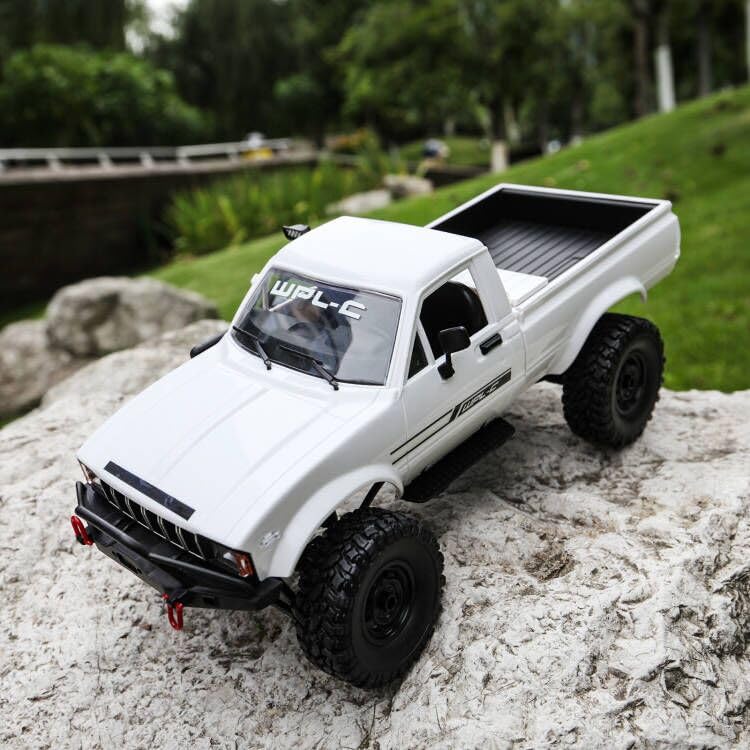
Image: The ARRIS WPL C24-1 RC Rock Crawler, showcasing its detailed design and robust tires.
2. 安全情報
Always operate the RC vehicle in a safe and responsible manner. Failure to follow these safety guidelines may result in injury or damage to the product or property.
- 手、髪の毛、ゆったりとした衣服を可動部分に近づけないでください。
- 人、ペット、障害物の近くで操作しないでください。
- Avoid operating in wet conditions or near water unless the product is specifically designed for it.
- バッテリーが正しく充電されていることを確認し、慎重に取り扱ってください。
- 15 歳未満のユーザーには大人の監督をお勧めします。
3. パッケージ内容
以下にリストされているすべてのアイテムがパッケージに含まれていることを確認してください。
- ARRIS WPL C24-1 RC Rock Crawler (1 unit)
- Remote Control Transmitter (1 unit)
- Rechargeable Battery (1 unit, 7.4V 500mAh)
- 充電ケーブル(1本)
- 取扱説明書(本書)
4.セットアップガイド
4.1. 車両バッテリーの充電
The vehicle battery (7.4V 500mAh) requires charging before first use. A full charge takes approximately 2 hours and provides about 30 minutes of operation.
- Locate the battery compartment on the underside of the RC crawler.
- Connect the rechargeable battery to the provided charging cable.
- Plug the charging cable into a suitable USB power source (e.g., computer USB port, USB wall adapter).
- The indicator light on the charging cable will show the charging status (refer to charger instructions for specific light patterns).
- Once fully charged, disconnect the battery from the charger and install it into the vehicle's battery compartment.
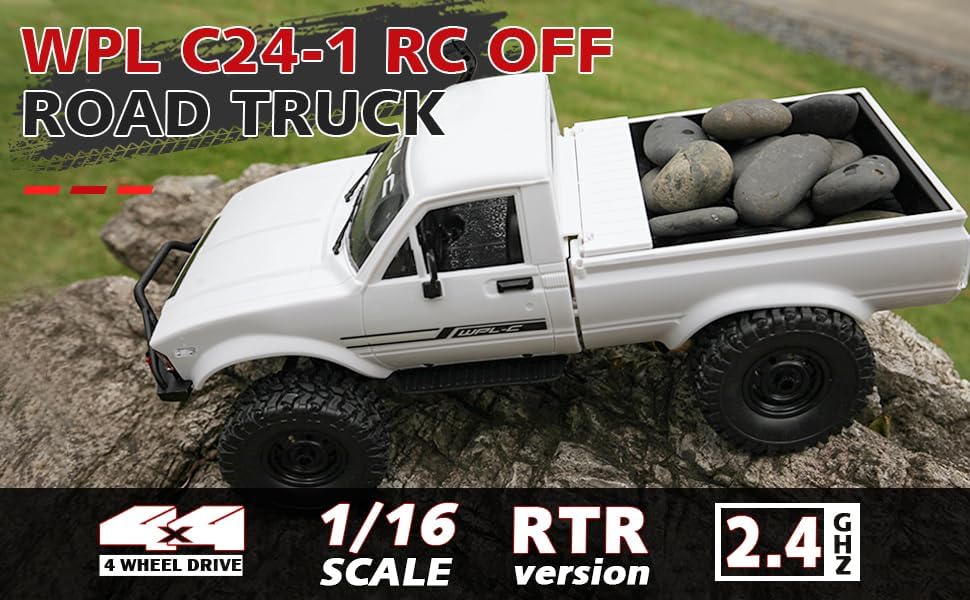
Image: Underside of the RC crawler, highlighting the battery and chassis components.
4.2. リモコンの電池の取り付け
The remote control requires 1 C battery (included). Ensure correct polarity when installing.
- リモコンの背面にある電池カバーを開きます。
- Insert the C battery according to the polarity markings (+/-).
- 電池カバーをしっかりと閉じてください。
4.3. リモコンのペアリング
The RC crawler and remote control are typically pre-paired. If re-pairing is necessary:
- Turn on the RC crawler using the switch located on the chassis.
- リモコンの電源を入れます。
- The indicator light on the remote control should stop flashing and remain solid, indicating a successful connection.
- If the connection fails, turn both devices off and repeat the process.
5. 操作手順
5.1. 基本的な操作
- スロットルトリガー: 引くと前進し、押すとブレーキ/後退します。
- ハンドル: 左に曲がると左に曲がり、右に曲がると右に曲がります。
- トリム調整: Use the trim dials on the remote to fine-tune steering and throttle if the vehicle pulls to one side or moves without input.
5.2. 運転のヒント
The ARRIS WPL C24-1 is designed for off-road crawling. Its 4WD system and independent suspension allow it to navigate various terrains.
- For optimal crawling, use slow and controlled throttle inputs.
- Experiment with steering angles to overcome obstacles.
- The vehicle features highlight LED lights for improved visibility in low-light conditions.

Image: The RC crawler navigating a challenging rocky path, demonstrating its off-road capabilities.

Image: The RC crawler traversing sandy terrain, showcasing its 4WD design.
6. メンテナンス
6.1. 清掃
After each use, especially in dusty or dirty conditions:
- Use a soft brush or compressed air to remove dirt and debris from the chassis, wheels, and suspension.
- 広告で体を拭くamp 布で拭いてください。強い化学薬品は使用しないでください。
- Ensure no moisture enters electronic components.
6.2. バッテリーの取り扱いと保管
- 使用していないときは必ずバッテリーを車両から外してください。
- 電池は直射日光や極端な温度を避け、涼しく乾燥した場所に保管してください。
- バッテリーを過充電または過放電しないでください。
6.3. 部品検査
Regularly inspect the following components for wear or damage:
- Wheels and tires for damage or excessive wear.
- Suspension components (shocks, springs, linkages).
- Steering mechanism for smooth operation.
- All screws and fasteners for tightness.
7。 トラブルシューティング
| 問題 | 考えられる原因 | 解決 |
|---|---|---|
| 車両が応答しません。 | Low vehicle battery; Low remote control battery; Not paired. | Charge vehicle battery; Replace remote control battery; Re-pair remote control. |
| 車両の動きが遅い、または不安定です。 | Low vehicle battery; Obstruction in drivetrain; Motor issue. | Charge vehicle battery; Clear obstructions; Contact support if motor issue persists. |
| ステアリングが不安定、または反応しない。 | Steering trim incorrect; Damaged servo; Obstruction. | Adjust steering trim; Inspect servo for damage; Clear obstructions. |
| 動作範囲が短い。 | Interference; Low remote control battery. | Move to an area with less interference; Replace remote control battery. |
8. 製品仕様
| 特徴 | 詳細 |
|---|---|
| モデル番号 | WPL C24-1 |
| ブランド | アリス |
| 規模 | 1:16 |
| 製品寸法 | 12.2 x 5.78 x 4.44インチ |
| アイテム重量 | 2.4ポンド |
| 材料 | ABS + 金属 |
| モーター | 180 ブラシ付きモーター |
| バッテリー(車両) | 7.4V 500mAh(付属) |
| 充電時間 | 約2時間 |
| 動作時間 | 約30分 |
| リモコン周波数 | 2.4GHz帯 |
| 制御距離 | 35メートル以上 |
| 最高速度 | 20 km/h |
| 推奨年齢 | 15歳以上 |
画像: サイド view of the RC crawler with key dimensions indicated.

画像: 詳細 view of the RC crawler's chassis, showing components like the motor, suspension, and drive shafts.
9. 保証とサポート
ARRIS products are manufactured to high-quality standards. For warranty information or technical support, please refer to the official ARRIS webサイトをご覧いただくか、購入プラットフォームを通じてカスタマー サービスにお問い合わせください。
保証請求の際に購入証明として購入レシートを保管してください。
さらに詳しいサポートについては、 AmazonのARRISストア.