
1. はじめに
Thank you for choosing the CREWORKS 25cm 350W Electric Pottery Wheel. This manual provides essential information for the safe and efficient operation of your new pottery wheel. Please read all instructions carefully before use and retain this manual for future reference.
This electric pottery wheel features a 25 cm reversible turntable and a powerful 350W motor, suitable for various pottery projects and skill levels. Its design emphasizes durability, safety, and ease of use, making it an ideal tool for both beginners and experienced potters.
2. 重要な安全上の注意事項
火災、感電、または怪我のリスクを軽減するために、常に次の基本的な安全上の注意事項に従ってください。
- すべての指示をお読みください: Familiarize yourself with the controls and proper use of the pottery wheel.
- 電気安全: 電源がボリュームと一致していることを確認してくださいtage requirements of the machine. Do not operate with wet hands or in wet conditions. Always plug into a grounded outlet.
- Integrated Circuit Breaker (RCD): The machine is equipped with an RCD for enhanced safety. Test the RCD before each use by pressing the "TEST" button. The RCD should trip. Reset it by pressing "RESET" or flipping the switch to "OPEN". If it does not trip, do not use the machine and contact support.
- 監督: Close supervision is necessary when the pottery wheel is used by or near children or individuals with reduced physical, sensory, or mental capabilities.
- ワークスペースをクリア: Keep your workspace clean, well-lit, and free from clutter.
- 個人の安全: Wear appropriate clothing; avoid loose clothing, jewelry, or long hair that could get caught in moving parts.
- メンテナンス: 清掃やメンテナンスを行う前に、電源コードを抜いてください。
- 使用目的: Use the pottery wheel only for its intended purpose of shaping clay.
3. パッケージ内容
開梱の際には、すべての品目が揃っていて損傷がないことを確認してください。
- CREWORKS Electric Pottery Wheel (Main Unit)
- Removable ABS Splash Basin
- フットペダル
- 8-Piece Clay Sculpting Tool Set
- ユーザーマニュアル

図3.1: Pottery wheel and included accessories.
4.製品オーバーview
Familiarize yourself with the main components of your pottery wheel:
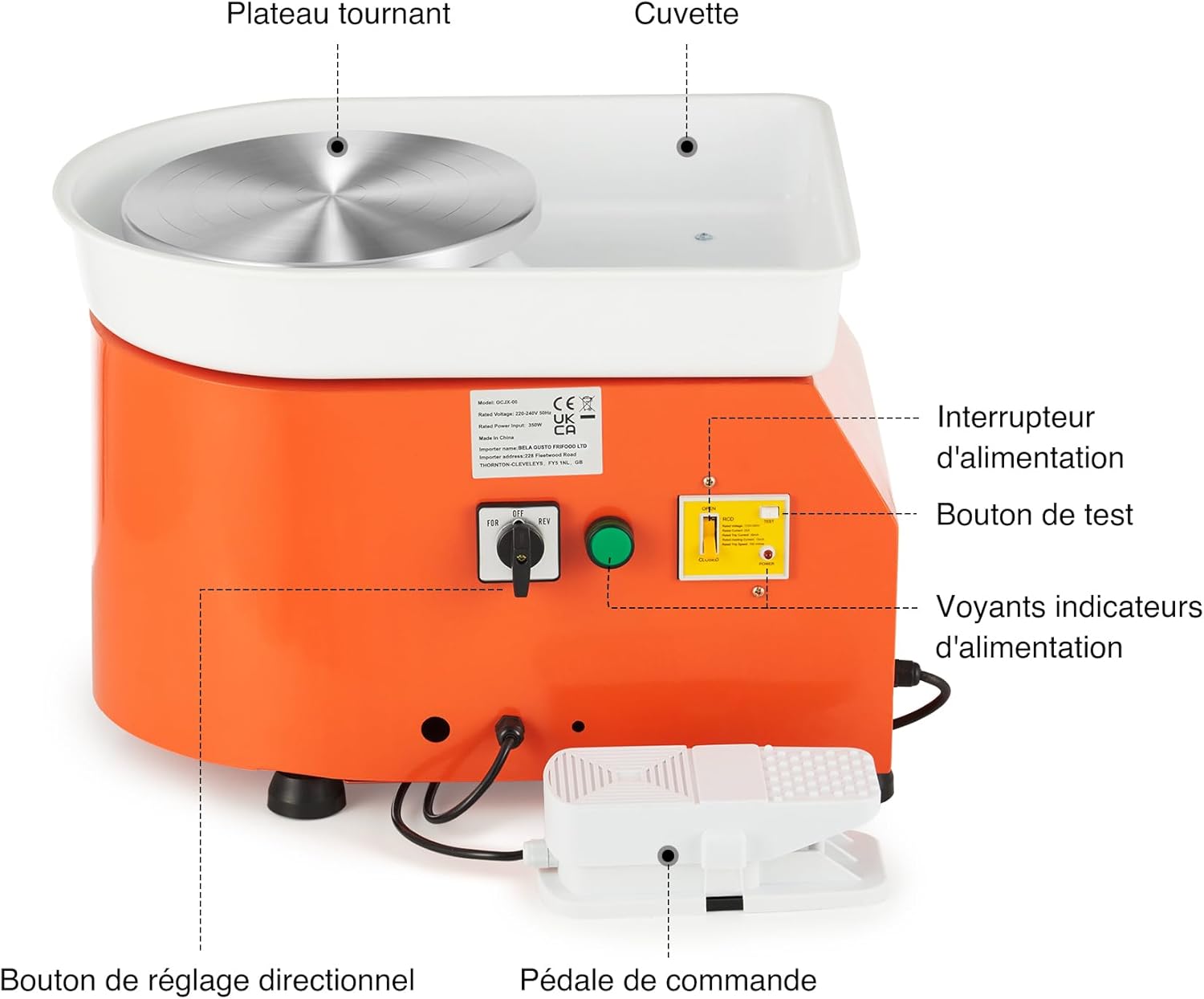
図4.1: Main components of the pottery wheel.
- Turntable (Wheel Head): 25 cm aluminum alloy wheel for shaping clay.
- Splash Basin: Removable ABS basin to contain water and clay splatter.
- 電源スイッチ: 機械の電源をオン/オフにします。
- Directional Adjustment Knob (FOR/REV): Selects clockwise (FOR) or counter-clockwise (REV) rotation.
- フットペダル: Controls the speed of the turntable.
- RCD (Residual Current Device): Integrated safety device with TEST and RESET buttons.
- 電源インジケータライト: Indicate power status.

図4.2: Directional Switch.

図4.3: RCD (Circuit Breaker).

図4.4: Foot Pedal for Speed Control.

図4.5: Aluminum Alloy Turntable.
5. セットアップ
- 開梱: すべての部品をパッケージから慎重に取り出してください。輸送中に損傷がないか確認してください。
- 配置: Place the pottery wheel on a stable, level surface. Ensure there is adequate space around the machine for comfortable operation and to prevent clay splatter from affecting other items.
- Attach Splash Basin: Position the removable ABS splash basin around the turntable. Ensure it is securely seated to prevent leaks.
- フットペダルを接続する: フットペダルのケーブルをろくろの側面にある指定されたポートに差し込みます。
- 電源接続: 電源コードをアース付きコンセントに差し込みます。
- RCD テスト: Before first use and each subsequent use, perform the RCD test as described in the Safety Instructions (Section 2).

図5.1: Pottery wheel dimensions and typical usage environments.
6. 操作手順
- 電源オン: Flip the main power switch to the "ON" position. The power indicator light should illuminate.
- 回転方向を選択: Use the directional adjustment knob (FOR/REV) to select your desired rotation. "FOR" is clockwise, and "REV" is counter-clockwise. This allows for comfortable use by both right-handed and left-handed individuals.
- Place Clay: Center a lump of prepared clay firmly on the turntable.
- 制御速度: Gently press the foot pedal to start the turntable rotation. Increase pressure on the pedal to increase the speed (up to 300 RPM). Release pressure to slow down or stop the wheel. This hands-free control allows you to use both hands for shaping the clay.
- 成形: Begin shaping your clay using appropriate techniques and tools. Maintain a consistent speed for best results.
- 電源を切る: Once finished, release the foot pedal, turn the main power switch to "OFF", and unplug the machine from the power outlet.
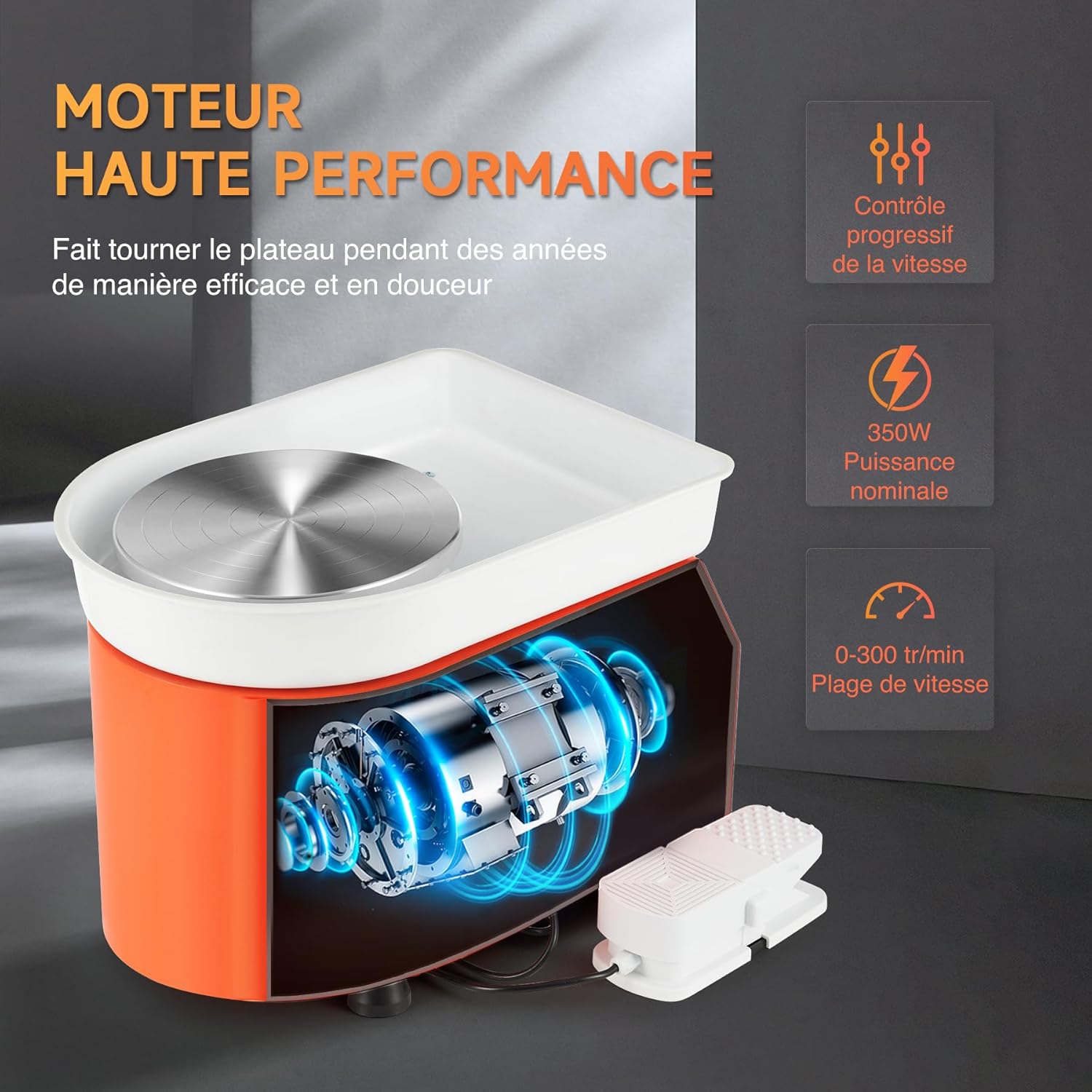
図6.1: Hands-free speed control using the foot pedal.
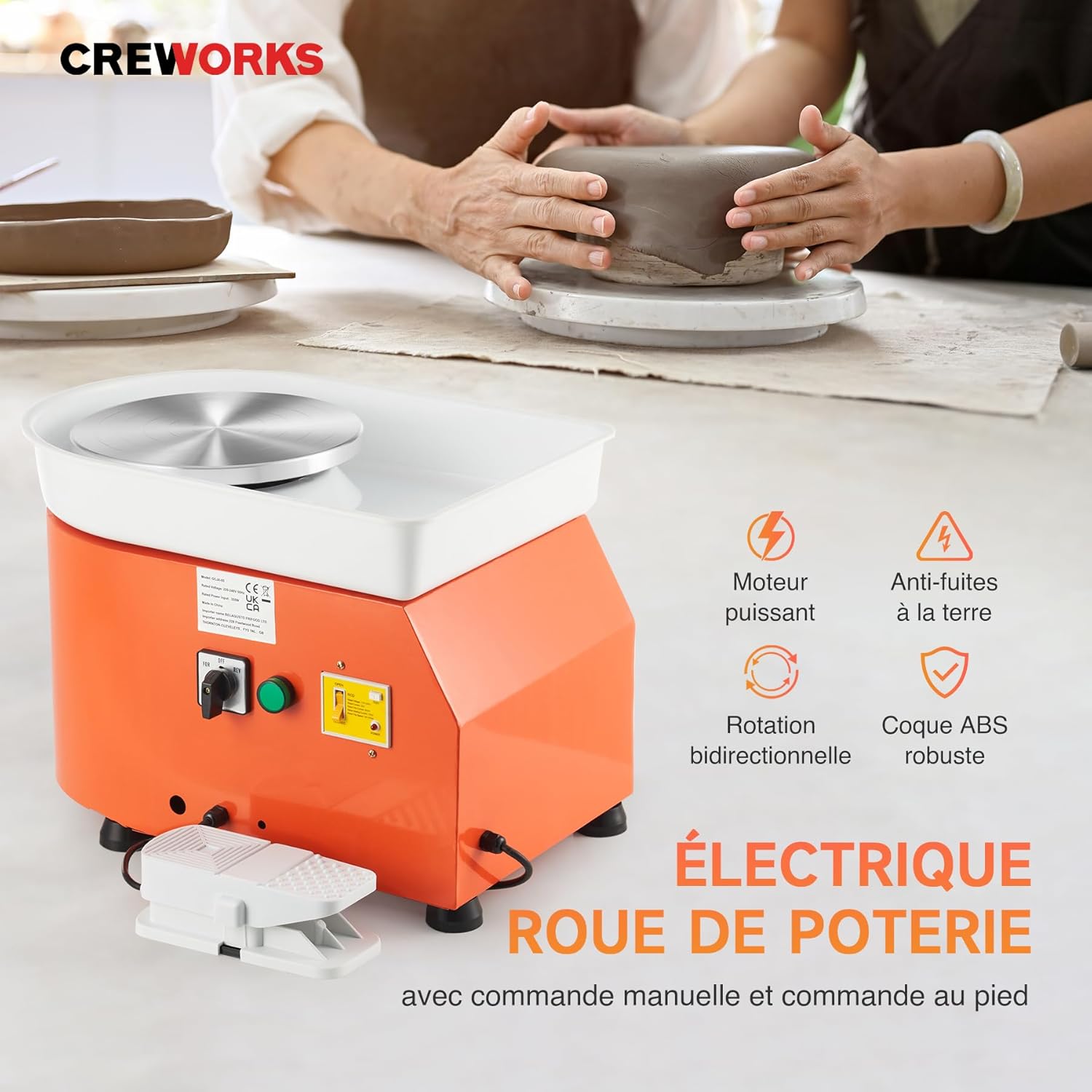
図6.2: Shaping clay on the pottery wheel.
7. メンテナンス
Regular cleaning and maintenance will ensure the longevity and optimal performance of your pottery wheel.
- 電源を切る: Always unplug the pottery wheel from the power outlet before cleaning or performing any maintenance.
- Clean Splash Basin: Remove the ABS splash basin and thoroughly clean it after each use to prevent clay buildup. Rinse with water and wipe dry.
- ターンテーブルのクリーニング: Wipe down the aluminum turntable with a damp cloth to remove any clay residue. Avoid using abrasive cleaners that could scratch the surface.
- Clean Machine Body: 機械本体を広告で拭くamp 布で拭いてください。電気部品に水が入らないようにしてください。
- ストレージ: Store the pottery wheel in a dry, dust-free environment when not in use.
- 水に浸さないでください: Never immerse the main unit of the pottery wheel in water.
8。 トラブルシューティング
問題が発生した場合は、次のトラブルシューティング ガイドを参照してください。
| 問題 | 考えられる原因 | 解決 |
|---|---|---|
| Pottery wheel does not start. |
|
|
| Turntable rotates unevenly or with difficulty. |
|
|
| 機械が異常な音を立てます。 |
|
|
For problems not listed above, or if solutions do not resolve the issue, please contact CREWORKS customer support.
9. 仕様
| ブランド | クレワークス |
| モデル番号 | LPJ-NLJ1-EU |
| 力 | 350W |
| ターンテーブル直径 | 25 cm (9.8 インチ) |
| 速度範囲 | 0~300 RPM(調整可能) |
| 回転方向 | Clockwise / Counter-clockwise (Reversible) |
| 材料 | Aluminum (Turntable), Steel (Body), ABS (Splash Basin) |
| 製品寸法(長さ x 幅 x 高さ) | 50 x 36 x 36 cm(19.7 x 14.2 x 14.2インチ) |
| アイテム重量 | 11.4 kg (25.1 ポンド) |
| 色 | オレンジ |
10. 保証とサポート
CREWORKS products are designed for durability and performance. For warranty information, technical support, or service inquiries, please refer to the warranty card included with your product or contact CREWORKS customer service directly. Please have your model number (LPJ-NLJ1-EU) and purchase date available when contacting support.