
1. はじめに
The ChunHee Solar Outdoor Motion Sensor Alarm is designed to deter unwanted animals and intruders from your property using a combination of motion-activated strobe lights and loud sounds, including dog barking and gunshot effects. This device is solar-powered, environmentally friendly, and suitable for various outdoor environments.

Image 1.1: The Solar Outdoor Motion Sensor Alarm in an outdoor setting, illustrating its detection capabilities for animals like deer, bears, raccoons, and coyotes within a 110-degree angle and 33ft distance.
2.製品オーバーview
Familiarize yourself with the main components of your Solar Outdoor Motion Sensor Alarm:
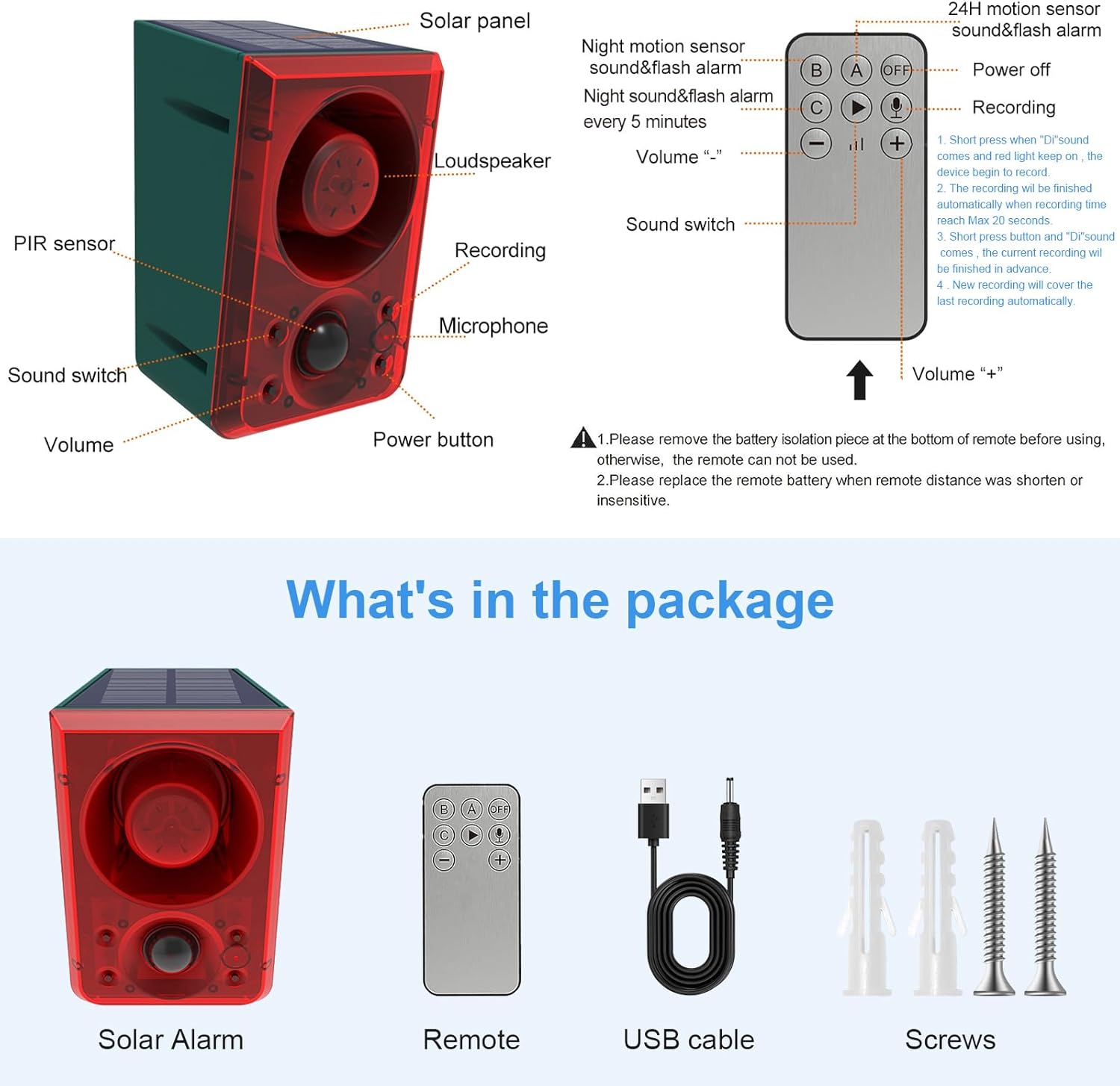
Image 2.1: Labeled diagram showing the solar panel, loudspeaker, PIR sensor, sound switch, volume control, power button, recording button, microphone, DC charge port, and mounting port.
- ソーラーパネル: 太陽光を電気エネルギーに変換し、内部バッテリーを充電します。
- 拡声器: Emits alarm sounds.
- PIRセンサー: Passive Infrared sensor detects motion within its range.
- サウンドスイッチ: Toggles between different sound options.
- 音量コントロール: アラームの音量を調整します。
- 電源ボタン: Turns the device on/off and cycles through modes.
- 録音ボタン: Initiates custom sound recording.
- マイクロフォン: Captures custom sound recordings.
- DC Charge Port: For alternative charging via USB cable.
- Mounting Port: 安全な設置のために。
3. 特徴
- モーション検出: PIR sensor detects movement within 5-8 meters and a 110-degree angle.
- 大音量のアラーム: Produces a 130dB alarm sound to deter intruders and animals.
- ストロボ: Flashing lights accompany the alarm sound for visual deterrence.
- サウンドオプション: Includes default dog barking and gunshot sounds.
- Custom Recording: Allows users to record their own alarm sounds (up to 20 seconds).
- 調節可能な音量: Three levels of volume adjustment.
- 太陽光発電: Equipped with a high-capacity solar panel for continuous operation.
- 耐候性: IP65 waterproof design ensures durability in various weather conditions.
- 複数の作業モード: Three distinct operating modes for different needs.

Image 3.1: The alarm's ability to support DIY recording and produce a 129dB sound, shown deterring an intruder while residents sleep peacefully.
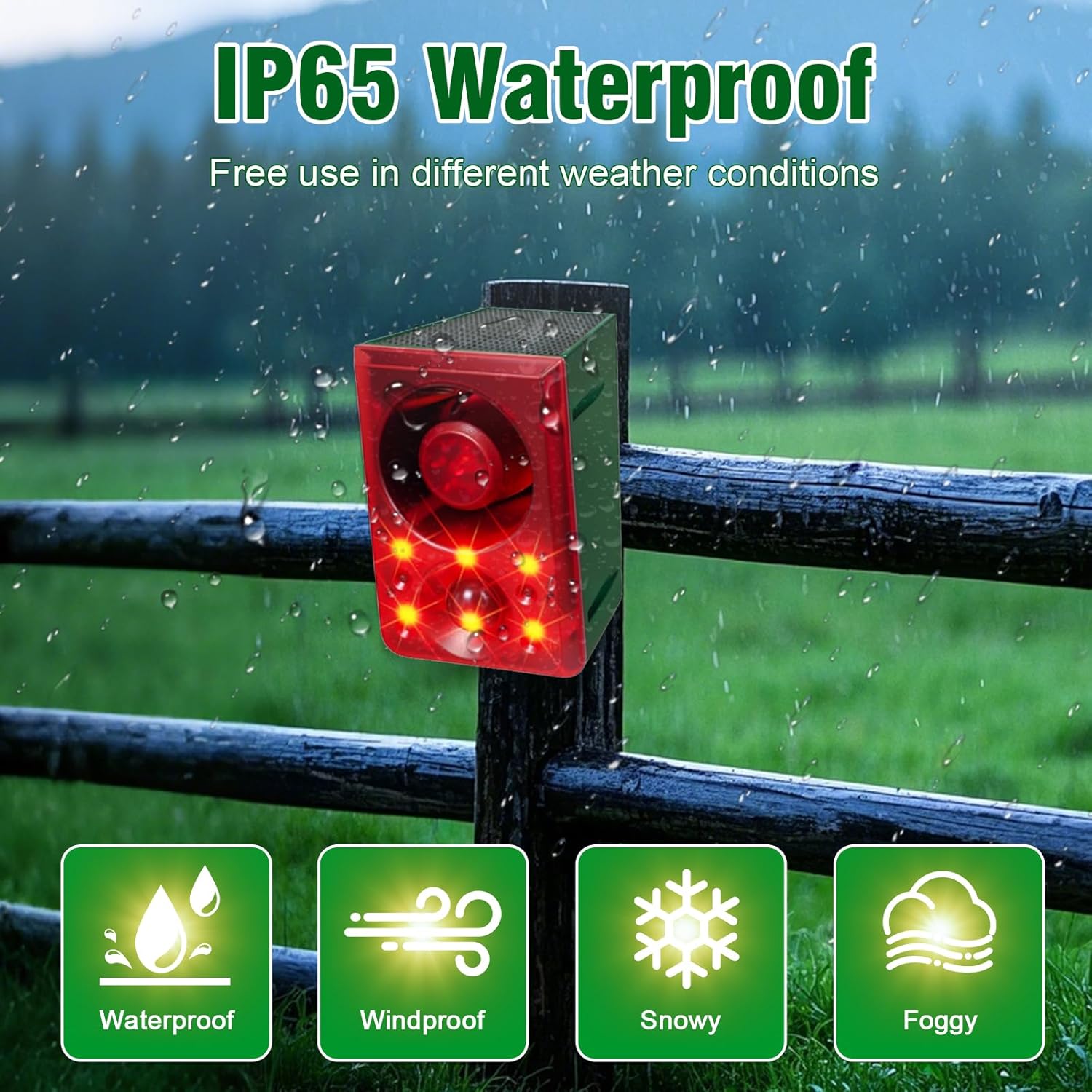
Image 3.2: The alarm mounted on a fence during rain, highlighting its IP65 waterproof, windproof, snowy, and foggy weather resistance.
4. セットアップ
- 初期費用: Before first use, ensure the solar alarm charges under direct sunlight for at least 1 full day (24 hours). This activates the battery and ensures optimal performance.
- リモートコントロールのアクティブ化: Remove the battery isolation piece from the bottom of the remote control before use.
5。 動作モード
The alarm offers three operating modes, selectable via the power button on the device or the remote control:

Image 5.1: Visual representation of the three operating modes: Mode A (24-hour flash and alarm), Mode B (Night 12-hour flash and alarm), and Mode C (Night 12-hour flash and alarm every 5 minutes).
- Mode A (24-hour Flash and Alarm): When motion is detected, the alarm will sound and flash for 24 hours a day.
- Mode B (Night 12-hour Flash and Alarm): When motion is detected, the alarm will sound and flash only during nighttime hours.
- Mode C (Night 12-hour Flash and Alarm Every 5 Minutes): During nighttime, if motion is detected, the alarm will sound and flash every 5 minutes.
Press the power button once to activate Mode A, twice for Mode B, three times for Mode C, and four times to power off the device.
6. 録音機能
The alarm allows you to record a custom sound for personalized deterrence:
- 録音を開始: Long press the recording button for 2 seconds. The indicator light will stay on, signaling that recording has begun.
- 録音音: Speak clearly into the microphone. The device can record up to 20 seconds.
- 録音終了: Release the button to finish recording. The recording will automatically end after 20 seconds if the button is not released.
- 上書き: A new recording will automatically overwrite the previous one.
The recording distance affects the playback effect. Ensure you are close enough to the microphone for clear audio capture.
7. 充電
Your ChunHee Solar Outdoor Motion Sensor Alarm supports two charging methods:

Image 7.1: Illustration of the solar panel charging under sunlight and the DC charge port for USB charging.
- ソーラー充電: The integrated solar panel charges the internal battery using sunlight. For optimal charging, ensure the device is placed where it receives at least 4 hours of direct sunlight daily. Charging efficiency may vary with weather conditions and seasons.
- DC充電: For faster charging or during periods of low sunlight, use the provided USB cable with a DC 5V ≤ 1A charger. DC charging typically takes less than 2 hours.
8. Installation & Placement
Proper installation and placement are crucial for the alarm's effectiveness:
- 日光への露出: Mount the alarm in a location that receives ample direct sunlight throughout the day to maximize solar charging.
- 検出エリア: Position the alarm to face the direction of animal activity or potential entry points. The PIR sensor has a 110-degree sensing angle and detects movement within 5-8 meters.
- 取り付け: Use the provided installation kit (screws) to securely hang the alarm.
- 多用途: The alarm is suitable for various outdoor locations, including farms, coops, barns, camping sites, homes, gardens, and yards.

図8.1: 例amples of extensive use scenarios, including a garden, orchard, camping area, and courtyard, demonstrating the alarm's adaptability.
9. メンテナンス
- クリーンソーラーパネル: 定期的にソーラーパネルを柔らかくて乾いた布で拭いてください。amp cloth to remove dust and debris, ensuring efficient charging.
- リモートバッテリー: If the remote control's operating distance shortens or becomes insensitive, replace its battery.
- 季節ごとのケア: In regions with prolonged cloudy or rainy weather, consider bringing the alarm indoors for manual DC charging to maintain battery levels.
10。 トラブルシューティング
| 問題 | 考えられる原因 | 解決 |
|---|---|---|
| アラームが作動しない | Insufficient charge; PIR sensor obstructed; device off or in incorrect mode. | Ensure initial 24-hour charge. Verify solar panel receives direct sunlight. Check for obstructions in front of the PIR sensor. Confirm device is powered on and in the desired operating mode. |
| リモコンが動作しない | Battery isolation piece not removed; low remote battery; out of range. | Remove the battery isolation piece. Replace the remote battery if needed. Ensure you are within a few feet of the alarm for remote operation. |
| Animals not deterred immediately | Animals may need time to adapt to the deterrent. | It may take between two and four weeks for some animals to respond to the deterrent. Maintain consistent operation. |
| 検出範囲が一定でない | Low battery charge; environmental factors. | Ensure the device is fully charged. Optimal range is achieved with a full battery. Avoid placing near heat sources or objects that might interfere with PIR detection. |
11. 仕様
| 特徴 | 詳細 |
|---|---|
| ブランド | チョニ |
| 電源 | 太陽光発電 |
| 製品寸法 | 長さ5インチ x 幅3インチ x 高さ5インチ |
| 制御方法 | リモート、タッチ |
| 可聴ノイズ | 129デシベル |
| 取り付けタイプ | 壁掛け |
| 最大範囲(PIR) | 8メートル(約26フィート) |
| センサー技術 | パッシブ赤外線(PIR) |
| アイテム重量 | 2.02キログラム |
| 防水等級 | IP65 |
12. 公式製品ビデオ
Outdoor Motion Sensor Alarm Overview
ビデオ12.1: このビデオでは、view of the ChunHee Solar Outdoor Motion Sensor Alarm, demonstrating its features, working principle, and application in various outdoor settings to deter animals and intruders.
Barking Dog Alarm Demonstration
Video 12.2: A short demonstration of the barking dog alarm sound feature, showing how it activates upon motion detection to scare away potential threats.
13.保証とサポート
For any questions or further assistance regarding your ChunHee Solar Outdoor Motion Sensor Alarm, please refer to the included user manual or contact ChunHee customer support. Specific warranty details may be provided with your purchase documentation.