
1. はじめに
This manual provides essential information for the safe and efficient operation of your VEVOR 14-inch High-Velocity Drum Air Circulator Fan. Designed for powerful air circulation, this fan features a 3-speed dual ball-bearing motor, 360° adjustable tilt, and a durable construction suitable for various indoor environments such as homes, gyms, offices, garages, commercial shops, and bedrooms. Please read this manual thoroughly before first use and retain it for future reference.
2. 重要な安全上の注意事項
火災、感電、または怪我のリスクを軽減するために、常に次の基本的な安全上の注意事項に従ってください。
- ファンを操作する前に、すべての説明書をよくお読みください。
- コードやプラグが損傷しているファンは使用しないでください。ファンを廃棄するか、検査や修理のために認定サービス施設に返却してください。
- Keep hands, hair, and clothing away from moving parts to prevent injury.
- ファン、コード、プラグを水やその他の液体に浸さないでください。
- Unplug the fan from the power outlet before cleaning, servicing, or when not in use.
- このファンは屋内専用です。屋外では使用しないでください。
- いかなる機器も、子供が使用したり、子供の近くで使用したりする場合には、厳重な監視が必要です。
- Do not operate the fan near windows, as rain may create an electrical hazard.
- ファンが倒れないように、安定した水平な面に置いてください。
- Do not block air openings or operate near soft surfaces that may block openings.
3. パッケージ内容
パッケージを開封したら、すべてのコンポーネントが揃っていることを確認してください。
- 1 x VEVOR 14-inch High-Velocity Drum Air Circulator Fan
- 電源アダプター(充電用)×1
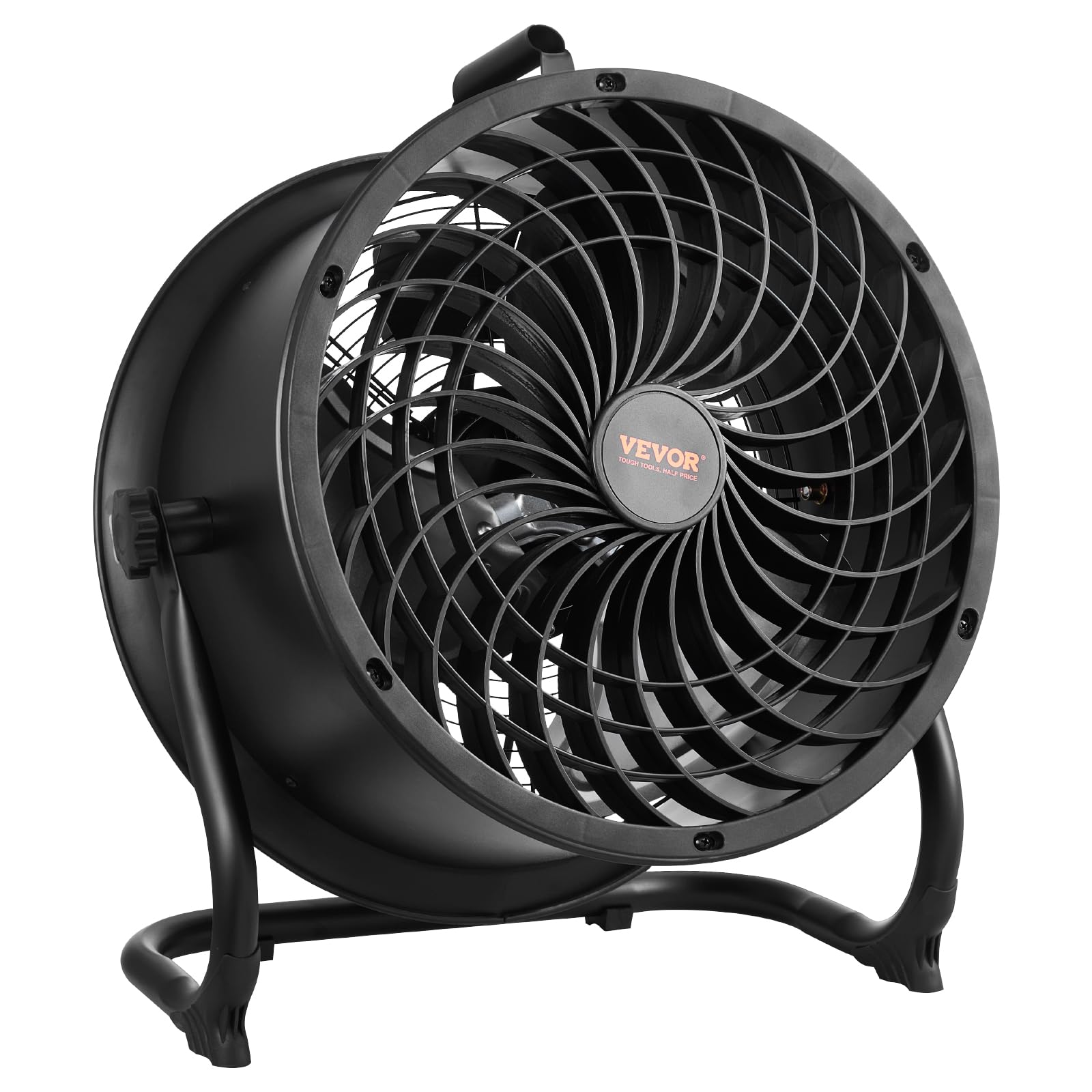
Image: The VEVOR 14-inch drum fan with its power adapter, ready for use.
4.製品オーバーview
The VEVOR 14-inch High-Velocity Drum Air Circulator Fan is engineered for powerful and efficient air movement. Key features include:
- High-Speed, Low Noise Operation: Equipped with a 3-speed dual ball-bearing enclosed motor and a spiral grill design, it delivers up to 2520 CFM airflow with an air throw distance of 29.53 ft and a wind speed of 23.62 ft/s. The maximum noise level is maintained below 65 dB(A).
- 耐久性のある構造: Features a robust metal grill with a black powder rust-proof coating and 14-inch wide aluminum blades for enhanced durability and resistance to breakage.
- 360°調節可能なエアフロー: A built-in pivot adjustment allows for a full 360° vertical tilt, enabling precise direction of airflow.
- ポータブルデザイン: Includes a built-in handle and a lightweight design for easy movement and storage.
- Integrated Battery and USB Port: Features a rechargeable battery for cordless operation and a USB port for charging external devices.

Image: The fan demonstrating whole-room air circulation in a garage setting, highlighting its powerful airflow.

Image: A person easily carrying the fan using its built-in portable handle, illustrating its lightweight and portable design.
5. セットアップ
Your VEVOR drum fan comes largely pre-assembled for immediate use. Follow these steps for initial setup:
- 開梱: ファンとすべての付属品をパッケージから慎重に取り出してください。パッケージは保管または輸送のために保管してください。
- 配置: Place the fan on a firm, level surface. Ensure there is adequate space around the fan for optimal air circulation and to prevent obstruction of air intake/exhaust.
- 傾きの調整: Loosen the adjustment knobs on either side of the fan frame. Tilt the fan head to your desired angle (up to 360° vertical adjustment). Tighten the knobs securely to lock the fan head in position.
- 初期費用(オプション): For cordless operation, ensure the fan's internal battery is charged. Connect the provided power adapter to the charging port on the control panel and plug it into a suitable AC outlet. The LED indicators on the control panel will show the charging progress.

Image: The fan positioned on the floor, demonstrating its 360-degree adjustable head for directing airflow.
6. 操作手順
Operating your VEVOR fan is straightforward:
- 電源オン/オフ: Locate the control knob on the rear of the fan. Turn the knob clockwise from the "OFF" position to power on the fan. Turn it counter-clockwise to the "OFF" position to power off.
- ファン速度の調整: The control knob offers continuous speed adjustment. Rotate the knob clockwise to increase the fan speed and airflow. Rotate it counter-clockwise to decrease the speed. The fan has 3 distinct speed settings, with a maximum airflow of 2520 CFM.
- バッテリーステータスインジケーター: The control panel features LED lights indicating the battery charge level: 20%, 40%, 60%, 80%, and 100%. These lights illuminate when the fan is in operation or charging.
- Charging External Devices (USB): A USB output port is located on the control panel. You can use this port to charge compatible electronic devices when the fan is powered on or off, provided the internal battery has sufficient charge.
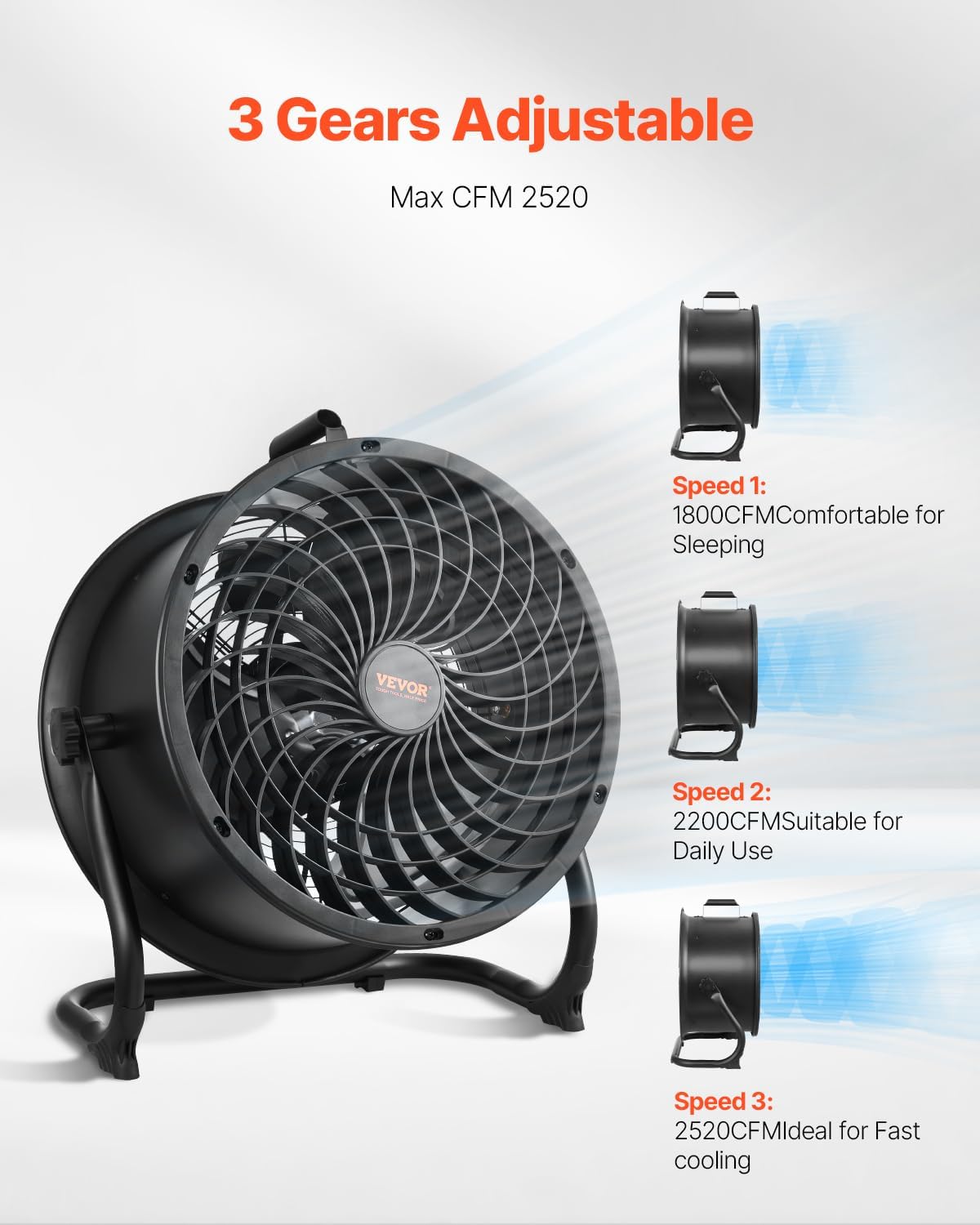
Image: Illustration of the fan's three adjustable speed settings, from comfortable for sleeping to fast cooling.

画像: 詳細な view of the fan's control panel, showing the variable speed knob and LED battery charge indicators.
7. メンテナンス
Regular cleaning and maintenance will ensure optimal performance and extend the lifespan of your fan:
- ファンのプラグを必ず抜いてください from the power source before attempting any cleaning or maintenance.
- 外装の清掃: 柔らかくてamp ファンの外側の表面を布で拭いてください。研磨剤入りの洗剤や溶剤は使用しないでください。
- Cleaning the Grill and Blades: The fan features a detachable grill and water-washable blades for easy cleaning.
- Carefully remove the front grill by unscrewing any retaining clips or screws.
- ファンブレードを広告で拭くamp cloth. For thorough cleaning, the blades can be removed and washed with water. Ensure they are completely dry before reassembly.
- Clean the front and rear grills with a damp cloth or by washing with water.
- Once all parts are dry, reassemble the fan, ensuring the grill is securely fastened.
- ストレージ: 長期間使用しない場合は、ファンを涼しく乾燥した場所に、できれば元の梱包のまま保管してください。

画像: 爆発した view of the fan, illustrating its metal construction and detachable components for maintenance.
8。 トラブルシューティング
If you encounter issues with your VEVOR fan, refer to the following common problems and solutions:
| 問題 | 考えられる原因 | 解決 |
|---|---|---|
| ファンが作動しません。 | 電源が供給されていないか、バッテリー残量が少ないです。 | Ensure the power adapter is securely plugged into a working outlet. If operating on battery, check battery charge level and recharge if necessary. |
| 空気の流れが弱い、または全くない。 | Fan speed set too low; obstructions in front or rear grill. | Increase fan speed using the control knob. Check and remove any obstructions from the fan grills. |
| 異常な騒音や振動。 | Loose components; debris on blades; fan not on a stable surface. | Turn off and unplug the fan. Check for any loose parts or debris on the blades and clean if necessary. Ensure the fan is placed on a stable, flat surface. |
| バッテリーが充電されていません。 | Power adapter not connected properly; faulty adapter or charging port. | Ensure the power adapter is firmly connected to both the fan and the power outlet. Try a different outlet. If the issue persists, contact customer support. |
9. 仕様
| 特徴 | 詳細 |
|---|---|
| ブランド | ヴェヴォル |
| モデル番号 | BT-HF14A |
| サイズ | 14in Drum Fan |
| 電動ファンの設計 | フロアファン |
| 電源 | AC (with rechargeable battery for cordless use) |
| 速度の数 | 3 (variable speed control) |
| 騒音レベル | ≤ 65デシベル |
| ワットtage | 65ワット |
| 風量 | 2520 立方フィート/分 (CFM) |
| 巻tage | 230ボルト(AC) |
| 屋内屋外使用 | 屋内 |
| 制御方法 | Rotary Knob (variable speed) |
| 材料 | Aluminum (blades), Metal (frame/grill) |
| アイテム重量 | 15 ポンド |
| 商品の寸法(奥行き x 幅 x 高さ) | 奥行き20インチ x 幅10インチ x 高さ22.91インチ |
| 欧州連合 | 197988655787 |

Image: Technical diagram displaying the fan's dimensions and key performance specifications.
10. 保証とサポート
VEVOR products are designed for durability and performance. For specific warranty details, please refer to the warranty information included with your product packaging or visit the official VEVOR website. For technical support, product inquiries, or assistance with troubleshooting, please contact VEVOR customer service through their official channels. You can often find support contact information on the product packaging or the VEVOR brand store on Amazon.
詳細については、 VEVORストア.