
1. はじめに
ご購入ありがとうございますasing the RAF Food Processor & Meat Chopper R.7019. This appliance is designed for efficient food preparation, including chopping, mixing, and blending various ingredients. With its powerful 1000W motor and 2-liter stainless steel bowl, it offers convenience and versatility in your kitchen. Please read this manual thoroughly before first use to ensure safe operation and optimal performance.
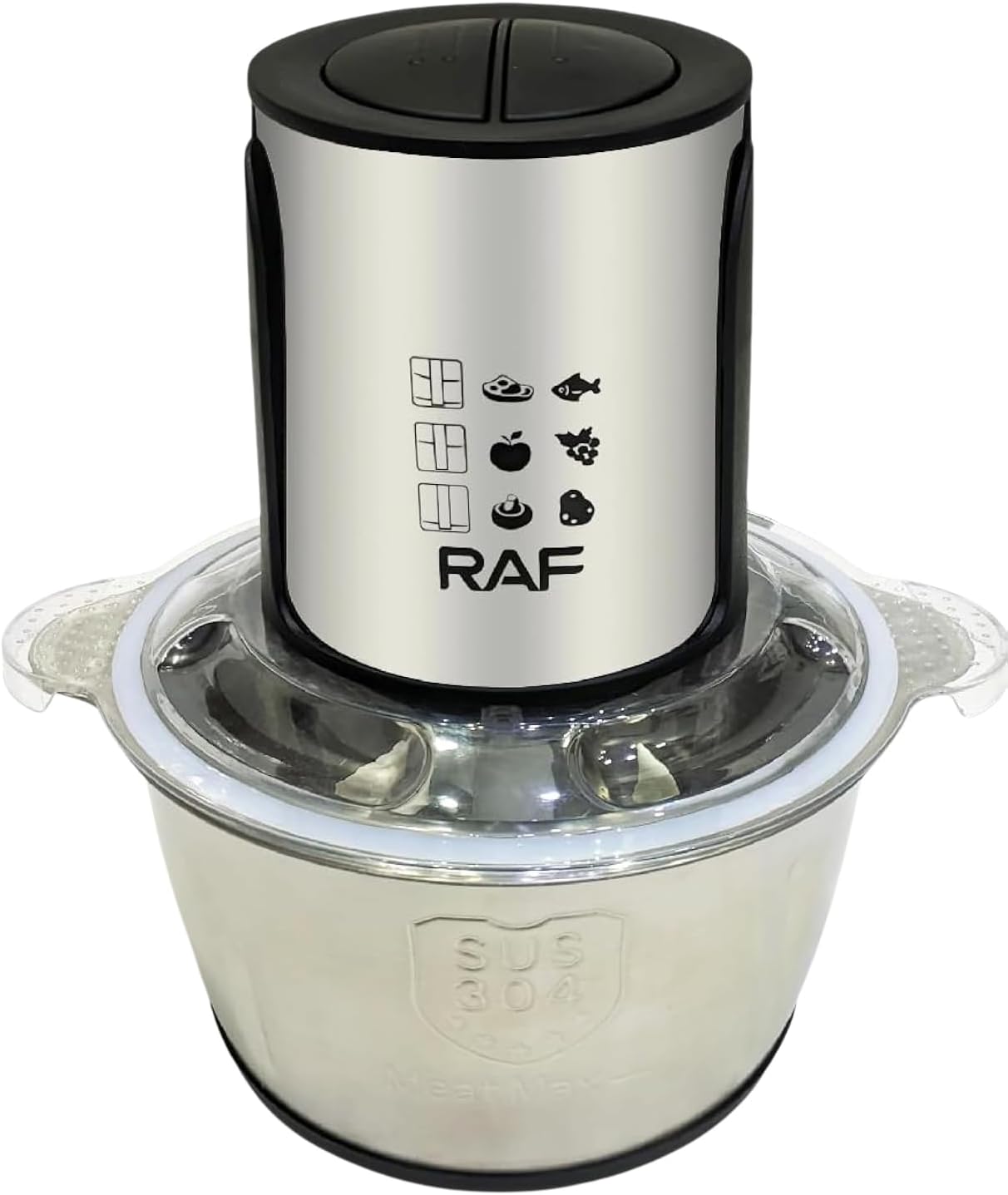
Image 1.1: Fully assembled RAF Food Processor and Meat Chopper R.7019, showcasing the motor unit, lid, and stainless steel bowl.
2. 重要な安全上の注意事項
火災、感電、または怪我のリスクを軽減するために、常に次の基本的な安全上の注意事項に従ってください。
- アプライアンスを操作する前に、すべての指示をお読みください。
- モーターユニット、コード、プラグを水やその他の液体に浸さないでください。
- いかなる機器も、子供が使用したり、子供の近くで使用したりする場合には、厳重な監視が必要です。
- 使用しないとき、部品の組み立てや分解をするとき、および掃除をするときは、プラグをコンセントから抜いてください。
- 可動部との接触を避けてください。刃は鋭利です。注意して取り扱ってください。
- コードやプラグが損傷した状態で、またはアプライアンスが誤動作したり、落下または損傷した後は、アプライアンスを操作しないでください。
- 製造元が推奨または販売していないアタッチメントを使用すると、火災、感電、またはけがの原因となる可能性があります。
- 屋外では使用しないでください。
- コードをテーブルやカウンターの端から垂らしたり、熱い表面に触れたりしないでください。
- 高温のガスバーナーや電気バーナーの上や近く、または加熱されたオーブンの中に置かないでください。
- 機器を操作する前に、必ず蓋がしっかりと固定されていることを確認してください。
- 蓋のインターロック機構を破ろうとしないでください。
- 高温の液体を処理しないでください。
3.製品コンポーネント
Familiarize yourself with the parts of your RAF Food Processor & Meat Chopper R.7019:
- モーターユニット: 1000W モーターと速度制御ボタンが含まれています。
- 蓋: Transparent lid with safety interlock.
- ブレードアセンブリ: Sharp stainless steel blades for chopping and mixing.
- ステンレススチールボウル: 2-liter capacity processing bowl.
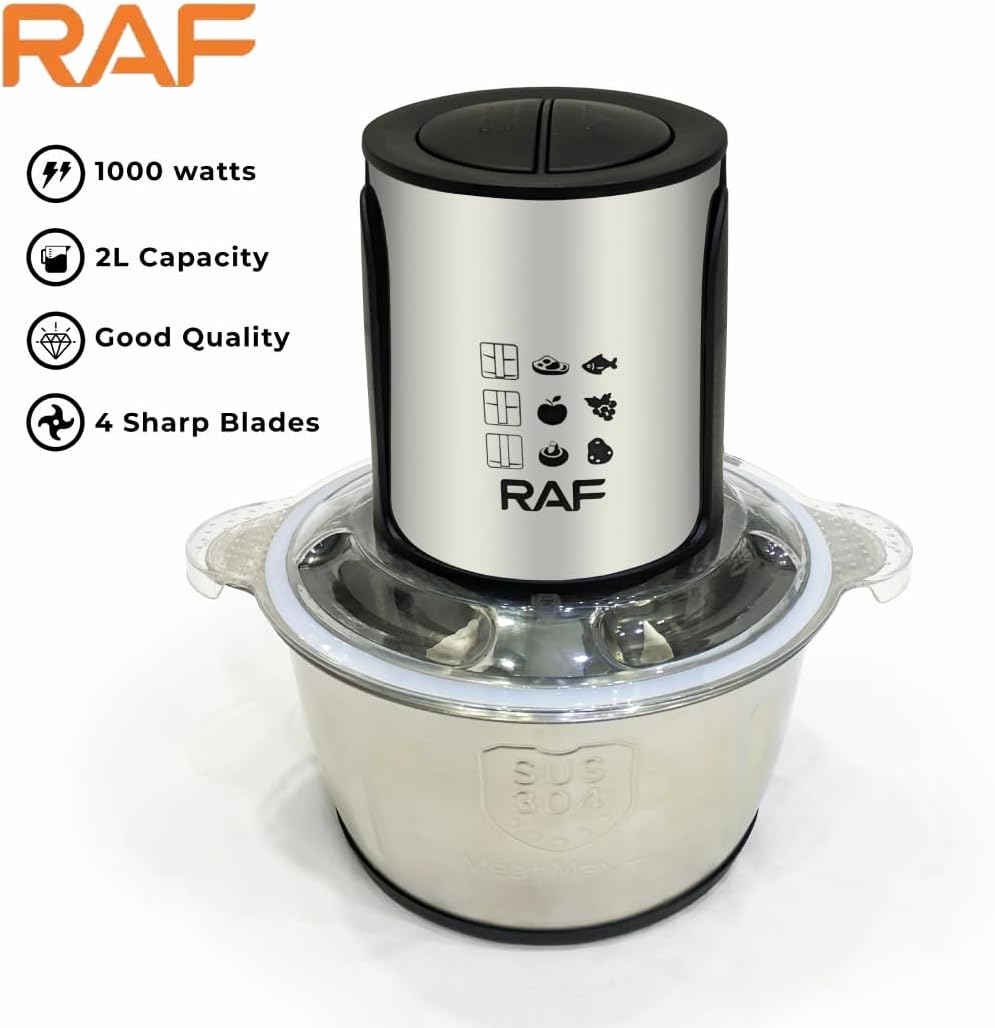
画像3.1:正面 view of the appliance, showing the motor unit and control buttons.

Image 3.2: The stainless steel processing bowl with the sharp blade assembly inserted.
4. セットアップと組み立て
Before first use, wash all parts that will come into contact with food. Refer to the "Cleaning and Maintenance" section for detailed instructions.
- ボウルを配置します: Position the stainless steel bowl onto a stable, flat surface.
- インサートブレード: Carefully place the blade assembly onto the central shaft inside the bowl. Ensure it sits firmly. 注意:刃は非常に鋭利です。取り扱いには十分注意してください。
- 材料を追加します: Place your desired ingredients into the bowl. Do not overfill beyond the maximum fill line (if indicated).
- 蓋をしっかりと固定します。 Place the lid onto the bowl, aligning it properly. Twist or press down until it locks securely into place. The appliance will not operate if the lid is not correctly secured.
- モーターユニットを取り付ける: Place the motor unit on top of the lid, ensuring it is properly seated and aligned with the lid's mechanism.
- 接続電源: 電源コードを適切な電源コンセントに差し込みます。
5. 操作手順
The RAF Food Processor & Meat Chopper R.7019 features two speed settings for versatile processing.
- 材料を準備します: Cut larger food items into smaller, uniform pieces (approximately 2-3 cm) to ensure even processing. Remove bones from meat and hard seeds from fruits.
- ボウルに材料を入れる: Follow the assembly steps in Section 4. Do not overload the bowl. For best results, process smaller batches if necessary.
- 速度を選択します:
- ボタンを押す "I" for lower speed, suitable for softer ingredients or coarse chopping.
- ボタンを押す "II" for higher speed, ideal for harder ingredients, fine chopping, or blending.
- プロセス: Press and hold the desired speed button. For optimal control and to prevent over-processing, use short pulses rather than continuous operation. Release the button to stop.
- 一貫性をチェックします: Periodically check the consistency of your ingredients. If needed, scrape down the sides of the bowl with a spatula (after unplugging and removing the motor unit and lid) to ensure even processing.
- アンロード: Once processing is complete, release the speed button and unplug the appliance. Carefully remove the motor unit, then the lid. Remove the blade assembly before emptying the bowl. 注意: 刃は非常に鋭利です。
6. 清掃とメンテナンス
定期的に清掃することで、機器の寿命が長くなり、衛生的に動作します。
- プラグを抜く: 清掃する前に、必ずアプライアンスを電源コンセントから抜いてください。
- 分解: モーターユニット、蓋、ブレードアセンブリをボウルから慎重に取り外します。
- モーターユニットのクリーニング: モーターユニットを拭きますamp 布で拭いてください。水やその他の液体に浸さないでください。
- Clean Bowl, Lid, and Blades: The stainless steel bowl, lid, and blade assembly are dishwasher safe. Alternatively, wash them in warm, soapy water using a brush for the blades to avoid direct contact. Rinse thoroughly and dry immediately. 注意:刃は非常に鋭利です。慎重に取り扱ってください。
- 頑固な汚れ: For stubborn food residue, soak the parts in warm soapy water before cleaning.
- ストレージ: 機器を組み立てたり保管したりする前に、すべての部品が完全に乾いていることを確認してください。涼しく乾燥した場所に保管してください。
7。 トラブルシューティング
If you encounter issues with your RAF Food Processor & Meat Chopper, refer to the following common problems and solutions:
| 問題 | 考えられる原因 | 解決 |
|---|---|---|
| アプライアンスの電源が入らない。 |
|
|
| 食材が均等に切られていない。 |
|
|
| モーターの音が緊張したり停止したりします。 |
|
|
これらの解決策を試しても問題が解決しない場合は、カスタマー サポートにお問い合わせください。
8. 仕様
- モデル: R.7019
- ブランド: イギリス空軍
- パワー/ワットtage: 1000ワット
- ボウル容量: 2リットル
- 速度数: 2
- 材料: 金属、ステンレス
- 商品の重量: 約4キログラム
- 製品のお手入れ方法: 食器洗い機対応(取り外し可能な部品)
- 含まれるコンポーネント: Chopper (Motor Unit, Lid, Blade Assembly, Stainless Steel Bowl)
9. 保証とサポート
This product comes with a manufacturer's warranty. Please refer to the warranty card included in your product packaging for specific terms and conditions, including warranty duration and coverage details. For technical support, service, or replacement parts, please contact the retailer or the manufacturer's customer service department. Keep your purchase receipt as proof of purchase for warranty claims.