
1. はじめに
Thank you for choosing the FLEXISPOT L-Shaped Electric Standing Desk. This manual provides essential information for the safe assembly, operation, and maintenance of your new desk. Please read it thoroughly before use and retain it for future reference.
The FLEXISPOT L-Shaped Electric Standing Desk offers a spacious 63.0" x 55.1" work surface with electric height adjustment, allowing seamless transitions between sitting and standing positions. It features a robust 3-legged frame, a preset controller for personalized height settings, and a versatile orientation to fit various office layouts.
2. 安全情報
Always ensure the desk is properly assembled and anchored to the floor to prevent tipping. Do not exceed the maximum weight capacity of 220 lbs (100 kg) to maintain stability. Be cautious when adjusting the desk height to avoid injury. Keep children and pets away from the desk during operation. Ensure all cables are managed to prevent tripping hazards or damage during height adjustments.
3. パッケージ内容
Your FLEXISPOT L-Shaped Electric Standing Desk ships in two separate packages, which may arrive on different days. Please verify all components against the included packing list before beginning assembly. If any parts are missing or damaged, contact FLEXISPOT customer support immediately.
4. セットアップと組み立て
Assembly of the FLEXISPOT L-Shaped Electric Standing Desk requires careful attention to detail. It is recommended to have two people for certain steps, especially when handling the desktop and flipping the assembled unit. The desk features a flexible design, allowing the wider desktop section to be positioned on either the left or right side to best suit your workspace.
4.1 開梱と準備
- 両方の箱からすべてのコンポーネントを慎重に取り出します。
- 傷がつかないように、すべての部品を清潔で柔らかい表面(毛布やカーペットなど)の上に広げます。
- Identify all components using the provided parts list.
4.2 フレームの組み立て
Follow the detailed instructions in the separate assembly guide provided with your desk. Ensure all screws are tightened securely. The robust industrial-grade steel frame provides stability for your workstation.
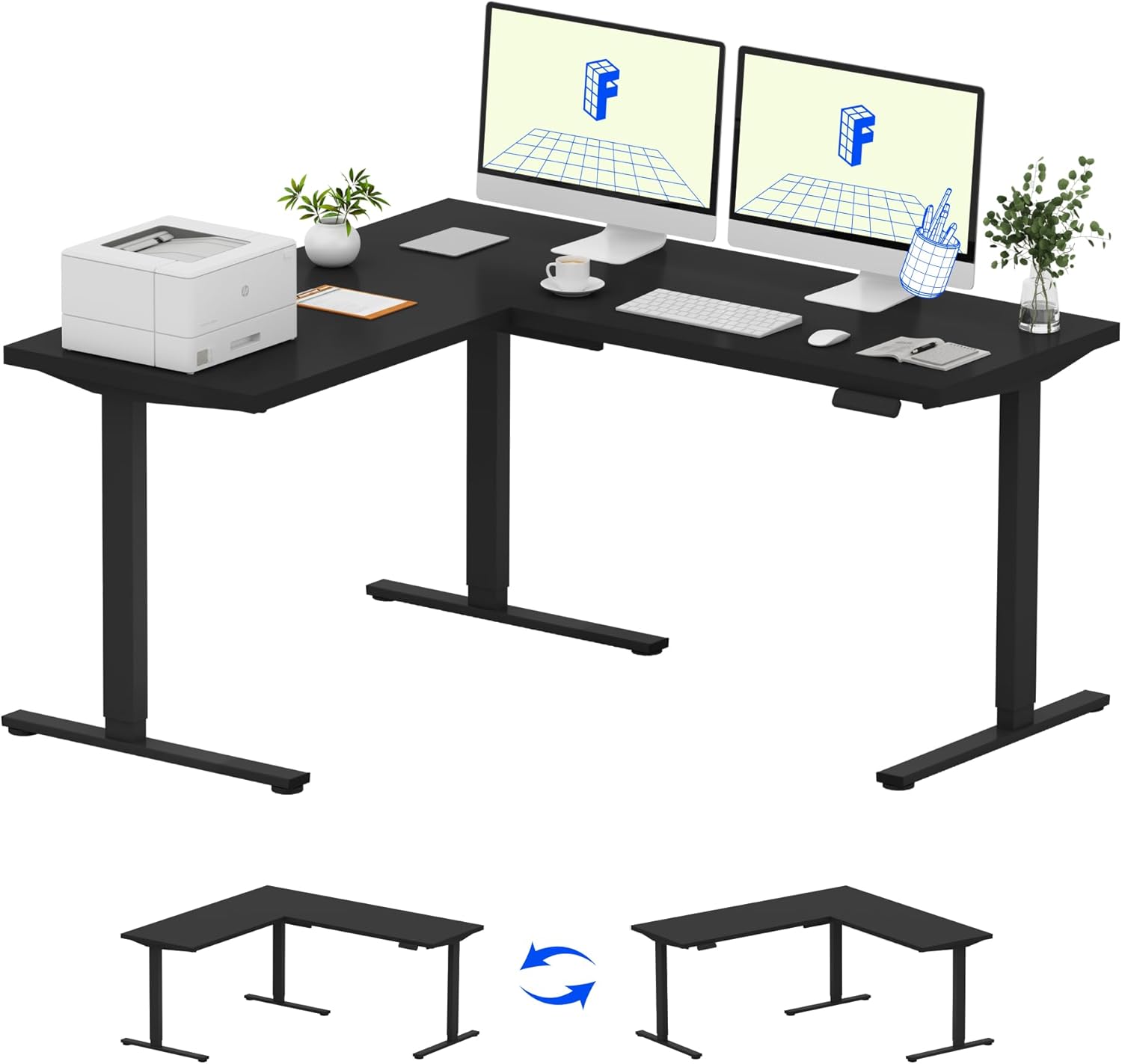
Image: Assembled FLEXISPOT L-Shaped Electric Standing Desk.
4.3 Desktop Attachment and Orientation
The expansive L-shaped desktop can be configured for either a left-hand or right-hand setup. Decide on your preferred orientation before attaching the desktop to the frame. The desktop is crafted from environmentally sourced splice board, measuring 63.0" x 55.1".

Image: Flexible right/left orientation options for the L-shaped desk.
4.4 ケーブル管理
Utilize the included cable management tools to keep your workspace tidy and prevent cables from interfering with the desk's movement.

Image: The desk ships in two packages and has a 220 lbs weight capacity.
5. 操作手順
Your FLEXISPOT L-Shaped Electric Standing Desk is equipped with an intuitive LED control panel for easy height adjustments and memory presets.
5.1 机の高さ調整
- 使用 上へ(▲) そして 下へ(▼) buttons on the control panel to manually adjust the desk to your desired height.
- The desk offers a large adjustable range, from a minimum height of 28.3 inches to a maximum height of 45.9 inches.

Image: Large adjustable height range of the desk.
5.2 メモリプリセットの使用
The LED control panel allows you to save up to four preferred height settings for quick transitions.
- 上/下ボタンを使用して、デスクを希望の高さに調整します。
- を押す M button (Memory) followed by one of the numbered preset buttons (1、2、3、または4)をクリックして現在の高さを保存します。
- 保存した高さを呼び出すには、対応する番号のプリセット ボタンを押すだけです。

Image: Smart LED control panel with memory presets.
5.3 衝突防止機能
The desk is equipped with an anti-collision system. If the desk encounters an obstacle during height adjustment, it will automatically stop and rebound slightly to prevent damage or injury.

Image: Anti-collision feature in action.
6. メンテナンス
定期的なメンテナンスにより、スタンディング デスクの寿命が長くなり、最適なパフォーマンスが確保されます。
- クリーニング: デスクトップとフレームを柔らかくて乾いた布で拭きます。amp 布で拭いてください。仕上げを傷める可能性のある、刺激の強い化学薬品や研磨剤入りの洗剤は使用しないでください。
- 検査: すべてのネジとボルトがしっかりと締まっているか定期的に確認してください。必要に応じて締め直してください。
- ケーブル管理 Ensure power cords and other cables are not pinched or tangled, especially during height adjustments.
- 重量容量: Do not exceed the maximum weight capacity of 220 lbs to prevent strain on the motor and frame.
7。 トラブルシューティング
If you encounter issues with your FLEXISPOT L-Shaped Electric Standing Desk, refer to the following common troubleshooting steps:
- 机が動かない:
- 電源コードがデスクと電源コンセントの両方にしっかりと差し込まれているかどうかを確認します。
- 机の動きを妨げるものがないことを確認してください。
- デスクのプラグを 30 秒間抜いてから再度差し込み、リセットしてみてください。
- 不均一な動き/ぐらつき:
- すべての組み立てネジが締められていることを確認します。
- 机が水平な場所に設置されていることを確認してください。必要に応じて、高さ調整脚を調整してください。
- Confirm that the weight distribution on the desktop is balanced and within the maximum capacity.
- コントロール パネルが応答しません:
- 電源サイクルを実行します (プラグを抜き、再度差し込みます)。
- Check for any visible damage to the control panel or its cable.
これらの手順で問題が解決しない場合は、FLEXISPOT カスタマー サポートにお問い合わせください。
8. 仕様
| ブランド | フレキシポット |
| モデル | B0DV54QLX4 |
| 製品寸法 | 奥行き55.1インチ x 幅63インチ x 高さ45.9インチ |
| 色 | ブラックフレーム + ブラックトップ |
| スタイル | モダンな |
| ベース素材 | 合金鋼 |
| 上部の材質の種類 | 木材 |
| テーブルトップの厚さ | 1インチ |
| 最小高さ | 28インチ |
| 最大高さ | 45.9インチ |
| 最大重量の推奨 | 220 ポンド |
| 特集 | Corded, Preset Controller, Anti-collision |
| 必要な組み立て | はい |
| 欧州連合 | 840460438384 |
9. 保証とサポート
9.1 保証情報
FLEXISPOT provides the following warranty coverage for your L-Shaped Electric Standing Desk:
- 5年間の保証: デスクフレームとモーターに適用されます。
- 2年間の保護: コントロール パネルと電子機器に適用されます。
Please retain your proof of purchase for warranty claims. The warranty covers manufacturing defects under normal use.
9.2 カスタマーサポート
For any questions, assistance with assembly, troubleshooting, or warranty inquiries, please contact FLEXISPOT customer support. You can find contact information on the official FLEXISPOT webサイトまたは購入プラットフォームを通じて購入できます。


