
1. はじめに
ご購入ありがとうございますasing the ELECOM LBT-ECOWS01MBK Open-Ear Bluetooth 5.4 Wireless Headphones. These headphones are designed to allow you to enjoy audio content while remaining aware of your surroundings. This manual provides essential information for the safe and effective use of your new device.

Image: The ELECOM LBT-ECOWS01MBK open-ear wireless headphones and their transparent charging case.
2. パッケージ内容
- ELECOM LBT-ECOWS01MBK Open-Ear Wireless Headphones (Left and Right)
- 充電ケース
- USB充電ケーブル(USB-A - USB Type-C™)
- クイックスタートガイド
3 製品の特徴
- オープンイヤーデザイン: Listen to music or videos while simultaneously hearing ambient sounds, ensuring awareness of your surroundings.
- 軽量で快適: Each earbud weighs approximately 9.8g, providing a comfortable fit for extended wear without pressure or stuffiness.
- 高品質オーディオ: Equipped with a large 16mm diameter driver for clear sound and supports AAC codec for high-quality audio on compatible devices like iPhones.
- 音声モード: Optimizes audio frequencies to make human voices clearer, ideal for radio, audiobooks, and conversations.
- 低遅延モード: Reduces audio-visual delay, enhancing the experience for videos and games.
- 拡張再生: Up to 10 hours of continuous playback on a single charge, and up to 25 hours with the charging case.
- タッチセンサーコントロール: Conveniently manage music playback, volume, and calls directly from the earbuds.
- 音声アシスタントのサポート: Siri および Google アシスタントと互換性があり、ハンズフリーで制御できます。
- 片耳イヤホン使用: どちらのイヤフォンも単独で使用できます。
- USB Type-C™ Charging: The charging case features a USB Type-C™ port for convenient charging.

Image: A man wearing the open-ear headphones, demonstrating the ability to hear ambient sounds while enjoying media.
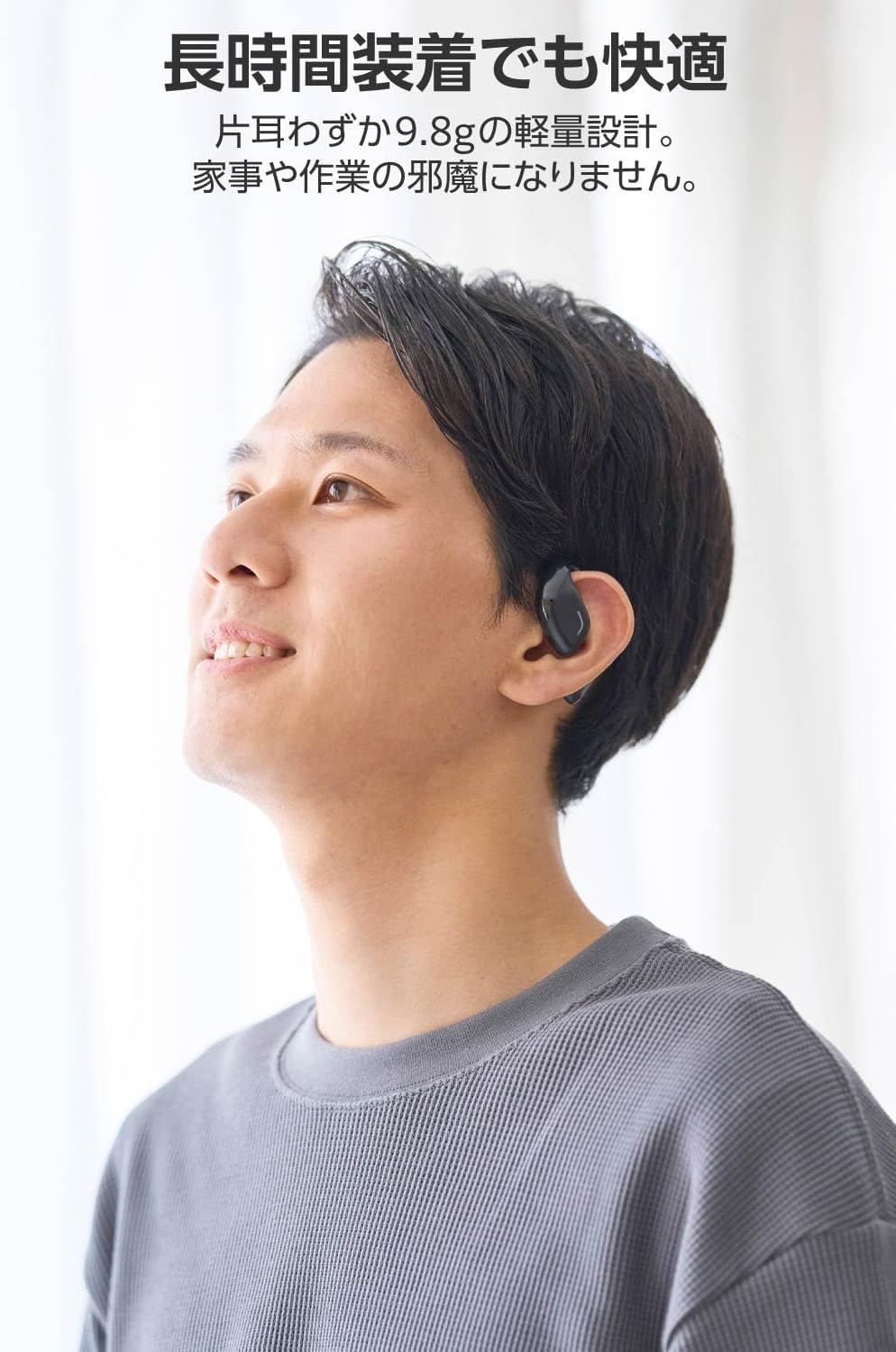
Image: A man wearing the lightweight open-ear headphones, highlighting their comfortable design for long-term use.
4. セットアップ
4.1. ヘッドホンとケースの充電
初めて使用する前に、ヘッドフォンと充電ケースを完全に充電してください。
- 両方のイヤフォンを充電ケースに入れます。
- Connect the supplied USB Type-C™ cable to the charging port on the case and a USB power adapter (not included).
- 充電ケースの LED インジケーターに充電状態が表示されます。
充電時間:
- Headphones: Approximately 1.5 hours
- 充電ケース:約1.5時間

Image: Illustration of the charging process for the headphones and case, showing the USB-C port and LED indicators.
4.2. Bluetoothデバイスとのペアリング
- ヘッドフォンが充電されていることを確認してください。
- Open the charging case. The headphones will automatically enter pairing mode. The LED indicator on the earbuds will flash.
- お使いのデバイス(スマートフォン、PC、タブレット)で Bluetooth を有効にし、利用可能なデバイスを検索します。
- Select "LBT-ECOWS01MBK" from the list of found devices.
- 接続されると、イヤホンの LED インジケーターの点滅が停止します。
- After initial pairing, the headphones will automatically connect to the last paired device when removed from the case.
4.3. ヘッドホンの装着
The headphones are designed to hook over your ears.
- 左 (L) と右 (R) のイヤホンを識別します。
- With the LED facing outwards, hook the earbud over the top of your ear.
- Adjust the earbud for a comfortable and secure fit.

画像: オープンイヤーヘッドフォンを正しく装着するためのステップバイステップガイド。
5. 操作手順
5.1. タッチセンサーコントロール
The headphones feature touch sensors on each earbud for various functions.
| 関数 | アクション | イヤホン |
|---|---|---|
| 再生/一時停止 | シングルタップ | 左または右 |
| 次のトラック | ダブルタップ | R |
| 前のトラック | ダブルタップ | L |
| 音量を上げる | 長押し(約2秒) | R |
| 音量を下げる | 長押し(約2秒) | L |
| 通話の応答/終了 | シングルタップ | 左または右 |
| 通話を拒否 | 長押し | 左または右 |
| 音声アシスタントを有効にする | トリプルタップ | 左または右 |

Image: Visual representation of the touch sensor areas and corresponding music and volume controls.
5.2. オーディオモードの切り替え
The headphones offer three distinct audio modes:
- 通常モード: 標準的なオーディオ再生。
- 低遅延モード: Reduces audio-visual delay, suitable for watching videos or playing games.
- 音声モード: Enhances human voice frequencies for clearer dialogue, ideal for audiobooks, podcasts, or calls.
To switch between modes, refer to the quick start guide or the official product page for specific touch gestures, as these can sometimes be customized.

画像: オーバーview of the three available audio modes and their recommended uses.
5.3. 片耳イヤホン使用
You can use either the left or right earbud independently. When using only one earbud, ensure the other earbud is powered off or stored in the charging case.
6. メンテナンス
ヘッドフォンの寿命を延ばし、最適なパフォーマンスを確保するには:
- イヤホンと充電ケースは、定期的に柔らかく乾いた布で拭いてください。
- 研磨剤や溶剤は使用しないでください。
- ヘッドフォンを極端な温度、湿度、直射日光にさらさないでください。
- イヤホンの充電用接点とケース内部を清潔に保ち、ゴミが付着しないようにしてください。
- 使用していないときは、ヘッドフォンを保護し、充電を保つために充電ケースに保管してください。
7。 トラブルシューティング
ヘッドフォンで問題が発生した場合は、次の一般的な解決策を参照してください。
- 音が出ない:
- ヘッドフォンが充電されていることを確認してください。
- ヘッドフォンがデバイスに正しくペアリングされ、接続されていることを確認します。
- ヘッドフォンと接続されたデバイスの両方の音量を調整します。
- ペアリングできません:
- ヘッドフォンがペアリングモードになっていることを確認します(LED が点滅)。
- 以前接続していた可能性のある近くの他のデバイスの Bluetooth をオフにします。
- デバイスを再起動し、ペアリングを再度試してください。
- 断続的な接続:
- ヘッドフォンとデバイスの間に障害物がないことを確認してください。
- Move closer to your device (maximum communication distance is approximately 10m).
- 強い電磁干渉のある環境を避けてください。
- タッチコントロールが反応しない:
- 指が清潔で乾いていることを確認してください。
- Try restarting the headphones by placing them in the case and then taking them out again.
- Low Battery Voice Prompt: If you hear a repeated "Low Battery, please charge" prompt, place the earbuds in the charging case immediately.
If the issue persists, please refer to the official ELECOM support webさらにサポートが必要な場合は、サイトをご覧ください。
8. 仕様
| 特徴 | 仕様 |
|---|---|
| モデル名 | LBT-ECOWS01MBK |
| 接続技術 | Wireless (Bluetooth® Version 5.4) |
| Bluetoothプロfiles | A2DP、AVRCP、HFP |
| サポートされているコーデック | AAC、SBC |
| 最大通信距離 | 約10m(障害物なし) |
| Frequency Response (A2DP) | 20-20,000Hz |
| 連続再生時間 | 約10時間(充電ケース使用時約25時間) |
| 充電時間(ヘッドフォン) | 約1.5時間 |
| 充電時間(ケース) | 約1.5時間 |
| マイクタイプ | MEMSタイプ |
| ドライバーユニット | φ16mm Full Range |
| 重量(イヤホン1個あたり) | 約9.8g |
| 重量(充電ケース) | 約59.0g |
| 色 | マットブラック |
| 耐水性 | 非防水 |
| 動作温度 | 5℃~35℃ |
| 動作湿度 | 20% ~ 80% (結露なし) |
9. 保証とサポート
9.1. 保証情報
この製品には、 1年間保証 ご購入日から1年間有効です。保証請求の際は、購入証明書を保管してください。保証は製造上の欠陥を対象としており、誤用、事故、不正な改造、または通常の摩耗や損耗による損傷は対象外となります。
9.2. カスタマーサポート
For further assistance, technical support, or detailed product information, please visit the official ELECOM webサイト:
You may also find additional FAQs and troubleshooting tips on the product support pages.