1. はじめに
The Izzo Swami 6000 is a state-of-the-art handheld golf GPS device designed to enhance your game by providing precise distance measurements and essential course information. This device comes preloaded with over 38,000 global course maps, eliminating the need for subscription fees and offering free updates to keep your course data current.
Key features include accurate distances to the front, center, and back of the green, as well as layup and carry distances to hazards and doglegs. It boasts automatic course recognition and auto-hole advance for seamless play. The vibrant 2-inch color display ensures easy readability, and the integrated digital scorekeeper allows you to track your rounds. For convenience, the Swami 6000 is equipped with an integrated magnet for secure attachment to a golf cart frame, providing hands-free, eye-level viewing。

Figure 1: Izzo Swami 6000 Handheld Golf GPS device displaying hole information.
2. セットアップ
2.1. デバイスの充電
Before initial use, fully charge your Izzo Swami 6000. The device includes a USB-C charging cord and a charging brick. Connect the USB-C cable to the device's charging port and the other end to the charging brick, then plug it into a standard wall outlet. A full charge provides approximately 16-18 hours of battery life.

Figure 2: USB-C charging cable and the device's charging port.
2.2. Initial Power-On and Course Updates
To power on the device, press and hold the power button located on the front panel. The Swami 6000 comes preloaded with over 38,000 golf courses worldwide. For optimal performance and access to the latest course data, it is recommended to periodically check for and install free course updates. Refer to the included Quick Start Guide for detailed instructions on updating courses via the Izzo Golf webサイト。
3. 操作手順
3.1. 基本的なナビゲーションと表示
The device features a vibrant 2-inch color display and intuitive button controls. Once powered on and a course is selected, the main screen will display distances to the front, center, and back of the green. The device automatically recognizes the course and advances to the next hole as you play.
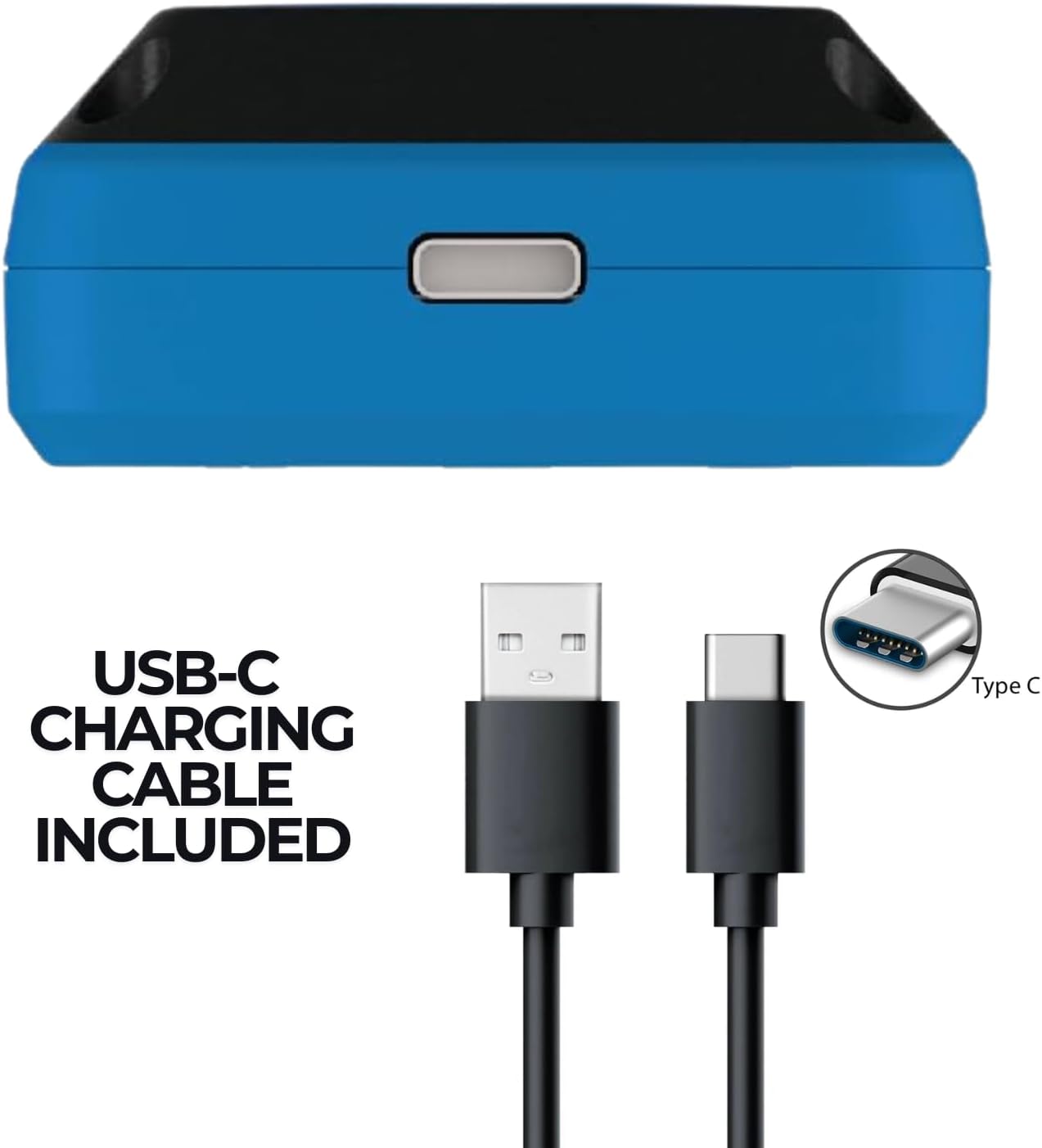
Figure 3: Device display showing distances to the green.
3.2. Measuring Shot Distance
To measure the distance of your shot, press the appropriate button (refer to the Quick Start Guide for specific button functions) at your starting point. Walk to where your ball landed, and the device will display the distance traveled. This feature is useful for understanding your club distances.

Figure 4: Visual representation of shot distance measurement and hazard distances.
3.3. Hazard and Dogleg Distances
The Swami 6000 provides precise distances to the front and back of various hazards (e.g., water, bunkers) and doglegs on the course. Navigate through the display modes using the device's buttons to access this information, which is crucial for strategic play.
3.4. Digital Scorekeeper
The integrated digital scorekeeper allows you to keep track of your score directly on the device. Input your strokes for each hole, and the Swami 6000 will save your round scores. Ensure you enter your score before moving too far from the green, as the device may auto-advance to the next hole.
3.5. Cart Mounting
For convenient, hands-free viewing, the Izzo Swami 6000 features an integrated magnet. This allows you to securely attach the device to the metal frame of a golf cart, keeping it easily accessible and visible throughout your round.

Figure 5: Device securely mounted on a golf cart frame.
4. メンテナンス
4.1. 清掃
デバイスを清掃するには、柔らかくて乾いた布で拭いてください。amp 布で拭いてください。研磨剤入りの洗剤や溶剤はディスプレイやコンピューターを損傷する恐れがあるため、使用しないでください。asing. Ensure the charging port is free of debris before charging.
4.2. 耐水性
The Izzo Swami 6000 is water-resistant, designed to withstand light rain and splashes. However, it is not intended for submersion in water. Always ensure the charging port cover (if applicable) is securely closed when not charging to maintain water resistance.
4.3. バッテリーのお手入れ
To prolong battery life, avoid fully discharging the device frequently. Store the device in a cool, dry place when not in use. If storing for an extended period, charge the battery to approximately 50% before storage.
5。 トラブルシューティング
If you encounter issues with your Izzo Swami 6000, please refer to the following common troubleshooting tips:
- デバイスの電源が入らない: デバイスが完全に充電されていることを確認してください。バッテリーが完全に消耗している場合は、電源が入るまでに数分かかる場合があります。
- GPS信号の問題: 必ず開けた場所で、 view of the sky. GPS signal acquisition can be affected by dense tree cover or tall buildings. Allow a few minutes for the device to acquire satellites.
- Incorrect course or hole: The device features auto-course recognition and auto-hole advance. If it selects the wrong course or hole, you can manually adjust it using the device's buttons. Ensure you are on the correct course and hole for accurate readings.
- ディスプレイが応答しません: Try restarting the device by holding down the power button until it turns off, then power it back on. If the issue persists, ensure the screen is clean and free of moisture.
- バッテリーの消耗が早い: Ensure the device is fully charged before each round. Extreme temperatures can affect battery performance. If battery life significantly degrades, contact customer support.
For more detailed troubleshooting or issues not covered here, please consult the official User Manual PDF or contact Izzo customer support.
6. 仕様
| 特徴 | 仕様 |
|---|---|
| 製品寸法 | 1 x 2 x 3.75インチ |
| アイテム重量 | 7.8オンス |
| 画面サイズ | 2インチ |
| バッテリー寿命 | 18時間 |
| 接続技術 | USB |
| 特集 | 防水 |
| モデル番号 | A44084 |
| 箱の中身 | Charging Brick, Integrated Magnets, Quick Start guide, USB-C Charging Cord |
7. 保証とサポート
7.1. 保証情報
Specific warranty details for the Izzo Swami 6000 are typically provided with your product packaging or can be found on the official Izzo Golf webサイトでご確認ください。保証請求のために購入証明書を保管してください。
7.2. カスタマーサポート
For further assistance, product registration, or to download the complete user manual, please visit the official Izzo Golf web公式サイトをご覧いただくか、カスタマーサポートチームにお問い合わせください。 ユーザーマニュアル(PDF) 包括的な情報については。