
NEWORK FreeChat 101
User Manual: Bluetooth Conference Speakerphone
Model: NEWORK FreeChat 101
導入
Thank you for choosing the NEWORK FreeChat 101 Bluetooth Conference Speakerphone. This device is designed to provide clear, high-quality audio for your conference calls, online meetings, and personal communication. With its 360° voice pickup, noise reduction technology, and versatile connectivity options, the FreeChat 101 ensures seamless and efficient communication in various environments. Please read this manual carefully to understand the product's features and ensure optimal performance.
パッケージ内容
パッケージにすべてのアイテムが含まれていることを確認してください。
- NEWORK FreeChat 101 Speakerphone x 1
- ポータブルバッグ×1
- USB-Cケーブルx1
- ユーザーマニュアル x 1
製品終了view
The NEWORK FreeChat 101 features an intuitive design with easily accessible controls and advanced audio technology.

Figure 1: NEWORK FreeChat 101 Speakerphone - Top View
This image displays the top surface of the speakerphone, highlighting the call answer/end button, volume down, microphone mute, volume up, Bluetooth pairing, and power buttons. The device has a dark gray fabric grille and a silver-colored rim.

Figure 2: 360° Voice Pickup Feature
This graphic emphasizes the speakerphone's ability to pick up voices from all directions within a 5-meter range, ensuring clear audio for all participants in a conference call.

図3:ノイズ低減技術
The image illustrates how the speakerphone's advanced noise-cancelling microphones filter out background sounds, making voices clearer during calls, even in noisy settings.

図4: バッテリー寿命の延長
This graphic highlights the speakerphone's 12-hour continuous talk time, supported by its 2600mAh rechargeable battery, and a 3-hour charging time.
設定
1. Charging the Speakerphone
Before first use, fully charge the speakerphone using the provided USB-C cable. Connect the USB-C end to the speakerphone's charging port and the other end to a USB power adapter (not included) or a computer's USB port. The indicator light will show charging status.
2. デバイスへの接続
The FreeChat 101 offers two primary connection methods: USB-C and Bluetooth.

図5: 接続オプション
This image visually represents the flexibility of connecting the speakerphone either directly via a USB-C cable to a laptop or wirelessly via Bluetooth to a smartphone or other compatible device.
USB-C接続(プラグアンドプレイ)
- Connect the provided USB-C cable to the USB-C port on the speakerphone.
- Plug the other end of the USB-C cable into an available USB-C port on your computer (desktop or laptop).
- The speakerphone will be automatically recognized by your operating system (Windows, macOS, Linux) and ready for use without needing additional drivers.
Bluetooth接続
- スピーカーフォンの電源がオンになっていることを確認します。
- を押し続けます Bluetoothボタン (Bluetoothアイコン) on the speakerphone until the indicator light flashes blue, indicating it's in pairing mode.
- On your device (smartphone, tablet, computer), go to Bluetooth settings and search for new devices.
- Select "NEWORK FreeChat 101" from the list of available devices.
- 接続されると、インジケーター ライトが青色に点灯します。
操作手順
電源オン/オフ
- 電源を入れるには、 電源ボタン (電源アイコン)を 2 秒間押します。
- 電源を切るには、 を長押しします 電源ボタン (電源アイコン)を 2 秒間押します。
通話管理
- 通話の応答/終了: を押す 通話ボタン (電話アイコン) 一度。
- 通話を拒否: を押し続けます 通話ボタン (電話アイコン)を 2 秒間押します。
ボリュームコントロール
- ボリュームアップ: を押す 音量+ボタン (プラスアイコン).
- ボリュームダウン: を押す 音量ボタン (マイナスアイコン).
マイクのミュート/ミュート解除
- を押す マイクボタン (マイクアイコン) once to mute or unmute the microphone. The indicator light will change to reflect the mute status.
ユニバーサルな互換性
The NEWORK FreeChat 101 is compatible with a wide range of operating systems and video conferencing applications, ensuring broad usability for your communication needs.
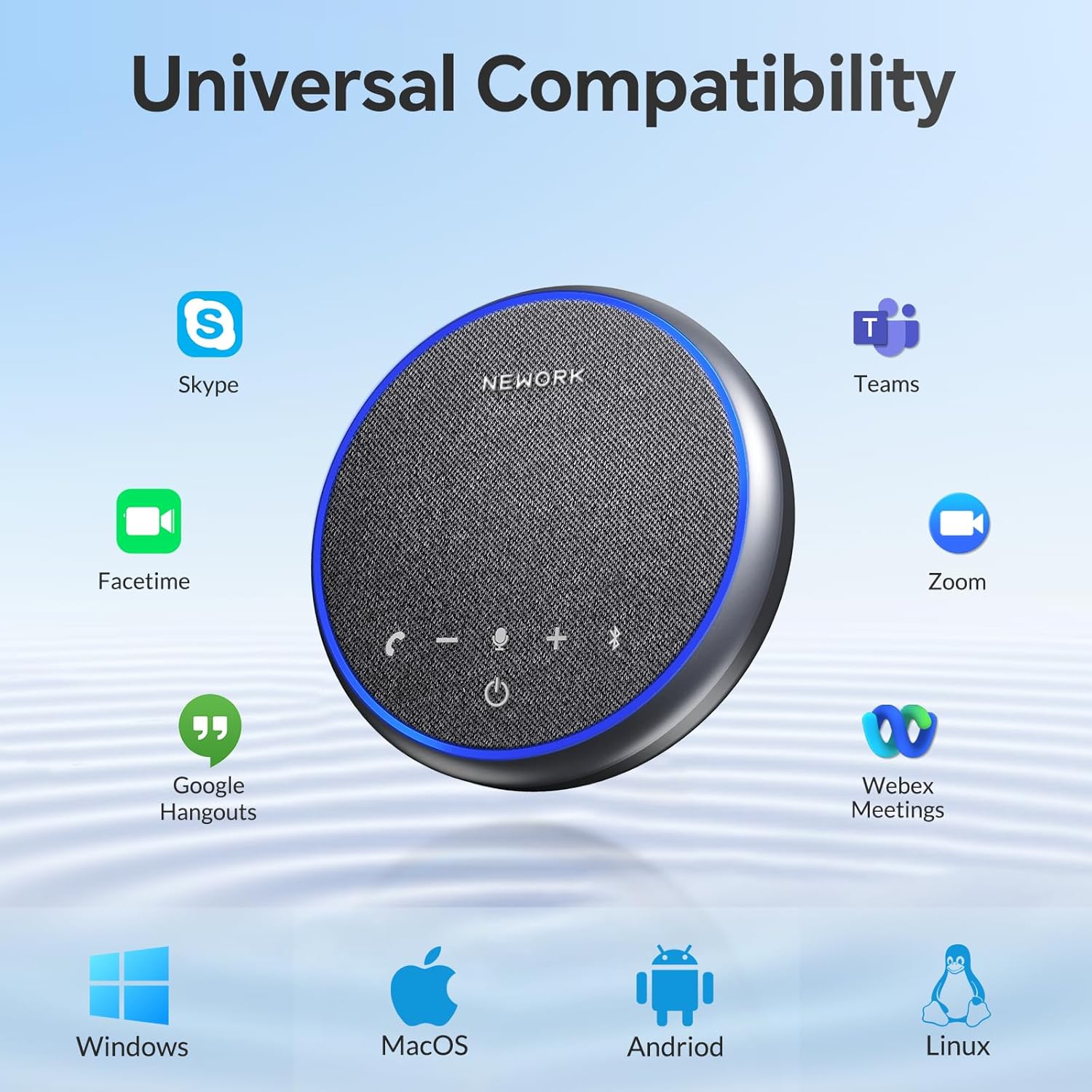
図6: 幅広い互換性
This image displays the speakerphone's compatibility with Windows, macOS, Android, and Linux operating systems, as well as popular applications like Skype, Facetime, Google Hangouts, Zoom, Teams, and Webex Meetings.
メンテナンス
- クリーニング: スピーカーフォンの表面を拭く際は、柔らかく乾いた布をご使用ください。液体クリーナーやエアゾールは使用しないでください。
- ストレージ: When not in use for extended periods, store the speakerphone in its portable bag in a cool, dry place away from direct sunlight and extreme temperatures.
- バッテリーのケア: バッテリーの寿命を延ばすには、バッテリーを頻繁に完全に放電させないでください。使用していない場合でも、定期的に充電してください。
- 水を避ける: 本製品は防水仕様ではありません。水やその他の液体に近づけないでください。
トラブルシューティング
| 問題 | 解決 |
|---|---|
| デバイスの電源が入りません。 | Ensure the battery is charged. Connect the speakerphone to a power source using the USB-C cable and try again. |
| No sound from the speakerphone. | Check the volume level on both the speakerphone and your connected device. Ensure the speakerphone is selected as the audio output device in your computer's or smartphone's sound settings. |
| マイクが音を拾いません。 | Ensure the microphone is not muted (check the microphone mute button and indicator light). Verify that the speakerphone is selected as the input device in your application's audio settings. |
| Bluetooth接続の問題。 | Ensure the speakerphone is in pairing mode (flashing blue light). Turn off and on Bluetooth on your device. Forget the device in your Bluetooth settings and re-pair. Ensure the speakerphone is within the 10-meter Bluetooth range. |
| Echo or poor sound quality. | Reduce the volume if it's too high. Ensure the speakerphone is placed on a stable surface and not too close to walls or reflective surfaces. The noise reduction feature should minimize background noise. |
仕様
| 特徴 | 詳細 |
|---|---|
| ブランド | ネットワーク |
| モデル名 | FreeChat 101 |
| 材料 | プラスチック |
| スピーカータイプ | マルチメディア |
| スピーカー最大出力 | 3ワット |
| オーディオ出力モード | ステレオ |
| マイクの数 | 3 |
| 接続技術 | ブルートゥース、USB |
| 無線通信技術 | ブルートゥース |
| Bluetooth範囲 | 10メートル |
| バッテリー寿命 | 12時間 |
| 充電時間 | 3時間 |
| 電池のタイプ | リチウムポリマー 1 個 (付属) |
| アイテム重量 | 300グラム(10.6オンス) |
| 製品寸法 | 5.12 x 5.12 x 1.38インチ |
| 色 | グレー |
| コントローラータイプ | ボタン |
| 制御方法 | 声 |
| 推奨用途 | コンピューター、音楽プレーヤー、スマートフォン、タブレット |
| 対応デバイス | デスクトップ、ラップトップ、スマートフォン、タブレット |
| 屋内/屋外での使用 | 屋内、屋外 |
| 防水です | 間違い |
| 保証タイプ | 限定 |
ポータビリティ
The NEWORK FreeChat 101 is designed for maximum portability, making it an ideal companion for business trips, remote work, or any situation requiring high-quality audio on the go. Its compact and lightweight design allows it to fit easily into bags and backpacks.

図7: ポータブル設計
This image highlights the speakerphone's lightweight and compact form factor, showing how easily it can be carried in a bag for convenience during travel or daily commutes.
保証とサポート
The NEWORK FreeChat 101 comes with a limited warranty. For detailed warranty information, please refer to the warranty card included in your package or visit the official NEWORK website. If you encounter any issues or have questions regarding your speakerphone, please contact NEWORK customer support for assistance.
さらに詳しいサポートについては、 NEWORK Store on Amazon.
Ask a question about this manual
Ask about setup, troubleshooting, compatibility, parts, safety, or missing instructions. Manuals+ will review the question and use this page’s manual context to help answer it.