
1.製品オーバーview
The Matast Smart Watch Generation 1 is a versatile wearable device designed to enhance your daily life and fitness activities. It features a 1.91-inch HD full-touch color screen, Bluetooth calling, comprehensive health monitoring, and support for over 110 sports modes.
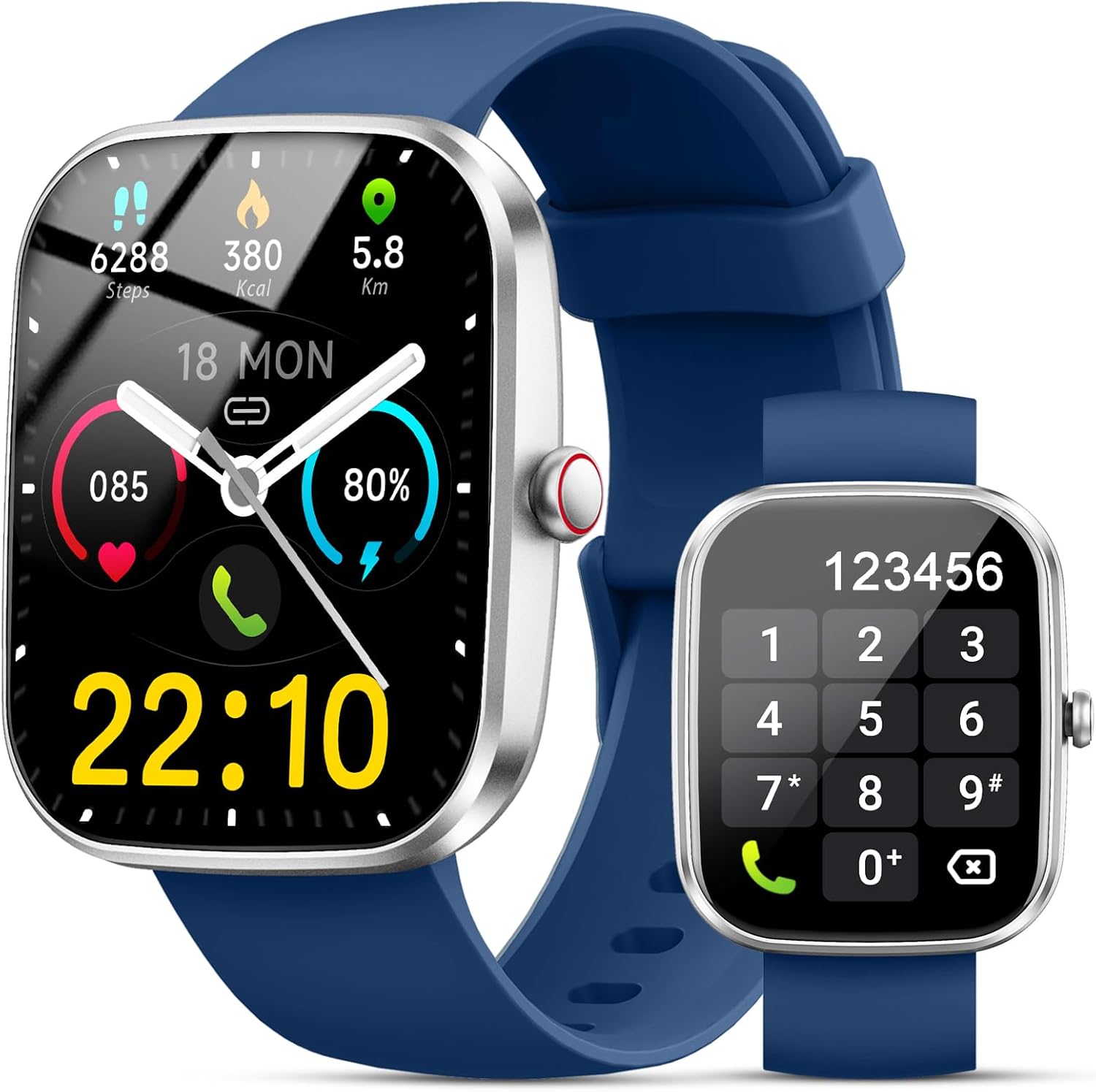
Figure 1: Matast Smart Watch Generation 1
2. セットアップ
2.1. 箱の中身
- Matast Smart Watch (Generation 1)
- 充電ケーブル
- ユーザーマニュアル
- ウォッチバンド
2.2. デバイスの充電
Before initial use, fully charge your smartwatch. The device uses a magnetic charging cable. Connect the magnetic end to the charging points on the back of the watch and the USB end to a compatible power adapter (not included).

Figure 2: Magnetic Charging and Battery Information
A full charge typically takes approximately 2 hours, providing 5-7 days of normal use and up to 30 days of standby time.
2.3. アプリのインストールとペアリング
To unlock the full potential of your smartwatch, download and install the companion app. The recommended app is グローリーフィット, available on both iOS (version 9.0 and above) and Android (version 6.0 and above) devices.
- Download the 'Gloryfit' app from your phone's app store.
- 携帯電話の Bluetooth が有効になっていることを確認してください。
- Open the 'Gloryfit' app and follow the on-screen instructions to search for and connect to your device (e.g., 'T60').
- For Bluetooth audio functions (answering/making calls), you may need to connect the watch directly via your phone's Bluetooth settings after initial app pairing.

図3: アプリ接続ガイド
3. スマートウォッチの操作
3.1. 基本的なナビゲーション
The smartwatch features a 1.91-inch HD full-touch color screen for intuitive navigation. Swipe left, right, up, or down to access different menus and functions. The side button typically serves as a power/wake button and a return-to-home screen button.

図4: カスタマイズ可能な時計の文字盤
3.2. Bluetooth Calls and Message Alerts
Once connected via Bluetooth, you can answer or make calls directly from your smartwatch using its HD speaker. The watch also provides notifications for social media messages (WhatsApp, Twitter, Facebook, Instagram, etc.), ensuring you don't miss important information.

図5: Bluetooth通話とメッセージ機能

Figure 6: Information Reminder
3.3. 音楽とカメラのコントロール
Control your phone's music playback directly from your wrist. You can also use the smartwatch as a remote shutter for your phone's camera, allowing for convenient photo capture.

Figure 7: Music and Camera Controls
3.4. その他の機能
The smartwatch includes various useful features:
- 天気予報: Check daily weather updates.
- 目覚まし時計: 振動リマインダー付きのアラームを設定します。
- ストップウォッチとタイマー: アクティビティ中の正確な時間を計測します。
- 座りすぎ注意: 一定期間アクティビティがないと移動するように通知されます。
- 電話を探す: アラートをトリガーして、置き忘れた携帯電話を見つけます。
- 女性の周期追跡: 月経周期を監視および予測します。

図8: 多機能スマートウォッチの機能
4. Health Monitoring and Sports Modes
4.1. Heart Rate, Sleep, and SpO2 Monitoring
The smartwatch is equipped with high-performance sensors to continuously monitor your health metrics:
- 心拍: Records heart rate changes in real-time, 24 hours a day.
- 睡眠トラッカー: Monitors sleep status (deep, light, awake) to help develop better sleep habits.
- SpO2モニター: Automatically monitors blood oxygen levels.

図9: 心拍数と睡眠モニタリング

Figure 10: Detailed Heart Rate Monitoring

Figure 11: SpO2 Monitoring
4.2. 110+ Sports Modes and Activity Tracking
The fitness tracker offers over 110 sports modes, including running, cycling, walking, basketball, yoga, and football. It tracks steps, distance, and calories burned, providing real-time statistics to help you achieve your fitness goals.

図12: スポーツモードとアクティビティトラッキング

図13: 終日アクティビティ追跡
5. メンテナンス
5.1. 耐水性
The smartwatch has an IP68 waterproof rating, making it suitable for daily activities such as washing hands or exercising in the rain. 注記: It is not recommended for use in hot water or seawater.
5.2. Changing Watch Straps
The watch straps can be replaced. To change them, locate the small lug on the strap's pin. Slide the lug to release the pin from the watch body. Align the new strap's pin with the holes on the watch body and slide the lug to secure it in place.
Video 1: How to Change Watch Straps (IDW26 model shown, similar mechanism)
6。 トラブルシューティング
If you encounter issues with your Matast Smart Watch, consider the following general troubleshooting steps:
- 接続の問題: Ensure Bluetooth is enabled on your phone and the watch is within range. Restart both the watch and your phone, then try pairing again via the 'Gloryfit' app.
- バッテリーの消耗: Reduce screen brightness, shorten screen-on time, and disable unnecessary notifications to conserve battery.
- 不正確な読み取り: Ensure the watch is worn snugly on your wrist, not too tight or too loose, for accurate heart rate and SpO2 measurements.
- 時計の電源が入らない: Ensure the watch is fully charged. If it still doesn't turn on, try a hard reset (refer to the full manual for specific instructions if available).
7. 仕様
| 特徴 | 仕様 |
|---|---|
| ブランド | マタスト |
| モデル番号 | 第1世代 |
| 画面サイズ | 1.91インチ |
| オペレーティング·システム | ウェアOS3.0 |
| 接続技術 | ブルートゥース5.4 |
| 防水等級 | IP68 |
| バッテリー寿命(通常使用) | 5~7日 |
| バッテリー寿命(スタンバイ) | 約 30日 |
| 充電時間 | 約2時間 |
| アイテム重量 | 3.2 オンス (0.09 キログラム) |
| GPS | GPSなし |
8. 保証とサポート
The Matast Smart Watch Generation 1 comes with a One Year Extended Warranty. For any product questions or support needs, please utilize the Professional 7/24 Customer Service provided by Matast.
Refer to the warranty card included in your product packaging for detailed information on how to claim warranty services or contact customer support.
Video 2: Aycy Smart Watch (Seller video showing various features and watch faces)