
導入
The Trust Gaming GXT 498B Forta Gaming Headset is officially licensed for PlayStation 5 and PlayStation 4 consoles, designed to provide an immersive audio experience. This wired over-ear headset features 50mm drivers for powerful sound, a detachable microphone with a pop filter for clear communication, and comfortable ear pads for extended gaming sessions. This manual provides instructions for setup, operation, maintenance, and troubleshooting to ensure optimal performance of your headset.
箱の中身
- Trust Gaming GXT 498B Forta Gaming Headset
- Detachable Microphone with Pop Filter
- 1.2m Audio Cable (3.5mm jack)
- ユーザーマニュアル

Image: The retail packaging for the Trust Gaming GXT 498B Forta Gaming Headset, showing the headset and included accessories.
セットアップ手順
- オーディオケーブルを接続します。 Locate the 3.5mm audio jack on your PlayStation 5 DualSense wireless controller or PlayStation 4 DualShock 4 wireless controller. Insert the 3.5mm audio cable from the headset firmly into the controller's audio jack.
- マイクを接続します。 The microphone is detachable. Align the microphone's connector with the port on the left earcup of the headset and push it in until it clicks securely into place. Ensure the pop filter is correctly positioned over the microphone for optimal voice clarity.
- ヘッドセットのフィットを調整する: Extend or retract the adjustable padded headband to fit comfortably over your head. The earcups are moveable to ensure a snug fit over your ears.
- Configure Audio Settings (PlayStation):
- PS5の場合: へ移動 設定 > 音 > オーディオ出力選択 ヘッドフォン as the output device. Adjust the volume and microphone levels as needed.
- PS4の場合: へ移動 設定 > デバイス > オーディオデバイス選択 コントローラに接続されたヘッドセット as the input and output device. Adjust the volume and microphone levels.
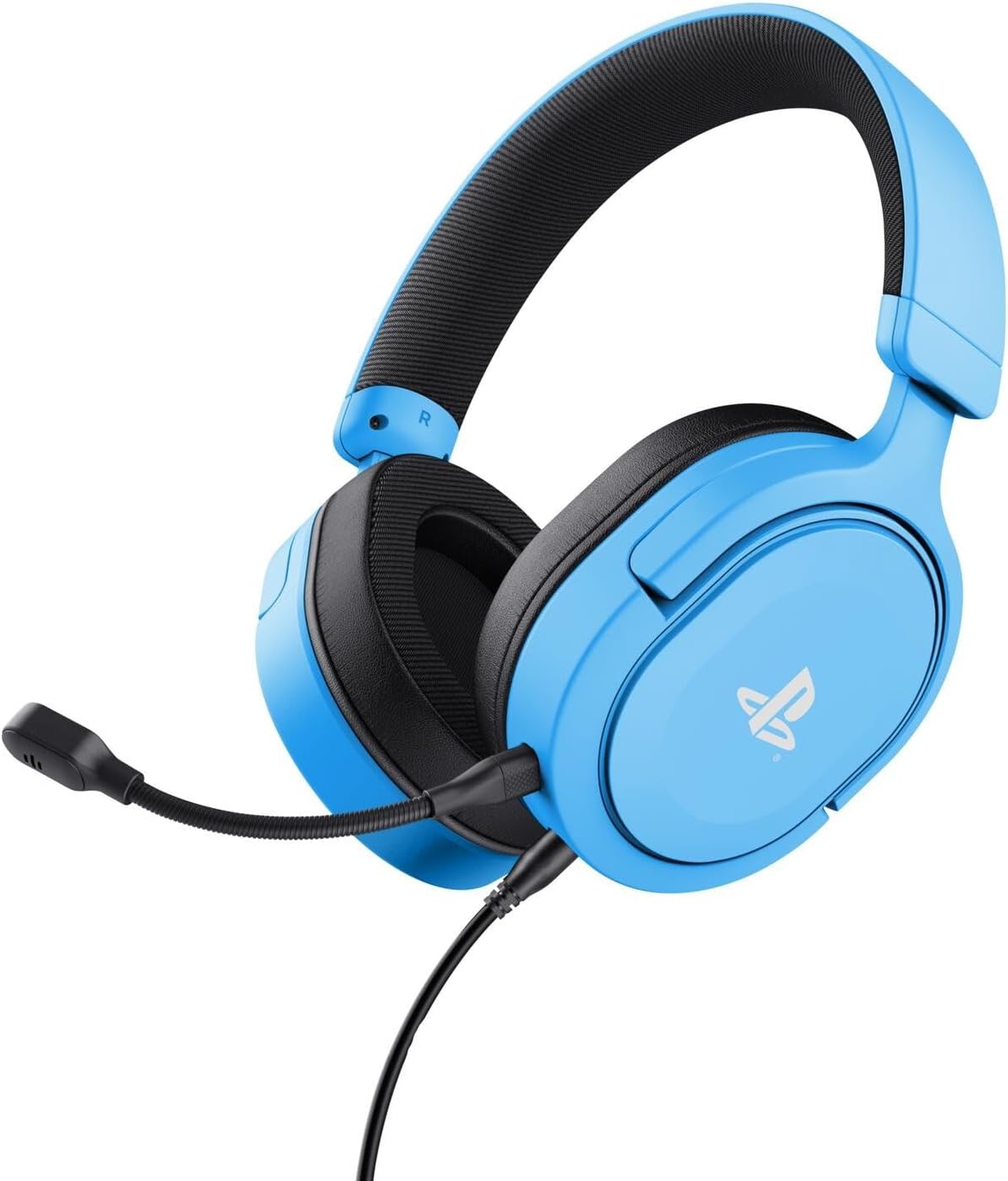
Image: The Trust Gaming GXT 498B Forta Gaming Headset, showcasinデザインと取り外し可能なマイクが特徴。
操作手順
- 音量コントロール: The headset features an in-line volume control wheel on the audio cable. Rotate the wheel up or down to adjust the audio output level.
- マイクミュート: An in-line mute switch is located on the audio cable. Slide the switch to mute or unmute the microphone.
- 3Dオーディオ: The headset supports 3D Audio on compatible PlayStation 5 games, providing an enhanced spatial sound experience. Ensure 3D Audio is enabled in your PS5 sound settings for optimal immersion.
- 取り外し可能なマイク: The microphone can be detached when not in use for a more streamlined headset profile. Store it safely to prevent loss or damage.

画像: クローズアップ view of the Trust Gaming GXT 498B Forta headset, highlighting the earcups and the attached audio cable with controls.
メンテナンス
- クリーニング: ヘッドセットのお手入れには、柔らかく乾いた布を使用してください。イヤーパッドは、軽くamp 布で拭いても構いませんが、スピーカーグリルに水分が入らないようにしてください。刺激の強い化学薬品や研磨剤入りの洗剤は使用しないでください。
- ストレージ: ヘッドセットは、直射日光や極端な温度を避け、涼しく乾燥した場所に保管してください。ヘッドセットの上に重いものを置かないでください。
- ケーブルのお手入れ: Avoid sharp bends or kinks in the audio cable. Do not pull the cable forcefully when disconnecting.
- マイクのお手入れ: Handle the detachable microphone with care. When not in use, detach it and store it safely to prevent damage.
トラブルシューティング
- ヘッドセットから音が出ない:
- Ensure the 3.5mm audio cable is fully inserted into both the headset and the controller.
- Check the in-line volume control wheel on the cable and turn it up.
- Verify audio settings on your PlayStation console (refer to "Setup Instructions" section).
- Test the headset with another device (e.g., smartphone, PC) to determine if the issue is with the headset or the console.
- マイクが機能しない:
- 取り外し可能なマイクがヘッドセットにしっかりと取り付けられていることを確認します。
- インライン マイクのミュート スイッチをチェックして、ミュート解除の位置になっていることを確認します。
- Verify microphone input settings on your PlayStation console (refer to "Setup Instructions" section).
- Ensure the pop filter is not obstructing the microphone's input.
- Sound Quality Issues (Distortion, Low Volume):
- Adjust the volume levels on both the headset's in-line control and your console's settings.
- オーディオ ケーブルが破損したり、ねじれたりしていないことを確認します。
- Try connecting the headset to a different audio source to rule out console-specific issues.
仕様
| モデル名 | GXT 498B Forta |
| モデル番号 | 25556 |
| 接続性 | 有線(3.5mmジャック) |
| ケーブル長さ | 1.2メートル |
| ドライバーサイズ | 50ミリメートル |
| 周波数範囲 | 20 Hz - 20,000 Hz |
| インピーダンス | 32オーム |
| 感度 | 90デシベル |
| マイクタイプ | Detachable with Pop Filter |
| 耳の位置 | オーバーイヤー |
| アイテム重量 | 253グラム |
| 対応デバイス | プレイステーション5、プレイステーション4、PC |
| 材料 | Plastic (up to 65% recycled) |
保証とサポート
This Trust Gaming GXT 498B Forta Gaming Headset is covered by the manufacturer's standard warranty. For detailed warranty information, please refer to the documentation included with your purchase or visit the official GXTrust website. For technical support, troubleshooting assistance beyond this manual, or warranty claims, please contact GXTrust customer service through their official support channels.
保証のために購入証明書を保管してください。