
1. はじめに
This manual provides essential information for the proper use and maintenance of your BNCF Bpad 10 Android 14 Tablet. Please read it thoroughly before operating your device to ensure optimal performance and longevity. The Bpad 10 is designed for a seamless user experience, powered by a Snapdragon 685 processor and running Android 14.
2. パッケージ内容
以下にリストされているすべてのアイテムが製品パッケージに含まれていることを確認してください。
- BNCF Bpad 10 Tablet
- ユーザーマニュアル
- 充電アダプター(5V/2A)
- タイプCケーブル(5V/2A)
- SIMカードイジェクターピン

Figure 2.1: Package Contents and Tablet Components Overview
3.製品オーバーview
The BNCF Bpad 10 features a sleek design with strategically placed components for ease of use.

Figure 3.1: BNCF Bpad 10 Tablet Front and Rear View
3.1 物理コンポーネント
- MicroSDスロット: 拡張可能なストレージ用。
- タイプCポート: 充電やデータ転送に。
- 音量ボタン: オーディオの音量を調整します。
- 電源ボタン: デバイスの電源をオン/オフにしたり、画面をロック/ロック解除します。
- 講演者: オーディオ出力用のデュアルステレオスピーカー。
- マイクロフォン: 音声入力用。
- リアカメラ: 写真とビデオ用のメインカメラ。
- フロントカメラ: ビデオ通話や自撮りに。
4. セットアップ
4.1 初期充電
Before first use, fully charge your BNCF Bpad 10 tablet using the provided Type-C cable and charging adapter. Connect the Type-C cable to the tablet's charging port and the adapter to a power outlet. The charging indicator will show the charging status.
4.2 電源のオン/オフ
- 電源を入れるには: Press and hold the Power Button until the BNCF logo appears on the screen.
- 電源を切るには: Press and hold the Power Button until the power options menu appears, then select 'Power Off'.
- 再起動します: Press and hold the Power Button until the power options menu appears, then select 'Restart'.
4.3初期構成
初めて電源を入れると、タブレットが初期設定のプロセスを案内します。これには、言語の選択、Wi-Fiネットワークへの接続、Googleアカウントの設定、顔認識などのセキュリティオプションの設定が含まれます。
5. 操作手順
5.1 Android 14 の機能
Your Bpad 10 runs on Android 14, offering enhanced multitasking, security, and user-friendly features:
- 顔認識: Securely unlock your device using your face.
- 分割画面: Use two applications simultaneously by dividing the screen.
- Smart Projection: タブレットの画面を互換性のある外部ディスプレイにキャストします。
- 3本指のスクリーンショット: 3 本の指で下にスワイプしてスクリーンショットをすばやくキャプチャします。
- ペアレンタルコントロール: Manage and monitor device usage for children.
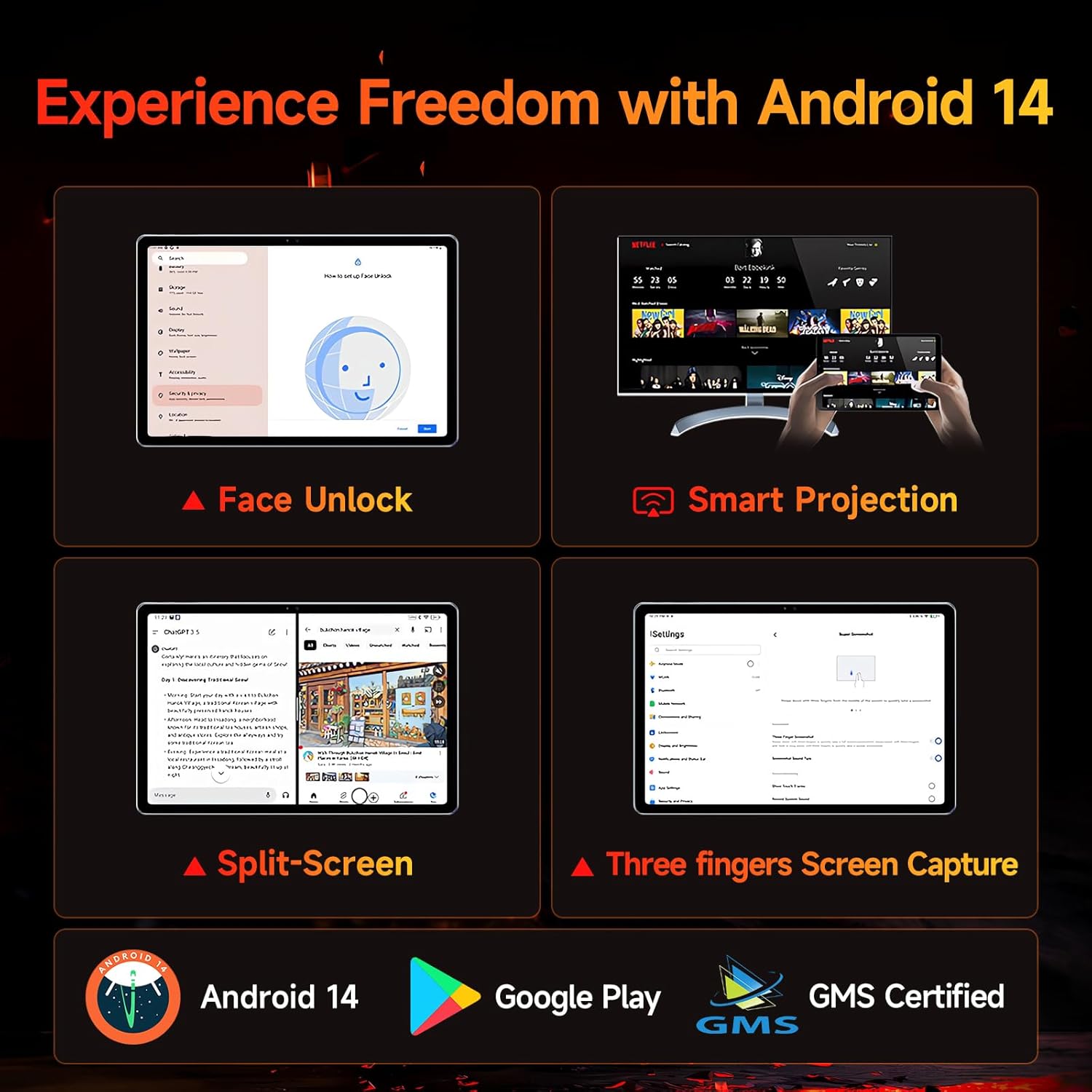
Figure 5.1: Android 14 User Interface and Features
5.2 パフォーマンス
The Bpad 10 is equipped with a 6nm Snapdragon 685 processor (2.8GHz) and Adreno 610 GPU, ensuring efficient performance for various tasks. A 6-Axis Gyro Sensor enhances gaming and video recording stability.

Figure 5.2: Snapdragon 685 Processor Details
5.3 ディスプレイとオーディオ
Experience clear visuals and immersive sound with the Bpad 10:
- 画面: 10.1-inch FHD IPS screen with 1920x1200 resolution and a 60Hz refresh rate. It features 400 Nits brightness and Incell technology for improved touch accuracy.
- ワイドバインL1: Supports HD streaming on platforms like Netflix and Prime Video.
- オーディオ: Dual stereo speakers provide a cinematic audio experience.

Figure 5.3: Display and Widevine L1 Capabilities
5.4台のカメラ
The tablet is equipped with 5MP front and 5MP rear cameras, suitable for capturing photos, 4K videos, and conducting HD video calls.
5.5 接続性
次の機能を使用して接続を維持します。
- Wi-Fi: Supports 2.4G/5G dual-band Wi-Fi for stable internet access.
- Bluetooth 5.0: ワイヤレスアクセサリを接続します。
- GPS: ナビゲーションおよび位置情報サービス用。
- ホールセンサ: Enables smart on/off functionality with compatible covers.
5.6 ストレージとバッテリー
The Bpad 10 offers ample storage and long-lasting power:
- ラム: スムーズなマルチタスクを実現する 12GB (物理 4GB + 仮想 8GB)。
- ロム: 128GB UFS storage, expandable up to 1TB via MicroSD card.
- バッテリー: 6500mAh battery supporting 18W PD fast charging for extended use.

Figure 5.4: Storage and Battery Specifications
6. メンテナンス
BNCF Bpad 10 タブレットの寿命を延ばし、最適なパフォーマンスを確保するには、次のメンテナンス ガイドラインに従ってください。
- クリーニング: 画面と本体の清掃には、柔らかく糸くずの出ない布をご使用ください。研磨剤や刺激の強い化学薬品の使用は避けてください。
- 温度: タブレットは推奨温度範囲内でご使用ください。極端な高温や低温を避けてください。
- 水への露出: Keep the tablet away from water and high humidity. It is not waterproof.
- ストレージ: Store the tablet in a dry, cool place when not in use.
- ソフトウェアアップデート: セキュリティとパフォーマンスの向上を確実にするために、システム アップデートを定期的に確認してインストールしてください。
7。 トラブルシューティング
If you encounter issues with your BNCF Bpad 10, refer to the following common troubleshooting steps:
| 問題 | 考えられる解決策 |
|---|---|
| タブレットの電源が入らない | バッテリーが充電されていることを確認してください。充電器を接続し、数分待ってから再度電源を入れてください。反応しない場合は、電源ボタンを10~15秒間押し続けて強制的に再起動してください。 |
| パフォーマンスが遅い | Close unnecessary background applications. Clear cache for frequently used apps. Restart the tablet. Ensure sufficient storage space is available. |
| Wi-Fi接続の問題 | Wi-Fiルーターを再起動してください。タブレットのネットワーク設定を一旦削除し、再接続してください。タブレットがWi-Fi信号の範囲内にあることを確認してください。 |
| 画面が反応しない | Restart the tablet. Ensure the screen is clean and free from moisture or debris. |
| バッテリーの消耗が早い | Reduce screen brightness. Close background apps. Disable unused features like Bluetooth or GPS. Check for apps consuming excessive power in battery settings. |
8. 仕様
Key technical specifications for the BNCF Bpad 10 tablet:
| 特徴 | 仕様 |
|---|---|
| 画面サイズ | 10.1インチ |
| 画面解像度 | 1920 x 1200ピクセル(FHD) |
| オペレーティング·システム | アンドロイド14 |
| プロセッサ | Qualcomm Snapdragon 685 (2.8GHz) |
| ラム | 12GB(4GB + 8GB仮想) |
| フラッシュメモリサイズ | 128 GB UFS (Expandable to 1TB) |
| カメラ | 前面5MP、背面5MP |
| バッテリー容量 | 6500mAh |
| 充電 | 18W PD急速充電 |
| ワイヤレスタイプ | 802.11b/g (2.4G/5G WiFi), Bluetooth 5.0 |
| アイテム重量 | 1.07ポンド(約485g) |
| 製品寸法 | 7.9 x 4.9 x 0.3インチ(約20.1 x 12.4 x 0.76 cm) |
| 色 | グレー |
9. 保証とサポート
BNCF is committed to providing quality products and customer satisfaction.
9.1保証ポリシー
BNCF offers a one-year warranty for its products. For tablets purchased from the BNCF Official Flagship Store, customers benefit from a 12-month free repair warranty and lifetime technical support.
9.2 カスタマーサポート
If you encounter any issues or have inquiries regarding your BNCF Bpad 10 tablet, please contact BNCF customer service. You can expect a response within 24 hours. They can assist with troubleshooting, returns, or exchange services.
- 接触: Please refer to the contact information provided on the BNCF official webサイトまたは購入プラットフォーム。
- よくある質問:
- Are you specialized in tablets? Yes, BNCF is dedicated to designing and manufacturing innovative tablets, prioritizing quality, performance, and user experience.
- このタブレットの RMA ポリシーは何ですか? We offer a one-year warranty. You can expect a response from us within 24 hours for any issues or inquiries.
- 製品に問題がある場合はどうすればいいですか? Please leave us a message, and we will use our expertise to solve the problem for you, or provide a return or exchange service.