
1. はじめに
Thank you for choosing the ZIHNIC AI Translation Earphones S11A. These earphones are designed to provide seamless communication across language barriers with real-time translation capabilities. This manual will guide you through the setup, operation, and maintenance of your device to ensure optimal performance.
2.製品オーバーview
2.1 パッケージ内容
- ZIHNIC AI Translation Earphones S11A
- 充電ケーブル
- ユーザーマニュアル
2.2 主な特徴
- 3 Smart Translation Modes: Supports real-time translation in up to 138 languages.
- IPX5防水等級: Resistant to sweat and rain, suitable for various environments.
- 直感的なタッチコントロール: 簡単なタップ操作で音楽、通話、音声アシスタントを管理します。
- Bluetooth Wireless Freedom: Stable and quick pairing with compatible devices.
- 快適なオープンイヤーデザイン: Flexible earhooks ensure a secure and comfortable fit for extended wear.
- HiFiステレオサウンド: Delivers clear audio quality for music and calls.
- HD Noise-Canceling Calls: 背景ノイズを低減して通話の明瞭度を向上させます。

Image: ZIHNIC AI Translation Earphones S11A and charging case. The earphones are shown with text indicating translation capabilities.

Image: Diagram illustrating HiFi Stereo Sound and Voice Assistant features of the earphones.

Image: Diagram highlighting 360-degree surround sound quality, HD Noise-canceling Calls, Open Ear Design, IPX5 Water Resistance, and Convenient Touch Control.
3. セットアップ
3.1 イヤホンの充電
Before first use, fully charge the earphones and their charging case. Connect the provided charging cable to the charging case and a USB power source. The indicator lights on the case will show the charging status.
3.2 イヤホンの装着
For optimal comfort and sound quality, ensure the earphones are worn correctly.
- Take out the earbud from the charging case.
- Hang the end of the earbud on the ear bone.
- Turn the earbud and slide it behind the ear.
- Adjust the ear hook to fit your ears securely.

Image: Step-by-step guide on how to wear the earphones for a secure and comfortable fit.
3.3Bluetoothペアリング
- 充電ケースを開くと、イヤホンは自動的にペアリングモードになります。
- スマートフォンまたはデバイスで Bluetooth を有効にし、利用可能なデバイスを検索します。
- Select "ZIHNIC S11A" from the list to connect.
- 接続されると、音声プロンプトが聞こえ、イヤホンのインジケーターライトが変化します。
3.4 翻訳用アプリのインストール
To utilize the full translation features, you will need to download and install the dedicated ZIHNIC translation application on your smartphone. Refer to the QR code provided in the product packaging or search for the official ZIHNIC translation app in your device's app store. Follow the in-app instructions for setup and language selection.
4. 操作手順
4.1 タッチコントロール
The ZIHNIC S11A earphones feature intuitive touch controls on each earbud. Specific functions may vary slightly based on the connected device and app settings.
- 音楽の再生/一時停止: どちらかのイヤホンを 1 回タップします。
- 通話の応答/終了: どちらかのイヤホンを 1 回タップします。
- 通話を拒否: どちらかのイヤフォンを2秒間押し続けます。
- 次のトラック: 右のイヤホンをダブルタップします。
- 前のトラック: 左のイヤホンをダブルタップします。
- 音声アシスタントを有効にする: どちらかのイヤホンを3回タップします。
- 音量を調整: Typically controlled via your connected device. Some apps may offer in-app volume control.
4.2 翻訳モード
The earphones support multiple translation modes through the dedicated ZIHNIC translation app:
- 対面翻訳: Ideal for direct conversations. One person speaks, and the earphones provide real-time translation to the other person.
- AI Automatic Translation: For continuous conversations, the earphones automatically detect pauses in speech and provide translations.
- AIチャットモード: Use the app to type or speak, and the earphones will translate and output the audio.
To initiate translation, open the ZIHNIC translation app, select the desired mode and languages, then follow the on-screen prompts. A simple tap on the earbud may activate the translation function within the app.

Image: Illustration of face-to-face translation using the earphones, showing translated text on screen.

Image: Depiction of automatic AI translation in a business setting, with the app interface visible.
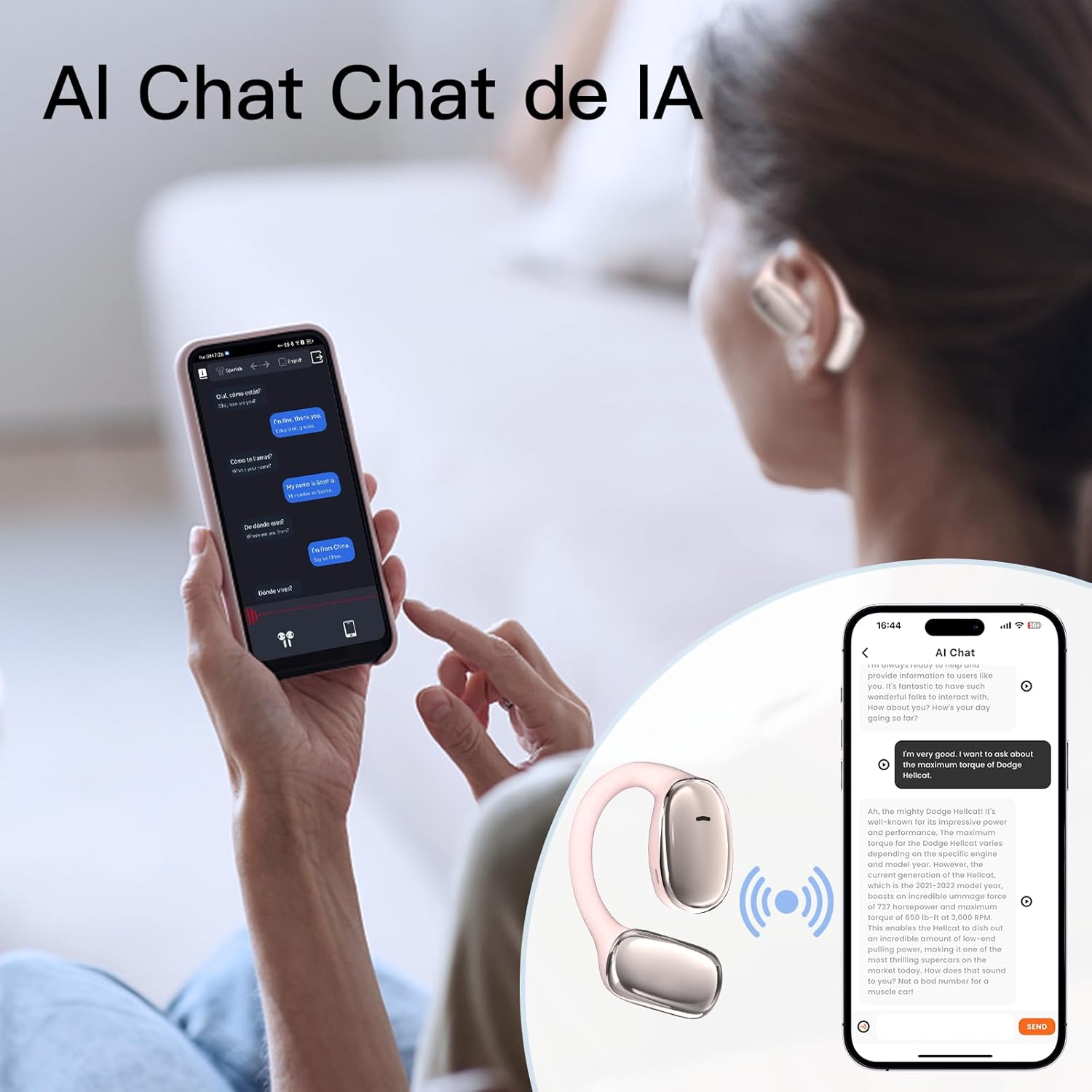
Image: User interacting with an AI chat application on a smartphone, with the earphones providing translation.

Image: A woman using the earphones with a smartphone showing real-time translation in a chat interface.
5. メンテナンス
5.1 クリーニング
- 柔らかく乾いた糸くずの出ない布で、イヤホンと充電ケースを優しく拭いてください。
- 研磨剤入りの洗剤、アルコール、化学溶剤は使用しないでください。
- 充電接点が清潔でゴミがないことを確認してください。
5.2 ストレージ
- 使用していないときは、イヤホンを保護し、充電を保つために充電ケースに保管してください。
- 極端な温度、直射日光、高湿度の場所での保管は避けてください。
5.3 耐水性
The earphones have an IPX5 waterproof rating, meaning they are resistant to sweat and light splashes of water. They are not designed for submersion in water or use during swimming. Ensure the earphones are dry before placing them back in the charging case to prevent damage.
6。 トラブルシューティング
If you encounter issues with your ZIHNIC AI Translation Earphones S11A, please refer to the following common solutions:
| 問題 | 考えられる解決策 |
|---|---|
| イヤホンがペアリング/接続されない |
|
| 音が出ない、または音質が悪い |
|
| 翻訳が機能しない |
|
| Earphones not charging or holding charge |
|
| タッチコントロールが反応しない |
|
7. 仕様
- モデル: S11A
- 商品の重量: 1.76オンス(約50グラム)
- パッケージ寸法: 4.92 x 3.82 x 1.54インチ
- 電池のタイプ: リチウムポリマー(付属)
- 防水等級: IPX5
- 翻訳言語: 最大138言語
- 接続性: Bluetoothワイヤレス

Image: Illustration indicating long battery life, with a 450mAh battery capacity likely referring to the charging case.
8. 保証情報
ZIHNIC products are covered by a limited warranty. Please refer to the warranty card included in your product packaging or visit the official ZIHNIC web保証条件の詳細については、ウェブサイトをご覧ください。保証請求の際は、購入証明としてレシートを保管してください。
9. カスタマーサポート
For further assistance, technical support, or inquiries regarding your ZIHNIC AI Translation Earphones S11A, please contact ZIHNIC customer service through the following channels:
- 正式 Webサイト: Visit the ZIHNIC official webFAQ、サポート リソース、お問い合わせフォームのサイト。
- メールサポート: 製品のパッケージまたは公式 webカスタマー サポートのメール アドレスについては、サイトをご覧ください。