
1. はじめに
Thank you for choosing the Lemnoi SG7 7-inch Kids Digital Alarm Clock. This device is designed to assist children with sleep training and daily routines through a colorful, interactive display and customizable alarms. Please read this manual carefully to ensure proper setup and operation.
2.製品オーバーview
The Lemnoi SG7 features a 7-inch colorful LCD screen that displays time, date, day, month, year, and temperature. It offers multiple clock interface styles, up to 15 customizable alarms with 19 specific scene labels, 5 adjustable brightness levels, and support for 5 languages. It also includes stopwatch, timer, snooze, and reward badge functions.

図1: 前面 view of the Lemnoi SG7 Kids Digital Alarm Clock.
3. セットアップ
3.1電源接続
The alarm clock is powered by a corded electric connection via a USB port. Connect the provided USB cable to the Type-C power port on the device and plug the adapter into a standard electrical outlet. The device includes a nonstandard battery for backup purposes, but it is primarily designed for continuous power via the cord.
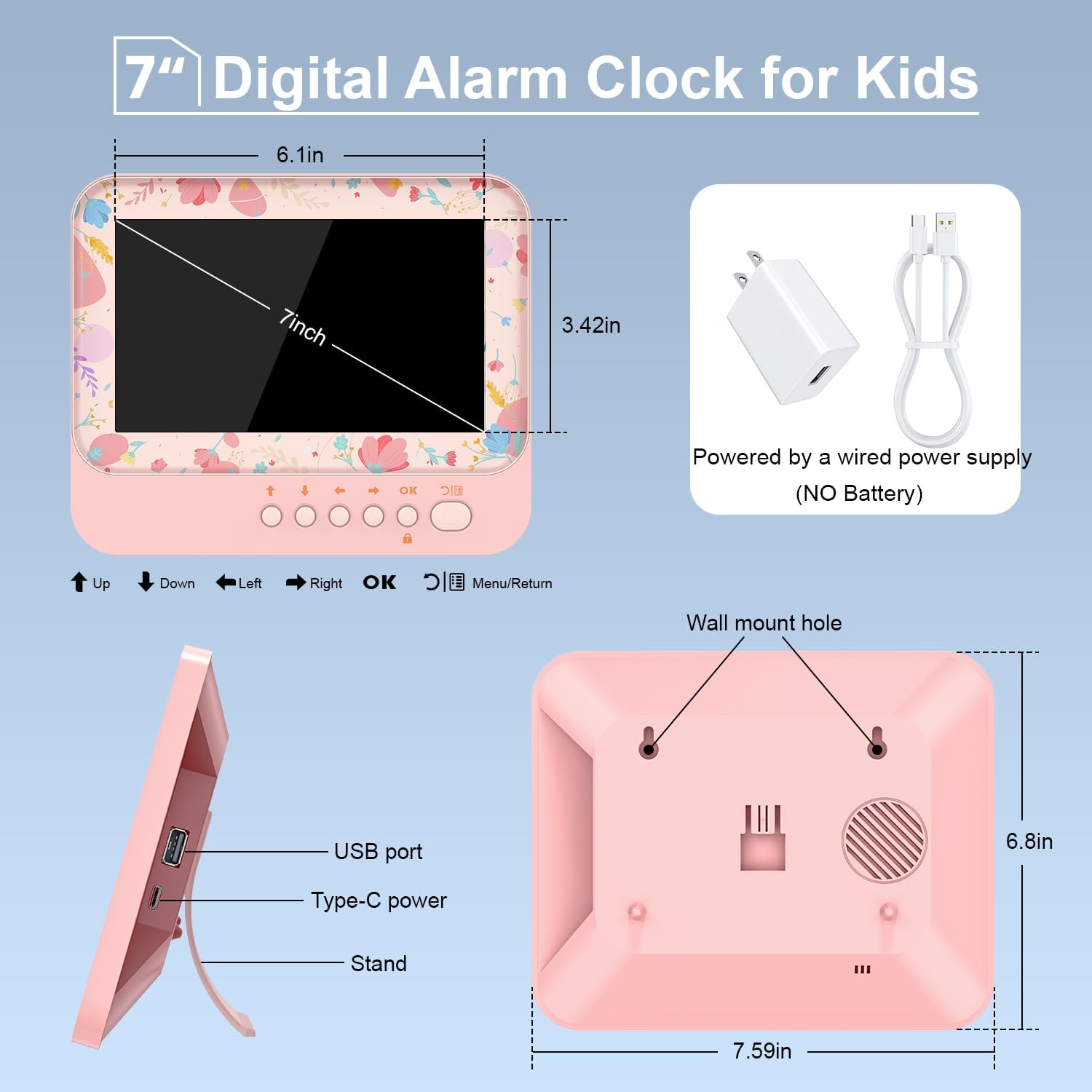
Figure 2: Back panel with USB and Type-C power ports.
3.2 初期時刻と日付の設定
Upon first power-up, or after a prolonged power outage, you may need to set the correct time and date. Use the navigation buttons (Up, Down, Left, Right, OK, Menu/Return) located on the back of the device to navigate the settings menu. Refer to the 'Date & Time' section in the menu to adjust these parameters.
ビデオ1: オーバーview of the Kids Alarm Clock features, including basic setup and display options. This video is provided by the seller.
4. 操作手順
4.1 Setting Alarms and Scene Labels
The clock supports up to 15 individual alarms. Each alarm can be associated with one of 19 specific scene labels (e.g., 'get up', 'watch TV', 'do homework', 'taking a bath'). When an alarm activates, the corresponding cartoon scene image will display on the screen, along with the time, to help children understand their scheduled activity.

図3:例ample of alarm settings with visual scene labels.
4.2 表示モードと明るさ
Choose from 6 different clock interface styles to suit your child's preference. The display brightness can be adjusted through 5 levels, or set to an automatic adjustment function that adapts to ambient light. You can also customize sleep time brightness settings.

Figure 4: Various display modes available for the clock.

Figure 5: Brightness adjustment options and automatic dimming feature.
4.3 Timer, Stopwatch, and Snooze
Utilize the integrated countdown timer for activities like timed naps or games, promoting self-discipline. A stopwatch function is also available. When an alarm sounds, the snooze function provides an additional 9 minutes of sleep before re-alarming.
4.4 Reward Badge System
The clock features a reward badge system. When an alarm activates, completed tasks can be checked off. Completing all set alarms can result in an A+ score, encouraging children to follow their schedule.

Figure 6: The reward badge interface for tracking completed tasks.
4.5チャイルドロック
To prevent accidental changes to settings, a child lock feature is included. Long press the 'OK' button to activate or deactivate the child lock.
5. メンテナンス
To clean the device, gently wipe the screen and casing with a soft, dry cloth. Avoid using abrasive cleaners or solvents. Ensure the device is unplugged before cleaning. Keep the device away from water and excessive moisture.
6。 トラブルシューティング
- ディスプレイがオンにならない: Ensure the USB cable is securely connected to the device and the power adapter is plugged into a working outlet.
- アラームが鳴らない: Check that the alarm is enabled in the settings menu and the volume is not set to zero.
- 時刻/日付が正しくありません: Access the 'Date & Time' settings in the menu to manually adjust.
- ボタンが反応しない: Check if the child lock is activated. Deactivate it by long-pressing the 'OK' button.
For further assistance, please refer to the detailed user manual included with your product or contact Lemnoi customer support.
7. 仕様
| 特徴 | 詳細 |
|---|---|
| ブランド | Lemnoi |
| モデル番号 | SG7 |
| 表示タイプ | 液晶 |
| 製品寸法 | 幅6.2インチ x 高さ7.67インチ |
| 電源 | コード式電気 |
| バッテリー | 非標準バッテリー1個(付属) |
| 接続技術 | USB |
| サポートされている言語 | English, French, Italian, Spanish, German |
8. 保証とサポート
For warranty information and customer support, please refer to the documentation included in your product packaging or visit the official Lemnoi webサイト。 保証請求に備えて購入時のレシートを保管しておいてください。