
1. はじめに
The ORGBRO Z3 Bluetooth Thermal Label Printer is a versatile and portable device designed for efficient label creation. It supports a wide range of label sizes from 0.8 to 3.15 inches, making it suitable for various applications including home organization, small business needs, and office use. This manual provides detailed instructions to help you set up, operate, and maintain your label printer.
2. パッケージ内容
以下にリストされているすべてのアイテムがパッケージに含まれていることを確認してください。
- ORGBRO Z3 Label Printer
- USB充電ケーブル
- ユーザーガイド
- Roll of Labels (1.97"x1.18" square labels)
- USB Flash Drive (for PC drivers)
3.製品オーバーview
Familiarize yourself with the physical components and controls of your ORGBRO Z3 Label Printer.
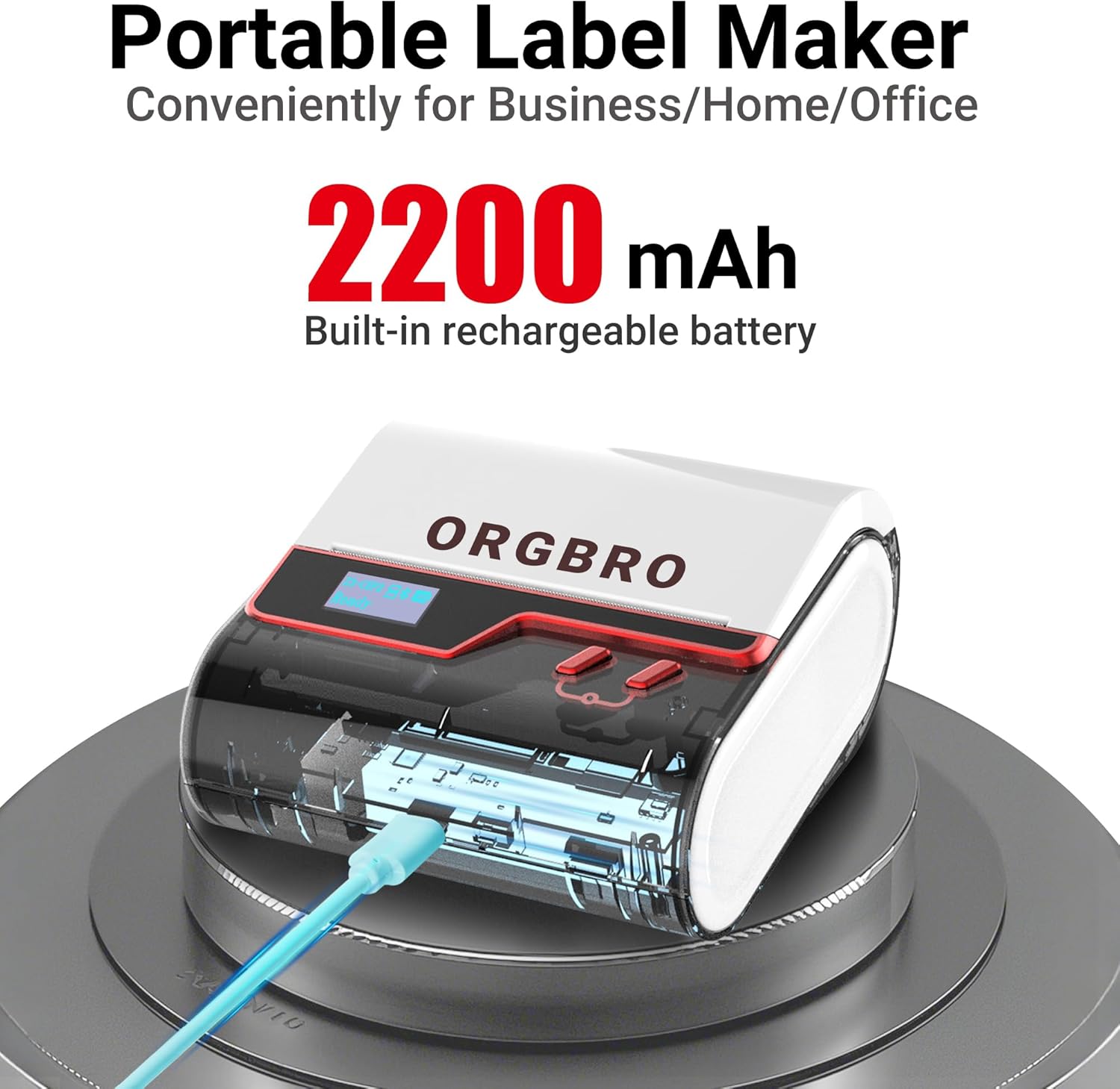
The ORGBRO Z3 Label Maker features a portable design with a built-in 2200mAh rechargeable battery, ensuring long-lasting use on the go.
The device includes a power button, an open cover button for loading labels, and a charging port. An LED screen displays essential information such as battery life, Bluetooth status, and print progress.
4. 主な特徴
- Versatile Label Compatibility: Supports labels from 0.8 to 3.15 inches wide, including square, round, transparent, and file ラベル。
- 高品質の印刷: Achieves crisp 203dpi resolution at speeds up to 50mm/s, ensuring clear text, graphics, and barcodes without smudging.
- インクレスサーマル印刷: Utilizes thermal printing technology, eliminating the need for ink or toner cartridges.
- 長持ちバッテリー: Equipped with a 2200mAh rechargeable battery, providing up to 4 weeks of runtime on a single charge.
- スマートアプリ統合: Connects via Bluetooth to the free '4BarCode' app (Android/iOS) or via USB to computers (Windows/Mac/Chrome OS/Linux) for label customization.
- カスタマイズ可能なラベル: The '4BarCode' app offers over 80 fonts, 150+ frames, 670+ icons, and allows importing images for personalized labels.

The ORGBRO Z3 supports a wide range of label paper widths, from 0.78 to 3.15 inches, accommodating various label styles for diverse applications.

Experience fast and clear printing with the ORGBRO Z3, capable of producing up to 52 labels per minute with a crisp 203 DPI resolution.

The ORGBRO Z3 is ideal for various business applications, including creating shipping labels, product labels, QR codes, and clothing tags.

Organize your home efficiently with the ORGBRO Z3, perfect for labeling kitchen canisters, storage bins, and other household items.
5.セットアップガイド
5.1. デバイスの充電
Before first use, fully charge the ORGBRO Z3 Label Printer using the provided USB cable. Connect the cable to the charging port on the device and a compatible USB power source. The LED screen will indicate charging status.
5.2. ラベルの読み込み
- Press the open cover button on the side of the printer to open the top cover.
- Insert the roll of thermal labels into the compartment, ensuring the printing side faces upwards and the label edge is aligned with the print head.
- 上部カバーをカチッと音がするまでしっかりと閉じます。
5.3. アプリのインストールと接続
The ORGBRO Z3 can be connected via Bluetooth to your smartphone or via USB to your computer.
5.3.1. Smartphone Connection (Bluetooth)
- Download the free '4BarCode' app from your device's app store (available for Android and iOS).
- スマートフォンでBluetoothが有効になっていることを確認します。
- Power on the ORGBRO Z3 Label Printer.
- Open the '4BarCode' app and follow the on-screen instructions to connect to your printer via Bluetooth. The printer's name (e.g., Z3-XXXX) should appear in the app's device list.
5.3.2. Computer Connection (USB)
- Connect the ORGBRO Z3 Label Printer to your computer using the provided USB cable.
- Install the necessary drivers from the included USB flash drive or download them from the official ORGBRO webサイト。
- Follow the installation prompts to complete the driver setup.

The ORGBRO Z3 supports seamless connection to both phones (Android/iOS via Bluetooth) and computers (Windows/Mac/Chrome OS/Linux via USB).
6. 操作手順
Once connected, you can start creating and printing labels.
6.1. Creating Labels (Using '4BarCode' App)
- Open the '4BarCode' app on your smartphone.
- Select 'Create' to start a new label project.
- Choose your desired label size and orientation.
- Use the app's tools to add text, icons, images, barcodes, or QR codes. You can customize fonts, sizes, and styles.
- Arrange elements on the label canvas as needed.
6.2. ラベルの印刷
- ラベルをデザインしたら、アプリの「印刷」ボタンをタップします。
- Review 印刷前view to ensure the layout is correct.
- Adjust printing density or number of copies if necessary.
- Confirm the print command. The label will be printed from the device.
- Gently tear off the printed label along the serrated edge.

The '4BarCode' app provides multiple labels and templates, along with extensive customization options including over 80 fonts, 150+ frames, and 670+ icons.
7. 仕様
| 特徴 | 詳細 |
|---|---|
| 印刷メディア | 感熱紙 |
| 最大入力シート容量 | 230枚 |
| 最大コピー速度(白黒) | 2ppm |
| 最大印刷解像度 | 203dpi |
| Sheet Size (Included) | 1.97インチ(幅) |
| 最大メディアサイズ | 3.15インチ(幅) |
| 両面印刷 | いいえ(シンプレックス) |
| ハードウェアインターフェイス | USB |
| 接続技術 | ブルートゥース、USB |
| 特集 | ポータブル |
| プリンタ出力 | モノクロ |
| アイテム重量 | 1.21 ポンド (0.55 キログラム) |
| 製品寸法 | 4.42 x 4.42 x 2.41インチ |
| バッテリー | 1 AA batteries required (included) - 2200mAh rechargeable |
8. メンテナンス
- クリーニング: Regularly clean the print head with a soft, lint-free cloth moistened with isopropyl alcohol. Ensure the device is powered off before cleaning.
- ストレージ: プリンターは、直射日光や極端な温度を避け、涼しく乾燥した場所に保管してください。
- バッテリーのケア: バッテリーの寿命を延ばすには、バッテリーを頻繁に完全に放電させないでください。長期間使用しない場合でも、定期的に充電してください。
- ラベルロール: Use only high-quality thermal label rolls compatible with the ORGBRO Z3 to ensure optimal print quality and prevent damage to the print head.
9。 トラブルシューティング
- プリンターが接続されない:
- プリンタの電源がオンになっており、完全に充電されていることを確認します。
- Verify Bluetooth is enabled on your device and the '4BarCode' app has permission to use it.
- For USB connection, ensure drivers are correctly installed and the cable is securely connected.
- Try restarting both the printer and your connecting device.
- 印刷品質が悪い:
- Check if the label roll is inserted correctly with the printing side facing up.
- 「メンテナンス」セクションの説明に従ってプリントヘッドをクリーニングします。
- Adjust the printing density settings in the '4BarCode' app.
- Ensure you are using compatible thermal labels.
- ラベルが正しく送られない:
- Ensure the label roll is properly seated and not jammed.
- ラベル パスに障害物がないか確認します。
- Verify the label width is within the supported range (0.8-3.15 inches).
10. 保証とサポート
ORGBRO products are designed for reliability and performance. For warranty information, technical support, or service inquiries, please refer to the contact details provided in your product packaging or visit the official ORGBRO webサイトでご確認ください。保証請求の際は購入証明として領収書を保管してください。