
導入
The SEUNKWANG GX710S is a full-size wired USB computer keyboard designed for comfortable and efficient typing. It features a simple white backlight, upgraded water drop pudding keycaps for enhanced light transmittance and reduced noise, and an ergonomic design for extended use. This manual provides detailed instructions for setting up, operating, and maintaining your keyboard.
設定
キーボードの接続
Locate the USB-A cable attached to your GX710S keyboard.
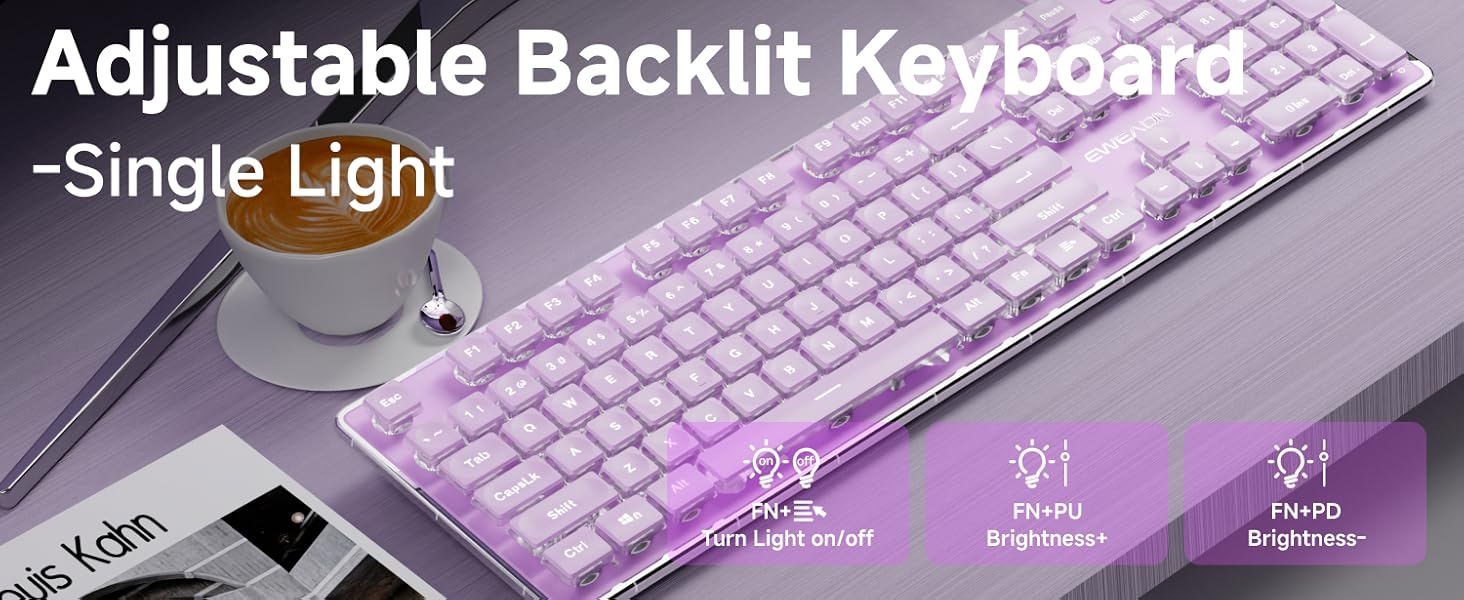
Image: The GX710S keyboard with its wired USB-A cable, illustrating the 'Plug and Play' functionality.
USB-A コネクタをコンピューター (PC、デスクトップ、ラップトップ、ノートブック) の使用可能な USB ポートに接続します。
The keyboard is plug-and-play, meaning it should be recognized automatically by your operating system without requiring additional driver installation.
操作手順
バックライト制御
The GX710S keyboard features a simple white backlight with adjustable brightness levels and a breathing light mode.
- 明るさの調整: プレス FN + PU to increase the backlight brightness. Press FN + PD to decrease the backlight brightness. There are 5 levels of brightness adjustment.
- Turning On/Off Backlight: プレス FN + Light Mode Key (often indicated by a light bulb icon) to toggle the backlight on or off.
- 呼吸ライトモード: The keyboard supports a breathing light mode, which can be activated or adjusted using the FN key combinations.
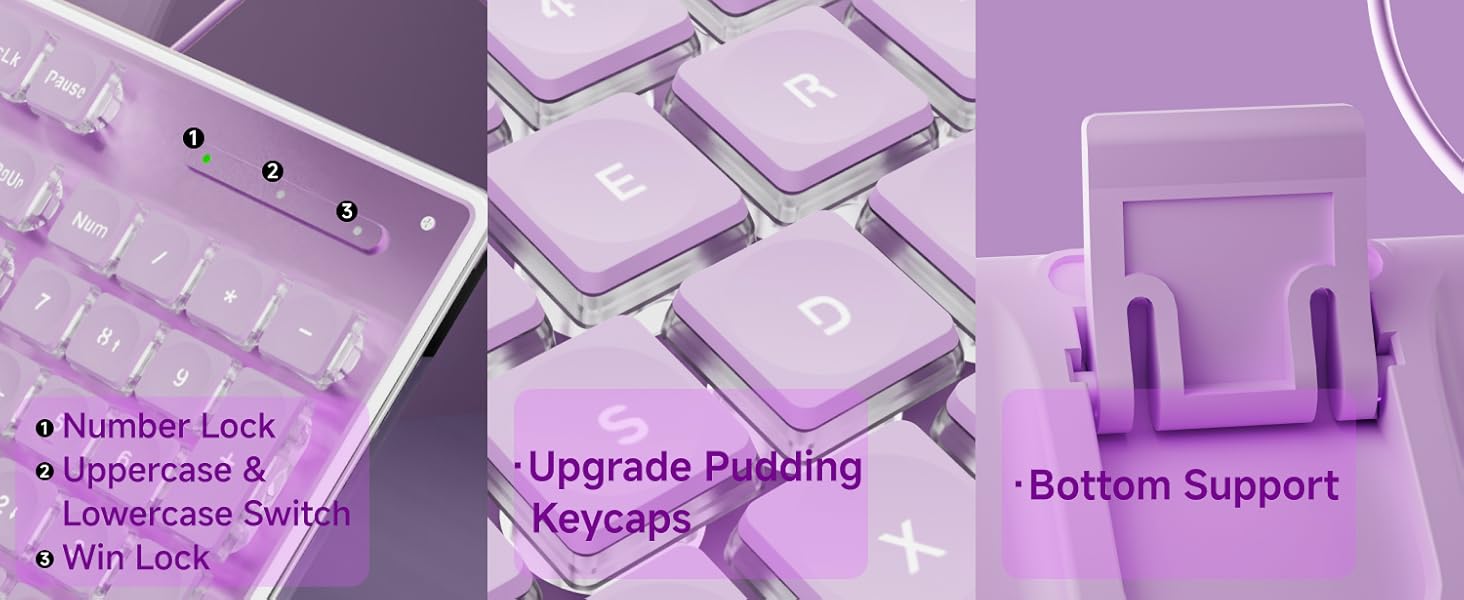
Image: Close-up of the keyboard showing the FN key and dedicated keys for adjusting backlight brightness and toggling the light mode.
マルチメディア機能
Utilize the FN key in combination with the F1-F12 keys for various multimedia and system shortcuts:
| キーの組み合わせ | 関数 |
|---|---|
| FN + F1 | マルチメディアプレーヤーを開く |
| FN + F2 | ボリュームの減少 |
| FN + F3 | ボリューム増加 |
| FN + F4 | ミュート |
| FN + F5 | 再生を停止 |
| FN + F6 | 前の曲を再生する |
| FN + F7 | 再生/一時停止 |
| FN + F8 | 次の曲を再生する |
| FN + F9 | メールを開く |
| FN + F10 | Open My Home Page |
| FN + F11 | キーボードロック |
| FN + F12 | 電卓 |
| FN + WIN | ウィンロック |
| FN+W/A/S/D | Interchange arrow keys with W/A/S/D |
主な特徴
- Water Drop Pudding Keycaps: The upgraded suspended water drop keycaps feature a transparent pudding structure, enhancing light transmission. Their concave and convex surface is designed for comfortable typing and gaming.
- 静かなタイピング体験: The silent membrane keyboard design, combined with the water drop keycaps, reduces typing noise by up to 95%, making it suitable for quiet environments.
- 26キーアンチゴースト: This feature allows up to 26 keys to be pressed simultaneously without conflict, ensuring accurate and fast responses during typing or gaming.
- 人間工学に基づいたデザイン: The keyboard features concave and convex keys that fit your fingertips, promoting smoother typing. It includes two adjustable footrests and four anti-slip bottom stickers, allowing for a 7° tilt to enhance typing comfort and reduce hand fatigue.
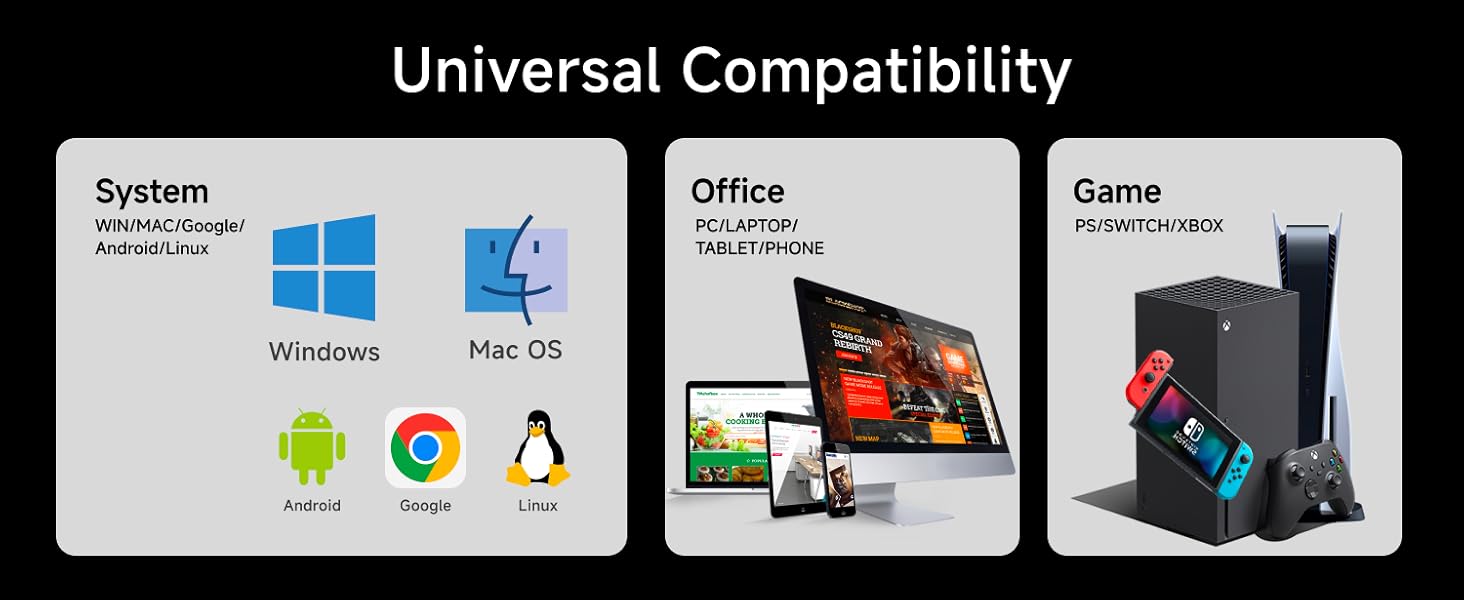
Image: A user typing on the GX710S keyboard, highlighting its comfortable ergonomic design.
互換性
The SEUNKWANG GX710S keyboard offers broad compatibility with various operating systems and devices:
- オペレーティング システム: Windows, Linux, Chrome, Mac OS.
- デバイス: PC, desktop, laptop, notebook, gaming consoles, smart TVs, smartphones, tablets.

Image: A visual representation of the keyboard's universal compatibility across different systems and devices.
メンテナンス
キーボードの寿命を延ばし、最適なパフォーマンスを確保するには、次のメンテナンス ガイドラインに従ってください。
- クリーニング: Regularly wipe the keyboard surface with a soft, damp cloth. For deeper cleaning, use compressed air to remove dust and debris from between the keys. Avoid using harsh chemicals or abrasive materials.
- 流出防止: Keep liquids away from the keyboard to prevent damage. In case of a spill, immediately unplug the keyboard and allow it to dry completely before reconnecting.
- ストレージ: 使用していないときは、キーボードを極端な温度を避け、清潔で乾燥した環境に保管してください。
トラブルシューティング
If you encounter any issues with your GX710S keyboard, try the following steps:
- キーボードが応答しない:
- USB ケーブルがキーボードとコンピューターの両方にしっかりと接続されていることを確認します。
- キーボードをコンピューターの別の USB ポートに接続してみてください。
- コンピュータを再起動します。
- バックライトが機能しない:
- バックライトがオンになっていることを確認してください。 FN + Light Mode Key 組み合わせ。
- 明るさを調整するには FN + PU/PD.
- キーが正しく登録されない:
- Clean the affected keys to ensure no debris is obstructing their movement.
- 別のコンピューターでキーボードをテストして、問題がキーボードにあるか、コンピューターのソフトウェア/ドライバーにあるかを判断します。
仕様
| 特徴 | 詳細 |
|---|---|
| モデル番号 | GX710S |
| ブランド | SEUNKWANG (Manufactured by EWEADN) |
| 接続技術 | USB-A(有線) |
| キーボードの説明 | 静音有線メンブレンキーボード |
| 特集 | Backlit, Ergonomic, Foldable (via footrests), Lightweight, Quiet |
| バックライトの色 | Single White Color |
| 材料 | 金属、プラスチック |
| アイテム重量 | 1.57ポンド |
| パッケージ寸法 | 17.76 x 6.85 x 1.5インチ |
| カラー(現在の製品) | 紫 |
保証とサポート
The SEUNKWANG GX710S keyboard comes with 48ヶ月のブランドサポート. For any questions, troubleshooting, accessory reissues, or returns and exchanges, please contact the seller directly.
You can typically find seller contact information on the product's purchase page or through your order history.

Image: A guide illustrating how to contact customer support for inquiries before or after placing an order.
製品ビデオ
Taro Purple Silent Keyboard Overview
Video: A short demonstration of the Taro Purple Silent Keyboard, showcasing its design and quiet operation.
Aesthetic & Effective Keyboard Preview
ビデオ: 簡単な事前説明view highlighting the aesthetic appeal and effective functionality of the keyboard, including its backlighting.