
導入
Thank you for choosing the Micool DY20PLUS Bluetooth 5.4 Headset. This single-ear wireless headset is designed for clear communication and extended use, featuring advanced noise cancellation and long battery life. This manual provides detailed instructions to help you get the most out of your device.

Image: The Micool DY20PLUS Bluetooth 5.4 Headset, showcasing its sleek black and gold design with an ear hook and LED battery indicators.
箱の中身
Upon opening your Micool DY20PLUS package, you should find the following items:
- Micool DY20PLUS Bluetooth Headset
- USB-C充電ケーブル
- ユーザーマニュアル
- 追加のイヤーチップ(各種サイズ)
ビデオ: 開封と終了view of the Micool DY20PLUS headset and its included accessories, such as the charging cable and various eartips.
設定
1. ヘッドセットの充電
Before first use, fully charge your headset. The Micool DY20PLUS features a Type-C charging port for convenience.
- 付属のUSB-C充電ケーブルをヘッドセットの充電ポートに接続します。
- ケーブルのもう一方の端を互換性のある USB 電源 (壁のアダプタ、コンピュータの USB ポートなど) に接続します。
- フル充電には約1.5〜2時間かかります。
- The LED Power Display Light on the headset indicates the remaining battery level. There are four levels, with each grid representing 25% of the battery. Double-click the Volume+ button to check the remaining power.

Image: Visual representation of the headset's quick charge capability, showing that 10 minutes of charging provides 4 hours of continuous use.
2. デバイスとのペアリング
The DY20PLUS uses Bluetooth 5.4 for a stable and efficient connection.
- ヘッドセットが充電され、電源がオフになっていることを確認します。
- Press and hold the Multi-Function Button (MFB) on the headset for more than 3 seconds until the indicator light flashes, indicating it's in pairing mode.
- デバイス(スマートフォン、タブレット、コンピューター)で Bluetooth を有効にし、利用可能なデバイスを検索します。
- Select "DY20PLUS" from the list of found devices to connect.
- ペアリングが成功すると、インジケーター ライトの点滅が停止します。
The headset offers a wireless connection distance of up to 50 meters (150 feet) in a straight line and can be connected to two devices simultaneously, allowing you to seamlessly switch between music and calls.
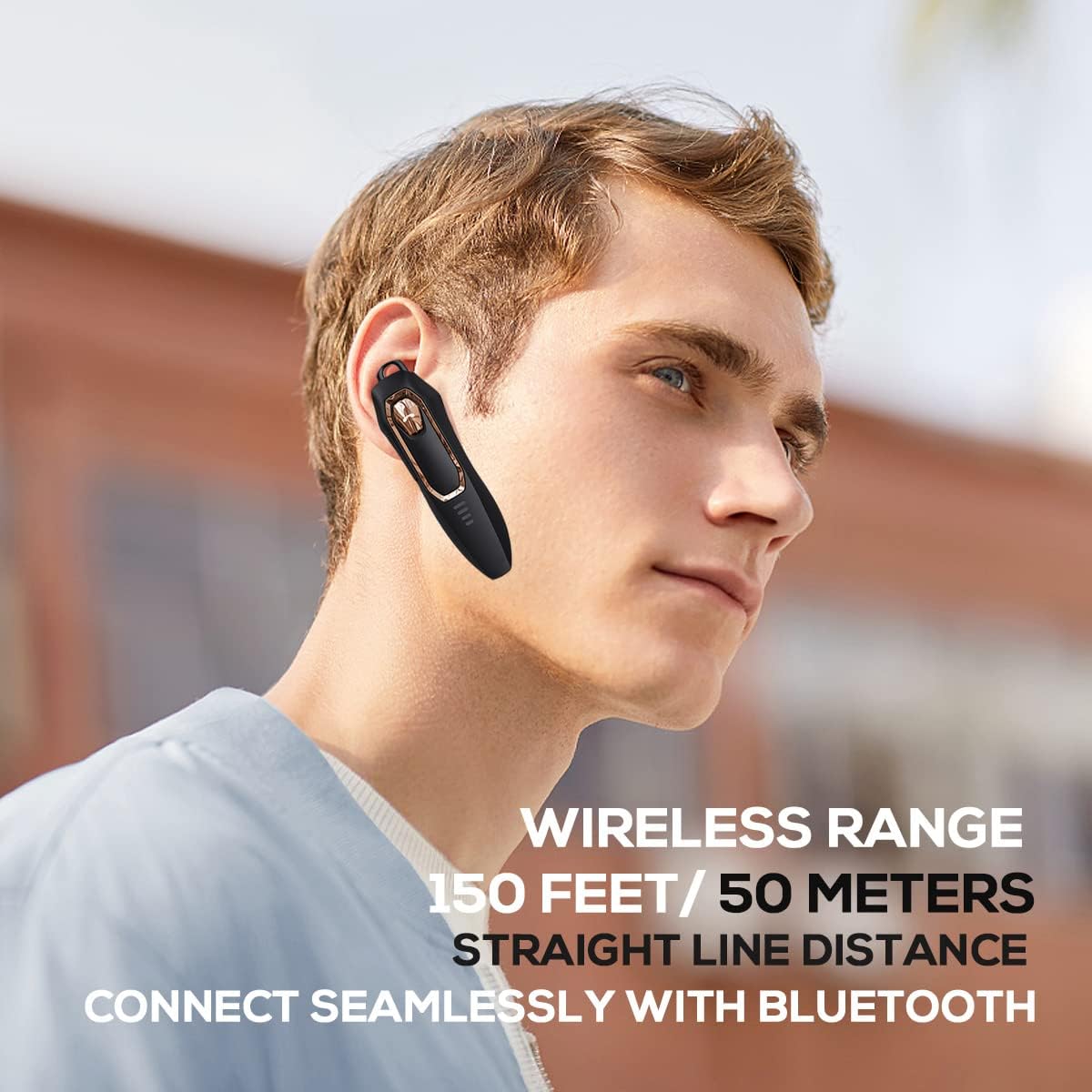
Image: A person wearing the headset, illustrating the 150 feet / 50 meters wireless range and seamless Bluetooth connectivity.
操作手順
ヘッドセットを最適に使用するには、ヘッドセットのコントロールをよく理解してください。
ボタンの機能:

Image: A detailed diagram showing the location and function of each button on the Micool DY20PLUS headset, including the Multi-Function Button (MFB), volume controls, and mute button.
- 電源オン/オフ: Press and hold the MFB for >3 seconds.
- 音楽の再生/一時停止: One-tap the MFB.
- 通話の応答/終了: One-tap the MFB.
- 通話を拒否: Press and hold the MFB for >2 seconds.
- 音声アシスタント(Siri/Google アシスタント)を有効にする: MFBをダブルタップします。
- 曲の切り替え: Press Volume+ for 2 seconds for next song, Volume- for 2 seconds for previous song.
- 音量コントロール: Short press Volume+ to increase volume, short press Volume- to decrease volume.
- ミュート機能: Press the dedicated mute button for >2 seconds to mute/unmute your microphone during a call.
- 言語を変更: Three-tap the MFB.
- 最後の発信通話をリダイヤル: Three-tap the call button (MFB).
主な特徴
高度なノイズキャンセリング
The DY20PLUS headset is equipped with two microphones for noise reduction and omnidirectional silicon microphone technology. It filters out approximately 80% of external noise. An updated Bluetooth 5.4 version with an integrated digital noise reduction algorithm further enhances noise reduction by 30%, ensuring clearer calls even in noisy environments.

Image: An illustration demonstrating how the two noise-cancelling microphones work to block background noise and maintain clear call quality.
Video: A demonstration highlighting the noise-cancelling capabilities of the Micool DY20PLUS Bluetooth Headset, particularly useful for truck drivers and noisy environments.
バッテリー寿命の延長
The headset provides up to 36 hours of talk time and 45 hours of music playback on a single charge. With a standby time of 20 days, it's designed for long-lasting performance, suitable for extended meetings or travel.

Image: An illustration emphasizing the headset's 36+ hour talk time and 45 hours of music playback, designed to power through work calls and daily activities.
Comfortable and Lightweight Design
Weighing only 12 grams, the DY20PLUS is ultra-small and light. Its ergonomic design ensures a secure and comfortable fit for all-day wear without causing ear fatigue. The ear canal-mouth canal design is airtight and optimized for bass.

Image: A person wearing the headset, highlighting its 12g ultra-lightweight design and compatibility with various devices like laptops, computers, pads, and phones.
幅広い互換性
The Micool DY20PLUS is compatible with a wide range of devices, including telephones, smart speakers, and cellphones, making it versatile for various communication needs.
メンテナンス
- クリーニング: ヘッドセットのお手入れには、柔らかく乾いた布をご使用ください。刺激の強い化学薬品や研磨剤の使用は避けてください。
- ストレージ: ヘッドセットは、極端な温度や直射日光を避け、涼しく乾燥した場所に保管してください。
- 耐水性: The headset is water-resistant. However, avoid submerging it in water or exposing it to heavy rain for prolonged periods.
- 充電: Always use the provided USB-C cable or a certified equivalent for charging to prevent damage.
トラブルシューティング
| 問題 | 考えられる解決策 |
|---|---|
| ヘッドセットがオンになりません。 | Ensure the headset is fully charged. Press and hold the MFB for more than 3 seconds. |
| デバイスとペアリングできません。 |
|
| 音が出ない、または音量が低い。 |
|
| 通話品質が悪いです。 |
|
仕様
| 特徴 | 詳細 |
|---|---|
| モデル名 | DY20PLUS |
| ブランド | ミクール |
| 接続技術 | ワイヤレス(Bluetooth) |
| Bluetoothバージョン | 5.4 |
| バッテリー寿命(通話時間) | 最大36時間 |
| バッテリー寿命(音楽再生) | 最大45時間 |
| 充電時間 | 1.5~2時間 |
| 充電ポート | USB-C |
| ワイヤレス範囲 | 最大50メートル(150フィート) |
| ノイズキャンセリング | Dual-Mic Noise Reduction (80% filtered, 30% enhanced by algorithm) |
| 重さ | 12グラム |
| イヤーピースの形状 | 耳に装着 |
| 耐水性レベル | 耐水性 |
| 対応デバイス | Telephones, Smart Speaker, Cellphones |
保証とサポート
For warranty information and customer support, please refer to the documentation included with your purchase or contact Micool customer service directly. Details can typically be found on the manufacturer's official webサイトまたは購入場所を通じてご購入いただけます。