
導入
This manual provides detailed instructions for the Micool Bluetooth Headset V5.4 (Model DY20PLUS). Please read this manual carefully before using the product to ensure proper operation and to maximize its features and lifespan. This headset is designed for clear communication and comfortable wear, featuring advanced noise cancellation and long battery life.
安全情報
To ensure safe and proper use of your headset, please observe the following guidelines:
- Do not expose the headset to extreme temperatures, direct sunlight, or high humidity.
- Avoid dropping or subjecting the headset to strong impacts, which may damage internal components.
- Do not attempt to disassemble, repair, or modify the headset. This will void the warranty and may cause harm.
- ヘッドセットとその付属品は、子供やペットの手の届かないところに保管してください。
- Use only the provided USB-C charging cable or a certified equivalent to prevent damage to the battery.
- 聴覚障害を防ぐため、長時間大音量で聞くことは避けてください。
パッケージ内容
パッケージにすべてのアイテムが含まれていることを確認してください。
- Micool Bluetooth Headset (DY20PLUS)
- USB-C充電ケーブル
- ユーザーマニュアル
- Additional Eartips (Sizes L, M, S)
- 耳かけフック

Image: Micool Bluetooth Headset and its accessories, including different sized eartips and a charging cable.
製品終了view
Familiarize yourself with the various components and controls of your Micool Bluetooth Headset:

画像: 正面 view of the Micool Bluetooth Headset, highlighting the main call button, volume controls, and the LED battery indicator lights.
- 多機能ボタン: Used for power on/off, answering/ending calls, and playing/pausing music.
- 音量+/-ボタン: Adjust volume, skip tracks, and check battery level.
- LED 電力表示: Indicates the remaining battery level with four segments.
- マイクロフォン: Equipped with dual-mic noise reduction for clear voice input during calls.
- USB-C充電ポート: For connecting the charging cable to power the headset.
設定
1. ヘッドセットの充電
Before initial use, fully charge your headset to ensure optimal battery performance.
- USB-C充電ケーブルをヘッドセットの充電ポートに接続します。
- ケーブルのもう一方の端を USB 電源 (コンピューター、壁のアダプターなど) に接続します。
- The LED power display will illuminate to indicate charging. A full charge typically takes approximately 1.5-2 hours.
2. デバイスとのペアリング
The headset utilizes Bluetooth 5.4 for a stable and efficient wireless connection up to 50 meters.
- Ensure the headset is powered off and fully charged.
- Press and hold the Multi-function Button for approximately 3-5 seconds until the LED indicator flashes blue and red alternately. This indicates the headset is in pairing mode.
- On your desired device (smartphone, tablet, laptop), enable Bluetooth and search for available devices.
- Select "DY20PLUS" from the list of found devices.
- Once successfully connected, the LED indicator will flash blue slowly.
3. Connecting to Two Devices Simultaneously (Multi-point Connection)
The DY20PLUS supports connecting to two Bluetooth devices concurrently, allowing seamless switching between them.
- Pair the headset with the first device following the steps above.
- Disable Bluetooth on the first device. The headset will re-enter pairing mode (flashing blue and red).
- ヘッドセットを2番目のデバイスとペアリングします。
- Re-enable Bluetooth on the first device. The headset should automatically connect to both devices. You can now receive calls or play audio from either device.
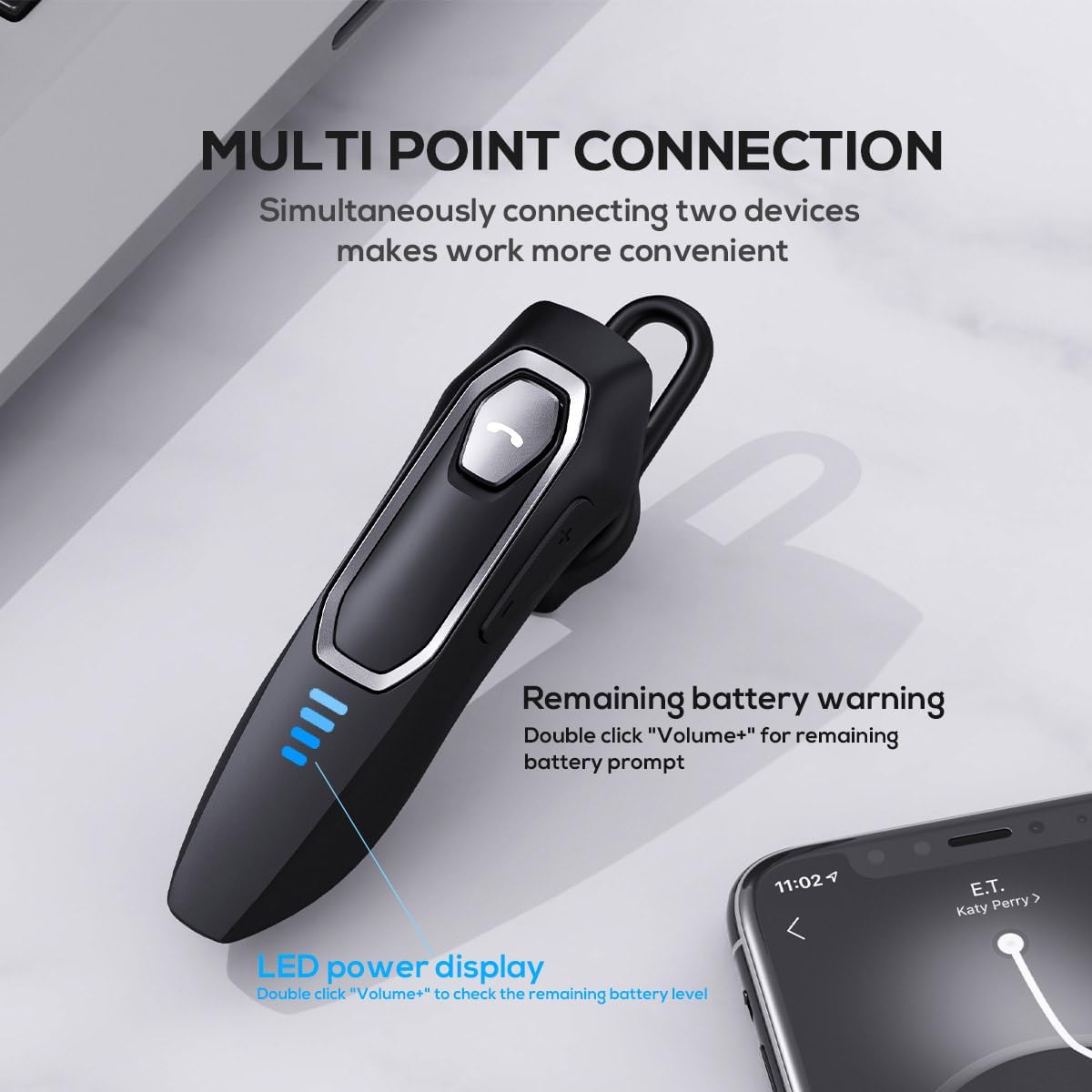
Image: The Micool headset demonstrating its multi-point connection capability, allowing simultaneous connection to two devices.
操作手順
電源オン/オフ
- 電源オン: 多機能ボタンを3秒間押し続けます。
- 電源を切る: 多機能ボタンを5秒間押し続けます。
通話管理
- 通話の応答/終了: 多機能ボタンを短く押します。
- 通話を拒否: 多機能ボタンを2秒間押し続けます。
- マイクのミュート/ミュート解除: During a call, press and hold the Volume "-" button for approximately 2 seconds.
- 最後の発信通話をリダイヤル: Triple-tap the Multi-function Button.

Image: Illustration of the mute function, activated by holding the Volume '-' button.
音楽再生に
- 再生/一時停止: 多機能ボタンを短く押します。
- 次のトラック: Press and hold the Volume "+" button for 2 seconds.
- 前のトラック: Press and hold the Volume "-" button for 2 seconds.
ボリュームコントロール
- 音量を上げる: Short press the Volume "+" button.
- 音量を下げる: Short press the Volume "-" button.
音声アシスタント
- 音声アシスタント(Siri、Google アシスタントなど)を有効にする: マルチファンクションボタンをダブルクリックします。
LEDパワーディスプレイ
- The four LED lights indicate the remaining battery level, with each light representing approximately 25% charge.
- To check the remaining power, double-click the Volume "+" button.
Image: The LED power display on the headset, indicating battery level.
メンテナンス
Proper maintenance will help extend the life of your Micool Bluetooth Headset:
- Clean the headset regularly with a soft, dry, lint-free cloth.
- 表面や内部の部品を損傷する恐れがあるため、研磨剤入りの洗剤、溶剤、強力な化学薬品は使用しないでください。
- ヘッドセットは、直射日光や極端な温度を避け、涼しく乾燥した場所に保管してください。
- Ensure the USB-C charging port is free of dust and debris to maintain proper charging connection.
- If the headset gets wet, wipe it dry immediately. Do not charge it until it is completely dry.
トラブルシューティング
ヘッドセットで問題が発生した場合は、次の一般的な問題と解決策を参照してください。
| 問題 | 考えられる原因 | 解決 |
|---|---|---|
| ヘッドセットがオンになりません。 | バッテリー残量が少ない、または消耗しています。 | 付属の USB-C ケーブルを使用してヘッドセットを完全に充電します。 |
| デバイスとペアリングできません。 | ヘッドセットがペアリング モードになっていません。デバイスの Bluetooth が無効になっています。デバイスが遠すぎます。 | Ensure headset is in pairing mode (flashing red/blue); enable Bluetooth on your device; move device closer (within 50m). Clear previous Bluetooth connections if necessary. |
| 音が出ない、または音質が悪い。 | Volume too low; headset not connected; audio source issue; interference. | Adjust headset and device volume; re-pair headset; check audio source; move away from other wireless devices. |
| マイクが機能しません。 | Mute function active; microphone blocked; device settings. | Deactivate mute function (hold Volume "-" for 2s); ensure microphone is clear; check microphone settings on your device. |
| バッテリー寿命が短い。 | Headset not fully charged; high volume usage; aging battery. | Ensure full charge before use; reduce volume; if issue persists after full charge, contact support. |
仕様
- モデル名: DY20PLUS
- 接続技術: ワイヤレス(Bluetooth)
- Bluetoothバージョン: 5.4
- Bluetooth範囲: 最大50メートル
- バッテリー寿命(通話時間): 最大36時間
- バッテリー寿命(音楽再生時): 最大45時間
- 充電時間: 約1.5〜2時間
- 充電ポート: USB-C
- 騒音制御: アクティブノイズキャンセリング(デュアルマイク)
- 対応デバイス: スマートフォン、タブレット、スマートスピーカー
- 重さ: 2.08オンス(約59グラム)
- 材料: アクリロニトリルブタジエンスチレン(ABS)
- 耐水性レベル: 耐水性
- 周波数範囲: 20 Hz - 20,000 Hz
保証とサポート
Micool products are designed for reliability and performance. For detailed warranty information, including coverage and terms, please refer to the warranty card included with your product or visit the official Micool webサイト。
For technical support, troubleshooting assistance, or any inquiries regarding your Micool Bluetooth Headset, please contact our customer service team through the contact information provided on your product packaging or via the Micool Amazon Store:
Micool Amazon Store: ストアを訪問
ご質問やご不明な点がございましたら、弊社のサポート チームがお手伝いいたします。
