
1。 オーバーview
The Amazon Basics USB Flash Drive is a versatile storage solution designed for seamless data transfer between various devices. Featuring both USB-C and USB-A dual ports, this 128GB thumb drive offers broad compatibility and efficient performance for your storage needs. Its durable metal construction and rotating design ensure protection and convenience.
2. 主な特徴
- 128 GB Storage Capacity: 提供する ample space for documents, photos, videos, and other files. Note: Actual usable capacity may be slightly less due to formatting and system files.
- デュアルポート設計: Equipped with both USB-C and USB-A connectors for universal compatibility with a wide range of devices.
- 効率的なパフォーマンス: Offers reliable data transfer with a default exFAT format, ensuring lower power consumption and broad device support.
- 高速読み取り速度: Capable of read speeds up to 400 Megabytes Per Second. Actual speeds may vary based on device, file size, and type.
- プレミアム構造: Features a robust metal exterior casing with a rotating open/close design to protect the connectors, and a hanging hole for convenient attachment to keychains or lanyards.
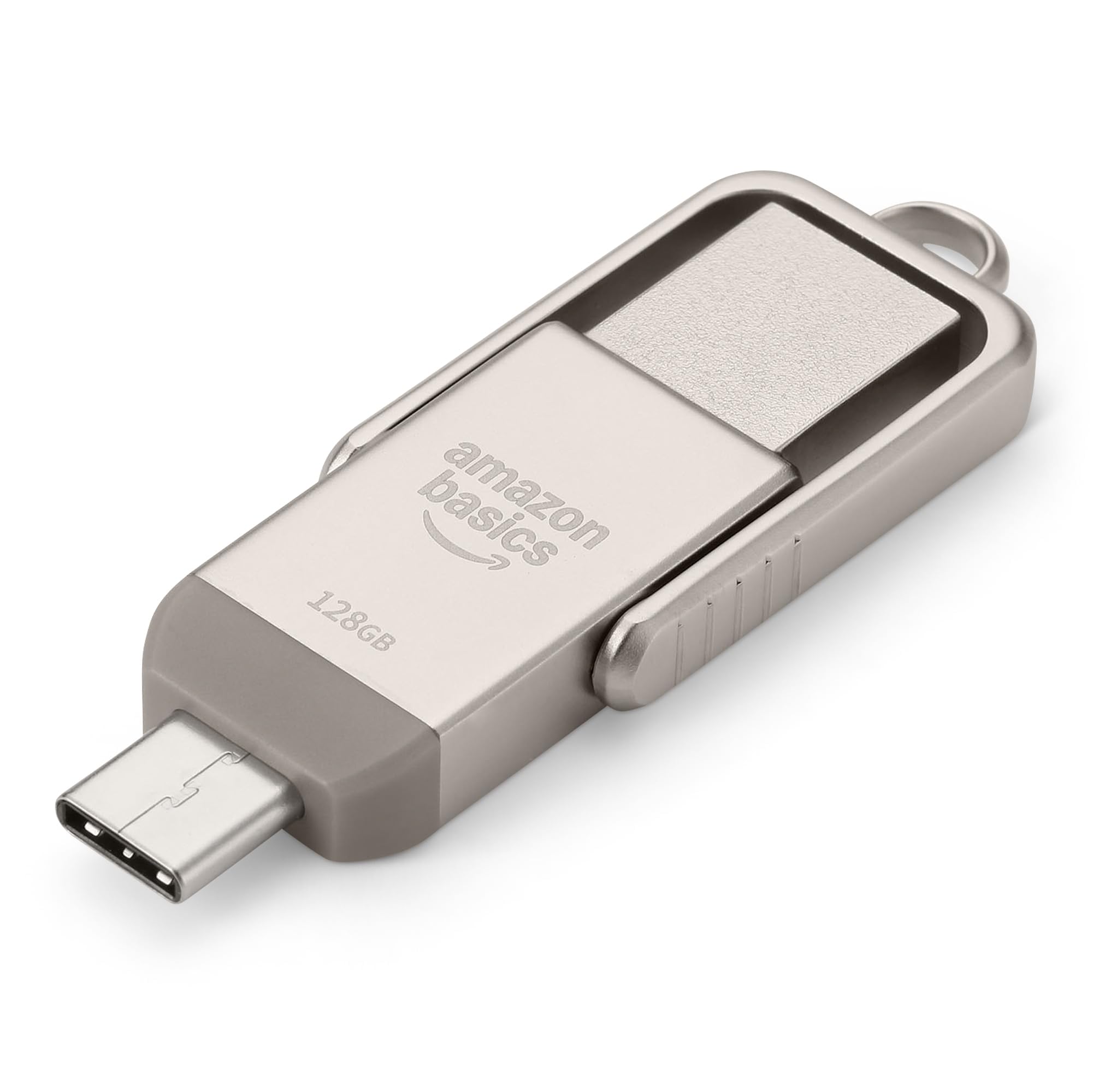
Figure 1: Amazon Basics 128GB USB Flash Drive, showcasinコンパクトなデザインとデュアルコネクタを備えています。
3. セットアップ
- デバイス ポートを識別します: Determine whether your device (phone, tablet, computer) uses a USB-A or USB-C port.
- Select Correct Connector: Rotate the metal casing of the flash drive to expose the appropriate connector (USB-A or USB-C).
- Insert Flash Drive: Carefully insert the exposed connector into the corresponding port on your device. Ensure a secure connection.
- デバイス認識: デバイスは自動的にフラッシュドライブを検出します。ほとんどのオペレーティングシステムでは、通知が表示されるか、デバイスからドライブにアクセスできます。 file マネージャー(例: File Windowsのエクスプローラー、macOSのFinder、 Fileモバイル デバイス上の s アプリ)。

Figure 2: USB Flash Drive connected to a laptop's USB-A port.
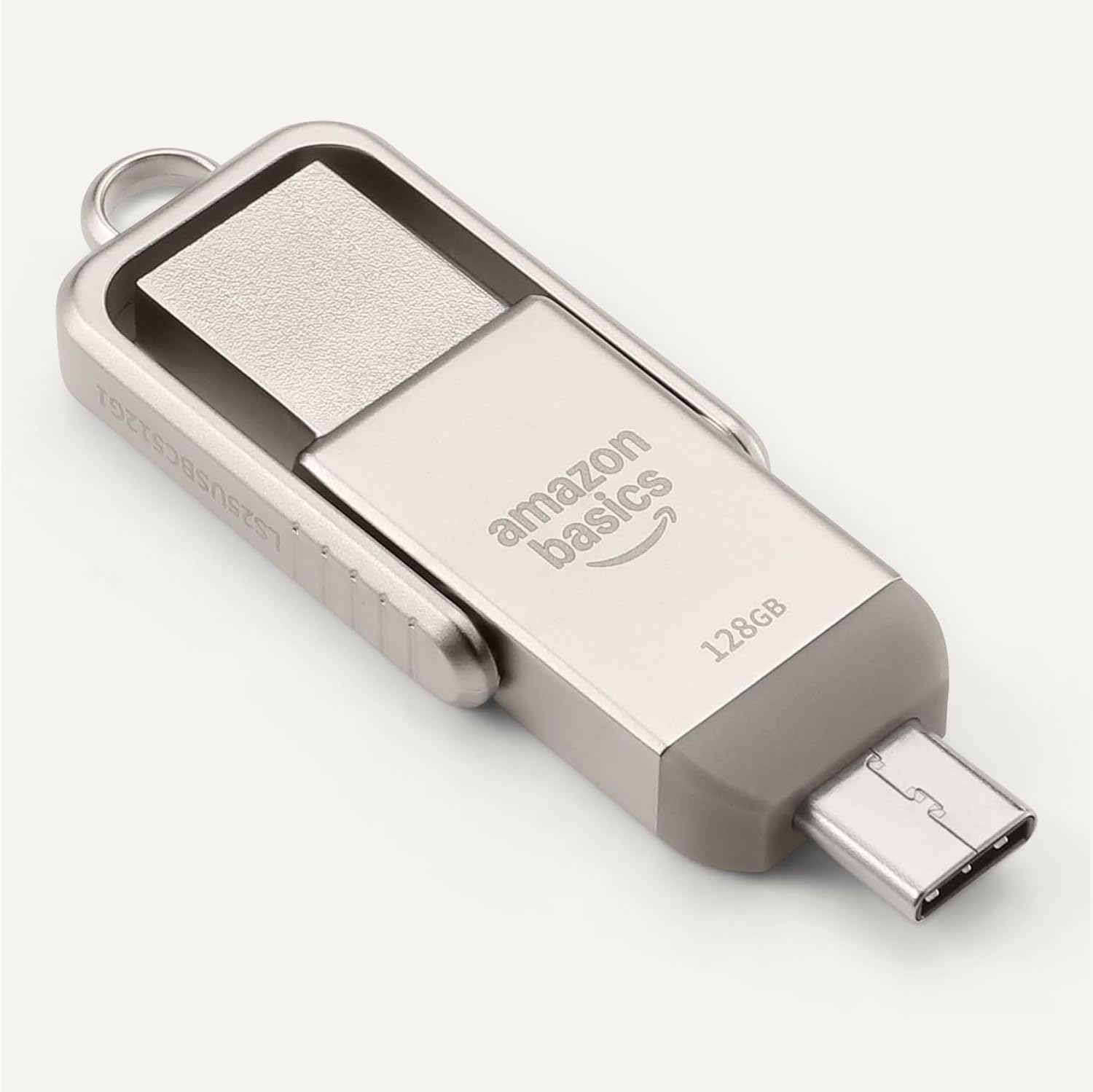
Figure 3: USB Flash Drive connected to a smartphone's USB-C port.
4. 操作手順
4.1.転送 Files
- コピーペースト: に移動 files you wish to transfer. Select them, then right-click (or long-press on touch devices) and choose 'Copy'. Navigate to the flash drive's directory, right-click (or long-press), and select 'Paste'.
- ドラッグアンドドロップ: 開く file manager and arrange windows so you can see both the source folder and the flash drive's folder. Click and drag the desired files from the source folder to the flash drive's folder.
4.2. 安全な取り外し
データの破損を防ぐために、物理的に取り外す前に必ずフラッシュ ドライブを安全に取り外してください。
- ウィンドウズ: Click the 'Safely Remove Hardware and Eject Media' icon in the taskbar, then select the flash drive.
- MacOSの: Drag the flash drive icon from your desktop to the Trash, or right-click the icon and select 'Eject'.
- Android/iPadOS: Look for an 'Eject' or 'Unmount' option within the file manager app or notification panel.
5. 互換性
The Amazon Basics USB Flash Drive is designed for broad compatibility:
- オペレーティング システム: Compatible with Windows, macOS, Linux, Android, and iPadOS devices that support USB mass storage.
- デバイスタイプ: Works with computers, laptops, tablets, and smartphones featuring USB-A or USB-C ports.
- File システム: Pre-formatted with exFAT for maximum compatibility across different operating systems and larger file サイズ。
- 重要な注意: This flash drive is incompatible with Lightning ports found on some Apple devices.
5.1. Compatibility Demonstration
Video 1: Demonstration of the Amazon Basics USB Flash Drive's compatibility with various phone cases and devices, highlighting successful and unsuccessful fits.
Video 2: Demonstration of using a thumb drive with a mini projector, showing file format requirements (FAT32) for video, audio, and image playback.
6. パフォーマンス
The Amazon Basics USB Flash Drive is engineered for efficient data handling:
- 読み取り速度: 最大 400 メガバイト/秒。
- 書き込み速度: Varies depending on the device, file サイズ、 file types, and other environmental factors.
- 低消費電力: Designed for energy efficiency, contributing to longer battery life on connected mobile devices.
For optimal performance, ensure your device's USB port supports USB 3.2 Gen 1 or higher standards.
7. メンテナンスとケア
- コネクタの保護: Always rotate the metal casing to cover the unused connector when not in use to prevent dust and physical damage.
- 取り扱いにはご注意ください: Avoid dropping the drive or subjecting it to excessive force.
- 温度: Store the drive in a cool, dry place away from extreme temperatures.
- クリーニング: Use a soft, dry cloth to clean the exterior. Avoid liquid cleaners or solvents.
8。 トラブルシューティング
- ドライブが認識されません:
- Ensure the drive is fully inserted into the correct USB port.
- デバイスの別の USB ポートを試してください。
- デバイスを再起動してもう一度お試しください。
- デバイスの file manager or disk management utility to see if the drive is listed.
- 転送速度が遅い:
- Ensure you are using a USB 3.0 (or higher) compatible port for optimal speeds. USB 2.0 ports will result in slower transfers.
- 多くの小さな file単一の大きなデータを転送するよりも遅くなる場合があります file 合計サイズは同じです。
- システム リソースを使用している可能性のある他のアプリケーションを閉じます。
- "Unsupported File" Error:
- This error typically occurs when the device you are connecting the flash drive to (e.g., a projector or smart TV) does not support the file format (e.g., .mov, .mp4, .txt, .png) or the file system (e.g., NTFS vs. FAT32/exFAT).
- 確保する files are formatted to FAT32 or exFAT for broad compatibility.
- 変換する files to a format supported by your playback device. Common formats include .mp4 for video, .mp3 or .wav for audio, and .jpeg for images.
- Drive Gets Warm:
It is normal for the metal casing of the flash drive to become warm during prolonged use or heavy data transfers. This does not indicate a malfunction.
9. 仕様
| 特徴 | 仕様 |
|---|---|
| モデル名 | LS25USBC128G1 |
| メモリストレージ容量 | 128 GB (Nominal) |
| 接続技術 | USB |
| ハードウェアインターフェイス | USB 3.2 第1世代 |
| ハードウェア接続技術 | USB タイプ A、USB タイプ C |
| 読み取り速度 | 毎秒 400 メガバイト |
| 特集 | デュアルUSBコネクタ |
| 色 | Champアグネ・シルバー |
| アイテム重量 | 2.11オンス |
| パッケージ寸法 | 9.21 x 7.01 x 0.71インチ |
10. 保証とサポート
This Amazon Basics product is backed by Amazon's customer service and return policies.
- 返品規則: Typically 30 days for refunds or replacements. Please refer to Amazon's current return policy for specific details.
- オプションの保護プラン: Additional photo and data recovery plans are available for purchase (e.g., 2-year or 3-year plans).
- カスタマーサポート: For assistance, please visit the Amazon Basics Store or contact Amazon Customer Service directly through your Amazon account.