
ELEPHAS BL128-PLUS
ELEPHASプロジェクター ユーザーマニュアル
Model: BL128-PLUS
1. はじめに
Thank you for choosing the ELEPHAS Projector. This projector is designed to provide a high-quality home theater experience with its 800 ANSI lumens brightness, 1080p HD resolution, and versatile connectivity options. Enjoy officially licensed streaming apps like Netflix, Prime Video, and YouTube directly from the device, along with seamless dual-band WiFi and Bluetooth 5.0 for enhanced audio. This manual will guide you through the setup, operation, and maintenance of your new projector.
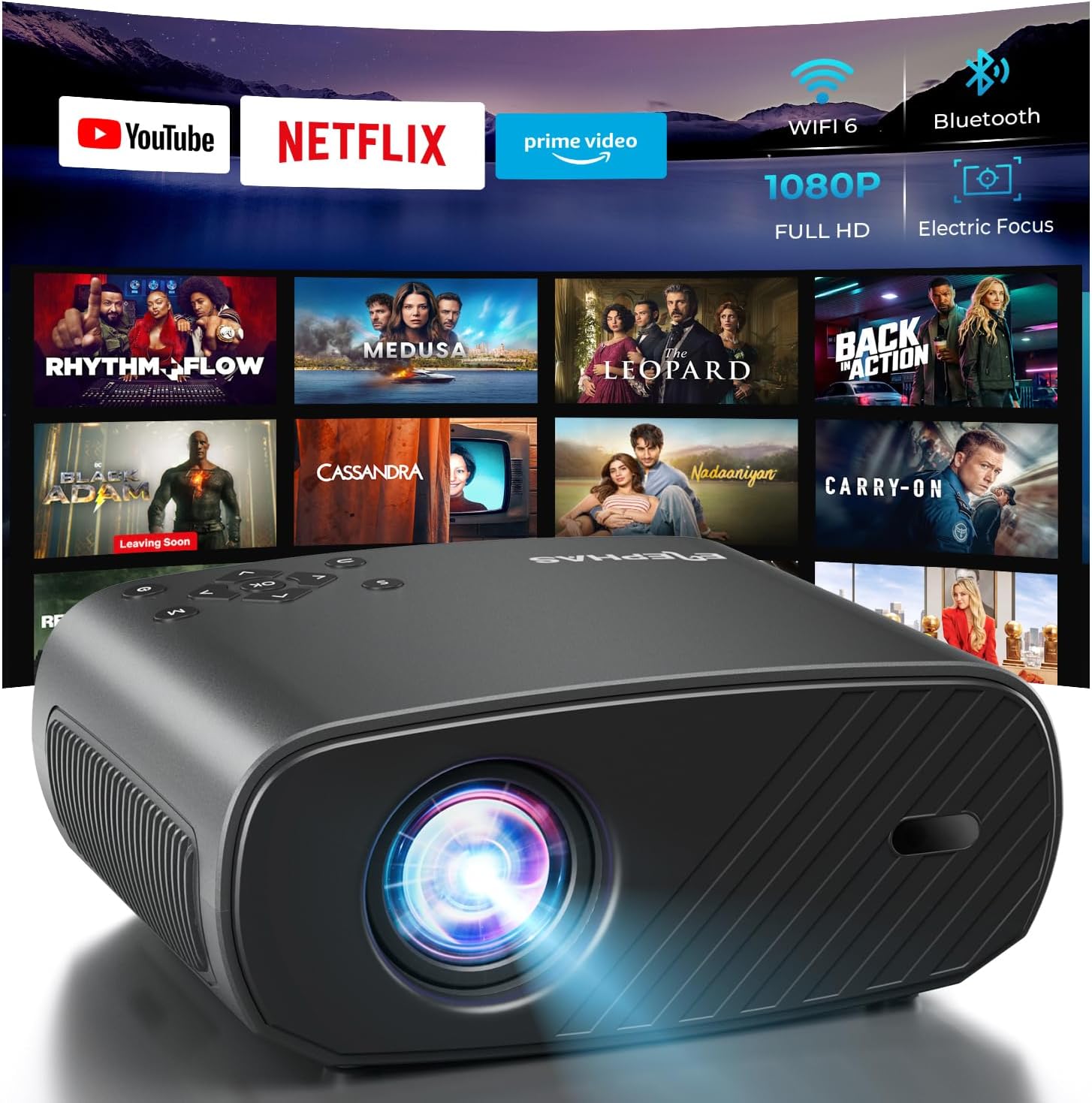
The ELEPHAS Projector offers a comprehensive entertainment solution with integrated streaming services and advanced display technology.
2. 安全情報
- 通気口を塞がないでください。過熱を防ぐため、プロジェクター周囲に十分な空気の流れを確保してください。
- プロジェクターレンズを直接見ないでください。amp 明るい光により目が損傷する恐れがあるため、電源をオンにしてください。
- プロジェクターを水や液体に近づけないでください。雨や湿気にさらさないでください。
- プロジェクターに付属の電源アダプターのみを使用してください。
- プロジェクターが落下する可能性がある不安定な場所に置かないでください。
- 雷雨のときや長期間使用しない場合は、プロジェクターのプラグを抜いてください。
3. パッケージ内容
以下の項目のボックスにチェックを入れてください。
- ELEPHAS Projector (BL128-PLUS)
- 電源ケーブル
- HDMIケーブル
- リモートコントロール
- ユーザーマニュアル
4.製品オーバーview
Familiarize yourself with the various components and ports of your ELEPHAS Projector.

The projector features multiple connectivity options for diverse media sources.
フロントパネル:
- レンズ: 画像をスクリーンに投影します。
後面パネル:
- HDMI ポート (HDMI1、HDMI2): Connect to devices like laptops, gaming consoles, or streaming sticks.
- USBポート(USB1、USB2): メディアを再生したり外部デバイスに電源を供給したりするために USB ドライブを接続します。
- AVポート: AV ケーブルを使用して古いデバイスに接続します。
- ヘッドセットポート: Connect external headphones or speakers via a 3.5mm audio jack.
- 電源入力: 電源ケーブルを接続します。
5. セットアップ
5.1 配置
プロジェクターを安定した平らな面に設置してください。最適な設置のために viewing, ensure the projector is aligned with your projection surface (wall or screen). The projector can project images up to 150 inches. The ideal projection distance will vary based on desired screen size.

The ELEPHAS Projector delivers stunning brightness and clarity for an immersive viewing の経験。
5.2電源接続
- 電源ケーブルをプロジェクターの電源入力ポートに接続します。
- 電源ケーブルのもう一方の端を電源コンセントに差し込みます。
- プロジェクターまたはリモコンの電源ボタンを押して電源を入れます。
5.3 初期画像調整
The ELEPHAS Projector features cutting-edge electric focus and auto keystone correction for instant image perfection.
- 自動台形補正: The projector will automatically adjust the image to correct trapezoidal distortion, ensuring a rectangular picture even if the projector is not perfectly aligned.
- エレクトリックフォーカス: The projector will automatically adjust the focus for a sharp image. Manual adjustments can typically be made via the remote control if needed.
6. 操作手順
6.1 デバイスの接続
Your projector supports various input sources:
- HDMI: Connect your laptop, gaming console, Blu-ray player, or streaming devices (e.g., Firestick) to the HDMI ports. Select the corresponding HDMI input from the projector's source menu.
- USB: USBフラッシュドライブをUSBポートに挿入してメディアを再生します files (videos, photos, music). Navigate to the media player application on the projector's interface.
- Wireless Connectivity (Wi-Fi): The projector supports dual-band WiFi (2.4G and 5G) for seamless screen mirroring from iOS and Android devices. Access the screen mirroring function from the main menu and follow the on-screen instructions to connect your device.

Effortlessly connect your mobile devices wirelessly for screen mirroring.
6.2 ストリーミングアプリケーション
The ELEPHAS Projector comes with officially licensed Netflix, Prime Video, and YouTube apps pre-installed, allowing direct access to a vast library of content.

Enjoy seamless access to popular streaming platforms directly from the projector.
- Navigate to the desired app from the home screen using the remote control.
- ストリーミングを開始するには、アカウントの資格情報を使用してログインします。
6.3Bluetoothオーディオ
外部 Bluetooth スピーカーまたはヘッドフォンを接続して、オーディオ体験を向上します。

Connect wirelessly to your favorite audio devices via Bluetooth 5.0.
- プロジェクターの設定メニューに移動します。
- 「Bluetooth」を選択してオンにします。
- Bluetooth オーディオ デバイスをペアリング モードにします。
- プロジェクター画面上の利用可能なデバイスのリストから接続するデバイスを選択します。
7. メンテナンス
7.1 レンズのクリーニング
Use a soft, lint-free cloth specifically designed for optical lenses. Do not use abrasive cleaners or cloths, as they can scratch the lens.
7.2 プロジェクター本体と通気口のクリーニング
Wipe the projector's exterior with a soft, dry cloth. Use a small brush or vacuum cleaner with a soft brush attachment to gently clean the ventilation openings to prevent dust buildup, which can affect performance and lifespan.
8。 トラブルシューティング
| 問題 | 考えられる原因 | 解決 |
|---|---|---|
| 画面に画像がありません | 電源ケーブルが外れています。入力ソースが正しく選択されていません。デバイスの電源がオンになっていません。 | Check power connection; Select correct input source (HDMI1/2, USB); Ensure connected device is on. |
| 画像がぼやけている | Out of focus; Projector not perpendicular to screen. | Allow auto-focus to adjust or manually adjust focus via remote; Auto keystone correction should fix image shape. |
| 音が出ない | Volume too low/muted; External audio device not connected properly; Incorrect audio output selected. | Increase volume; Check Bluetooth connection or 3.5mm cable; Ensure projector's audio output is set correctly. |
| Wi-Fi/Bluetooth接続の問題 | Out of range; Interference; Incorrect password. | Move closer to router/device; Reduce interference; Re-enter password. |
| ファンの騒音が目立つ | Normal operation; Blocked vents. | A slight fan noise is normal for projectors. Ensure vents are not blocked and are clean. |
9. 仕様
| 特徴 | 詳細 |
|---|---|
| ブランド | エレファス |
| モデル番号 | BL128-PLUS |
| ディスプレイ解像度 | 1920 x 1080 (フルHD) |
| 輝度 | 800 ANSIルーメン |
| コントラスト比 | 10,000:1 |
| 接続技術 | Bluetooth、HDMI、USB、Wi-Fi |
| 特集 | Auto Focus, Built-In Speaker, Netflix Official License, Prime Video, YouTube Support |
| 推奨用途 | ホームシネマ |
| アイテム重量 | 4.64ポンド |
| パッケージ寸法 | 13.98 x 10.87 x 5.28インチ |
10. 保証とサポート
The ELEPHAS Projector is backed by a 1年間保証 ご購入日から1年間。この保証は製造上の欠陥をカバーし、デバイスの信頼性の高いパフォーマンスを保証します。
For any questions, setup assistance, troubleshooting, or warranty claims, please contact ELEPHAS customer support. Our dedicated team is available 24/7 to provide prompt and helpful service.
Please refer to the contact information provided on the ELEPHAS official web最新のサポート チャネルについては、サイトまたは購入ドキュメントをご覧ください。
Ask a question about this manual
Ask about setup, troubleshooting, compatibility, parts, safety, or missing instructions. Manuals+ will review the question and use this page’s manual context to help answer it.