
AGIMA X6
AGIMA X6 4K Projector User Manual
Model: X6 | Brand: AGIMA
1. はじめに
This user manual provides comprehensive instructions for the setup, operation, and maintenance of your AGIMA X6 4K Projector. Designed for a superior viewing experience, the X6 features a built-in smart operating system, native 1080P resolution with 4K support, WiFi 6, Bluetooth 5.2, and powerful 15W dual speakers.

Figure 1: AGIMA X6 4K Projector Overview
2. 箱の中身
開梱したら、以下の品目がすべて含まれていることを確認してください。
- 1 x AGIMA X6 Projector
- HDMIケーブル x 1
- 1 x ケーブル付き電源アダプター
- リモコン x 1
- ユーザーマニュアル x 1
3.製品オーバーview
3.1. コンポーネントとポート
Familiarize yourself with the various components and connection ports of your AGIMA X6 projector.

図2: 背面と側面 View of AGIMA X6 Projector with Ports
- レンズ: 画像をスクリーンに投影します。
- フォーカスホイール: 画像の鮮明さを調整します。
- コントロールパネル: On-device buttons for navigation and selection.
- HDMIポート: Connects to devices like laptops, game consoles, or TV sticks.
- USB ポート: USB ドライブまたはその他の互換性のあるアクセサリを接続します。
- 電源ポート: 電源アダプタを接続します。
- 3.5mmヘッドフォンジャック: ヘッドフォンやスピーカーなどの外部オーディオデバイスを接続します。
- 内蔵スピーカー: オーディオ出力を提供します。
4. セットアップ
4.1.配置
Position the projector on a stable, flat surface. Ensure there are no obstructions in front of the lens. The optimal projection size ranges from 39 inches to 200 inches, with projection distances between 4ft and 25ft.
4.2. 電源接続
- 電源アダプタをプロジェクターの電源ポートに接続します。
- 電源アダプタを壁のコンセントに差し込みます。
- プロジェクターまたはリモコンの電源ボタンを押して電源を入れます。
4.3. 初期画像調整
- 集中: Rotate the focus wheel near the lens until the image appears clear and sharp.
- キーストーンの自動修正: The projector is equipped with automatic keystone correction to ensure a rectangular picture regardless of the projection angle.
- デジタルズーム: Use the zoom function (100% to 50%) via the remote control to adjust the image size without moving the projector.
4.4. ネットワーク接続(WiFi 6)
The AGIMA X6 supports dual-band 5G/2.4G WiFi 6 for stable and fast connectivity.
- Navigate to the "Settings" menu on the projector's smart OS.
- Select "Network" or "WiFi settings".
- リストから希望の WiFi ネットワークを選択します。
- プロンプトが表示されたらパスワードを入力して接続します。

Figure 3: WiFi 6 Connectivity for Faster Streaming
4.5.Bluetooth接続
The projector features two-way Bluetooth 5.2, allowing connection to external speakers/headphones or functioning as a standalone Bluetooth speaker.
- 「設定」に移動して「Bluetooth」を選択します。
- Bluetoothをオンにして、利用可能なデバイスを検索します。
- Select your desired Bluetooth device (e.g., speaker, headphones) from the list to pair.
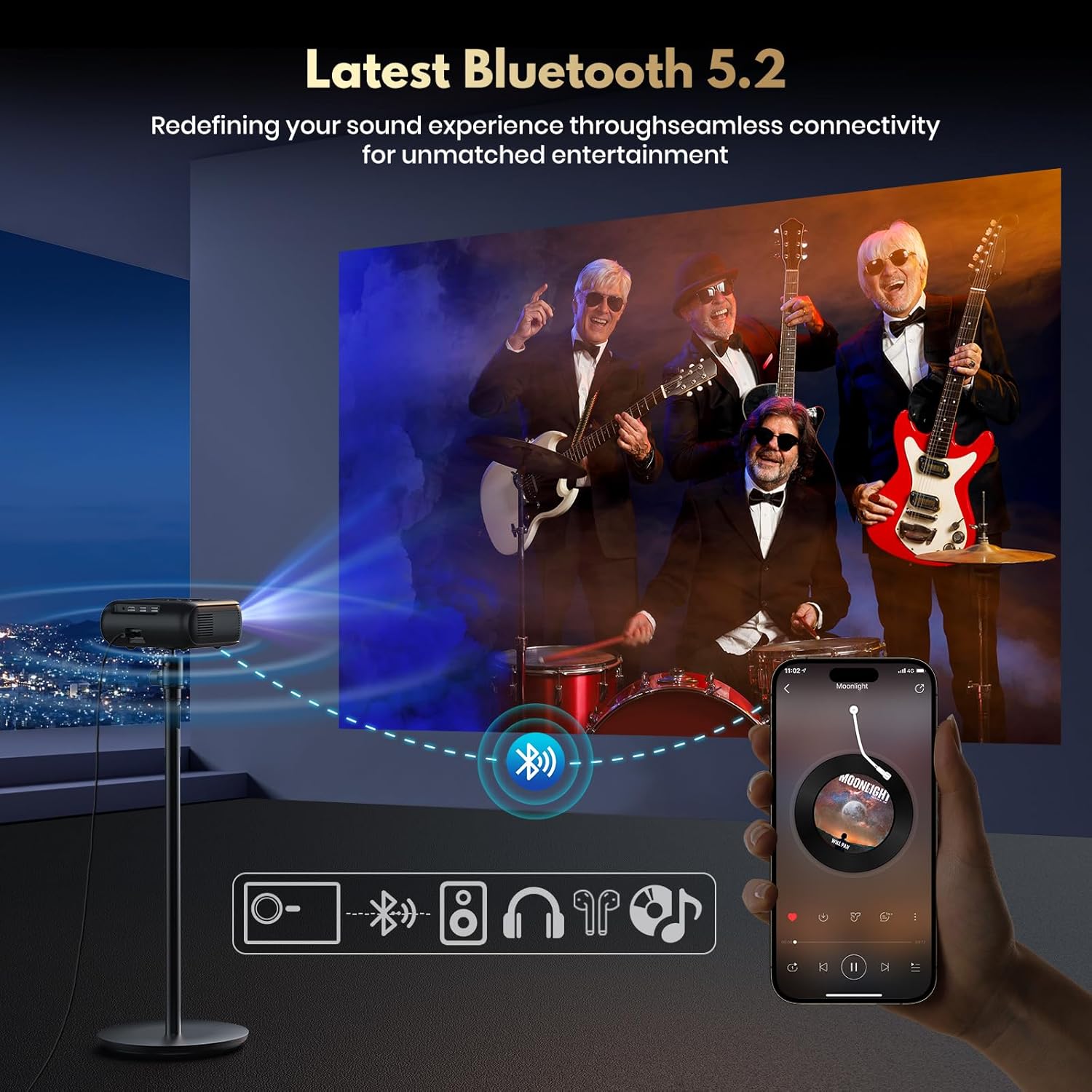
Figure 4: Seamless Bluetooth 5.2 Connectivity
4.6. 外部機器の接続
The projector is compatible with various devices via its HDMI and USB ports.
- HDMI: Connect TV sticks, laptops, game consoles (Switch/PS5), or other HDMI-enabled devices using an HDMI cable. Select the HDMI input source from the projector's menu.
- USB: メディアを再生するにはUSBドライブを挿入します file直接。
5. 操作手順
5.1. Smart OS and App Store
The built-in smart operating system provides direct access to streaming services and applications.
- From the home screen, navigate to pre-installed apps like Netflix, Prime Video, YouTube, etc.
- Access the "App Store" to download additional applications.
- Ensure the projector is connected to WiFi for online content and app downloads.

Figure 5: Built-in Smart System for Massive App Download
5.2. Image and Display Settings
- 輝度: The projector delivers 450 ANSI Lumens for clear and vivid pictures. Adjust ambient lighting for optimal viewing。
- 解決: Native 1080P Full HD resolution with support for 4K video playback.
- HDR10: Enhances contrast and color accuracy. Ensure your content supports HDR10 for the best experience.

Figure 6: Experience Stunning Details with HDR10
5.3.オーディオ設定
The X6 projector is equipped with 15W dual speakers for immersive 3D stereo HiFi audio.
- Adjust volume using the remote control or on-device buttons.
- For enhanced audio, connect external Bluetooth speakers or use the 3.5mm audio jack.

Figure 7: Equipped with HiFi Speaker for Immersive Sound
6. メンテナンス
6.1. 清掃
- レンズ: 光学レンズ専用の柔らかく糸くずの出ない布を使用してください。研磨剤入りのクリーナーを使用したり、過度の力を加えたりしないでください。
- 外観: プロジェクターの外装は、柔らかく乾いた布で拭いてください。液体クリーナーを直接使用しないでください。
- 換気: 過熱を防ぐために、通気口にほこりやごみが詰まっていないことを確認してください。
6.2. ストレージ
プロジェクターを使用しない場合は、直射日光や極端な温度を避け、涼しく乾燥した場所に保管してください。ほこりや損傷を防ぐため、元の梱包箱または保護ケースを使用してください。
6.3. ルamp 人生
The AGIMA X6 projector lamp has an estimated lifespan of 100,000 hours, ensuring long-term performance under normal usage conditions.
7。 トラブルシューティング
| 問題 | 考えられる原因 | 解決 |
|---|---|---|
| 画像が表示されない | 電源が接続されていません。入力ソースが正しくありません。レンズキャップが装着されています。 | 電源接続を確認し、正しい HDMI/USB 入力を選択し、レンズキャップを取り外します。 |
| 画像がぼやけている | フォーカスが調整されていません。プロジェクターが近すぎる/遠すぎます。 | Adjust the focus wheel; Adjust projection distance or use digital zoom. |
| 音が出ない | 音量が低すぎます。外部オーディオ デバイスが接続/ペアリングされていません。ミュートされています。 | Increase volume; Check Bluetooth connection or 3.5mm jack; Unmute. |
| WiFiに接続できません | パスワードが間違っています。範囲外です。ルーターに問題があります。 | パスワードを確認し、ルーターに近づき、ルーターとプロジェクターを再起動します。 |
| リモコンが動作しない | 電池残量が少ない/切れている。リモコンとプロジェクターの間に障害物がある。 | 電池を交換してください。IR 受信機までの見通しが確保されていることを確認してください。 |
8. 仕様
| 特徴 | 詳細 |
|---|---|
| ブランド | アギマ |
| モデル番号 | X6 |
| ディスプレイ解像度 | Native 1920 x 1080 (1080P Full HD), 4K Support |
| 輝度 | 450 ANSIルーメン |
| コントラスト比 | 18000:1 |
| 接続技術 | Wi-Fi (WiFi 6), USB, HDMI, Bluetooth 5.2, 3.5mm Jack |
| 特集 | Built-in Smart Streaming OS & App Store, Auto Keystone Correction, Digital Zoom (50-100%), Built-in 15W Dual Speakers, HDR10 |
| 投影サイズ | 39インチ~200インチ |
| 投影距離 | 4ft-25ft |
| Lamp 人生 | 100,000時間 |
| アイテム重量 | 2.2ポンド(1キログラム) |
| 製品寸法 | 6.81 x 6.14 x 2.44インチ(17.4 x 15.6 x 6.2cm) |
| 色 | 黒 |
9. 保証とサポート
9.1. 保護プラン
Optional protection plans are available for extended coverage. Please refer to your purchase documentation for details on available 2-Year and 3-Year Protection Plans, as well as the Complete Protect plan.
9.2. カスタマーサポート
For any questions, technical assistance, or warranty claims, please contact AGIMA customer support through the retailer's platform or the official AGIMA website. Please have your model number (X6) and purchase details ready when contacting support.