
1. はじめに
The EZON C022 Pro Smart Optical Heart Rate Monitor Armband is designed to provide accurate and real-time heart rate monitoring for various fitness and sports activities. Featuring advanced 4-channel optical heart rate measurement technology, ANT+ and Bluetooth 5.2 connectivity, and a durable, lightweight design, this device supports an active lifestyle. This manual will guide you through the setup, operation, and maintenance of your new heart rate monitor.
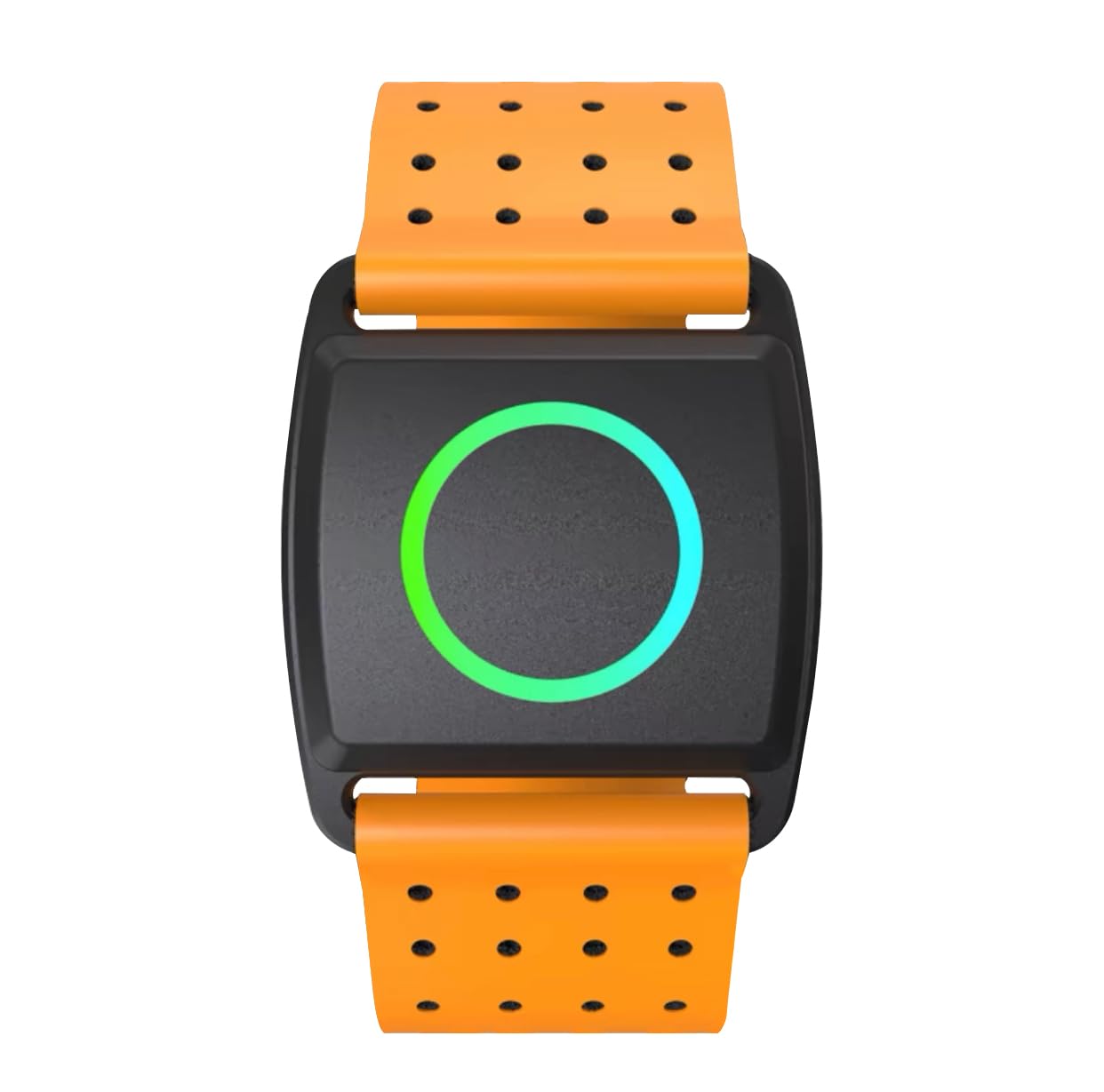
Image 1: EZON C022 Pro Smart Optical Heart Rate Monitor Armband. This image shows the orange-colored armband with the main unit featuring a circular display and a side button.
2. セットアップ
2.1. 電源オン
For first-time use, press and hold all four side buttons simultaneously until the screen illuminates. This action powers on the device and prepares it for initial configuration.
2.2。 時刻と日付の設定
In 'TIME Mode', long-press the bottom-left button to enter the setting mode. Use the two right buttons to adjust values for hour, minute, second, 12/24-hour format, year, month, and day. After setting, press the top-right button to confirm and exit. You can also set the button sound ON/OFF in this mode.
2.3. ユーザープロfile 設定
Navigate to 'HRM Mode'. Input your gender, age, and weight. Then, configure your heart rate safety zone and alarm settings according to your fitness goals and health requirements.
2.4. HRM Chest Belt Activation and Wearing
Before wearing, moisten the electrode areas of the chest belt with water or a conductive liquid to enhance signal transmission. Attach the sensor to the chest belt and adjust the strap length to ensure a snug but not overly tight fit around your chest. Ensure the sensor is in direct contact with your skin for accurate readings.

Image 2: The EZON C022 Pro is 30M waterproof, suitable for swimming and other water activities. This image shows the device being used in water, highlighting its waterproof capability.
3. 操作手順
3.1. Checking Heart Rate
In 'HR Monitor Mode', the device displays your real-time heart rate. Press the top-right button to view additional data such as calorie consumption and your current heart rate zone. If your heart rate exceeds the safe range, an alert will sound every 10 seconds, prompting you to adjust your exercise intensity.
3.2. クロノグラフ機能
In 'CHRO Mode', press the 'ST/STP' button to start and stop the stopwatch. Long-press the 'RESET' button to reset the timer. This function measures elapsed time and lap times with an accuracy of 0.01 seconds.
3.3.アラーム設定
In the 'Alarm Menu', set your desired alarm time (one alarm only). After setting the time, ensure the alarm is set to 'ON' to activate it. This can be used to remind you of training schedules or other events.
3.4. ホurly Chime Setting
In 'Alarm Mode', press the 'ST' button to toggle the hourly chime ON or OFF. When activated, the device will emit a short sound every hour on the hour.

Image 3: The EZON C022 Pro features a lightweight design, weighing only 12.2g, ensuring comfort during extended wear. This image emphasizes the device's minimal weight.
4. メンテナンス
4.1. バッテリーの交換
Both the watch and the heart rate sensor use a CR2032 battery. For the watch, use a small Phillips screwdriver to remove the battery cover. For the heart rate sensor, use a coin to rotate the back cover counter-clockwise to open it. Remove the old battery and insert a new CR2032 battery, ensuring correct polarity. Replace the cover securely.
4.2. 清掃
The heart rate armband features a washable design, allowing for easy cleaning. Regularly clean the device and strap with mild soap and water, then rinse thoroughly and allow to air dry. Avoid using harsh chemicals or abrasive materials.
4.3. 耐水性
The device is water-resistant up to 30 meters, making it suitable for swimming and other water-based activities. However, it is not recommended for diving or high-pressure water activities. Ensure the battery cover is securely closed after replacement to maintain water resistance.

Image 4: The EZON C022 Pro incorporates a new generation 4-channel PPG optical heart rate sensor for enhanced accuracy. This image highlights the advanced sensor technology.
5。 トラブルシューティング
- 心拍数読み取りなし: Ensure the chest belt electrodes are moistened and the sensor is in direct contact with your skin. Check battery levels.
- 不正確な読み取り: Verify the chest belt is worn correctly and securely. Avoid excessive movement that might interfere with the signal. Ensure no other electronic devices are causing interference.
- 接続の問題: Make sure Bluetooth is enabled on your smartphone or fitness device. Ensure the EZON C022 Pro is within range. Try re-pairing the device.
- デバイスの電源が入っていない: Check the battery. If the battery is new or recently replaced, ensure it is inserted with correct polarity. For first-time use, long-press all four buttons simultaneously.
6. 仕様
| 特徴 | 仕様 |
|---|---|
| 製品モデル | C022プロ |
| 色 | オレンジ |
| 材料 | シリコーン |
| バッテリー付属 | はい |
| パッケージサイズ | 10.98 x 9.5 x 4.5 cm |
| 製品重量 | 0.91グラム |
| 対応デバイス | iPhone、アンドロイド |
| 接続性 | ANT +、Bluetooth |
| 耐水性 | 30メートル |
| 電池のタイプ | CR2032 |
7. 指導ビデオ
7.1. EZON T037 Digital Sports Watch Kit Quick Guide
Video 1: This video provides a quick guide for the EZON T037 Digital Sports Watch, demonstrating how to power on, set time/date, configure user profiles, activate the HRM chest belt, check heart rate, use the chronograph, and replace the battery. While the video features model T037, the general setup and operation principles are similar to the C022 Pro.
8. 保証とサポート
For any questions, technical support, or warranty inquiries, please contact our customer service team. We are committed to providing reliable assistance for your EZON product.
メールアドレス: service@ezonwatch.com
Webサイト: www.ezonwatch.com