
LEXiBOOK RL800SO
LEXiBOOK RL800SO Soccer Ball Night Light Alarm Clock Instruction Manual
Model: RL800SO | Brand: LEXiBOOK
導入
This manual provides detailed instructions for the setup, operation, and maintenance of your LEXiBOOK RL800SO Soccer Ball Night Light Alarm Clock. This device combines an alarm clock with a night light feature, offering various sounds and melodies for a personalized experience.
安全情報
- デバイスを水や湿気から遠ざけてください。
- 極端な温度や直射日光にさらさないでください。
- Use only the specified battery type (3 x AA/LR6, not included).
- 小さなお子様の手の届かないところに電池を保管してください。
- ご自身でデバイスの分解や修理を試みないでください。問題が発生した場合は、カスタマーサポートにお問い合わせください。
パッケージ内容
- 1 x LEXiBOOK RL800SO Soccer Ball Night Light Alarm Clock
- 取扱説明書 x 1
Note: 3 x AA/LR6 batteries are required and not included.
設定
1. バッテリーの取り付け
- 目覚まし時計の裏側にある電池ボックスを見つけます。
- 電池ボックスのカバーを開きます。
- Insert 3 new AA/LR6 batteries, ensuring correct polarity (+/-).
- 電池カバーをしっかりと閉じてください。

Image: Underside of the LEXiBOOK RL800SO alarm clock, highlighting the battery compartment.
2. 初期時間設定
- Press and hold the "Time Set" button (often indicated by a clock icon) located on the back or side of the unit.
- While holding the "Time Set" button, use the '+' and '-' buttons (usually on the front or top) to adjust the hour.
- Release and press the "Time Set" button again to switch to minute adjustment. Use '+' and '-' buttons to set the minutes.
- Press the "Time Set" button one last time to confirm and exit time setting mode.
操作手順
1.アラームの設定
- Press and hold the "Alarm Set" button (often indicated by a bell icon) located on the back or side of the unit.
- While holding the "Alarm Set" button, use the '+' and '-' buttons to adjust the alarm hour.
- Release and press the "Alarm Set" button again to switch to minute adjustment. Use '+' and '-' buttons to set the alarm minutes.
- Press the "Alarm Set" button one last time to confirm and exit alarm setting mode. The alarm icon will appear on the LCD screen, indicating the alarm is active.
2. スヌーズ機能
When the alarm sounds, press down on the top of the soccer ball or the designated snooze button (if available) to activate the snooze function. The alarm will temporarily stop and sound again after a few minutes (typically 5-10 minutes).

Image: A child sleeping peacefully with the LEXiBOOK RL800SO Soccer Ball Night Light Alarm Clock illuminating the room.
3. 夜間照明操作
To activate the night light, press down on the soccer ball. The ball will illuminate, creating a soft glow. Press again to turn it off. The night light can be used independently of the alarm function.
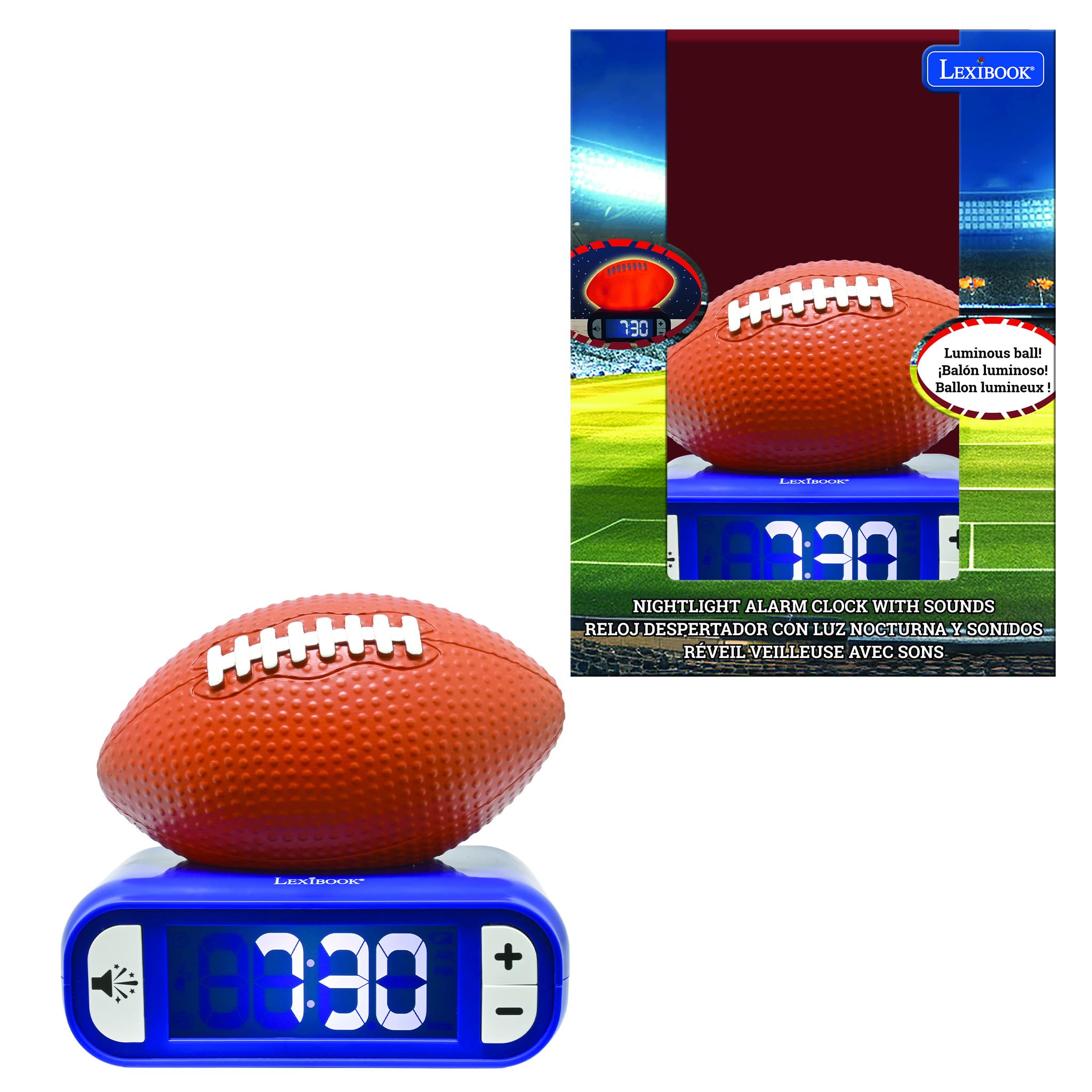
Image: The LEXiBOOK RL800SO Soccer Ball Night Light Alarm Clock with the soccer ball illuminated, showing its night light feature.
4. Sound and Melody Selection
Your alarm clock offers 6 different ringtones/melodies. To cycle through them, press the "Sound" button (often indicated by a speaker icon). Stop on your preferred melody. The volume can also be adjusted using dedicated volume buttons or by repeatedly pressing the sound button after selecting a melody.

Image: Icon representing volume control.
5. LCD Screen Backlight
The LCD screen features a backlight. You can choose to keep the LCD screen on or off during the night for peaceful sleep without glare. Refer to the specific buttons on your device for backlight control (often integrated with the light/snooze button or a dedicated button).
メンテナンス
- クリーニング: 柔らかく乾いた布で拭いてください。研磨剤入りの洗剤や溶剤は使用しないでください。
- バッテリー交換: Replace batteries when the low battery indicator appears on the LCD screen to ensure continuous operation.
- ストレージ: 長期間保管する場合は、液漏れを防ぐために電池を取り外してください。
トラブルシューティング
| 問題 | 解決 |
|---|---|
| アラームが鳴らない。 | Check if the alarm is activated (alarm icon on display). Ensure batteries are not low and are inserted correctly. |
| ディスプレイが暗いか空白です。 | Replace batteries. Check LCD backlight settings. |
| 夜間照明が機能しません。 | Ensure batteries are not low. Press the soccer ball firmly. |
仕様
- ブランド: レキシブック
- モデル番号: RL800SO
- 表示タイプ: デジタル
- 電源: Battery Powered (3 x AA/LR6, not included)
- 特集: Battery Indicator, Night Light, Alarm, Snooze, Sounds & Melodies
- 製品寸法: 幅3.54インチ x 高さ7.17インチ
- 材料: プラスチック
- 色: Orange/Blue (Soccer Ball style)
製品ビデオ
The following videos, created by various content creators, demonstrate the features and functionality of LEXiBOOK alarm clocks, including models similar to the Soccer Ball Night Light Alarm Clock. While not all videos feature the exact RL800SO model, they provide useful insights into the product's operation.
LEXiBOOK Alarm Clock Features Overview (Stitch Model)
Video Description: This video provides a detailed review of a LEXiBOOK night light alarm clock, demonstrating how to set the time, alarm, and adjust sounds. It also shows the night light feature in both bright and dark environments. The model shown is a Disney Stitch version, but the operational steps are similar for the Soccer Ball model.
Soccer Ball Alarm Clock Demonstration (Preview)
Video Description: A brief demonstration of a Soccer Ball night light alarm clock, highlighting its night light function and various soccer-themed alarm sounds. This video is a preview, offering a quick look at the product's main features.
Basketball Alarm Clock Features
Video Description: This video showcases a basketball-themed LEXiBOOK alarm clock, demonstrating its light-up feature and ease of use for children. The functionality is similar to the Soccer Ball model.
Baseball Alarm Clock Overview
ビデオの説明: 再view of a baseball-themed LEXiBOOK alarm clock, highlighting its battery operation, simple button layout, and themed alarm sounds. This provides a good overview of the user-friendly design across different sports models.
保証とサポート
製品保証およびカスタマーサポートに関する情報は、入手可能な製品データに記載されていません。製品パッケージまたはメーカーの公式サポートページをご覧ください。 web詳細はサイト。
Ask a question about this manual
Ask about setup, troubleshooting, compatibility, parts, safety, or missing instructions. Manuals+ will review the question and use this page’s manual context to help answer it.