
1. はじめに
Thank you for choosing the YI Smart Security Camera 360° PTZ Dome Camera. This camera provides comprehensive surveillance with its 360° pan and tilt capabilities, delivering crystal-clear 1080p Full HD video. Designed for indoor use, it features advanced motion detection, smart auto-tracking, enhanced night vision, and two-way audio communication. This manual will guide you through the setup, operation, and maintenance of your new security camera.
主な特徴:
- 360°カバレッジ: 355° horizontal and 90° vertical rotation for zero blind spots.
- 1080p フルHD: High-definition video for clear monitoring.
- モーション検出と自動追跡: Alerts and tracks moving objects automatically.
- 強化されたナイトビジョン: Multiple modes including full-color night vision.
- 双方向オーディオ: リアルタイム通信用のマイクとスピーカーが内蔵されています。
- 柔軟なストレージ: Supports Cloud storage and local storage via microSD card (up to 128GB).
2. パッケージ内容
パッケージに以下の項目が含まれているか確認してください。
- YI Smart Security Camera x1
- USBケーブルx1
- ユーザーマニュアル x1 (本書)
3.製品オーバーview
Familiarize yourself with the components of your YI Smart Security Camera.

図3.1: 前面 view of the YI Smart Security Camera, showing the lens, LED lights, and two antennas.

Figure 3.2: Dimensions of the YI Smart Security Camera, indicating a height of 180mm (7.08in), width of 102mm (4.0in), and depth of 85mm (3.34in).
4. セットアップとインストール
4.1 初期電源投入
- Connect the provided USB cable to the camera's power port and plug the other end into a compatible USB power adapter (not included).
- The camera will power on and initiate its self-test sequence. Wait for the indicator light to flash, indicating it's ready for setup.
4.2 アプリのダウンロードとアカウント作成
- ダウンロード YI IOT App App Store (iOS) または Google Play ストア (Android) から入手できます。
- アプリを開き、画面の指示に従って新しいアカウントを作成するか、既にアカウントをお持ちの場合はログインします。
4.3 アプリにカメラを追加する
- In the YI IOT App, tap the "+" icon to add a new device.
- リストからカメラモデルを選択します。
- Follow the app's instructions to connect the camera to your 2.4GHz Wi-Fi network. This typically involves scanning a QR code generated by the app with the camera's lens.
- 接続したら、カメラに名前を付けてライブを開始できます viewing。
4.4カメラの取り付け
The camera is designed for indoor use and can be placed on a flat surface or wall-mounted. For wall mounting, use the included mounting accessories (if applicable) and ensure the camera is securely fastened.
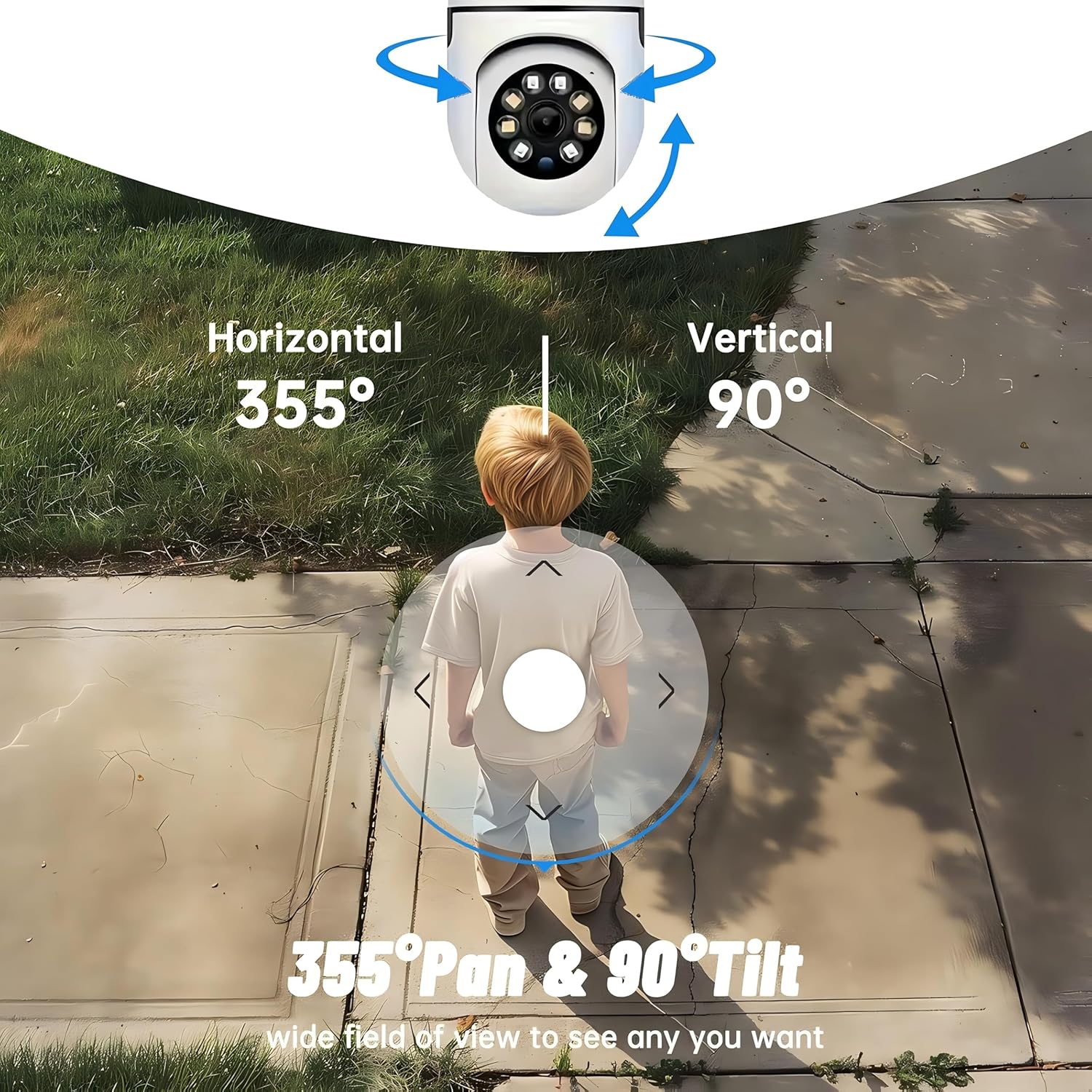
図4.1:例amples of multi-scene applications, including wall and ceiling mounting, and placement in living rooms, bedrooms, and studies.
5. カメラの操作
5.1 パンチルト制御
The YI Smart Security Camera offers extensive pan and tilt capabilities, allowing you to monitor a wide area.
- 水平回転: 355°
- 垂直回転: 90°
In the YI IOT App, use the directional controls on the live view screen to remotely adjust the camera's view角度。

Figure 5.1: Illustration of the camera's 355° horizontal pan and 90° vertical tilt capabilities, providing a wide field of view.
5.2 Motion Detection & Smart Auto Tracking
The camera can detect movement and automatically track objects, sending alerts to your smartphone.
- モーション検出: When motion is detected, the camera will send an instant push notification with a 6-second video clip to your phone via the YI IOT App.
- Smart Auto Tracking: If enabled, the camera will automatically follow moving objects for up to 10 seconds after detection, ensuring continuous monitoring of the activity.
Adjust sensitivity settings and notification preferences within the app.

Figure 5.2: Real-time alarm notification on the YI IOT app, showing an intruder detected by the camera.
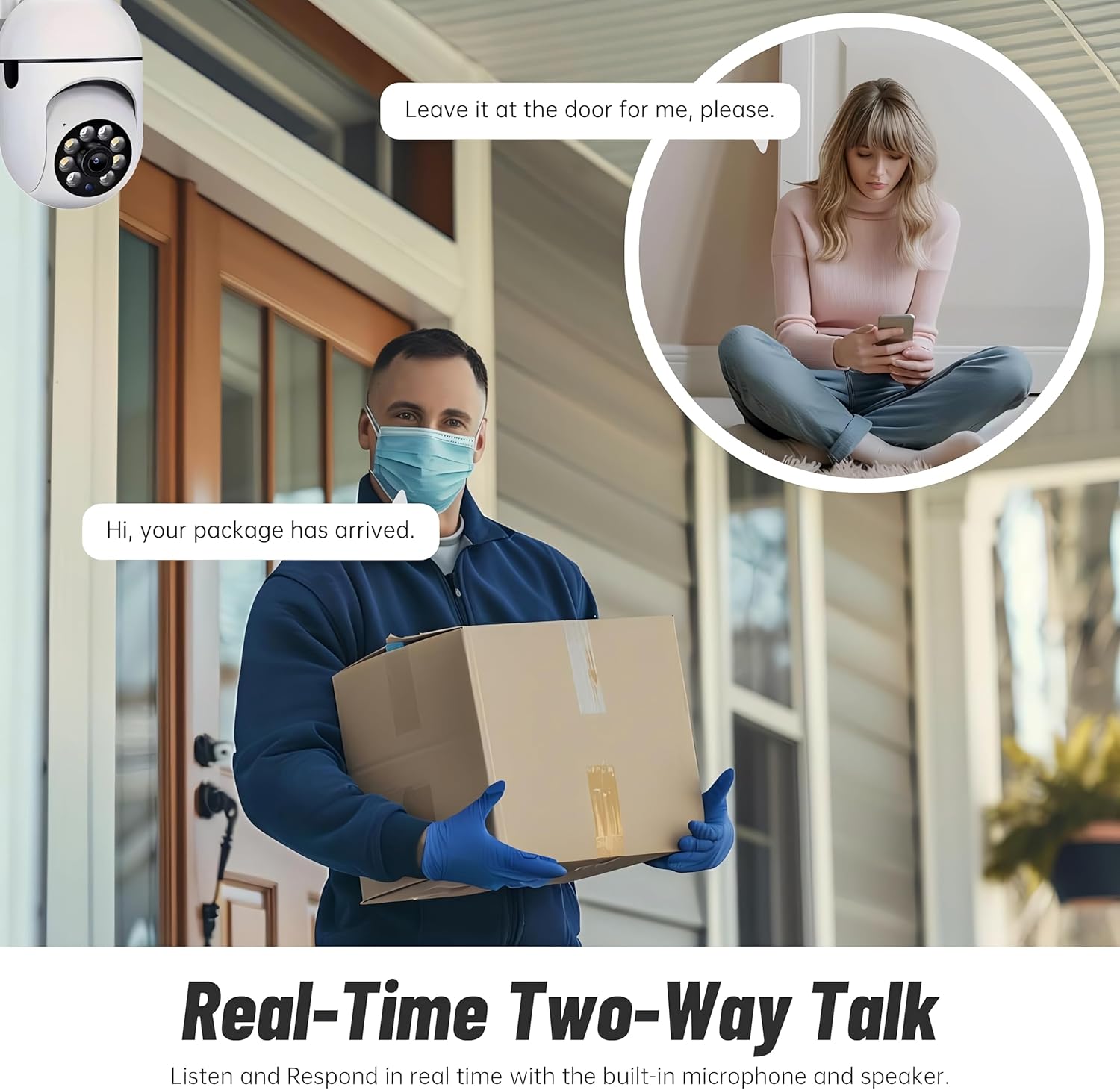
Figure 5.3: The camera's motion tracking feature focusing on a moving pet.

Figure 5.4: Visual representation of a motion detection alert, showing the camera capturing movement and sending notifications.
5.3 強化された夜間視力
The camera is equipped with ultra-long-distance infrared LEDs and floodlight LEDs, offering multiple night vision modes for clear visibility in low-light conditions.
- 通常の夜間視力: 標準の白黒赤外線 view.
- インテリジェントナイトビジョン: Automatically switches between infrared and full-color based on detected activity.
- フルカラーナイトビジョン: Provides a color image even in low light, utilizing the built-in floodlight.
You can switch between these modes directly from the YI IOT App.

Figure 5.5: Comparison illustrating the difference between standard infrared night vision (monochrome) and 1080p full-color night vision.
5.4 双方向オーディオ
Communicate through the camera using its built-in microphone and high-power speaker.
- インターコムモード: Press and hold the microphone icon in the app to speak, and release to listen. Ideal for giving commands to pets or deterring unwanted visitors.
- ハンズフリーモード: Allows for a continuous two-way conversation, similar to a phone call.
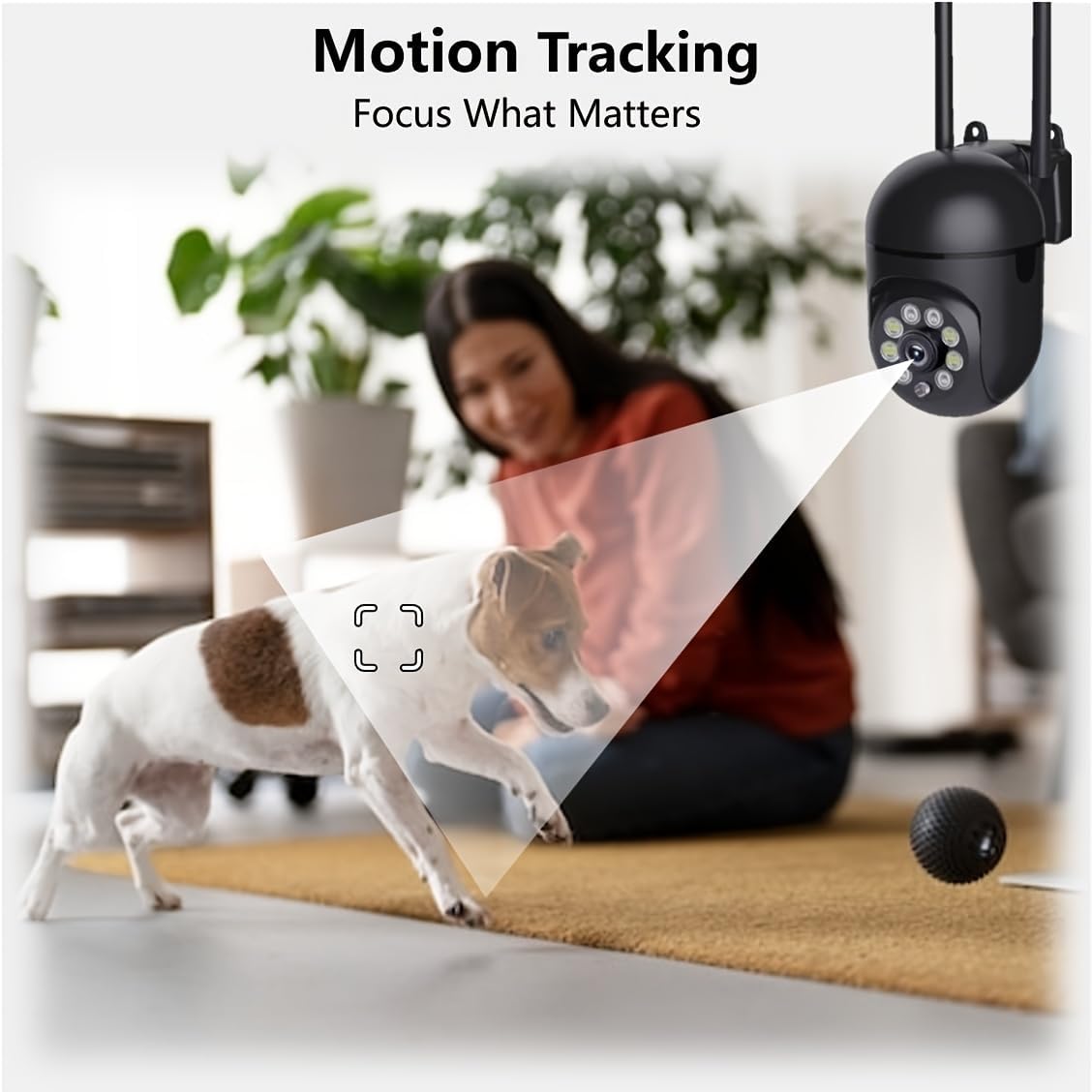
Figure 5.6: Demonstration of real-time two-way talk, allowing communication between the camera's location and the app user.
5.5 Cloud & Local Storage
Your camera offers flexible storage options for your video footage.
- YI Cloud Storage: Securely store 6-second video clips triggered by motion or sound detection. This ensures your footage is safe from loss, theft, or damage to local storage. Available for both iOS and Android.
- ローカルストレージ: The camera supports microSD cards up to 128GB (not included) for continuous recording or event-triggered recordings.
6. メンテナンス
カメラの最適なパフォーマンスと寿命を確保するには、次のメンテナンス ガイドラインに従ってください。
- クリーニング: カメラのレンズと本体は、柔らかく乾いた布で優しく拭いてください。刺激の強い化学薬品や研磨剤の使用は避けてください。
- ファームウェアの更新: Regularly check for and install firmware updates via the YI IOT App. Updates often include performance improvements, new features, and security enhancements.
- 電源サイクル: If the camera becomes unresponsive, unplug it from the power source for 10 seconds, then plug it back in to restart it.
7。 トラブルシューティング
カメラに問題が発生した場合は、次の一般的な問題と解決策を参照してください。
| 問題 | 考えられる原因 | 解決 |
|---|---|---|
| カメラがオフライン | 電源なし、Wi-Fiが切断、ルーターの問題 | 電源接続を確認し、カメラとルーターを再起動し、アプリ経由でカメラを Wi-Fi に再接続します。 |
| 画質が悪い | Dirty lens; Insufficient lighting; Network bandwidth | Clean the lens; Ensure adequate lighting or enable night vision; Check Wi-Fi signal strength. |
| モーション検出が機能しない | Feature disabled; Incorrect sensitivity; Obstruction | Enable motion detection in app; Adjust sensitivity; Ensure clear view. |
| 双方向オーディオの問題 | Microphone/speaker muted; App permissions; Network delay | Check app settings; Grant microphone permissions; Ensure stable network connection. |
| MicroSDカードが認識されない | カードが正しく挿入されていない、互換性のないカード、破損したカード | Reinsert card; Use a compatible card (Class 10 or higher); Format card in app or replace. |
If the problem persists, please contact YI customer support.
8. 仕様
Detailed technical specifications for the YI Smart Security Camera.
| 特徴 | 仕様 |
|---|---|
| モデル名 | CB201-1X-W |
| 屋内/屋外での使用 | 屋内 |
| ビデオキャプチャ解像度 | 1080pフルHD |
| 接続技術 | ワイヤレス(Wi-Fi 2.4GHz) |
| パン/チルト範囲 | 水平355°、垂直90° |
| 暗視範囲 | 10メートル |
| 双方向オーディオ | はい |
| ストレージオプション | クラウドストレージ、MicroSDカード(最大128GB) |
| 電源 | コード式電気 |
| 対応デバイス | スマートフォン(iOS/Android) |
| 製品寸法(長さ x 幅 x 高さ) | 4 x 3.35 x 7.09インチ |
| 含まれるコンポーネント | Security Camera x1, USB Cable x1 |
9. 保証とサポート
保証情報およびテクニカルサポートについては、YIの公式ウェブサイトをご覧ください。 website or contact their customer service directly. Details can typically be found on the product packaging or within the YI IOT App's 'About' or 'Support' section.
オンラインサポート: 公式YIをご覧ください webFAQ、トラブルシューティング ガイド、および連絡先オプションに関するサイト。
アプリのサポート: Access support resources directly within the YI IOT App.