
1. はじめに
The JLab JBuds Mini Tones are true wireless Bluetooth earbuds designed for compact size and robust performance. These earbuds offer a range of features to enhance your audio experience, whether for music, podcasts, or calls.
主な機能は次のとおりです。
- コンパクトなデザイン: Significantly smaller earbuds and charging case for enhanced portability.
- 延長プレイタイム: イヤホン 1 個あたり最大 5.5 時間、充電ケースを使用すれば合計 20 時間使用できます。
- Bluetooth マルチポイント: Seamlessly connect and switch between two devices simultaneously.
- IP55 評価: Sweat and dustproof for durability during active use.
- JLabアプリのカスタマイズ: Personalize sound settings, touch controls, and Be Aware Audio.
- 注意オーディオ: Allows ambient noise to be heard for situational awareness.
- 非常にクリアな通話: MEMS microphones in each earbud reduce background noise for clear communication.

Figure 1.1: JLab JBuds Mini Tones Earbuds and Charging Case.
2. 箱の中身
Your JLab JBuds Mini Tones package includes the following items:
- JBuds Mini Earbuds
- ワイヤレス充電ケース
- 3 Sets of Silicone Gel Tips (various sizes)
- ユーザーマニュアル(このドキュメント)
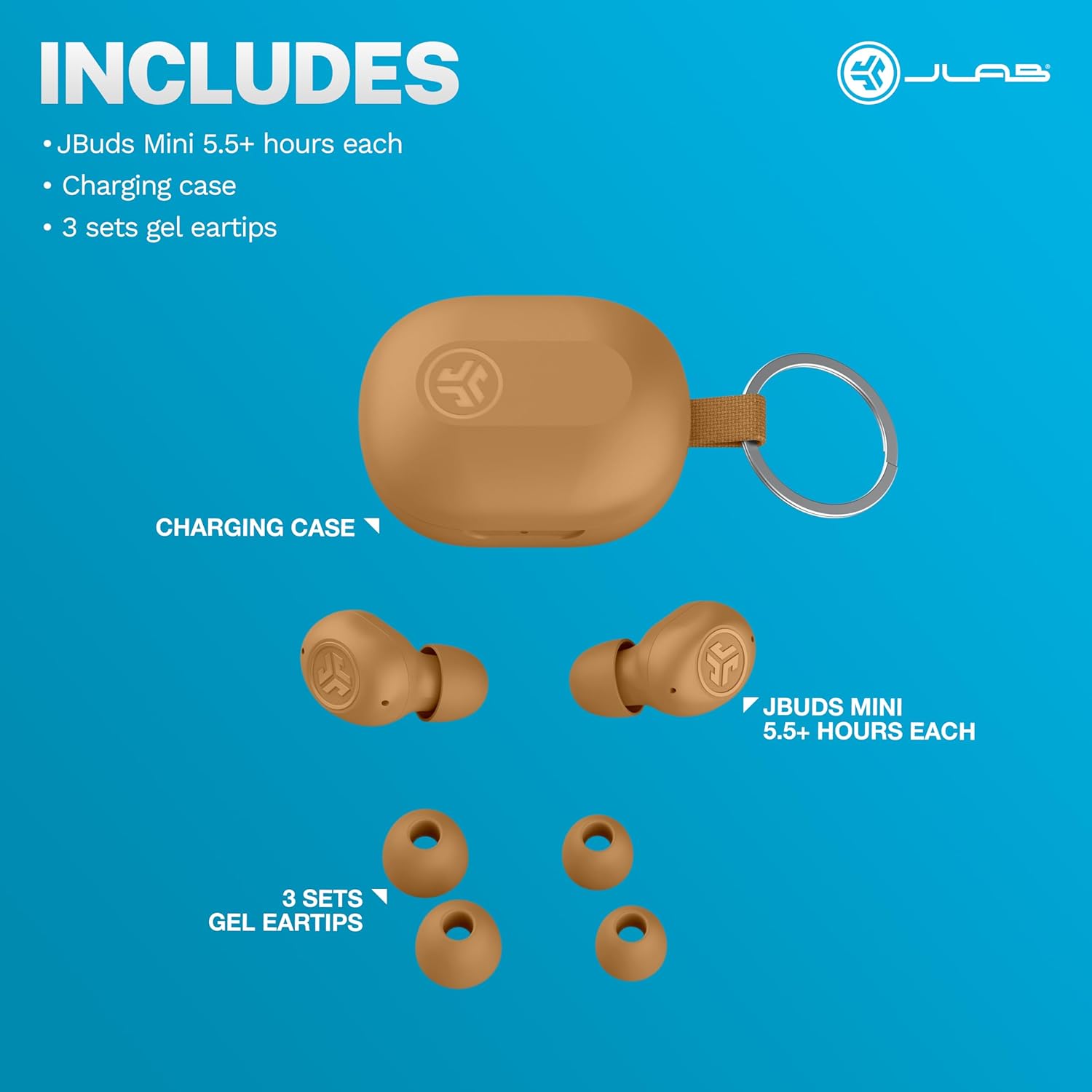
Figure 2.1: Included components: JBuds Mini earbuds, charging case, and three sets of silicone gel tips.
3. セットアップ
3.1 イヤホンとケースの充電
Before first use, fully charge your JBuds Mini. The charging case provides additional power for on-the-go use.
- イヤホンを充電ケースに入れます。
- Connect the charging case to a USB-C power source using the provided cable.
- The earbuds offer approximately 5.5 hours of playtime, with the charging case extending total playtime to 20 hours.
3.2 初期ペアリング
To pair your JBuds Mini with a device:
- 両方のイヤホンを充電ケースから取り出します。自動的にペアリングモードになります。
- On your device (smartphone, laptop, etc.), open Bluetooth settings.
- Select "JBuds Mini" from the list of available devices.
- 接続されると、ペアリングが成功したことを確認する音声プロンプトが聞こえます。
3.3 Bluetoothマルチポイント接続
The JBuds Mini support Bluetooth Multipoint, allowing simultaneous connection to two devices.
- Pair with your first device as described in section 3.2.
- 最初のデバイスのBluetoothを無効にします。イヤホンは再びペアリングモードになります。
- 2台目のデバイスとペアリングします。
- Re-enable Bluetooth on the first device. The earbuds will now be connected to both devices.
- オーディオは、アクティブな再生に基づいてデバイス間で自動的に切り替わります。
3.4 Optimal Fit
Selecting the correct ear tip size is crucial for comfort and sound quality. Experiment with the three included silicone gel tip sizes to find the best fit for your ears.

Figure 3.1: The compact design of the JBuds Mini ensures a discreet and comfortable fit.
Video 3.1: A user demonstrates the unboxing and size comparison of JBuds Mini with other earbuds, highlighting their compact nature.
4. 操作手順
4.1 タッチコントロール
The JBuds Mini feature intuitive touch controls on each earbud for managing playback, calls, and sound modes. Specific functions can be customized via the JLab App.
4.2 JLabアプリのカスタマイズ
Download the JLab App to unlock the full potential of your JBuds Mini. The app allows you to:
- Adjust Be Aware Audio levels.
- タッチ コントロールをカスタマイズします。
- Select from preset EQ sound settings (JLab Signature, Balance, Bass Boost) or create custom profiles.
- 音量制限付きの安全な聴覚オプションを有効にします。
- イヤホンのソフトウェアアップデートを受け取ります。

Figure 4.1: Customize your sound and controls using the JLab App.
4.3 オーディオに注意
Activate Be Aware Audio to allow ambient sounds to pass through, keeping you connected to your surroundings. This feature is ideal for outdoor activities or when you need to hear conversations while listening to audio.

Figure 4.2: Be Aware Audio allows you to hear your surroundings for safe listening.
4.4 クリアな通話
Each JBuds Mini earbud is equipped with a MEMS microphone designed to minimize background noise, ensuring your voice is transmitted clearly during calls. You can use either earbud independently for calls or both together.
5. メンテナンス
5.1 クリーニング
Regularly clean your earbuds and charging case to maintain optimal performance and hygiene. Use a soft, dry cloth to wipe down the surfaces. For ear tips, remove them and clean with mild soap and water, ensuring they are completely dry before reattaching.
5.2 防水・防塵性能(IP55)
The JBuds Mini are rated IP55, meaning they are protected against dust ingress and low-pressure water jets from any direction. This makes them suitable for workouts and light rain. However, they are not designed for submersion in water.

Figure 5.1: The IP55 rating ensures durability against sweat and dust.
6。 トラブルシューティング
If you encounter issues with your JBuds Mini, refer to the following common solutions:
6.1 Connectivity Issues (Sound Breaking Up)
If the audio connection is unstable or breaks up, ensure your earbuds are within close proximity to your connected device. Obstacles between the earbuds and the device can interfere with the Bluetooth signal. Try moving closer to your device or removing any potential obstructions.
6.2 Accidental Control Activation
If touch controls are accidentally triggered, particularly when lying down or adjusting the earbuds, ensure they are seated correctly in your ear. The JLab App allows for customization of touch controls, which may help mitigate unintended activations.
Video 6.1: A user highlights the comfort of JBuds Mini for side sleepers, indicating minimal pressure on the ear.
Video 6.2: A user demonstrates the comfortable fit of the JBuds Mini, suitable for various activities including lying down.
6.3 低バッテリー警告
The earbuds provide subtle audio warnings when the battery is low, allowing ample time to place them back in the charging case before they power off.
7. 仕様
| 特徴 | 仕様 |
|---|---|
| モデル名 | JBudsミニ |
| 接続技術 | ワイヤレス(Bluetooth) |
| Bluetoothバージョン | 4.0 |
| 耐水性レベル | IP55 (Sweat and Dust Proof) |
| バッテリー寿命(イヤホン) | 5.5時間 |
| 合計プレイ時間(ケース付き) | 20時間 |
| 充電時間 | 5.5 Hours (for case, likely refers to total charge time for case + earbuds) |
| コントロールタイプ | タッチ、音量コントロール |
| ノイズ制御機能 | Be Aware Audio, Sound Isolation |
| 対応デバイス | Mobile Phones, Laptops, Computers |
| アイテム重量 | 0.04キログラム(1.44オンス) |
| 材料 | プラスチック |
| 欧州連合 | 810119073532 |
8.保証とサポート
8.1 保証情報
Your JLab JBuds Mini Tones True Wireless Bluetooth Earbuds come with a JLab Two Year Warranty. Please refer to the official JLab web完全な保証条件については、サイトまたは購入書類をご覧ください。
8.2 カスタマーサポート
For further assistance, technical support, or warranty claims, please visit the official JLab support page or contact their customer service directly.
訪問する AmazonのJLabストア 詳細についてはこちらをご覧ください。