1. はじめに
This manual provides essential instructions for the safe and effective use, setup, operation, and maintenance of your KIIROO KEON Automatic Male Masturbator. Please read this manual thoroughly before using the device and retain it for future reference.
2. 安全情報
一般的な安全上の注意事項
- Do not immerse the main device in water. The Feel Stroker is washable, but the electronic unit is not waterproof.
- デバイスを極端な温度、直射日光、高湿度から遠ざけてください。
- 自分でデバイスを分解したり修理したりしないでください。 サポートが必要な場合は、カスタマー サポートにお問い合わせください。
- 付属のUSB充電ケーブルのみを使用してください。
- お子様の手の届かないところにデバイスを保管してください。
バッテリーの安全性
- The device contains a Lithium Ion battery. Do not expose the battery to fire or extreme heat.
- If the battery appears damaged or leaks, discontinue use immediately and dispose of it according to local regulations.
- Avoid overcharging the device. Disconnect the charger once charging is complete.
免責事項
この製品に関する記述は FDA によって評価されておらず、病気や健康状態の診断、治療、治癒、または予防を目的としたものではありません。
3. パッケージ内容
Your KIIROO KEON Combo pack includes the following items:
- 1 x KIIROO KEON Automatic Male Masturbator
- USB充電ケーブル x 1
- 1 x Feel Stroker (skin-like material insert)

Image: KIIROO KEON device shown with its retail packaging, including the Feel Stroker.
4.製品オーバーview
The KIIROO KEON is an automatic male masturbator designed for interactive experiences. It features a motorized stroking mechanism and Bluetooth connectivity for integration with various digital content and devices.
主な特徴:
- Automatic Stroking: Delivers up to 230 strokes per minute.
- Controllable Stroke Length: Adjust the depth of the stroking motion.
- Bluetooth接続: Connects to partners, webcam performers, and interactive adult content (2D/VR).
- ハンズフリーシステム: Designed for convenient, unassisted use.
- PowerBlow Compatible: Can be paired with the PowerBlow accessory (sold separately) for enhanced experiences.
- Customizable Pleasure: Compatible with various Feel Stroker inserts (sold separately) for different sensations.

Image: Visual representation of KEON's key features including Bluetooth connectivity, app installation, stroke rate, and controllable stroke length.

Image: The KIIROO KEON device displayed alongside a Feel Stroker insert, illustrating the two main components.
5. セットアップ
5.1 初期充電
Before first use, fully charge your KEON device. Connect the provided USB charging cable to the device and a suitable USB power source. A full charge typically takes approximately 4 hours.

Image: Diagram showing battery specifications (16.8V 70mAh), charging time (4 hours), and user time (30 minutes to 2 hours).
5.2 Inserting the Feel Stroker
Gently insert the Feel Stroker into the KEON device. Ensure it is seated correctly and securely.
5.3 アプリのインストールとBluetoothペアリング
- Download the 'FeelConnect' app from your device's app store.
- Turn on your KEON device.
- Enable Bluetooth on your smartphone or computer.
- Open the FeelConnect app and follow the on-screen instructions to pair your KEON device.
6. 操作手順
6.1 電源のオン/オフ
Press and hold the power button on the KEON device to turn it on or off. Indicator lights will illuminate when the device is active.
6.2 Adjusting Stroke Settings
Once powered on and connected via Bluetooth, you can control the device's functions through the FeelConnect app or directly via buttons on the device (if available). Adjust the stroke rate up to 230 strokes per minute and customize the stroke length to your preference.

Image: Illustration demonstrating full control over stroke length and speed, highlighting up to 230 strokes per minute.
6.3 Interactive Connectivity
The KEON device is designed for immersive interactive experiences:
- Connect to Interactive Content: Sync with interactive videos, VR experiences, and games via the FeelConnect app.
- 交流する Webcam Performers: Experience synchronized sensations with live webcam performances.
- Partner Connectivity: Connect to a partner's compatible device for shared experiences.

Image: Icons representing connectivity to interactive videos, VR, games, webcam performers, and partner devices, with the KEON device shown next to a laptop displaying interactive content.
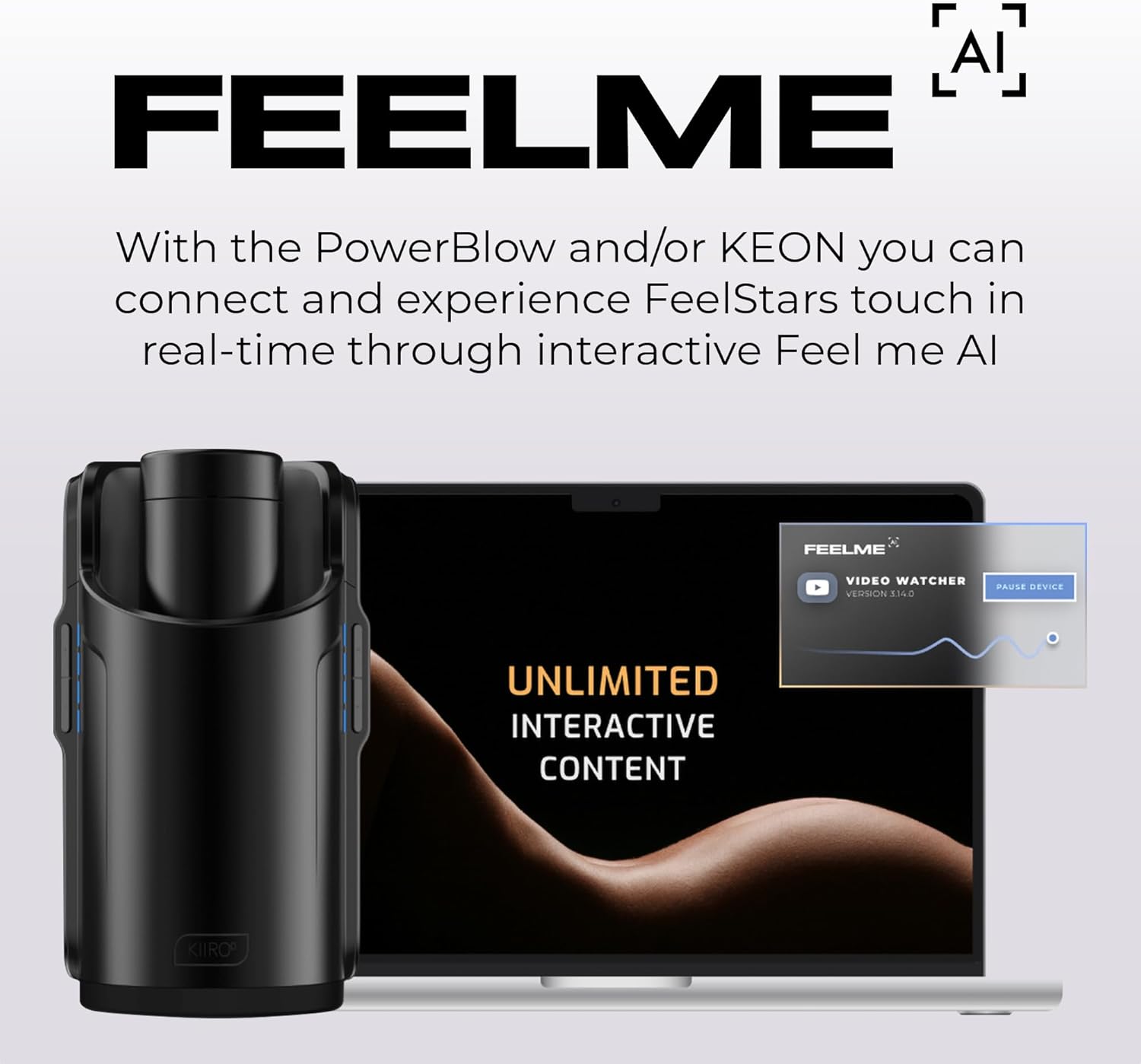
Image: The KEON device next to a laptop screen displaying 'FeelMe AI' interface, indicating real-time interactive content experiences.
7. メンテナンスと清掃
7.1 Cleaning the Feel Stroker
After each use, remove the Feel Stroker from the KEON device. Wash the Feel Stroker thoroughly with warm water and a mild, toy-safe soap. Rinse completely and allow it to air dry before reinserting or storing.
7.2 Cleaning the KEON Device
Wipe the exterior of the KEON device with a damp cloth. Do not use abrasive cleaners or immerse the device in water. Ensure the charging port is dry before connecting the charging cable.
7.3 ストレージ
Store the KEON device and Feel Stroker in a clean, dry place, away from direct sunlight and extreme temperatures.
8。 トラブルシューティング
デバイスの電源が入らない:
- デバイスが完全に充電されていることを確認してください。充電器に少なくとも30分間接続してください。
- Check the USB charging cable and power source for proper connection.
Bluetooth 接続の問題:
- Make sure Bluetooth is enabled on your smartphone or computer.
- Ensure the KEON device is within range of your connected device.
- Restart both the KEON device and your connected device.
- Try unpairing and re-pairing the device in the FeelConnect app settings.
Motor Not Functioning Correctly:
- Ensure the Feel Stroker is correctly inserted and not obstructing the mechanism.
- バッテリー残量が十分であるかどうかを確認してください。
- If issues persist, contact KIIROO customer support.
9. 仕様
| ブランド | キールー |
| モデル番号 | 54062340000 |
| 製品寸法 | 6.69 x 6.3 x 10.24インチ |
| アイテム重量 | 1.76 ポンド |
| 電池のタイプ | リチウムイオン電池1個(付属) |
| バッテリー仕様 | 16.8V 70mAh |
| 充電時間 | 約4時間 |
| 使用時間 | 30 minutes to 2 hours (depending on usage) |
| 接続性 | ブルートゥース |
| Max Strokes Per Minute | 230 |
| メーカー | キールー |
| ASIN | B0DPJSLR94 |
10. 保証とサポート
For warranty information, technical support, or any inquiries regarding your KIIROO KEON device, please contact KIIROO customer service directly. You can find contact details on the official KIIROO webサイトまたは購入プラットフォームを通じて購入できます。
Visit the official KIIROO Store: KIIROO Store on Amazon